I’m convinced — POCO’s F7 is the only mid-range phone worth buying in 2025

POCO goes back to what it does best — delivering incredible performance at an unbeatable value.

POCO F7 review

Verdict

POCO didn’t put a foot wrong with the F7; it has a 6,500mAh battery that lasts a day and a half, a vibrant AMOLED panel, and the best performance in this category. Combine that with longer-term software update guarantee, noteworthy design, and one of the best value-for-money of any phone in 2025, and you have an unbeatable package.

Pros

  • +Flashy design that stands out
  • +Noticeable performance gains
  • +Outstanding battery life
  • +Vivid AMOLED panel
  • +Decent main camera
  • +Long-term software updates

Cons

  • -Wide-angle lens isn’t great
  • -Global model doesn’t get the same battery as Indian version

POCO is clearly being ambitious in 2025; the brand’sX7 Pro Iron Man Editionwas a strong start to the year, and that was followed by theF7 Ultra, its best device yet. POCO is continuing that momentum with the debut of the standard F7. Although the device doesn’t have too many similarities to the F7 Ultra, it is interesting in its own right.

The F7 is powered by the Snapdragon 8s Gen 4, which has huge performance gains over the 8s Gen 3. I enjoyed using the chipset in theiQOO Neo 10, and it is just as performant on the F7 — Nothing is also set to use it on the Phone 3. But what makes the F7 that much more enticing is the value; POCO is once again undercutting its immediate rivals, and that makes the device a downright bargain.

I used the F7 for the better part of two weeks, and if you want a mid-ranger, there really isn’t anything that gives you quite as much value.

also:Replacement battery for Xiaomi Poco X6 Pro 5G

POCO F7: Pricing and availability

POCO unveiled the F7 on June 24, and the phone is set to go on sale starting July 1. The phone is available for ₹31,999 ($372) for the 12GB/256GB model, and ₹33,999 ($395) for the edition with 12GB of RAM and 512GB of storage. It’s good to see POCO providing 256GB of storage with the base model — just like last year.

Over in the U.K., the POCO F7retails for £389($530) for the 12GB/256GB model, and £429 ($584) for the 12GB/512GB variant. If you’re interested in buying the phone before July 7, you can pick up the 12GB/256GB model at £319 ($434) and the 12GB/512GB model at £359 ($488).

It will cost the equivalent of $399 for the 12GB/256GB model in other global markets, with launch pricing at $339. The 12GB/512GB model costs $449, with POCO bringing it down to $399 during the launch window.

>>>Replacement battery for Xiaomi Poco F5 Pro

POCO F7: What I like

POCO F7 review

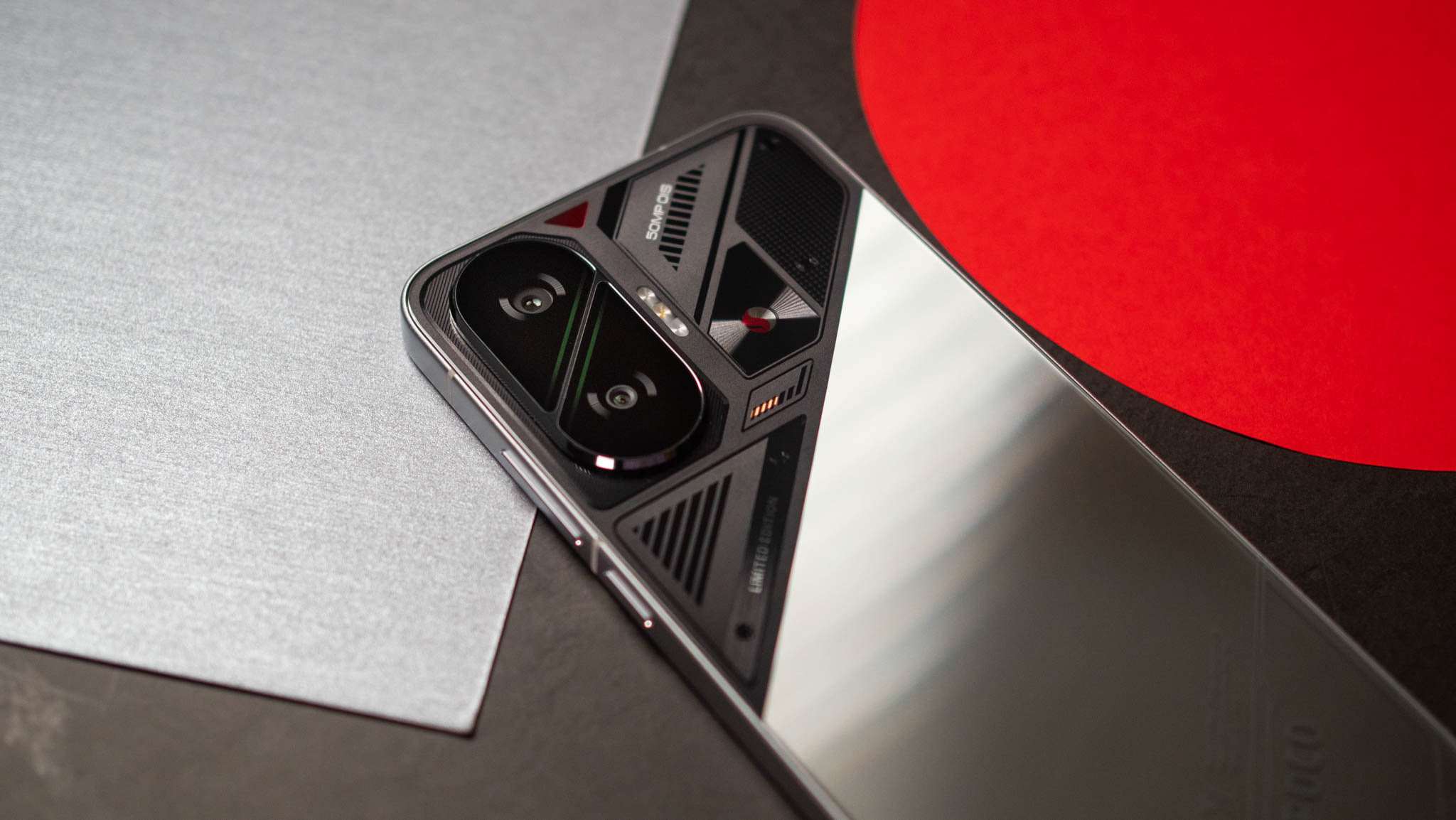
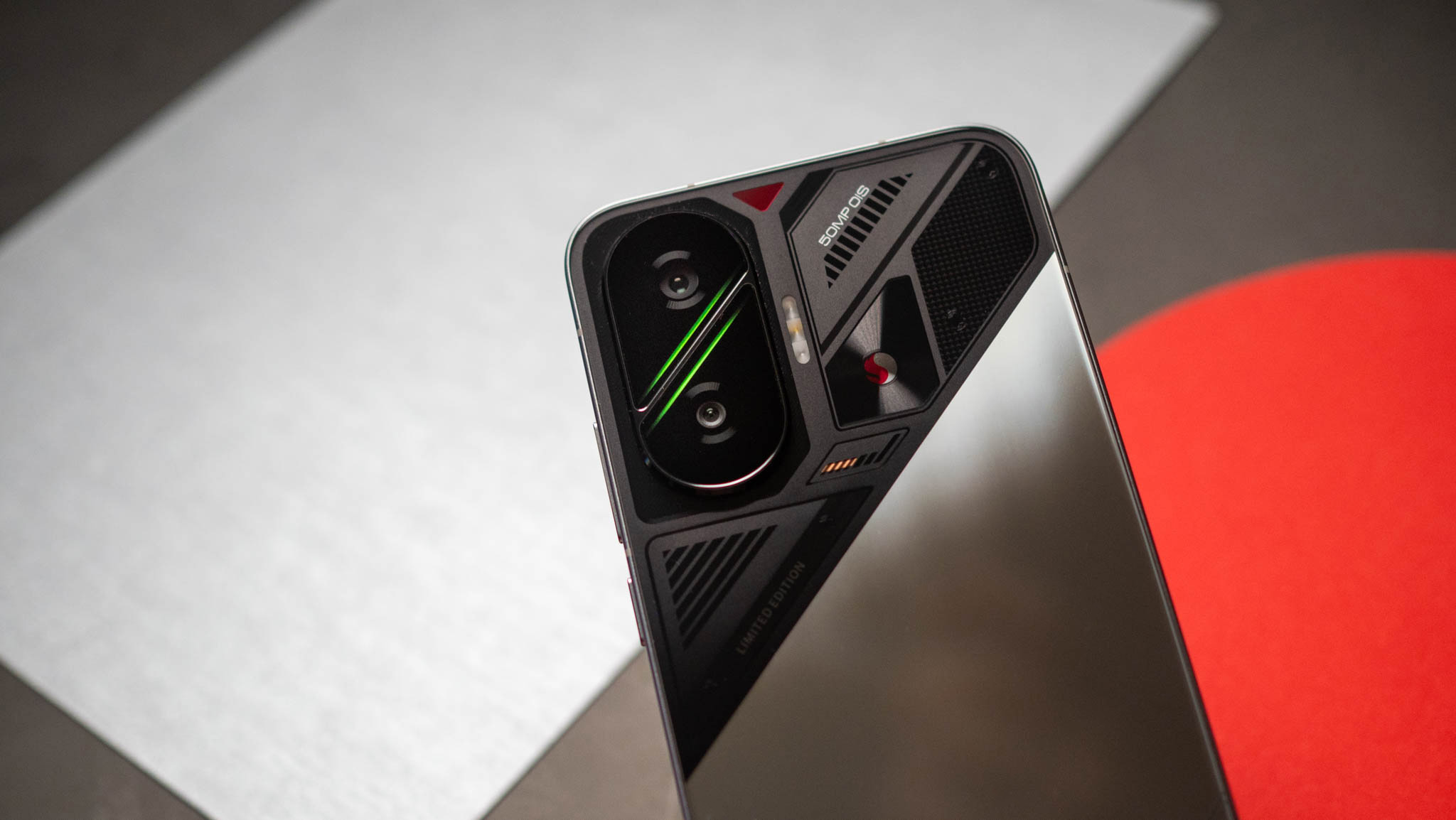
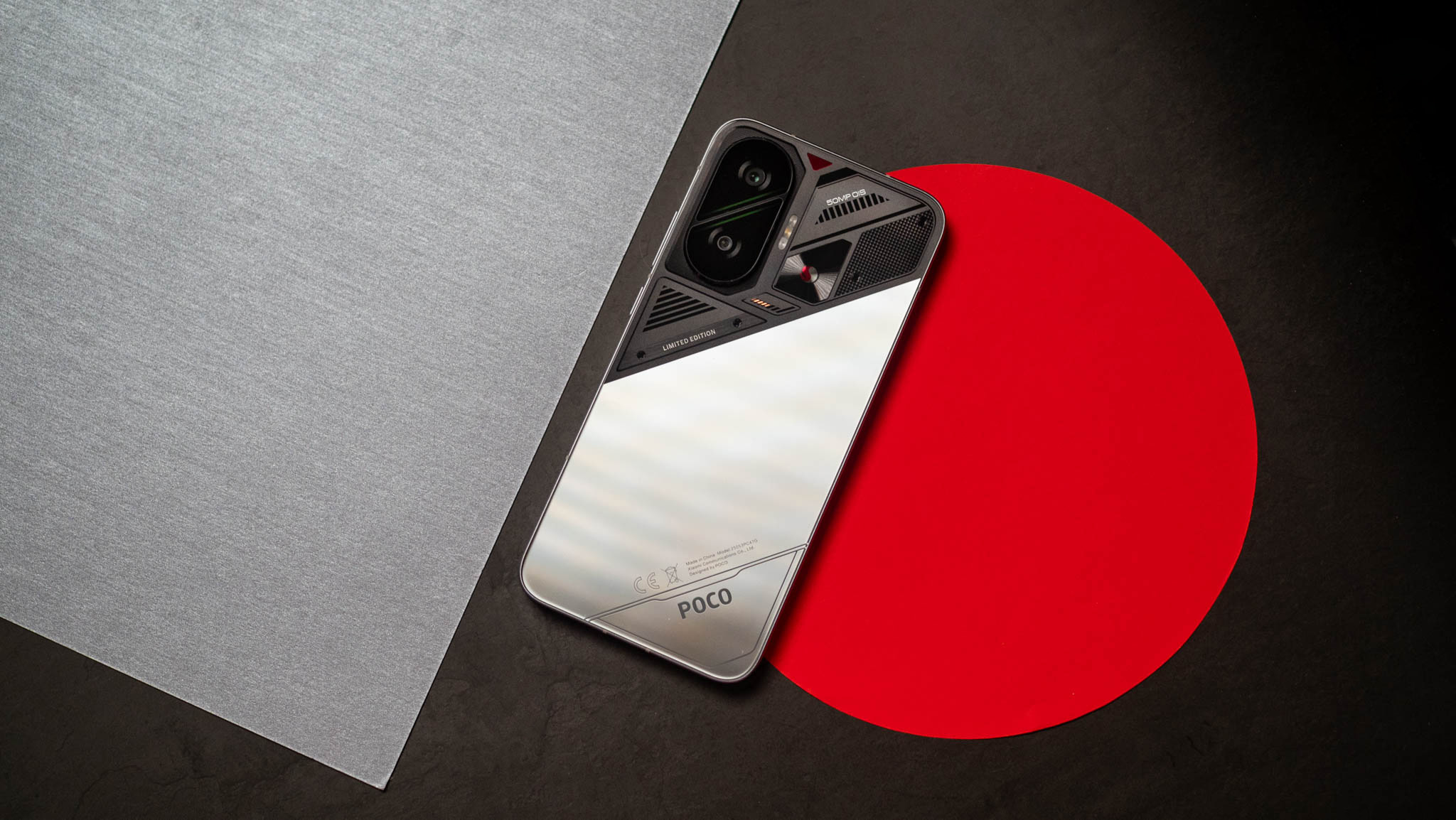
POCO doesn’t shy away from bold designs, and the F7 takes this to a new level. The white and black models have a two-tone design with a redesigned camera housing, and the oblong housing is split into. The green accents in the middle of the housing give it plenty of flair, and the dual-tone effect makes the design just that bit more refreshing.

>>>Replacement battery for Xiaomi Poco X5 Pro

The design is on another level

POCO F7 review

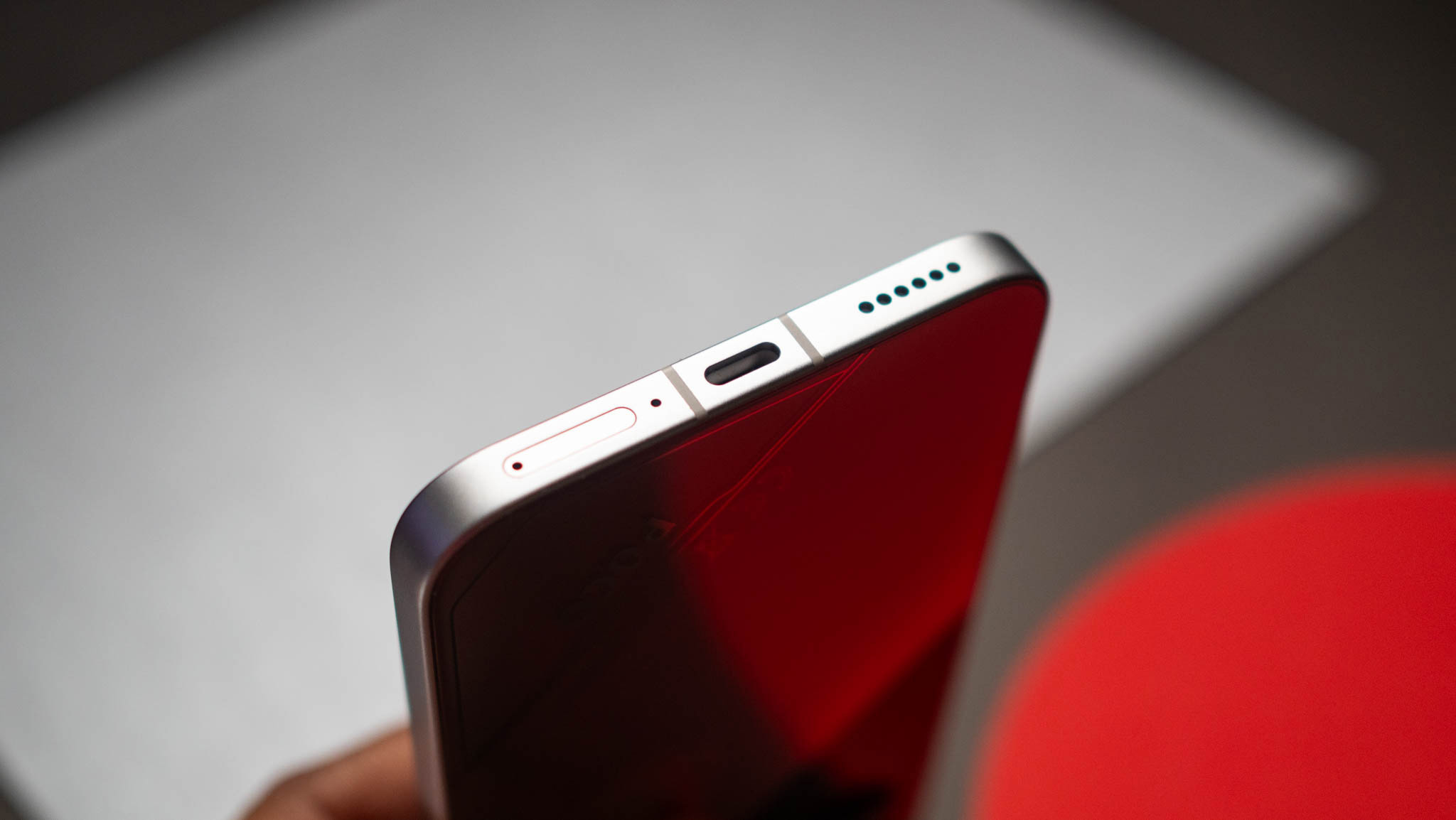
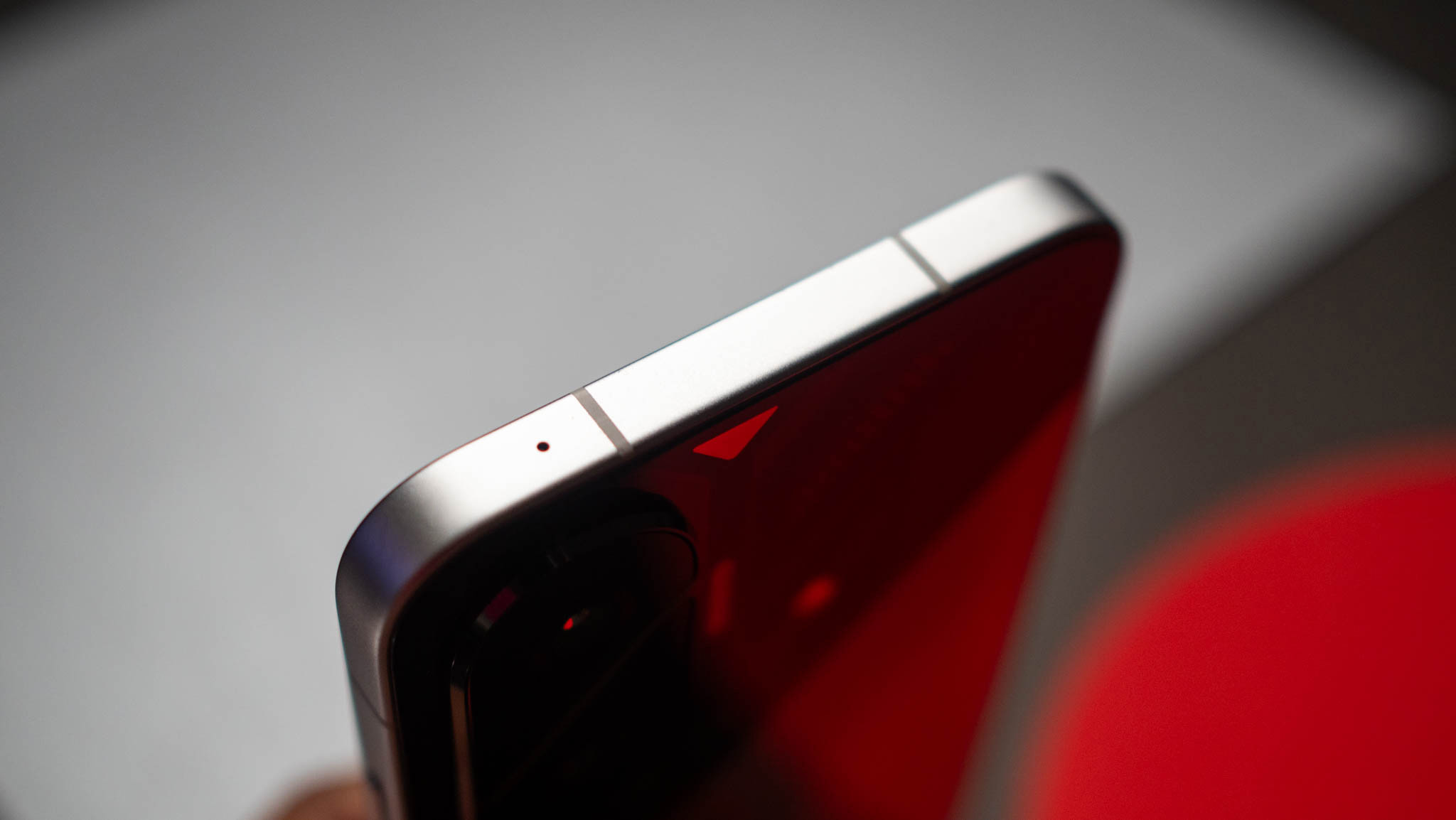
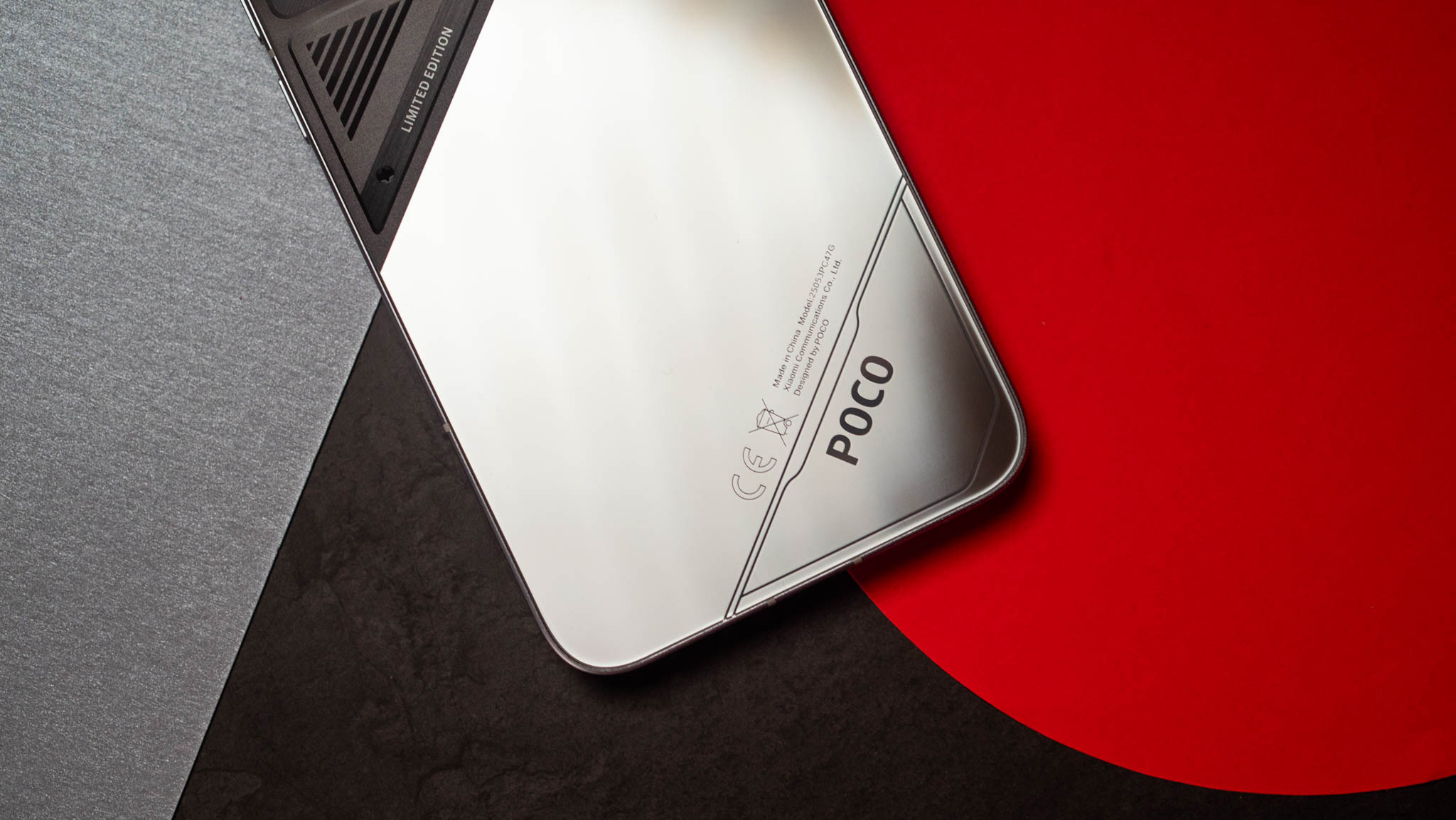
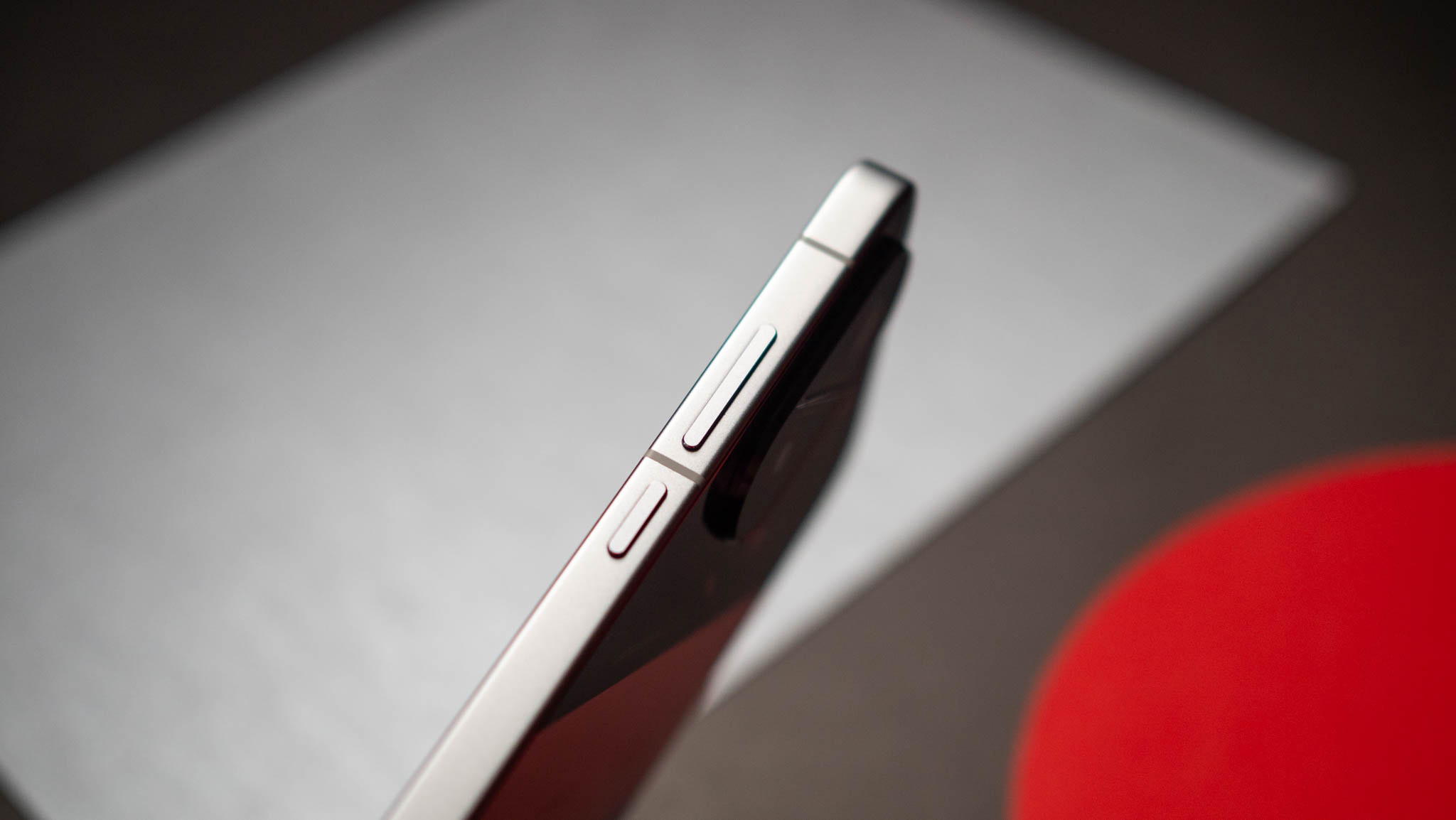
POCO also sent over the silver variant, and this is the model to get if you’re interested in buying the F7. It has futuristic styling with an embossed Snapdragon logo, and it easily attracts attention. POCO went with flat sides, but the bevels on the sides make it comfortable to hold and use the phone, and it isn’t unwieldy even though it has a massive battery.
POCO F7 review
POCO F7 review
POCO F7 review
POCO F7 review
POCO F7 review
POCO F7 review

The aluminum mid-frame and glass back make the device look upmarket, and POCO included IP68 dust and water resistance. The only issue I have with the design is that the fingerprint sensor is located a little too low on the panel, making it difficult to access.

This AMOLED panel gets bright

POCO F7 review

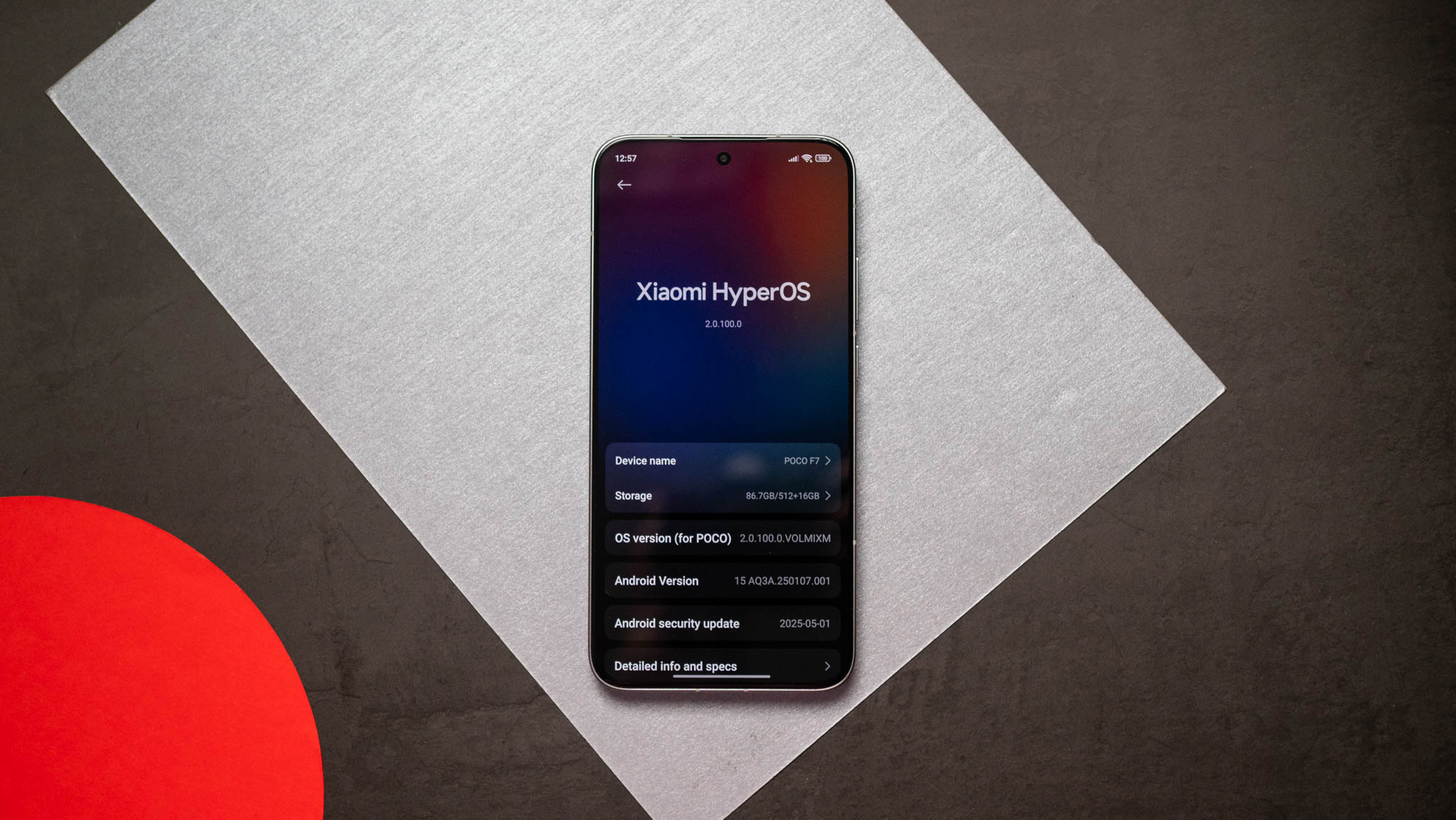
The F7 has a bigger 6.83-inch AMOLED panel, and it gets brighter than its predecessor. I didn’t see any issues with color vibrancy or contrast levels, and POCO continues to do a great job calibrating its panels. There’s Dolby Vision and HDR10+, and you get dynamic colors in Netflix and YouTube.

POCO F7 review

Gaming is similarly enjoyable, and the F7 doesn’t really have any issues in this regard. The stereo sound is limited as you don’t get identical channels, but you can make out two distinct sources of audio, and it is serviceable if you’re gaming casually. Interestingly, the phone gets 3,840Hz PWM dimming as standard, and it makes a huge difference if you’re sensitive to PWM issues.

Class-leading performance is a guarantee
POCO F7 review

POCO outfitted the F7 with the latest Snapdragon 8s Gen 4, and it is one of Qualcomm’s best mid-range chipsets in a long time. It uses a design that’s made up entirely of big cores — with the Cortex X4 leading the way — and the Adreno 825 holds up much better than the Adreno 735 in the 8s Gen 3.

Geekbench 6 (single-core)204920931988
Geekbench 6 (multi-core)627562466690
Geekbench AI (Quantized Score)359030412900
3DMark Wild Life Extreme (score)424645503566
3DMark Wild Life Extreme (FPS)25.4327.2521.35
3DMark Solar Bay (score)755880755131
3DMark Solar Bay (FPS)28.7430.7119.51

Basically, this is one of the fastest options in this category, and it allows the F7 to shine in demanding games. I didn’t see any issues with visually-demanding games, and the F7 delivers the best performance in this category by a long shot. Other niceties include UFS 4.1 storage modules, 256GB of storage even on the base model, Bluetooth 6.0 modem — just like theXiaomi 15 Ultraand Xiaomi 15 — alongside Wi-Fi 7, AptX Adaptive, and dual-band GPS.

A battery that goes on (and on (and on))

POCO didn’t really omit many features on the F7, and that’s refreshing to see. On that note, the phone has a huge 6,500mAh battery, and it lasts over a day and a half with medium use. Even if you binge an entire season of a TV show in one go, you’ll get a day’s worth of use out of the device.

My only annoyance with the battery is that the global model doesn’t have the gargantuan 7,550mAh silicon battery that’s exclusive to the Indian model. POCO did this in the past as well where it limited the bigger battery to the Indian version, and I want to see that change.

Other than that, the phone gets 90W charging, and it takes just over 44 minutes to charge the device. That’s quite decent when you consider the size of the battery, and this is with the 6,500mAh model — I didn’t get to use the Indian unit with the 7,550mAh battery.

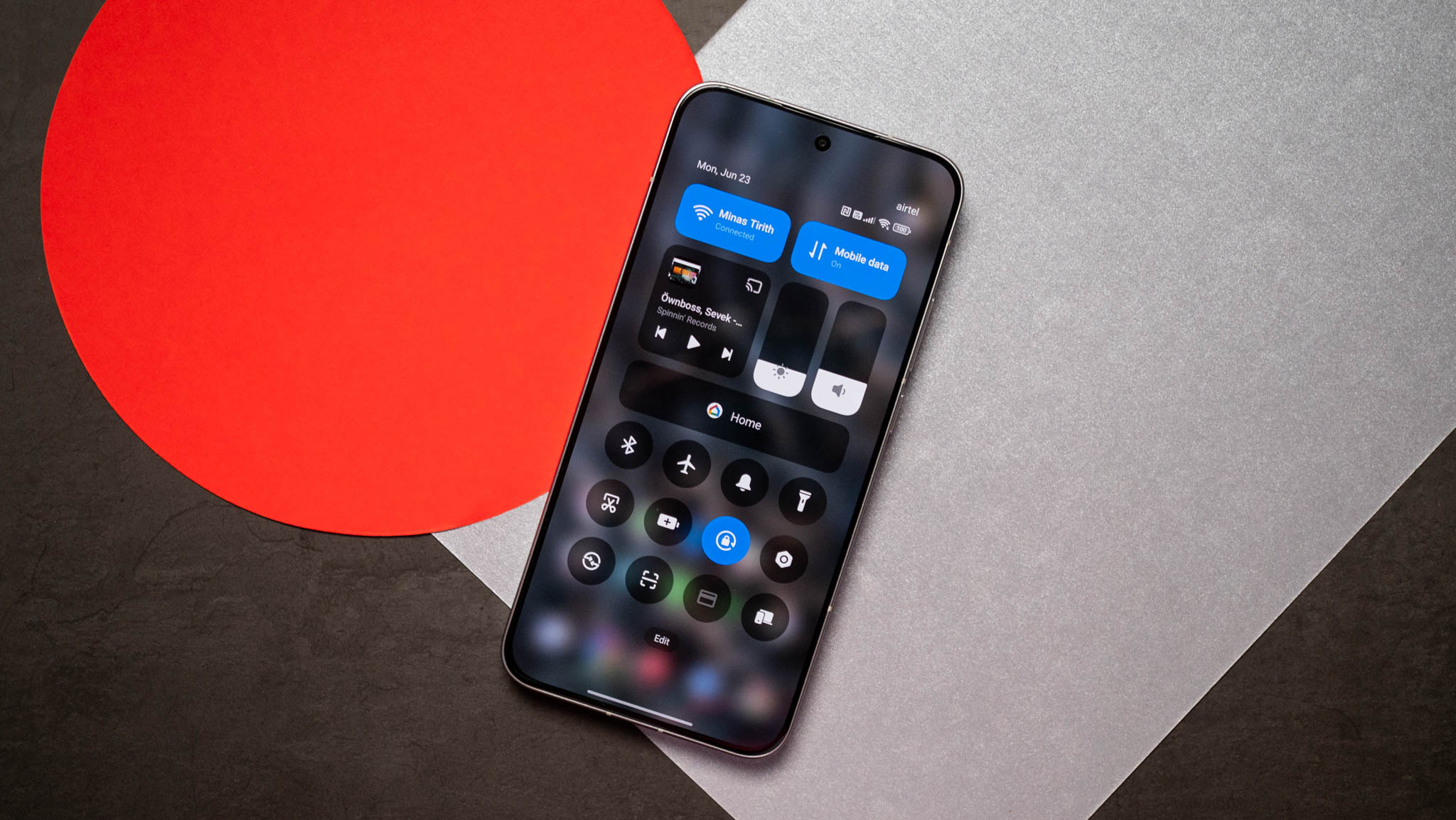
Highly customizable software
POCO F7 review

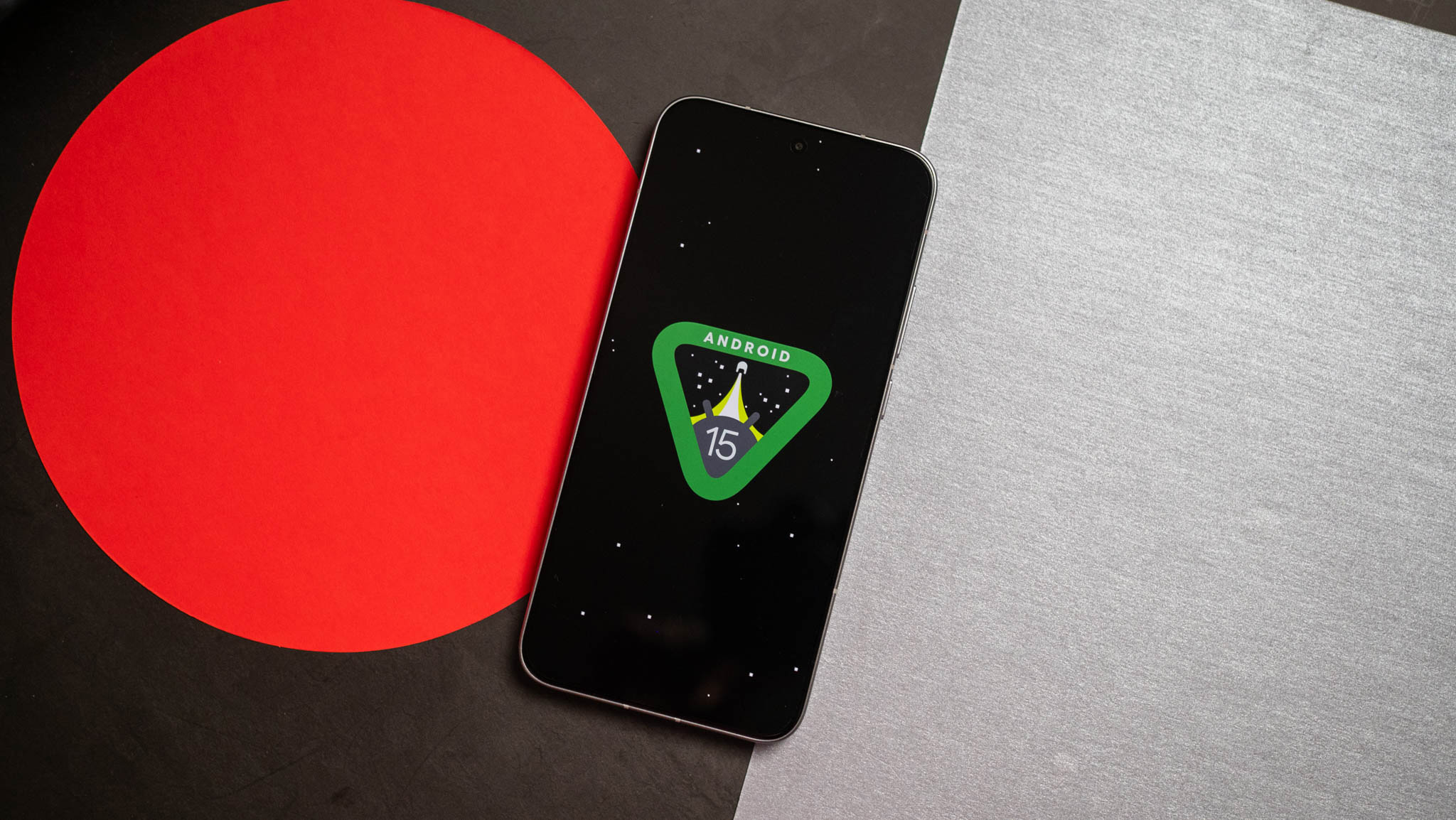
POCO’s phones have the same software as their Xiaomi siblings, and the F7 runs Android 15 out of the box. There’s good optimization, so you get a fluid interface without any noticeable lag in daily use. I ran into a few issues with notifications, but disabling the memory management sorted those out.
POCO F7 review

Other than that, there really isn’t much to talk about the software. You get the usual AI-backed utilities, but they’re limited to Xiaomi’s (err, POCO) own services, and I don’t really see much usability with these. What I like is that the F7 will get four Android OS updates alongside six years of security patches. That’s a positive move from POCO, and it allows the phone to be relevant that much longer.

POCO F7: What I don’t like
POCO F7 review

POCO will admit that cameras aren’t the highest priority for the brand, and while the F7 Ultra changed this narrative, the standard F7 doesn’t quite deliver the same caliber of photos. The phone uses a 50MP Sony IMX882 as the main camera, and it’s joined by an 8MP wide-angle lens and a 20MP front camera that lacks autofocus.

The phone takes decent photos in most conditions, but it isn’t going to win any awards. You can get beautiful shots if you’re willing to tweak the settings, but it isn’t anywhere as effortless to use as the Pixel 9a or even the iQOO Neo 10. The 8MP wide-angle lens is strictly average, and it doesn’t measure up in low-light situations. You get 4K60 video, but stabilization isn’t great.

Another issue is with the software; while I generally like what POCO is doing in this area, the F7 has way too much bloatware installed out of the box. Yes, you can uninstall or disable most utilities, but most users won’t bother doing so.

POCO F7: The alternatives

I like the iQOO Neo 10; it has a lot of the same features, and you get a 7,000mAh battery as standard alongside 90W charging. It holds up just as well in daily use and intensive gaming, and it is a smidgen lighter than the F7. I like iQOO’s software better, but the device won’t get as many updates.

If you need the best cameras, thePixel 9acontinues to be a solid choice. The phone isn’t anywhere as fast as the F7, and it misses out in a lot of other areas. But if you need a mid-ranger to take photos, the cameras are hard to beat, and Google has an extensive suite of AI editing features.

POCO F7: Should you buy it?
POCO F7 review

You should buy this if:

  • You want a phone that will turn heads
  • You need the best battery life
  • You’re looking for the best performance in this category

You shouldn’t buy this if:

  • You take a lot of photos and videos

The F7 is an existential threat to the Redmi Note 14 Pro+; POCO somehow managed to deliver better performance, much better battery life, a bigger AMOLED panel with brighter colors, and longer software updates.

This makes me question why Xiaomi even bothers with the Redmi Note series; sure, it takes better photos, but it is inferior in every other way, and the pricing just doesn’t justify what you’re getting.

If you need a mid-range phone and don’t mind average cameras, there really isn’t a better choice than the F7 right now.

Best all-in-one computers in 2025: our top picks tested and rated

These are the best all-in-one PCs we’ve ever used

Apple iMac M4 review unit on desk

I’ve been reviewing PCs for years and I’ve come to really appreciate all-in-one computers because the best all-in-ones are compact, powerful enough for work and play yet cheap enough that you won’t break the bank buying one.

I know because my team and I review hundreds of PCs every year, including the best all-in-one PCs from Apple, HP, Lenovo, MSI and more.

While most all-in-ones aren’t speed demons, the latest 24-inchApple iMacis something of an exception thanks to the powerful M4 chip inside. I recommend it as the best all-in-one for most folks because it’s a great multi-purpose PC, powerful enough to play games well with a lovely screen that offers nice wide viewing angles, so it makes for a great family or living room PC.

While it’s not the most expensive Apple PC the iMac is pricey, so if you just want a decent PC that doesn’t cost an arm and a leg I recommend theMSI Modern AM271Pbecause it’s a great value.

If you can afford to splurge but don’t like the iMac, I suggest theHP Envy 34because it adds a touch of elegance to the all-in-one design, sporting luxuries like a gorgeous 34-inch display and a built-in wireless charger on the stand.

>>>Replacement battery for MSI Modern 14 B5M C5M C13M Modern 15 B12M SERIE

The best all-in-one computers you can buy today

The best overall

1. Apple iMac M4

The best all-in-one for families

Specifications

VR Ready:NoProcessor:Apple M4 chipRAM:16-32GBGraphics Card:Apple M4 chipStorage:256GB – 2TB SSDAccessories:Apple Magic Keyboard and Mouse

Reasons to buy

+Speedy M4 performance
+Lovely 4.5K display
+Great 6-speaker sound system
+Upgraded camera is nice to have

Reasons to avoid

-Lack of height adjustment hurts
-No touchscreen option feels limiting

The colorful Apple iMac M4 looks an awful lot like its predecessors, but under the hood this all-in-one is powered by the all-newApple M4 chipthat helps propel it to our top spot on this list.

I really like the iMac because it combines good performance, a surprisingly good speaker setup and a lovely display with great viewing angles in one attractive package that’s easy to fit into your desk.

The 24-inch 4.5K display is among the best you can get on an all-in-one, and its wide viewing angles make it surprisingly good for gathering friends or family around to watch YouTube videos or stream a TV show. Pair that with the six-speaker sound system, which supports Apple’s Spatial Audio feature, and you get the best theater experience out of any PC on this list.

Pair that with the speed and power of the M4 chip, which is more than capable of handling basic work tasks, homework, basic video editing and light gaming, and you start to see why I love this machine as a general-purpose PC. Plus, the 12MP webcam is great for FaceTiming relatives or taking part in remote learning, and if you’re using FaceTime you can use the new Desk View feature to transmit a live feed of whatever’s in front of you on your desk in addition to your own video.

For more on why the Apple iMac M4 is a great all-in-one that’s so easy to recommend to families, students and teachers, check out our review and testing results!

>>>Replacement battery for MSI 2964125 2ICP3

The best value

MSI Modern AM271 M11 on a desk

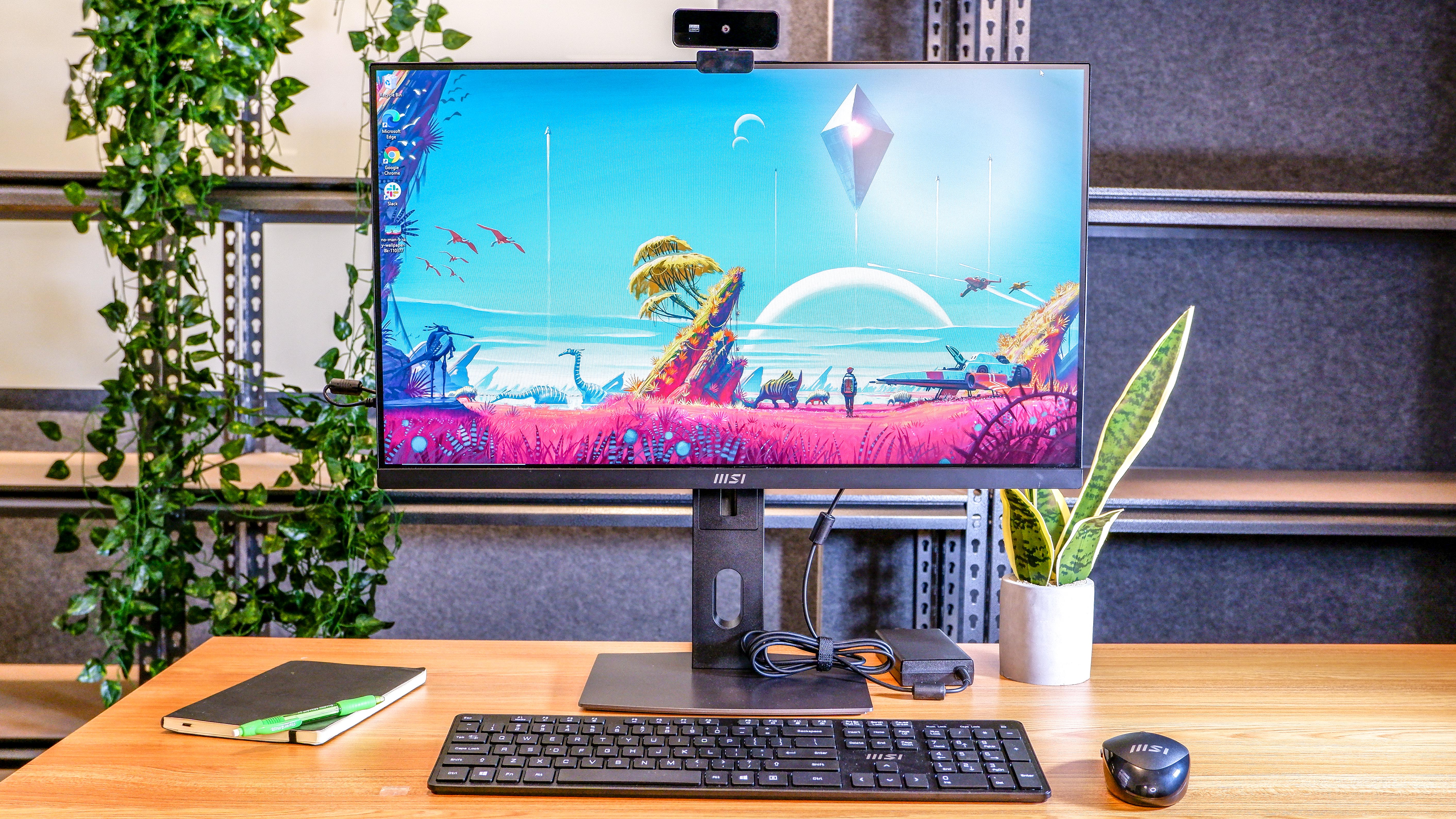
2. MSI Modern AM271P 11M

The best all-in-one for getting business done on a budget

Specifications

Display:27-inch 1080p (1920 x 1080 pixels)Special Features:1080p webcam, keyboard and mouse includedProcessor:Intel Core i7-1165G7Graphics:Intel integrated graphics

Reasons to buy

+Big, beautiful 27-inch screen
+Easy to set up and use
+Takes up minimal space
+Affordable price

Reasons to avoid

-Disappointing audio quality
-Struggles with modern games

The MSI Modern AM271P 11M is an awkwardly-named all-in-one that’s quite good if you need something relatively affordable that’s capable of tackling the day-to-day tasks of handling business and getting things done.

That’s because this PC packs a speedy 11th Gen Intel Core i7 laptop CPU into its display along with 16GB of RAM and a 512GB SSD. The fact that it’s powered by a top-of-the-line laptop CPU means this MSI can deliver a lot of speed and functionality even though the entire PC is housed inside the display itself. And with its built-in VESA mount, you can set it up on the included stand or mount it on a wall or monitor arm for more convenient workplace setups. Plus, you get a 1080p webcam, keyboard and mouse packed in with every unit — though all three leave a little something to be desired, so you may want to replace them with your own favorites down the road.

The best upgrade pick

3. HP OmniStudio X 32

The best Windows all-in-one for those who can afford to splurge

Specifications

Display:31.5-inch 4K UHD (3840 x 2160) IPSSpecial Features:Doubles as laptop dock or external displayProcessor:Intel Core Ultra 5 125H – Ultra 7 155HGraphics:Integrated graphics or Nvidia RTX 4050 GPU

Reasons to buy

+Fully customizable
+Excellent display color accuracy
+Lots of easily reachable connection ports
+Can act as an external monitor or dock for other devices

Reasons to avoid

-Included keyboard and mouse are poor
-Webcam image quality is mediocre

The HP OmniStudio X is a good Windows 11 all-in-one PC that costs a bit more than the MSI but offers more and better features.

And while the 32-inch 4K screen is not quite as high-res as the iMac M4’s 4.5K display, the HP’s screen is bigger and can double as an external display for your laptop or other device. So if you work on the road and wouldn’t mind a bigger screen to use when at home, this is a great all-in-one.

You have a surprising amount of leeway to customize it when you order, as well, which is something of a rarity when it comes to buying all-in-one PCs. You can also outfit it with a discrete Nvidia GeForce RTX 4050 GPU if you like, which expands the range of games you can play on this slick all-in-one.

But it’s really built for productivity mavens, and you can tell when you check out the slew of easily-accessible ports on the OmniStudio X. Not only do you get plenty of USB-A and USB-C ports, you also get HDMI outandHDMI in (so you can use the OmniStudio as a display for another device) as well as an RJ-45 Ethernet jack.

And while the built-in 12MP webcam doesn’t deliver great image quality and the “Desk View” feature (which lets you show what’s on your desk while you’re on a video call) is kind of a hassle to use, those are small complaints on what’s otherwise a great Windows 11 all-in-one.

You even get a mouse and keyboard packed in, and while they’re not high-quality they are nice to have if you don’t have some already or your favorite mouse and keyboard break.

How to choose

How to choose the best all-in-one computer for you

Even the best all-in-one computers generally don’t deliver a ton of power, so if you need a PC for serious photo/video editing, coding or playing games you should probably look elsewhere (like our regularly-updated list of thebest gaming PCs).

But if you need an all-in-one for general computing, you have a lot of great choices. The number one thing to decide when shopping for the best all-in-one computer for your needs is what operating system do you want: macOS or Windows?

While there are a few all-in-one Chrome PCs, the vast majority run on either Apple or Microsoft’s operating system. And while Windows AIO PCs like the OmniStudio X 32 support a wide variety of software and are compatible with any game you care to run, those strengths ofWindows 11matter less when it comes to all-in-ones because these PCs generally don’t have the power or cooling to run the most demanding apps and games anyhow.

So if you prefer macOS, you should definitely feel good about choosing an all-in-one like the 24-inch iMac. Macs are just as capable as Windows PCs these days, and the webcams built into Apple’s PCs are excellent. Plus, the modern iMacs can also run apps from Apple’s App Store and support modern features like iPhone Mirroring, so you can easily access iOS apps or even your phone’s home screen right on your desktop PC.

CPU performance of the best all-in-one PCs compared

Here is a quick look at our testing data for the PCs on this list. The tables below shows scores for benchmark tests we run using Geekbench 6 (which measures CPU performance) as well as our own custom tests for measuring file copy speed and video editing speed.

These comparisons give you a general sense of how these machines stack up performance-wise, so you can make sure to avoid buying a machine that’s mismatched to your needs.

Overall performance

Geekbench 6 (multi-core)25 GB File Copy (MBps)Handbrake (Min:Seconds)
Apple iMac M414,724N/A5:03
MSI Modern AM271P 11M5,232420.813:10
HP Envy 347,9351,579.58:23

Windows 10 gets an extra year of free security updates (with a catch)

You’ll have to turn on Windows Backup, or redeem some of those unused rewards points you got from Bing. But Windows 10 is getting a stay of execution, without the $30 charge.

Windows 11 logo juxtaposed with Windows 10 logo

For a long time, there’s been a Sword of Damocles hanging over the PC users who didn’t want to give up Windows 10, no matter how much Microsoftbegged them to upgrade to 11 and/or buy a new laptop. As the countdown to October kept ticking, we were wondering if Microsoft would relent for millions of users in no mood to change. As it turns out, they have…with some quid pro quos.

To be clear, this isn’t exactly a reprieve for Windows 10. The operating system, which is approaching its tenth birthday in July, won’t get any significant feature updates after it loses hits end of life in October. But Microsoft is expanding the Extended Security Updates program, cruciallyremoving the $30 fee for its first year…if you use Windows Backup to sync your Windows settings to OneDrive. Alternately, you canuse 1000 Microsoft Rewards pointsto get the same benefit.

>>>Replacement battery for Microsoft 93HTA003H

If you don’t want to do either of those, you’ll want to cough up $30 USD to extend full support to October 13th, 2026. Businesses and commercial organizations have some other options — if you’re a Fortune 100 company with about ten thousand machines and you don’t feel like upgrading to Windows 11 just yet, Microsoft is much more likely to listen to your concerns.

October 15th, 2025is still going to be something of a deadline for most regular users, who need to exercise one of those three options above or stop receiving crucial security and stability updates. But on the other hand, it might not be as dire a situation as that sounds like, at least initially. Microsoft will continue to updateWindows’ free, default Defender Antiviruson Windows 10 through October 2028, and that’s the first line of defense in terms of security from things like viruses, trojans, and spyware.

Of course, Microsoft would still very much prefer you to upgrade to Windows 11…or better yet, just buy a new PC. (Those Copilot+ laptopsaren’t going to sell themselves, after all.) In fact,the Windows Experience Blogstill calls 2025 “the year of the Windows 11 PC refresh” even as it gives you two new, free options to put off that refresh for another year.

Maybeall those baked-in advertisementsand pushes to use questionably-necessary AI tools (and theexpensive subscription they require) aren’t going over as well as some of the higher-ups in Redmond would have liked.

Chromebook Plus laptops are pulling out some AI big guns to outsmart Windows Copilot

It doesn’t matter if you’ve got a brand-new or older Chromebook Plus — AI is pretty much baked into everything now.

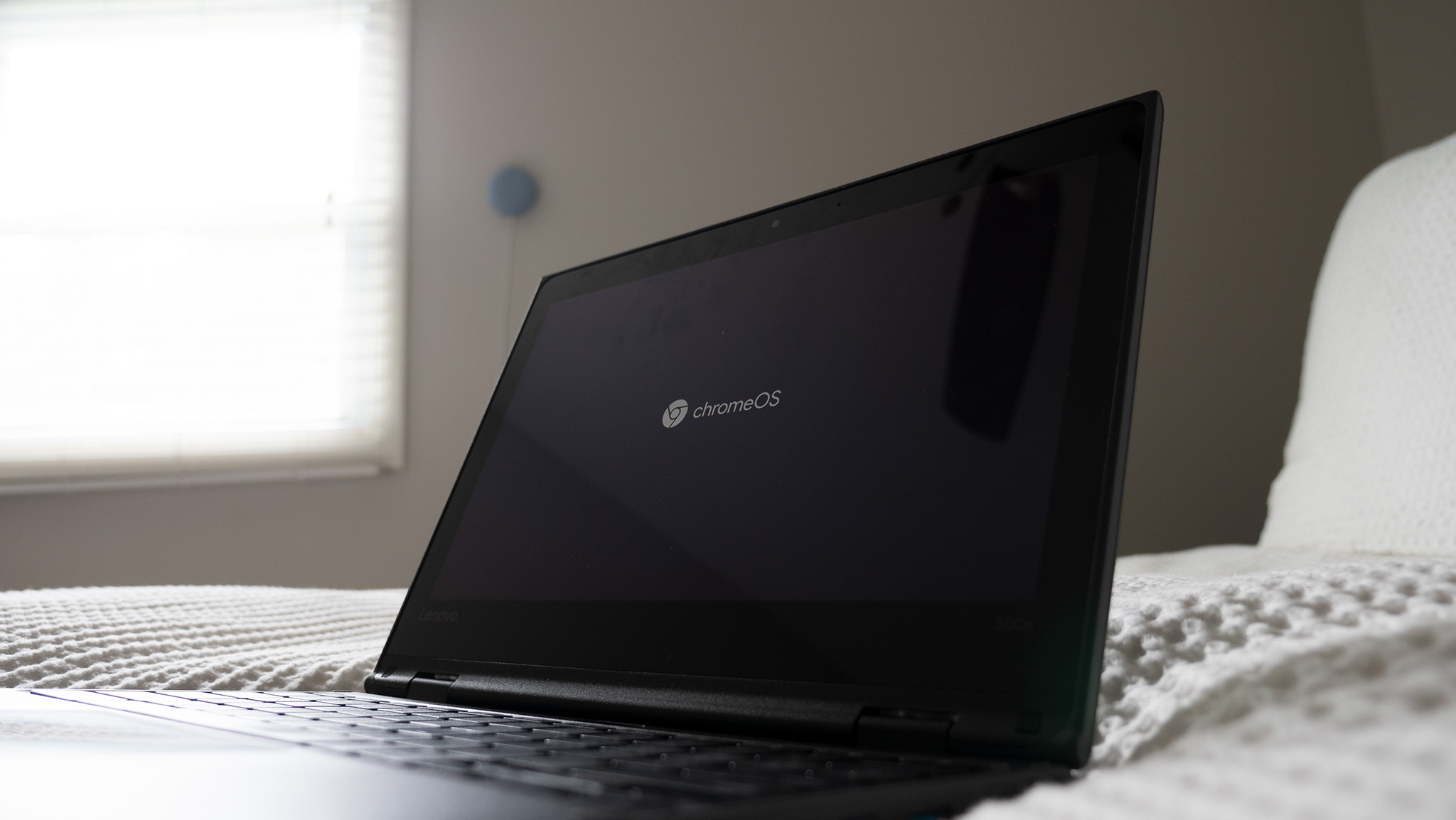
Chrome logo on a Lenovo Chromebook

What you need to know

  • Google is rolling out new AI features to every Chromebook Plus, not just the new Lenovo model.
  • The new AI features include ‘Select to search with Lens,’ ‘Text capture,’ ‘Help me read,’ and support for the Quick Insert key.
  • Every Chromebook Plus now includes a free year of the Google AI Pro plan—2TB storage and Gemini baked into Gmail, Docs, and more.

Google is rolling out a fresh batch of AI features for all Chromebook Plus devices, right on cue with thelaunch of the new Lenovo Chromebook Plus 14.

All Chromebook Plus devices, not just Lenovo’s, are getting in on the AI upgrade. Google’s blog post says a new “Select to search with Lens” feature lets you long-press on anything visible on your screen to instantly search for it. This feature comes in handy if you spot something you like while browsing, like a cool pair of sneakers or a mystery plant.

Additionally, “Text capture” instantly pulls information from photos like receipts or notes into editable text. It can even turn event invites into calendar entries or recipes into Google Docs shopping lists.

>>>Replacement battery for Asus Chromebook Flip CM3 CM3200 CM3200FVA

Text capture feature on a Chromebook Plus laptop

(Image credit: Google)

Chromebook Plus’s AI play

Perhaps the flashiest feature coming to Chromebook Plus is the new Quick Insert key that lets you drop in AI-generated images, emojis, or photos directly into your work, without the need for awkward copy-pasting.

This feature first popped up at a New York press event late last year, when theSamsung Galaxy Chromebook Plus and the updated Lenovo Chromebook Duet 11 were shown off.

The Quick Insert key is a do-it-all button that pulls up a dropdown menu packed with smart shortcuts. You can tap into AI tools, drop in emojis or GIFs, grab links from recently opened tabs, and pull files straight from Google Drive, all without breaking your rhythm.

>>>Replacement battery for Asus Chromebook C536EA-BI3T3

Quick Insert feature on a Chromebook Plus laptop

(Image credit: Google)

Free AI goodies

One highlight worth calling out is “Help me read,” a super handy tool that turns wordy articles or tech-heavy docs into quick, easy-to-digest summaries. To spice things up, Every Chromebook Plus now comes with a full year of theGoogle AI Proplan, packing 2TB of cloud storage and built-inGeminisupport across Gmail, Docs, and more.

NotebookLM, Google’s research sidekick, is now right on your Chromebook shelf too, ready to help you brainstorm or draft content without bouncing between apps.

Google is not stopping at work tools, as Chromebook Plus is getting a fun boost too. Squid Game: Unleashed is being optimized for Chromebooks with support for larger screens, keyboard and mouse controls, and exclusive in-game perks.

Luminar, a popular AI-powered photo editor, is now Chromebook-friendly, and new buyers get three free months of access to take their edits to the next level.

FireWire may finally be dead in macOS 26 & Apple isn’t looking back

The tech world is abuzz with a bittersweet development for longtime Apple enthusiasts and professionals who have clung to legacy hardware.

The first developer beta of macOS Tahoe, version 26 of Apple’s operating system, has officially dropped support for FireWire 400 and 800, the once-ubiquitous data transfer standards that powered early iPods and a range of external devices. This move, while not entirely unexpected given Apple’s history of phasing out older technologies, marks the end of an era for a protocol that defined digital connectivity in the late 1990s and early 2000s, as reported by MacRumors.

For those in the industry, FireWire—also known as IEEE 1394—was more than just a port; it was a lifeline for creative professionals, offering high-speed data transfer for video editing and audio production at a time when USB was still in its slower infancy. The decision to remove support in macOS Tahoe means that users will no longer be able to sync or mount older iPods or connect to external drives reliant on FireWire without resorting to third-party workarounds or older macOS versions.

This change, spotted by users on platforms like X and Reddit and detailed by MacRumors, underscores Apple’s relentless push toward modern standards like USB-C and Thunderbolt. While macOS Sequoia and earlier versions included FireWire drivers, the Tahoe beta strips them out entirely, rendering devices dependent on the protocol effectively obsolete on the latest software. For owners of the first few iPod models or vintage external hard drives, this is a significant blow, particularly for those in archival or retro tech communities.

The timing of this decision aligns with Apple’s broader transition away from Intel-based Macs, as Tahoe is slated to be the last macOS version to support selected Intel models before fully embracing Apple Silicon. This dual phase-out—of both hardware and legacy protocols—signals a clear message: Apple is prioritizing a streamlined, future-focused ecosystem over backward compatibility, a strategy that has both admirers and critics within the tech industry.

>>>Replacement battery for Apple Ipod Touch 5

Impact on Niche Users

For small businesses or individual creators still using FireWire-compatible equipment, the implications are immediate. Upgrading to macOS Tahoe could disrupt workflows reliant on older hardware, forcing tough choices between staying on outdated software or investing in modern alternatives. While adapters and third-party solutions may offer temporary relief, they often lack the native stability and performance of built-in support.

Moreover, this move raises questions about digital preservation. Many archival projects depend on accessing data from older drives and devices, and without FireWire support, retrieving such content becomes a logistical challenge. As noted by MacRumors, the absence of these drivers in the beta suggests Apple is unlikely to reverse course in the final release, leaving users to fend for themselves.

>>>Replacement battery for Apple iPod Nano 4

Looking Ahead

Apple’s history of cutting ties with legacy tech—from the floppy disk to the headphone jack—shows a pattern of prioritizing innovation over nostalgia. FireWire’s removal in macOS Tahoe is a logical, if melancholic, step in that journey. Industry insiders see this as part of Apple’s broader vision to unify its ecosystem under modern standards, even if it alienates a small but dedicated user base.

As macOS Tahoe progresses through beta testing, the tech community will be watching closely for any last-minute changes or official statements from Apple. For now, those with FireWire-dependent devices must prepare for a future where their hardware may no longer have a place in Apple’s world, a reminder of the relentless pace of technological evolution.