Do Custom Android Sounds Affect Charging Priority?

As of January 2026, Android users enjoy unprecedented customization—from unique ringtones to high-fidelity notification sounds. But could these audio tweaks slow down your charging speed? Let’s examine the technical reality.

Understanding Android Charging Priority

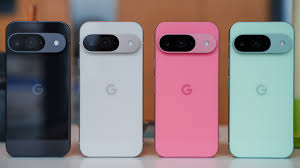
Charging priority refers to how Android allocates resources while balancing charging speed with user experience. On devices like the Samsung Galaxy S25, Google Pixel 9 Pro, OnePlus 13, and Xiaomi Redmi 15, charging speed is controlled by the Power Management IC (PMIC)—a hardware chip that monitors voltage, current, and temperature. Software processes like audio playback operate separately from these hardware-level controls.

How Custom Sounds Are Processed

Custom sounds—whether ringtones, alerts, or game effects—flow through Android’s Audio Framework:

• Audio files are decoded from storage

• The Audio HAL communicates with the device’s audio codec

• Modern devices from Samsung, Xiaomi, OPPO, and Motorola offload complex audio processing to dedicated DSP chips

This means custom sounds are isolated tasks that don’t compete with core charging functions. They’re designed to run efficiently in the background without impacting system resources.

The Edge Case: Extreme Resource Usage

Custom sounds won’t directly affect charging, but there’s one exception: system-wide thermal stress. If you’re running demanding apps—like gaming on a Samsung Galaxy Tab S10 or using professional audio software on a Pixel tablet—while charging, the combined CPU/GPU load may generate heat. Android’s thermal throttling will then reduce charging speed to protect the battery.

However, this applies to any intensive task, not sounds specifically. Stock games and streaming apps cause identical effects.

The Verdict

Custom Android sounds do not affect charging priority. Audio tasks use dedicated hardware, while charging speed is governed by battery safety protocols independent of user-installed sounds. Whether you’re using a flagship from Google, Samsung, OnePlus, or Xiaomi, your personalized ringtones and notification chimes won’t slow down charging.

Feel free to customize your device’s audio experience—it’s a harmless tweak that won’t leave you waiting longer for a full battery. Just avoid extreme multitasking while charging to keep temperatures in check.
What Happens When Your Phone’s Over-Current Protection Kicks In?

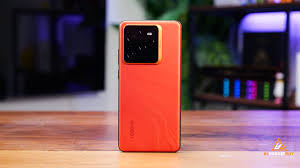
If your iPhone 17, Samsung Galaxy S26, or Oppo Realme GT 7 Pro suddenly stops charging, overheats unexpectedly, or shuts down mid-use, you’ve likely encountered over-current protection (OCP) in action. As of January 2026, this critical safety feature remains your battery’s last line of defense against excessive electrical current.

Signs Your OCP Has Activated

1. Charging Stops Abruptly

When using fast chargers like OnePlus’s 100W SuperVOOC or Xiaomi’s HyperCharge, your phone’s battery management system (BMS) may cut off charging if it detects unsafe current levels. You’ll see the battery percentage freeze or warnings like “Charging Paused Due to Overheating.”

2. Excessive Heat Build-Up

Over-current scenarios generate significant heat. Your device—whether an iPad Pro or Samsung Galaxy Tab S10—may feel unusually hot around the charging port or back panel. If temperatures exceed 45°C, OCP forces a complete shutdown to prevent thermal runaway.

3. Sudden Shutdowns During Heavy Use

OCP also activates during intense discharge. Playing demanding games, recording 8K video on your Galaxy S26 Ultra, or using multiple accessories simultaneously can trigger the BMS to cut power, causing abrupt shutdowns.

4. Fast Charging Fails

If the BMS detects cable damage or current instability, it rejects fast-charging protocols entirely. Your 65W charger may only deliver 5W “trickle” charging instead—frustrating but intentional.

5. Accessory Malfunctions

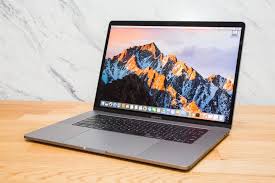
When using USB-C hubs with devices like a MacBook Pro or Surface Pro 11, combined current draw from external SSDs and controllers may exceed limits, causing accessories to disconnect.

How to Minimize OCP Triggers

To keep your devices running smoothly:

    • Use certified chargers from Apple, Samsung, Anker, or Belkin
    • Avoid charging in extreme temperatures
    • Unplug non-essential accessories while charging
    • Replace aging or swollen batteries promptly

Final Thoughts

Your phone’s over-current protection isn’t an inconvenience—it’s a guardian. Understanding these triggers helps you troubleshoot issues faster and extend your device’s lifespan safely.

Why Your Phone Battery Might Catch Fire: Understanding Thermal Runaway in 2026

As of January 2026, lithium-ion batteries power virtually every smartphone, tablet, and laptop we use daily—from iPhone 16 to Samsung Galaxy S25 and MacBook Pro 15. But this same technology carries a hidden risk: thermal runaway. Understanding this phenomenon can help protect your devices and your safety.

What Is Thermal Runaway?

Thermal runaway is an uncontrolled chain reaction inside lithium-ion batteries where rising temperatures accelerate chemical reactions, generating even more heat. Once triggered, temperatures can exceed 500°C, leading to fires or explosions. This risk exists in all Li-ion powered devices, including Google Pixel 9, iPad Pro, and Microsoft Surface tablets.

How Thermal Runaway Unfolds

Stage 1 – Initial Trigger: Common triggers include overcharging (which forms dendrites that pierce the battery separator), physical damage from drops, high ambient temperatures above 35°C, or battery aging. Any of these can spark excess heat generation.

Stage 2 – Self-Acceleration: Once temperatures reach 120–150°C, the cathode decomposes and releases oxygen. The electrolyte breaks down into flammable gases like hydrogen and methane. The battery swells, and the reaction rate doubles every 10°C—creating an irreversible cycle.

Stage 3 – Catastrophic Failure: Above 200°C, released oxygen ignites the flammable gases, causing venting, flames, or explosions. In multi-cell devices like laptops and tablets, heat can spread to adjacent cells.

How Manufacturers Fight Back

Leading brands like Apple, Samsung, Xiaomi, and OnePlus now employ advanced safety measures:

Advanced Materials: Flame-retardant electrolytes and stable LFP (lithium iron phosphate) cathodes replace volatile traditional materials.

Battery Management Systems: Smart chips monitor temperature and voltage in real-time, cutting off charging when thresholds are exceeded.

Rigorous Testing: All devices must pass international safety standards including drop, crush, and overcharge tests.

How to Protect Your Devices

Avoid exposing your iPhone, Galaxy, or Pixel to extreme temperatures. Never overcharge—use features like Apple’s “Optimized Battery Charging” or Samsung’s “Adaptive Charging.” Replace swollen or damaged batteries immediately.

Conclusion

While 2026’s devices are safer than ever, thermal runaway remains a real risk. As solid-state battery technology advances, this danger may eventually disappear. Until then, informed usage is your best protection.

The Hidden Safety Rules of Heated Power Banks: Understanding Critical Thermal Thresholds in Winter 2026

As January 2026 brings record cold to North America and Europe, heated power banks promising to charge your iPhone 16, Galaxy S26, or iPad Pro 11  while warming your hands have become bestsellers. But beneath their convenience lies critical safety engineering—violate thermal and electrical thresholds, and these devices turn dangerous.

The Three Critical Safety Thresholds

1. Temperature: The 60°C Red Line
Lithium-ion batteries powering devices from Anker PowerCore Heat to Mophie Powerstation Wireless XL must never exceed 60°C surface temperature per IEC 62133 standards. Beyond this limit, battery electrolytes destabilize, triggering thermal runaway—temperatures can spike to 500°C+ within minutes, causing fires. Quality brands like Belkin BoostCharge Pro and RAVPower include smart sensors that auto-reduce heating at 58°C. Budget knockoffs often lack this protection, gambling with user safety.

2. Charging Voltage & Current Limits
Heated banks face dual loads: charging themselves while powering heaters and devices like Surface Pro 11 or Samsung tablets. Safe limits include:
Voltage: Maximum 4.2V/cell prevents lithium plating (dendrite formation causing short circuits)
Current: Safe threshold at 1C rate (e.g., 10A for 10,000mAh batteries)—exceeding this generates dangerous heat in compact designs

3. Capacity Reality Checks
Many products claim “20,000mAh” but real usable energy drops sharply with heating active. Safe devices specify maximum continuous discharge (e.g., “10W heating + 15W USB-C output”). Anker and Belkin transparently list these limits; generic brands often don’t.

Recent Incidents & Warning Signs

A January 2025 UL Solutions study found 31% of tested heated chargers lacked proper thermal cutoffs. In December 2025, a viral case showed a no-name heated case igniting on a Chicago train after the sensor failed at 68°C while charging an iPhone 15.

How to Stay Safe

Demand certifications: UL, CE, FCC compliance ensures threshold testing
Choose established brands: Anker, Belkin, Mophie, RAVPower invest in safety engineering
Check specs: Look for “auto-shutoff at 60°C,” visible temperature displays, and transparent power budgets
Avoid overnight charging: Especially in cold environments below -10°C

Heated power banks are winter essentials—when engineered responsibly. Understanding these thresholds protects both your devices and your safety this season.

Why Does Your Phone Slow Down Charging in the Final 10%?

As of January 2026, users of flagship devices like iPhone 16 Pro, Samsung Galaxy S25, and Google Pixel 9 have noticed a common pattern: charging speed dramatically slows after 80-90%. This isn’t a bug—it’s a deliberate engineering decision rooted in battery science, safety, and longevity.

Lithium-Ion Batteries Can’t Rush at Full Capacity

Modern smartphones from Apple, Samsung, OnePlus, and Xiaomi use lithium-ion batteries where ions shuttle between electrodes during charging. When the battery exceeds 80%, the anode can’t absorb ions as quickly—like cramming passengers into a nearly full elevator. Forcing more current risks forming lithium dendrites, needle-like metal growths that can cause shorts, overheating, or fires. To prevent this, devices automatically reduce current through “trickle charging,” protecting battery integrity.

Battery Management Systems Prioritize Longevity

Every modern device—from MacBooks and Dell XPS laptops to iPad Pro and Microsoft Surface tablets—features a Battery Management System (BMS) that monitors voltage, temperature, and current in real time. Research confirms that maintaining batteries between 20-80% extends lifespan by 2-3 times compared to daily 0-100% cycles. That’s why flagship devices use adaptive charging algorithms: rapid charging to ~80%, then dramatically slower speeds for the remaining stretch. Features like Apple’s Optimized Battery Charging and Samsung’s Adaptive Charging even pause overnight charging, completing the final top-off just before your alarm.

Heat Management and Safety

Fast charging generates significant heat. When a OnePlus 13 or Google Pixel charges at 100W initially, internal resistance converts excess energy into heat. Temperatures above 40°C accelerate electrolyte breakdown and permanent capacity loss. By slowing the final 10%—dropping from 100W to perhaps 15W—devices reduce heat generation by up to 85%. This thermal control also prevents overcharging, which could cause battery swelling or thermal runaway in extreme cases.

The 2026 Verdict

The slow final stretch isn’t a gimmick—it’s a carefully engineered trade-off protecting your device’s health, safety, and longevity. While some phones offer bypass options for emergencies, that patient final trickle remains the unsung hero keeping your battery healthy for years to come.