Dell 14 Premium vs. Dell XPS 14 — How the ‘new XPS’ compares, and why I still recommend the older model

Dell’s revamped laptops include the Dell 14 Premium, a successor to the XPS 14. But what exactly has changed, if anything?
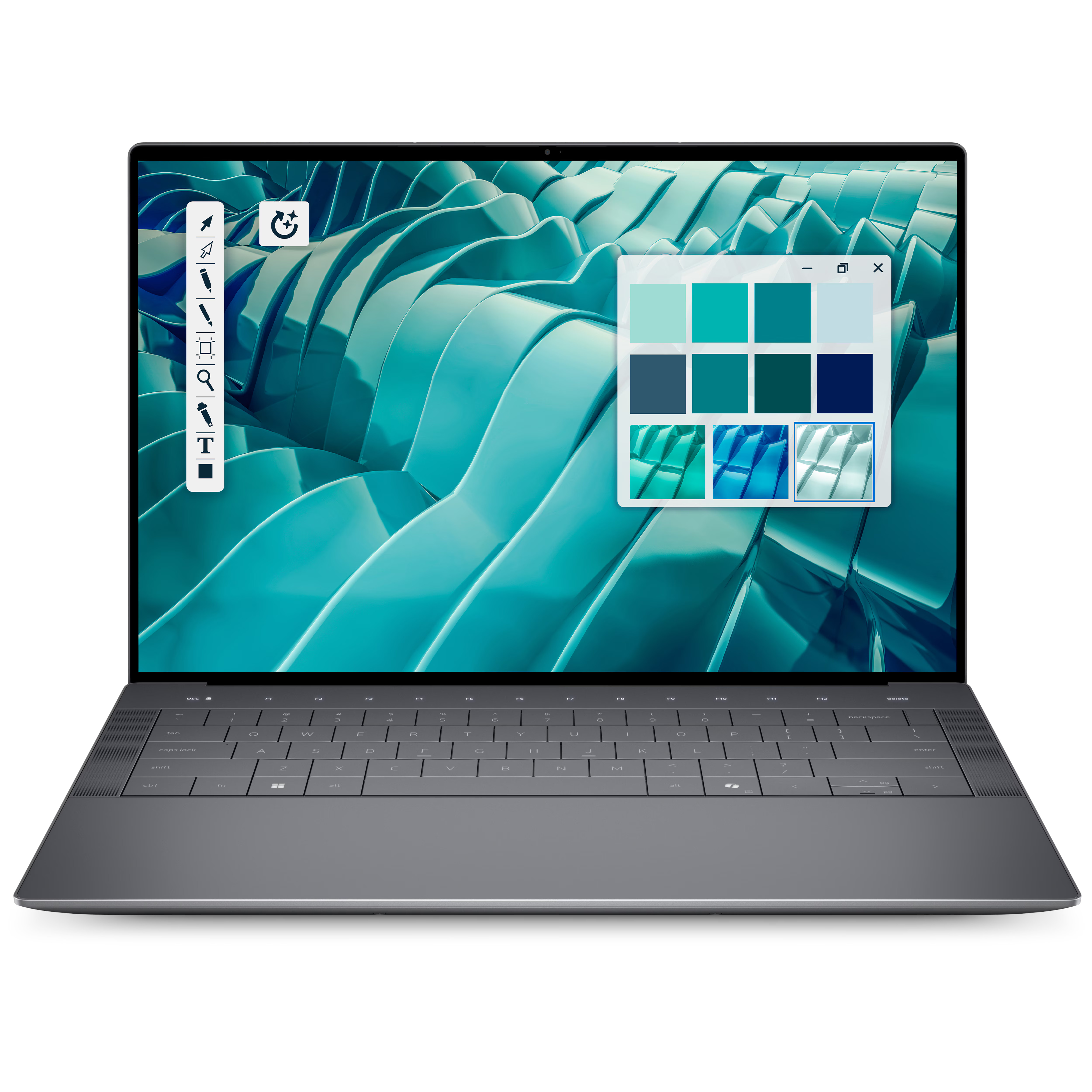
Dell 14 Premium

Dell 14 Premium (DA14250)

Dell’s 14 Premium laptop got a new name and a new Intel CPU, but otherwise, it’s largely the same as its predecessor. Those who crave the best performance and efficiency should shop here, but be prepared to pay more than for the often discounted XPS 14.

Pros

  • Both display options are great, but OLED is worth the extra money
  • Faster and more efficient Intel Core Ultra 7 255H CPU
  • Improved integrated graphics
  • Still one of the best-looking Windows laptops around

Cons

  • No major changes to the design
  • Costs a lot more now that the XPS 14 is being cleared out
  • The keyboard, touchpad, and function row can be divisive
  • Still using the RTX 4050 Laptop GPU

>>>Replacement battery for Dell XPS 14 L421X Ultrabook
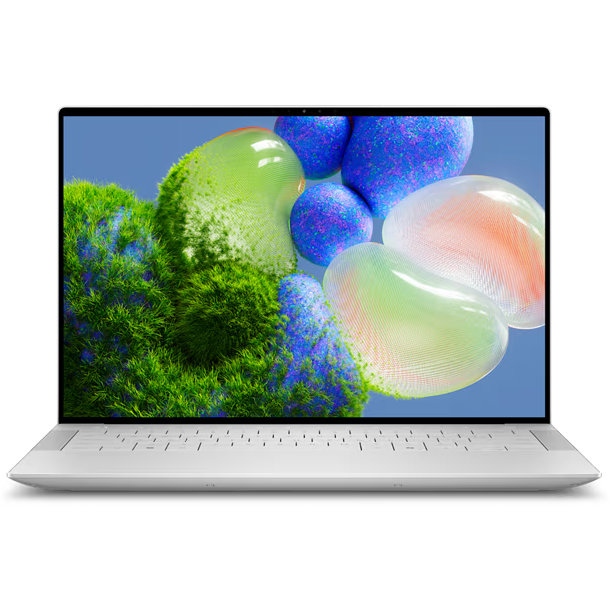
Dell XPS 14

Dell XPS 14 (9440)

Dell’s XPS 14 (9440) is the Dell 14 Premium’s predecessor, offering a slightly slower CPU and integrated GPU but otherwise very similar specs (including an RTX 4050 Laptop GPU). With clearance prices in place to make room for the new laptop, I recommend the XPS 14 to most people, at least until it’s gone.

Pros

  • Usually deeply discounted, making it a far better deal
  • Largely the same performance hardware, aside from the Intel CPU
  • Both display options are great, but OLED is worth the price
  • One of the best-looking Windows laptops around

Cons

  • Slower CPU and integrated GPU
  • The keyboard, touchpad, and function row can be divisive
  • No longer as widely available as the new Dell 14 Premium

Dell announced a near-full rebrand of its PC portfolio at CES 2025, getting rid of recognized names like XPS, Precision, Latitude, and more. While many of those PCs, including the XPS 14 (9440), are still available, so are many of Dell’s new laptops.

More specifically, the largerDell XPSreplacements — now named “Dell 14/16 Premium” —launched in June 2025with the latestIntel Core Ultra (Series 2)CPUs and optional RTX 40- and50-series Laptop GPUs.

There’s not a huge difference between the XPS 14 and the new Dell 14 Premium, and as you’ll see from my comparison, you can save a lot of money on one of thebest Windows laptopsof recent years as long as you don’t mind working with a slightly older CPU.

>>>Replacement battery for Dell XPS 13 9343 9350 JD25G 5K9CP DIN02

Dell 14 Premium vs. XPS 14: Specs and pricing

Here’s a look at the specs that make up the new Dell 14 Premium (DA14250) and the older Dell XPS 14 (9440) laptops.

Dell 14 Premium (DA14250)Dell XPS 14 (9440)
CPUIntel Core Ultra 7 255HIntel Core Ultra 7 155H
RAM16GB, 32GB LPDDR5x-6400 (soldered)16GB, 32GB LPDDR5x-7467 (soldered)
GPUIntel Arc 140T (integrated), NVIDIA RTX 4050 Laptop (discrete)Intel Arc (integrated), NVIDIA RTX 4050 Laptop (discrete)
NPUIntel AI Boost (13 TOPS)Intel AI Boost (11 TOPS)
Storage512GB, 1TB, 2TB M.2 PCIe 4.0 NVMe SSD512GB, 1TB, 2TB, 4TB M.2 PCIe 4.0 NVMe SSD
Speakers2x 2W main (dual channels), 2x 2W tweeters (dual channels), 8W total2x 2W main (dual channels), 2x 2W tweeters (dual channels), 8W total
Camera1080p FHD RGB-IR, human presence detection1080p FHD RGB-IR, human presence detection
Display14.5-inch 2K (1920 x 1200) InfinityEdge non-touch display, 500-nits typical brightness, 100% sRGB minimum, Eyesafe technology, anti-glare, Dolby Vision14.5-inch 3.2K (3200 x 2000) OLED InfinityEdge touch display, 400-nits typical brightness, 100% DCI-P3, Dolby Vision, Eyesafe technology, anti-reflective, anti-smudge14.5-inch 2K (1920 x 1200) InfinityEdge non-touch display, 500-nits typical brightness, 100% sRGB minimum, Eyesafe technology, anti-glare, Dolby Vision14.5-inch 3.2K (3200 x 2000) OLED InfinityEdge touch display, 400-nits typical brightness, 100% DCI-P3, Dolby Vision, Eyesafe technology, anti-reflective, anti-smudge
Ports3x Thunderbolt 4, UHS-II microSD v7.1 card reader, 3.5mm audio3x Thunderbolt 4, UHS-II microSD v6.0 card reader, 3.5mm audio
WirelessWi-Fi 7, Bluetooth 5.4Wi-Fi 6E, Bluetooth 5.3
Battery69.5Wh69.5Wh
Dimensions12.6 x 8.5 x 0.71 inches (320mm x 215.97mm x 18mm)12.6 x 8.5 x 0.71 inches (320mm x 216mm x 18mm)
WeightFrom 3.66 pounds (1.66kg)From 3.7 pounds (1.68kg)
PriceFrom $1,649.99From $1,499.99

The Dell 14 Premiumstarts at $1,649.99 at Dell, with the introductory model containing a Core Ultra 7 255H CPU, integratedIntel ArcGraphics, 16GB of RAM, 512GB SSD, and a 14.5-inch FHD+ display.

Custom config orders allow you to easily push the price up toabout $2,649.99for a model with an RTX 4050 Laptop GPU, 32GB of RAM, 2TB SSD, and that sweet 3.2K OLED display.

The XPS 14 (9440) debuted with a $1,699.99 price tag, $50 more than the Dell 14 Premium. However, now that it’s aging out in favor of its replacement, it seems that Dell has applied a permanent $500 discount for all models.

That drops an XPS 14 model with Core Ultra 7 155H CPU,NVIDIA RTX4050 Laptop GPU, 16GB of RAM, 1TB SSD, and FHD+ IPS display down to$1,499.99 at Dell.

A similar XPS 14 model with 32GB of RAM and a 3.2K OLED display only costsabout $1,899.99 at Dell, making it, by far, the better deal.

XPS 14 stock won’t last forever, though, and we’ll eventually arrive at a time when the Dell 14 Premium has completely taken over.

>>>Replacement battery for Dell XPS 13 9300 9310 2020

How much has actually changed with Dell’s new 14 Premium?
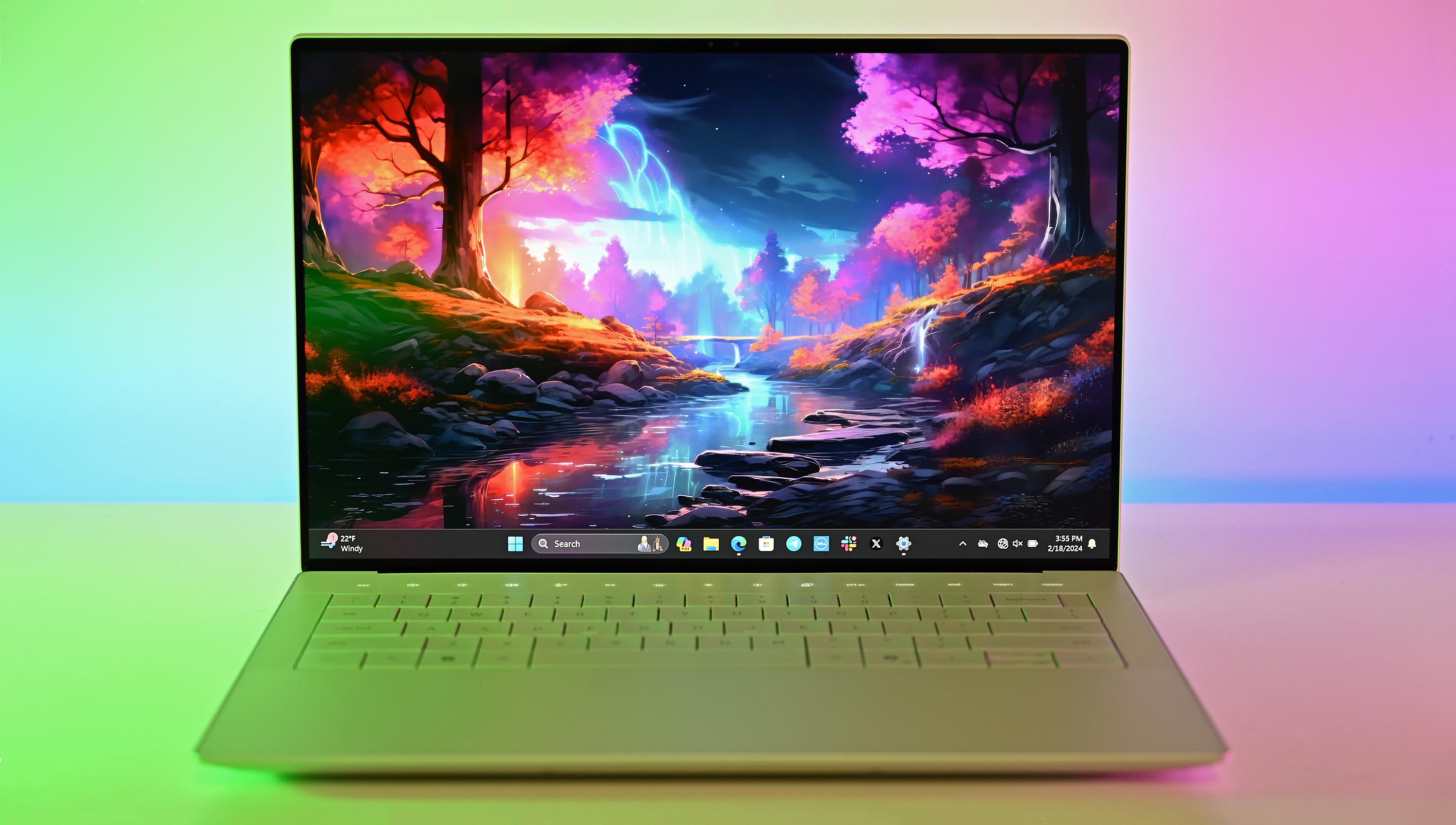
Dell XPS 14 (9440) for 2024

Dell’s XPS 14 (9440) and the new Dell 14 Premium share the same futuristic design. 

If I placed the new Dell 14 Premium next to an older XPS 14 (9440) and mixed them up, I’d have a hard time telling them apart.

Despite Dell’s massive initiative to completely overhaul its branding, the new Dell 14 Premium arrives with the exact same design and dimensions as its XPS 14 predecessor.

“One look at the XPS 14 and, like its smaller sibling, you think it’s a prototype or laptop concept of what could be someday instead of shipping right now. Dell has made some bold choices with these new XPS laptops.”

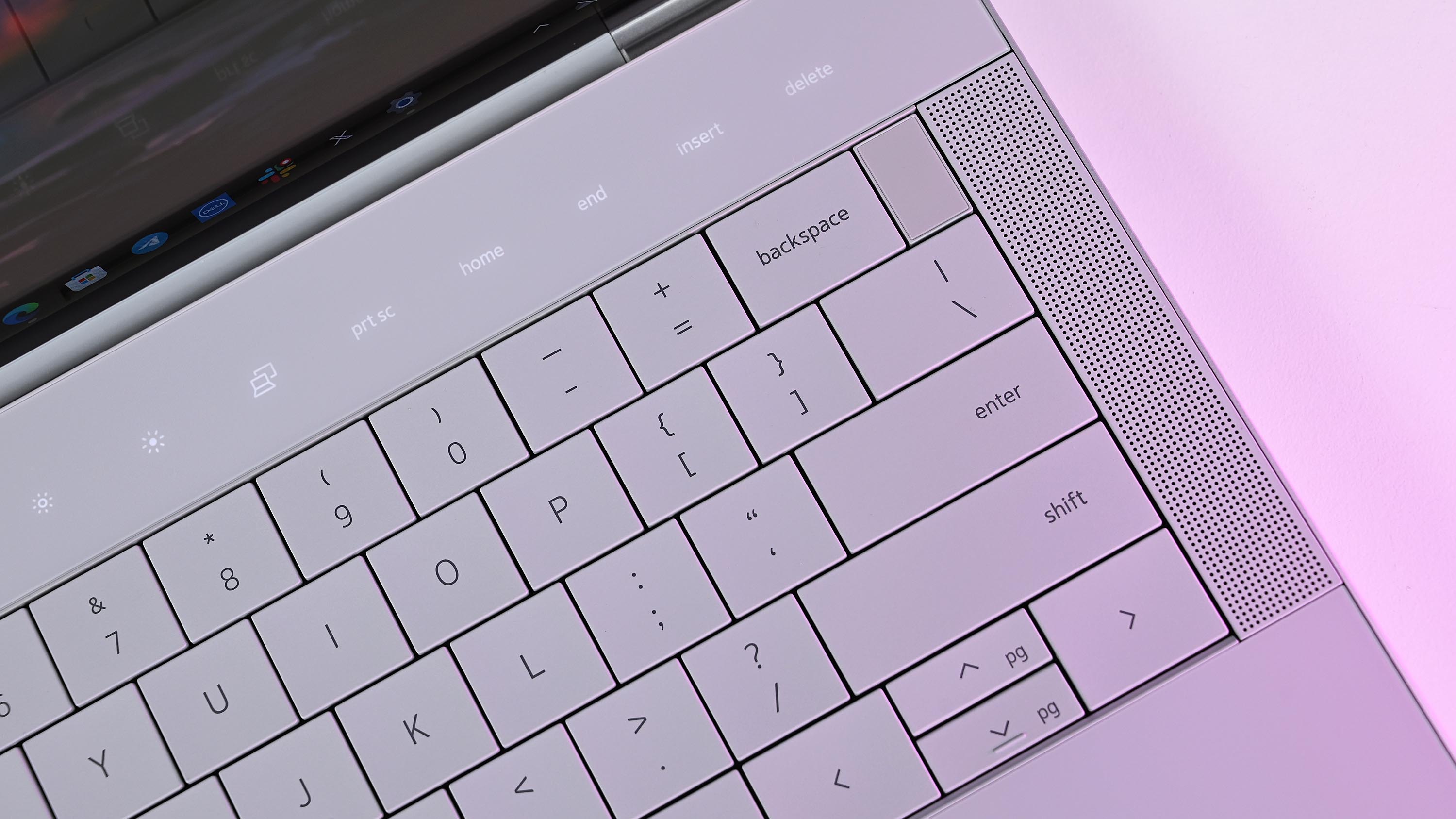
Those changes, which include a zero-lattice keyboard with large keycaps and 1mm key travel, a touch function row, and a seamless glasshaptic touchpad, are the same in both laptops.

If you love the futuristic design, great. If not, you’ll probably want to continue to steer away fromDell’s high-end PCsaltogether.
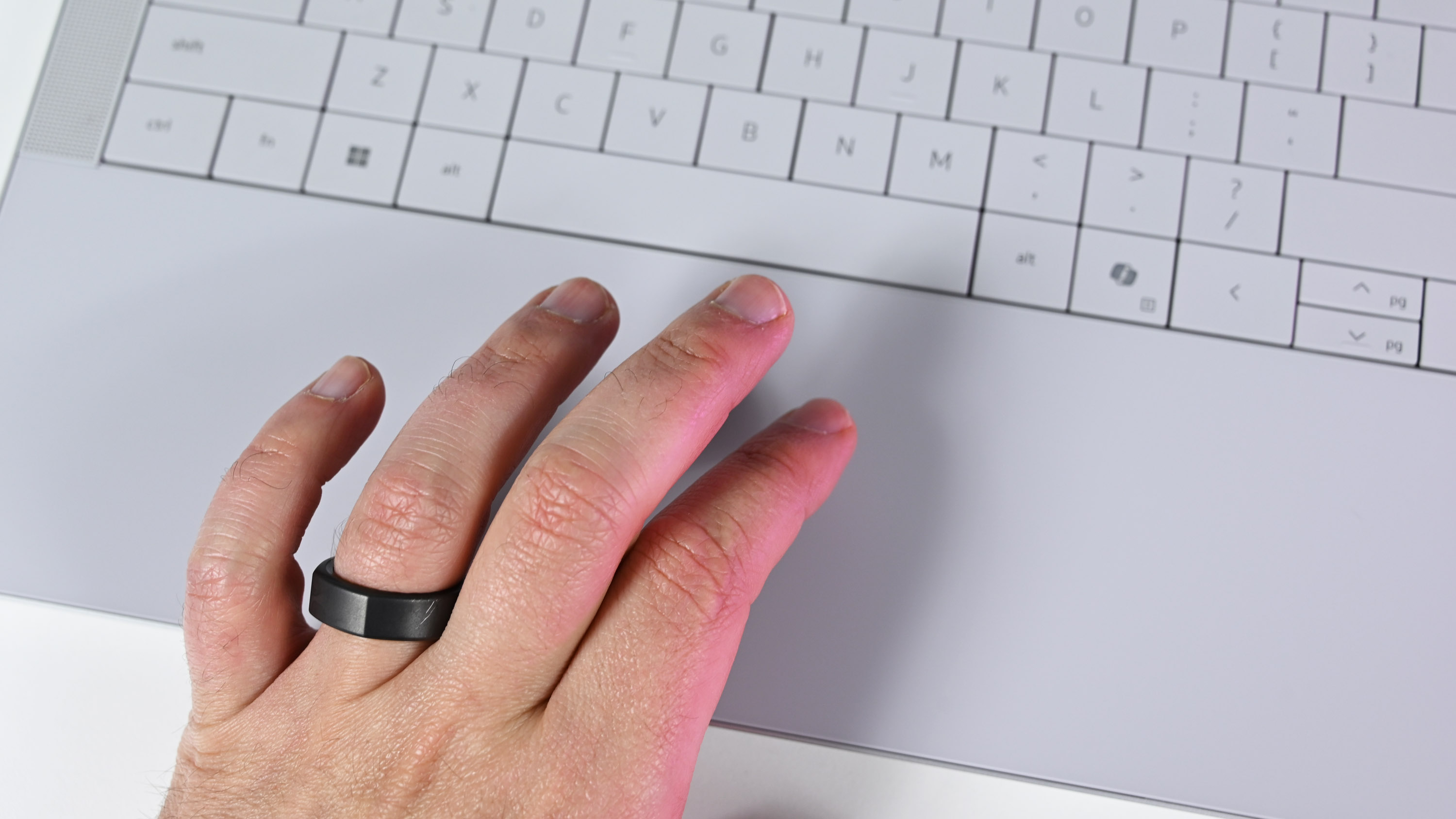
Dell XPS 14 (9440) for 2024

A look at the seamless glass haptic touchpad and lattice-free keyboard available on both the XPS 14 and Dell 14 Premium.

There are some smaller changes under the hood that I must note before getting into a closer look at performance.

The new Dell 14 Premium has been upgraded toWi-Fi 7and Bluetooth 5.4, whereas the XPS 14 Plus is onWi-Fi 6Ewith Bluetooth 5.3.

That’s not a difference that the vast majority of users will notice, although the rare few with Wi-Fi 7 routers will benefit from higher speeds and improved efficiency.

The UHS-II microSD card readers are also slightly different, with the Dell 14 Premium picking up the newer v7.1 standard compared to v6.0 in the XPS 14.

Once again, this change isn’t going to be noticed by most users, with v7.1 supporting microSD cards up to 128TB and slightly faster transfer speeds.

Ports otherwise remain the same across both PCs. It’s unfortunate that the Dell 14 Premium didn’t pick upThunderbolt 5support, but I expect that will arrive with the next generation.

The threeThunderbolt 4ports on both laptops will nevertheless perform well, but amodern Thunderbolt docking stationwill be required for heavier workflows.
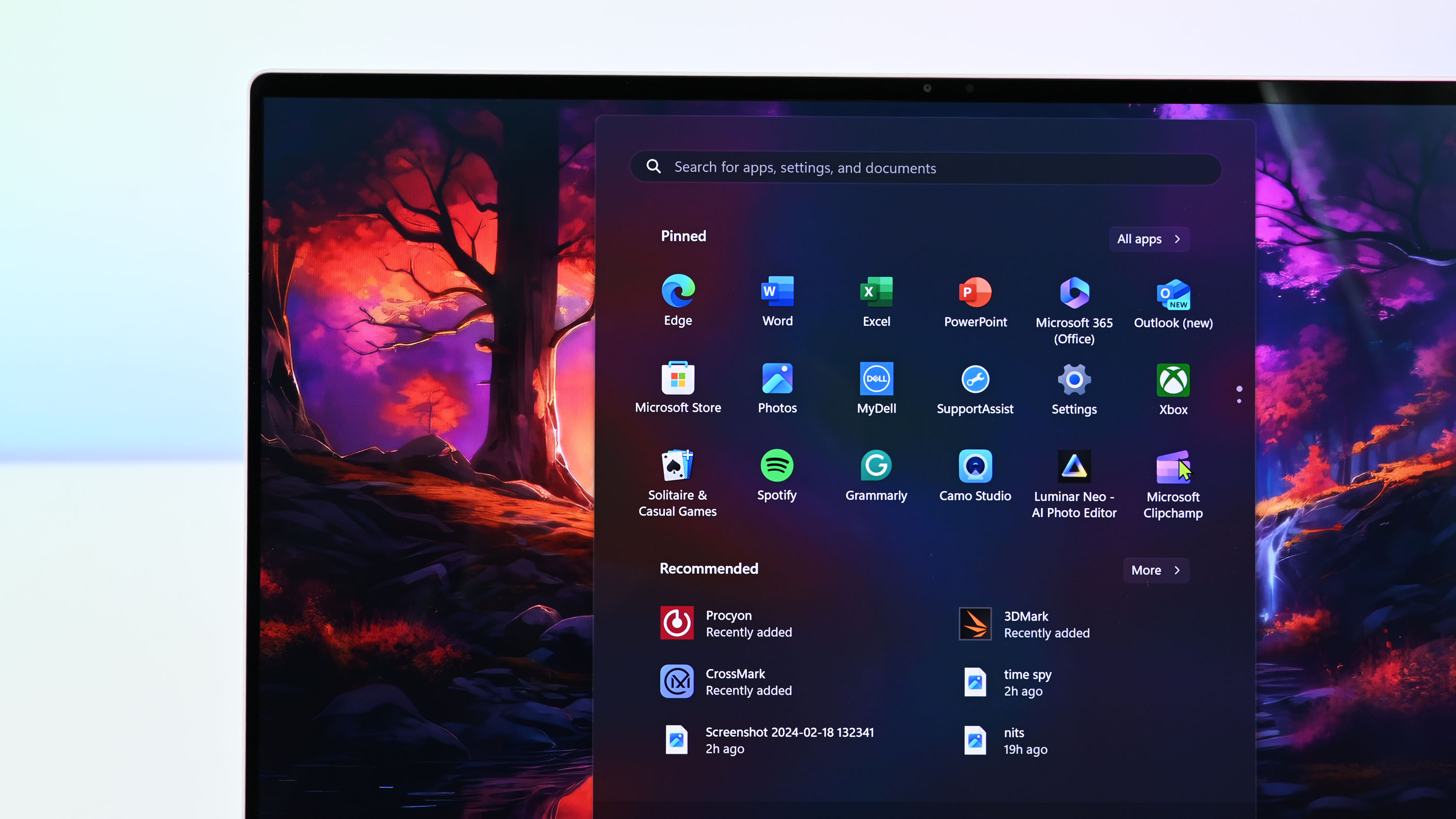
Dell XPS 14 (9440) for 2024

The OLED display available in both the XPS 14 and Dell 14 Premium is one of the best on the market today.

The two 14.5-inch displays available in each of these Dell laptops are the same, and the decision will come down to whether you want an FHD+ IPS panel or a 3.2K OLED panel.

The more affordable option has a 1920×1200 resolution, non-touch panel, 120Hz variable refresh rate, 500 nits maximum brightness, 100% sRGB coverage, anti-glare finish, andDolby Vision.

You can also opt for an OLED touch display with 3200×2000 resolution, 120Hz variable refresh rate, 400 nits max brightness, 100% DCI-P3 color, Dolby Vision, and anti-reflective finish.

Again, quoting our Editor-in-Chief from his XPS 14 review:

“The only downsides to having a 3.2K OLED touch screen are increased price, weight, and decreased battery life. Dell’s full HD option is better for those who value longer-lasting battery over visual acuity. But if you’re a content creator, going 3.2K OLED is the only choice. You won’t be disappointed.”

The biggest changes are in the performance hardware
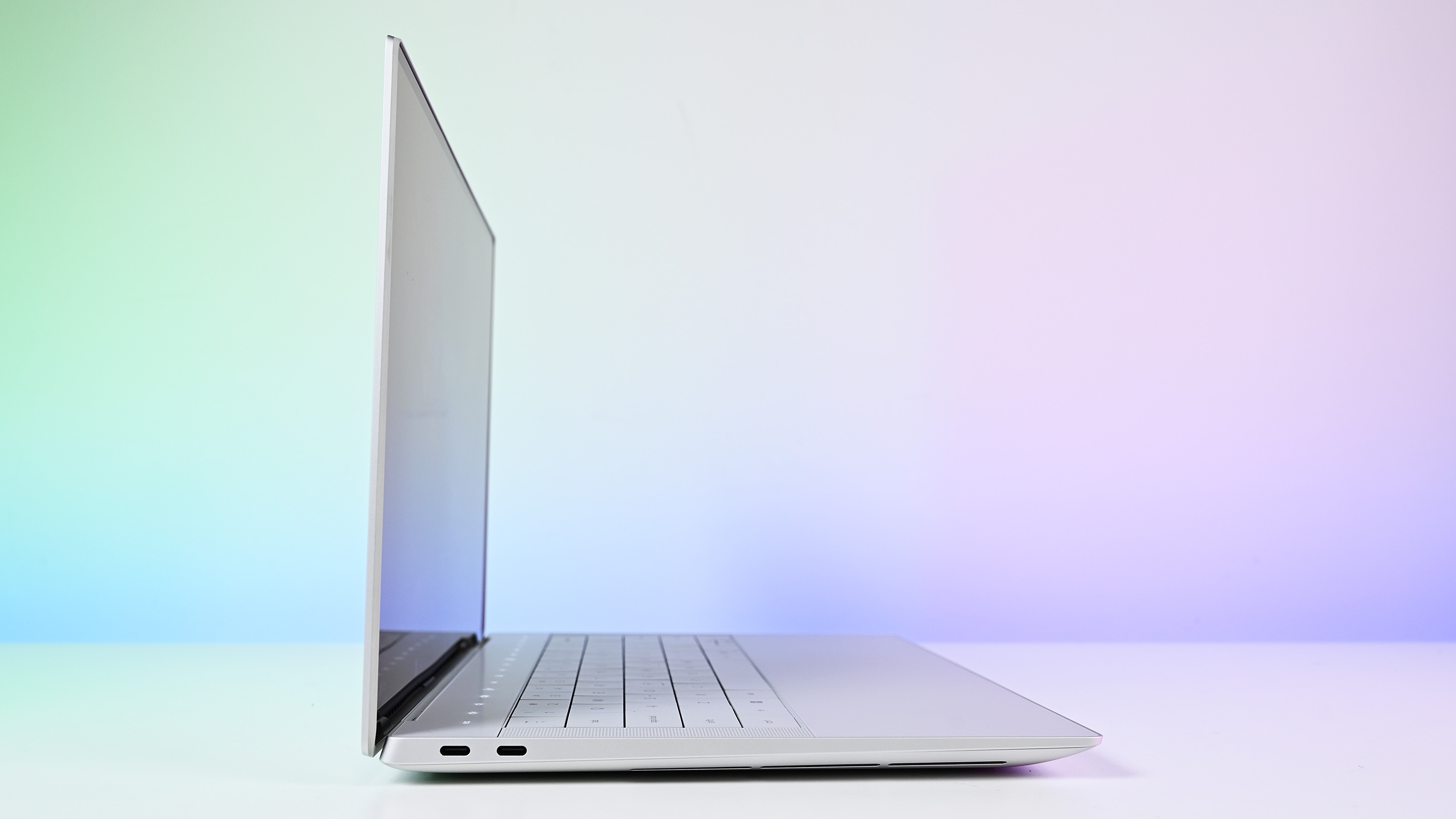
Dell XPS 14 (9440) for 2024

The XPS 14 and Dell 14 Premium are ultra-slim despite housing an RTX 4050 Laptop GPU inside.

The Dell 14 Premium arrived sporting Intel’s Core Ultra 7 255H CPUs, an upgrade from the XPS 14’s older Core Ultra 7 155H chip.

The newer Intel Core Ultra (Series 2) hardware has a higher 2.0GHz base clock (compared to 1.4GHz), a faster 5.1GHz Turbo clock (compared to 4.8GHz), and otherwise similar specs, including a 28W TDP.

What does that mean for real-world performance? Intel’s newer chips are more efficient and more powerful, and I’d say you can roughly expect about 15-30% better performance from the Dell 14 Premium’s CPU, depending on single-core and multi-core workloads.

The integrated Intel Arc 140T GPU in the Core Ultra 7 255H is also faster than the 155H chip’s GPU. For reference, I triedgaming on the Yoga Book 9i (Gen 10)with the same Arc 140T GPU (albeit in a Core Ultra 9 285H CPU), and I was able to runForza Horizon 5at about 48 FPS with a High preset and ray tracing enabled.

Of course, Dell offers an RTX 4050 Laptop GPU in both PCs, and anyone with aims to game or handle more demanding tasks should make the upgrade for best results.

Battery capacities are the same in both Dell laptops, so don’t expect any massive changes there. Intel’s newer CPUs are more efficient, but you’ll see a bigger difference based on your screen choice and whether or not your model has a discrete NVIDIA GPU.

And while these PCs are both consideredhigh-end AI laptops, neither has aNeural Processing Unit (NPU)with enough power to runCopilot+tools built intoWindows 11.

My recommendation — buy the discounted XPS 14 while it lasts
Dell XPS 14 (9440) for 2024

There’s nothing else quite like the XPS 14 and Dell 14 Premium on the Windows laptop market today.

With no changes to the overall design, single-generation improvements to the CPU, and no differences to the displays or discrete GPUs, I recommend that most people take advantage of the discounted XPS 14 (9440) pricing.

A model with an Intel Core Ultra 7 155H CPU, NVIDIA RTX 4050 Laptop GPU, 32GB of RAM, 1TB SSD, and 3.2K OLED display currently costs$1,939.99 after a massive $500 discount at Dell.

Compare those specs with a Dell 14 Premium model, and you’re looking at payingabout 2,449.99.

Even better, XPS 14 modelsstart at $1,499.99 with the same $500 discount, and you get the NVIDIA RTX 4050 discrete GPU. That’s about $250 less than a Dell 14 Premium model with integrated Arc graphics and half as much storage space.
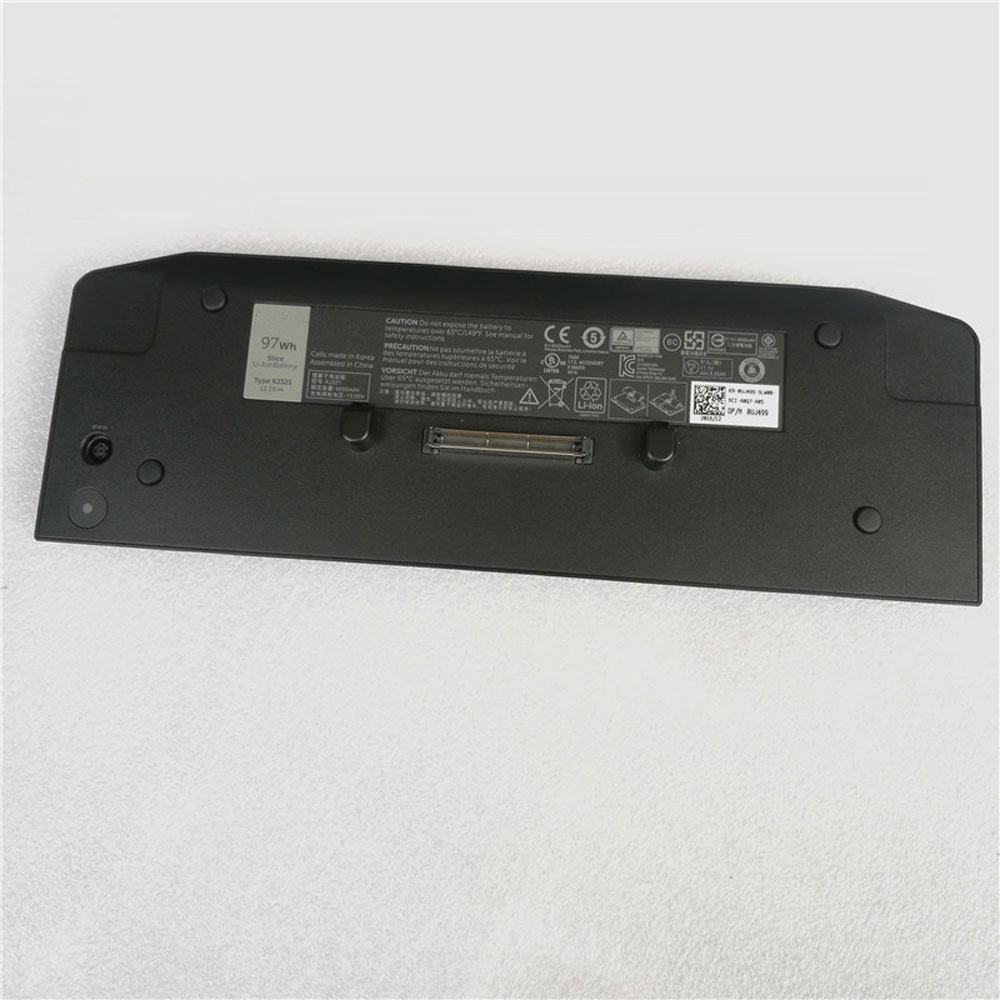
Dell Latitude E5430 E5440 E5530 Dell KJ321 Battery

Buy Dell KJ321 Laptop Battery replacement for Dell Latitude E5430 E5440 E6420 E6430 UJ499 M4800.

Fit Machine Model Dell Latitude E5430 E5440 E6420 E6430 UJ499 M4800 – 97Wh – 11.1V.

All products from our shop are 100% the highest quality! We provide the high quality Laptop Batteries. Dell KJ321 battery is best compatible with the original equipments. 

OriccaBattery.co.uk ◆Free Shipping ◆ One year warranty ◆ 30 days money back guarantee.

Battery KJ321 Replacement For Dell Latitude E5430 E5440 E6420 E6430 UJ499 M4800

KJ321

Dell KJ321 Specifications
Brand: Laptop Battery for Dell
Capacity:97Wh
Voltage:11.1V
Type:Li-ion
All products from our shop are 100% the highest quality! 
We provide the high quality Laptop Adapters!

PRODUCT COMPATIBILITY:

KJ321
UJ499

REPLACEABILITY WITH THE FOLLOWING MODELS:

Dell Latitude E5430
Dell Latitude E5440
Dell Latitude E5530
Dell Latitude E5540
Dell Latitude E6230
Dell Latitude E6330
Dell Latitude E6420 ATG
Dell Latitude E6430
Dell Latitude E6430 ATG
Dell Latitude E6430s
Dell Latitude E6520
Dell Latitude E6530
Dell Latitude E6540
Dell Latitude XT3
Dell Precision M4700
Dell Precision M4800
Dell Precision M6700
Dell Precision M6800 

How to Maintenance your new replacement Dell KJ321 battery?
1. New Dell KJ321 battery pack must be fully charged before use.
2. New battery pack needs to be fully charged and discharged (cycled) a few times before it can condition to full capacity.
3.Laptop battery undergo self-discharging when left unused. Always store a Dell KJ321 battery pack in a fully charged stage for storage.
4. Fully drain and fully recharge your battery pack every few months.
5. Turn down the LCD brightness of your portable device.
6. Use built-in power management on your portable device.
7. Turn off LCD or other unnecessary accessories when not in use.
8. Set screen saver blank to 1 to 2 minutes of your notebook.
9. Add more RAM if you have extra RAM expansion slot, it will reduce the usage of hard drive and it is power exhaustive.
10. Close unused software in your Dell Latitude E5430 E5440 E6420 E6430 UJ499 M4800 laptop .
11. Remove unused PC Cards or USB devices from your notebook.
12. Don´t watch DVD or play graphics intensive video games.
13. Don´t short circuit terminal or store your Dell KJ321 Laptop Batteries pack with metal parts. 14. Don´t drop or mutilate the Dell KJ321 battery pack.
15. Don´t expose to moisture or water.

Related popular recommendations:
58-000049 Battery Compatible Amazon Kindle PaperWhite 2nd Gen 6″
L14M2P21 Battery Compatible Lenovo S41-70 S41-70AM
ACDP-100D01 Laptop Adapters For Sony Vaio PCGA AC19V4 ACDP-100D01
TLI017C1 Battery Compatible Alcatel One Touch OT-5027B DAWN OT-4060O STREAK OT-4060A IDEAL
088796 Battery Compatible Bose Soundlink Mini 2 Pack
PA5162U-1BRS Battery Compatible Toshiba Portege R30 R30-A series
061384 Battery Compatible BOSE SOUNDLINK Mini Series
82-71363-04 Battery Compatible MOTOROLA MC70 MC75 FR68
FX30 Battery Compatible Motorola XT1575 Moto X Pure Edition / Moto X Style

Dell Precision M4600 M4700 M4800 M6600 M6700 M6800 112Wh 11.1V Battery

Buy Dell T3NT1 Laptop Battery replacement for Dell M4600 M4700 M4800 M6600 M6700 M6800.

Fit Machine Model Dell M4600 M4700 M4800 M6600 M6700 M6800 – 112Wh – 11.1V.

All products from our shop are 100% the highest quality! We provide the high quality Laptop Batteries. Dell T3NT1 battery is best compatible with the original equipments. 

OriccaBattery.co.uk ◆Free Shipping ◆ One year warranty ◆ 30 days money back guarantee.

Battery T3NT1 Replacement For Dell M4600 M4700 M4800 M6600 M6700 M6800

T3NT1

Dell T3NT1 Specifications
Brand: Laptop Battery for Dell
Capacity:112Wh
Voltage:11.1V
Type:Li-ion
All products from our shop are 100% the highest quality! 
We provide the high quality Laptop Adapters!

PRODUCT COMPATIBILITY:

7DWMT
JHYP2
K4RDX
T3NT1
FV993
N71FM

REPLACEABILITY WITH THE FOLLOWING MODELS:

Dell Precision M4600 M4700 M4800 M6600 M6700 M6800 

How to Maintenance your new replacement Dell T3NT1 battery?
1. New Dell T3NT1 battery pack must be fully charged before use.
2. New battery pack needs to be fully charged and discharged (cycled) a few times before it can condition to full capacity.
3.Laptop battery undergo self-discharging when left unused. Always store a Dell T3NT1 battery pack in a fully charged stage for storage.
4. Fully drain and fully recharge your battery pack every few months.
5. Turn down the LCD brightness of your portable device.
6. Use built-in power management on your portable device.
7. Turn off LCD or other unnecessary accessories when not in use.
8. Set screen saver blank to 1 to 2 minutes of your notebook.
9. Add more RAM if you have extra RAM expansion slot, it will reduce the usage of hard drive and it is power exhaustive.
10. Close unused software in your Dell M4600 M4700 M4800 M6600 M6700 M6800 laptop .
11. Remove unused PC Cards or USB devices from your notebook.
12. Don´t watch DVD or play graphics intensive video games.
13. Don´t short circuit terminal or store your Dell T3NT1 Laptop Batteries pack with metal parts. 14. Don´t drop or mutilate the Dell T3NT1 battery pack.
15. Don´t expose to moisture or water.

Related popular recommendations:
58-000049 Battery Compatible Amazon Kindle PaperWhite 2nd Gen 6″
L14M2P21 Battery Compatible Lenovo S41-70 S41-70AM
ACDP-100D01 Laptop Adapters For Sony Vaio PCGA AC19V4 ACDP-100D01
TLI017C1 Battery Compatible Alcatel One Touch OT-5027B DAWN OT-4060O STREAK OT-4060A IDEAL
088796 Battery Compatible Bose Soundlink Mini 2 Pack
PA5162U-1BRS Battery Compatible Toshiba Portege R30 R30-A series
061384 Battery Compatible BOSE SOUNDLINK Mini Series
82-71363-04 Battery Compatible MOTOROLA MC70 MC75 FR68
FX30 Battery Compatible Motorola XT1575 Moto X Pure Edition / Moto X Style

Dell Latitude E5270 E5470 E5570 51WH 7.4V Battery

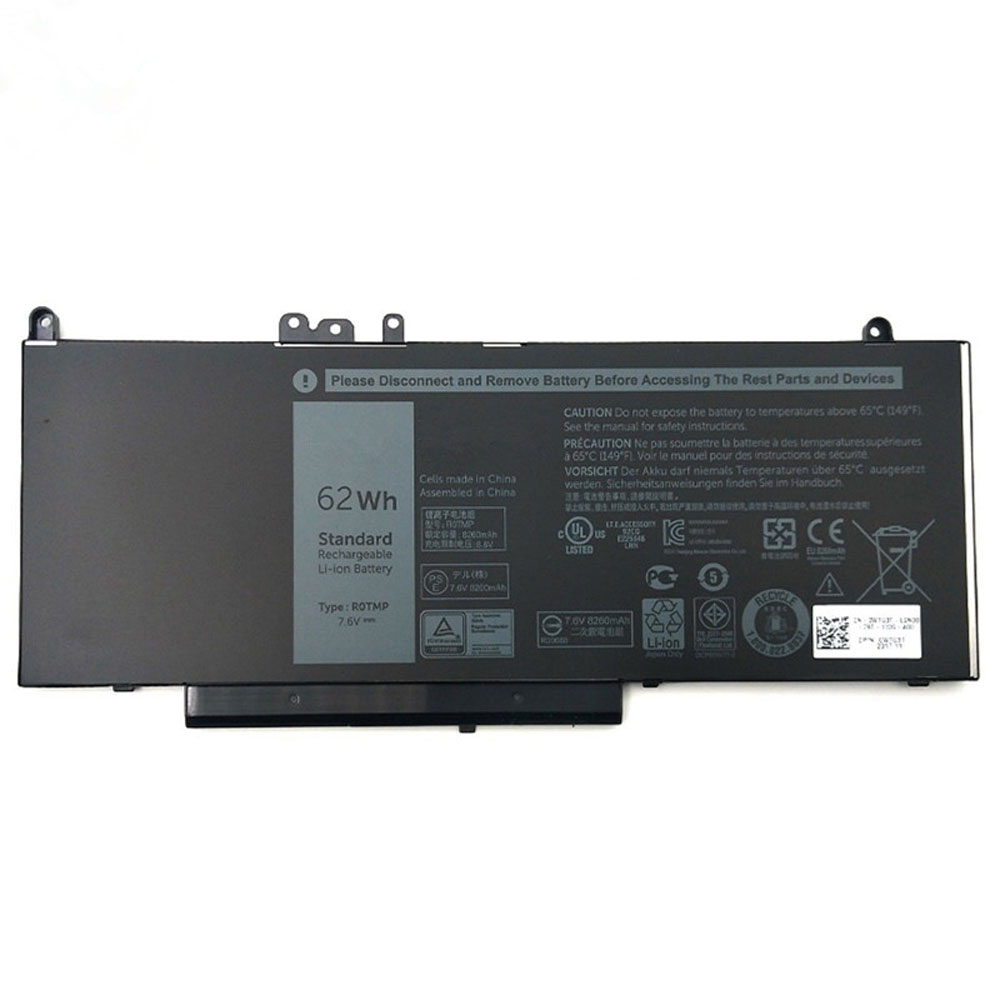
Buy Dell R0TMP Laptop Battery replacement for DELL Latitude M3510 3160 E5450 E5550 E5570.

Fit Machine Model DELL Latitude M3510 3160 E5450 E5550 E5570 – 51WH – 7.4V.

All products from our shop are 100% the highest quality! We provide the high quality Laptop Batteries. Dell R0TMP battery is best compatible with the original equipments. 

OriccaBattery.co.uk ◆Free Shipping ◆ One year warranty ◆ 30 days money back guarantee.

Battery R0TMP Replacement For DELL Latitude M3510 3160 E5450 E5550 E5570

R0TMP

Dell R0TMP Specifications
Brand: Laptop Battery for Dell
Capacity:51WH
Voltage:7.4V
Type:Li-ion
All products from our shop are 100% the highest quality! 
We provide the high quality Laptop Adapters!

PRODUCT COMPATIBILITY:

R0TMP
ROTMP
WTG3T
ENP575577A1

REPLACEABILITY WITH THE FOLLOWING MODELS:

Dell Latitude E5250
Dell Latitude E5450
Dell Latitude E5550
Dell Latitude E5270
Dell Latitude E5470
Dell Latitude E5570 

How to Maintenance your new replacement Dell R0TMP battery?
1. New Dell R0TMP battery pack must be fully charged before use.
2. New battery pack needs to be fully charged and discharged (cycled) a few times before it can condition to full capacity.
3.Laptop battery undergo self-discharging when left unused. Always store a Dell R0TMP battery pack in a fully charged stage for storage.
4. Fully drain and fully recharge your battery pack every few months.
5. Turn down the LCD brightness of your portable device.
6. Use built-in power management on your portable device.
7. Turn off LCD or other unnecessary accessories when not in use.
8. Set screen saver blank to 1 to 2 minutes of your notebook.
9. Add more RAM if you have extra RAM expansion slot, it will reduce the usage of hard drive and it is power exhaustive.
10. Close unused software in your DELL Latitude M3510 3160 E5450 E5550 E5570 laptop .
11. Remove unused PC Cards or USB devices from your notebook.
12. Don´t watch DVD or play graphics intensive video games.
13. Don´t short circuit terminal or store your Dell R0TMP Laptop Batteries pack with metal parts. 14. Don´t drop or mutilate the Dell R0TMP battery pack.
15. Don´t expose to moisture or water.

Related popular recommendations:
58-000049 Battery Compatible Amazon Kindle PaperWhite 2nd Gen 6″
L14M2P21 Battery Compatible Lenovo S41-70 S41-70AM
ACDP-100D01 Laptop Adapters For Sony Vaio PCGA AC19V4 ACDP-100D01
TLI017C1 Battery Compatible Alcatel One Touch OT-5027B DAWN OT-4060O STREAK OT-4060A IDEAL
088796 Battery Compatible Bose Soundlink Mini 2 Pack
PA5162U-1BRS Battery Compatible Toshiba Portege R30 R30-A series
061384 Battery Compatible BOSE SOUNDLINK Mini Series
82-71363-04 Battery Compatible MOTOROLA MC70 MC75 FR68
FX30 Battery Compatible Motorola XT1575 Moto X Pure Edition / Moto X Style

Dell Precision 7530 P74F 7730 P34E 97Wh 11.4V Battery

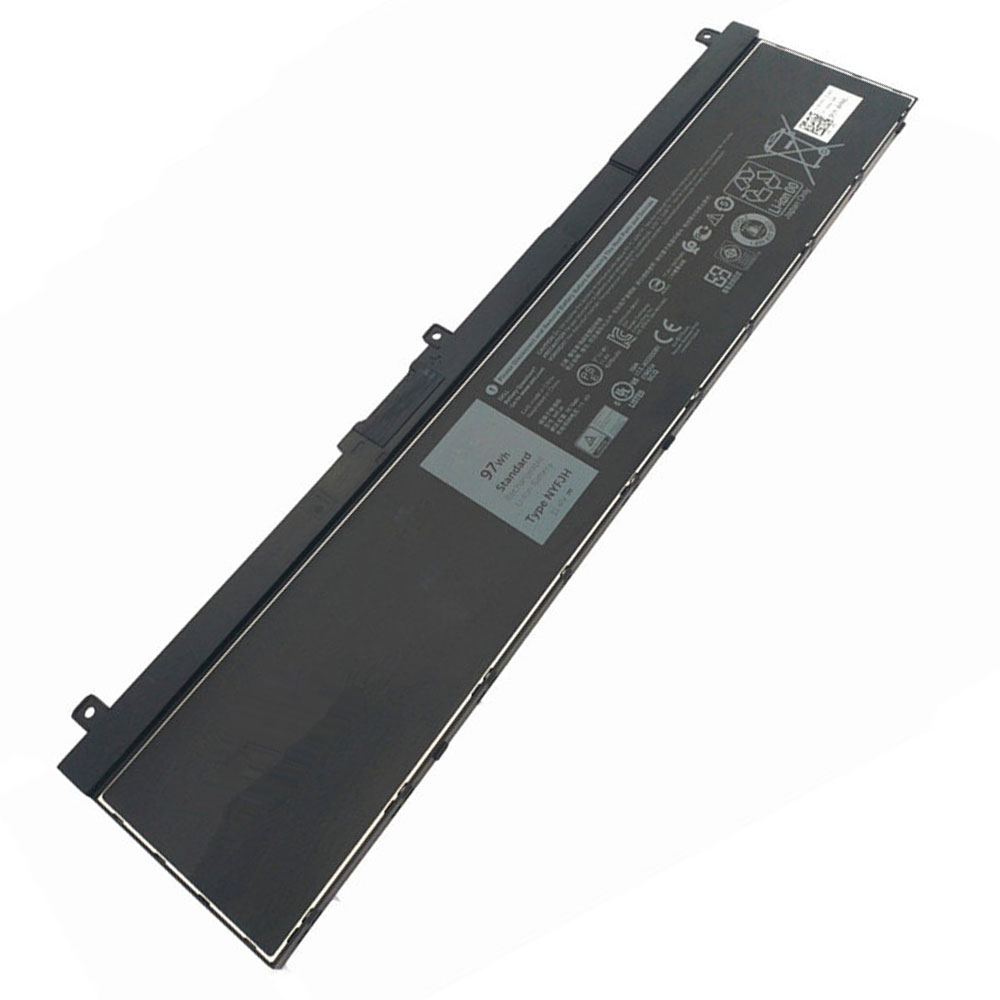
Buy Dell 5TF10 Laptop Battery replacement for Dell Precision 7530 P74F 7730 P34E Series.

Fit Machine Model Dell Precision 7530 P74F 7730 P34E Series – 97Wh – 11.4V.

All products from our shop are 100% the highest quality! We provide the high quality Laptop Batteries. Dell 5TF10 battery is best compatible with the original equipments. 

OriccaBattery.co.uk ◆Free Shipping ◆ One year warranty ◆ 30 days money back guarantee.

Battery 5TF10 Replacement For Dell Precision 7530 P74F 7730 P34E Series

5TF10

Dell 5TF10 Specifications
Brand: Laptop Battery for Dell
Capacity:97Wh
Voltage:11.4V
Type:Li-ion
All products from our shop are 100% the highest quality! 
We provide the high quality Laptop Adapters!

PRODUCT COMPATIBILITY:

5TF10
7M0T6
NYFJH
0H6K6V

REPLACEABILITY WITH THE FOLLOWING MODELS:

Dell Precision 7530 P74F 7730 P34E Series 

How to Maintenance your new replacement Dell 5TF10 battery?
1. New Dell 5TF10 battery pack must be fully charged before use.
2. New battery pack needs to be fully charged and discharged (cycled) a few times before it can condition to full capacity.
3.Laptop battery undergo self-discharging when left unused. Always store a Dell 5TF10 battery pack in a fully charged stage for storage.
4. Fully drain and fully recharge your battery pack every few months.
5. Turn down the LCD brightness of your portable device.
6. Use built-in power management on your portable device.
7. Turn off LCD or other unnecessary accessories when not in use.
8. Set screen saver blank to 1 to 2 minutes of your notebook.
9. Add more RAM if you have extra RAM expansion slot, it will reduce the usage of hard drive and it is power exhaustive.
10. Close unused software in your Dell Precision 7530 P74F 7730 P34E Series laptop .
11. Remove unused PC Cards or USB devices from your notebook.
12. Don´t watch DVD or play graphics intensive video games.
13. Don´t short circuit terminal or store your Dell 5TF10 Laptop Batteries pack with metal parts. 14. Don´t drop or mutilate the Dell 5TF10 battery pack.
15. Don´t expose to moisture or water.

Related popular recommendations:
58-000049 Battery Compatible Amazon Kindle PaperWhite 2nd Gen 6″
L14M2P21 Battery Compatible Lenovo S41-70 S41-70AM
ACDP-100D01 Laptop Adapters For Sony Vaio PCGA AC19V4 ACDP-100D01
TLI017C1 Battery Compatible Alcatel One Touch OT-5027B DAWN OT-4060O STREAK OT-4060A IDEAL
088796 Battery Compatible Bose Soundlink Mini 2 Pack
PA5162U-1BRS Battery Compatible Toshiba Portege R30 R30-A series
061384 Battery Compatible BOSE SOUNDLINK Mini Series
82-71363-04 Battery Compatible MOTOROLA MC70 MC75 FR68
FX30 Battery Compatible Motorola XT1575 Moto X Pure Edition / Moto X Style