Repair, Don’t Replace: The IKEA Eneby Speaker and the Growing Call to Extend the Lifespan of Tech Products

Britain’s relationship with technology is changing. For years, upgrading to the latest phone, laptop, television or smart speaker has been treated as a normal part of modern life. But rising household costs, growing environmental awareness and concerns about electronic waste are encouraging consumers to ask a different question: does this device really need replacing?

That shift is helping the “repair, don’t replace” mindset move further into the mainstream. Rather than automatically buying something new when an older gadget becomes less convenient, consumers are increasingly looking at ways to extend its useful life.

The IKEA Eneby is an interesting example of this changing attitude. Designed as a straightforward Bluetooth speaker rather than an increasingly complicated smart-home hub, it highlights an important idea: sometimes keeping a familiar device working can make more sense than constantly upgrading.

Why Britain Is Rethinking the Upgrade Cycle

The cost of living remains an important consideration for British households. Consumers are becoming more selective about where they spend their money, particularly when an existing product still performs its core function.

This is especially relevant to everyday electronics. A Bluetooth speaker does not necessarily become obsolete simply because a newer model has arrived. If it still delivers enjoyable sound and connects reliably to a phone, tablet or laptop, replacing it may offer relatively little practical benefit.

That is where products such as the IKEA Eneby become interesting. Its appeal is based largely on simplicity. It does not need to compete with every new audio feature to remain useful. For someone who wants music in the kitchen, bedroom, garden or living room, a working IKEA Eneby can still fulfil the basic job it was bought to do.

The question therefore becomes less about having the newest speaker and more about maintaining the one already sitting on the shelf.

The Battery Can Decide How Long a Gadget Lives

For rechargeable electronics, however, there is one component that can eventually become a major limitation: the battery.

Battery chemistry naturally changes over time. After repeated charging cycles, a rechargeable battery can gradually lose capacity. A speaker that once played for hours may eventually require charging more frequently, making it less convenient to use.

This creates an interesting dilemma for owners of the IKEA Eneby. If the speaker itself remains perfectly functional but its battery performance has declined, should the entire device be discarded?

For consumers interested in extending product lifespans, the answer may be no.

A battery issue does not necessarily mean that the electronics, speaker drivers or casing have reached the end of their useful lives. In principle, addressing the power source can be a more targeted approach than replacing the entire product.

Of course, whether a particular battery can be replaced safely and economically depends on the exact model, its construction and the availability of compatible parts. Any battery work should be carried out using appropriate components and safe procedures.

Repair Culture Is Becoming More Relevant

The wider repair movement is not limited to speakers. Across the technology market, consumers are increasingly questioning products designed around short upgrade cycles.

Smartphones are perhaps the most visible example. People are holding on to handsets for longer, buying refurbished devices and paying greater attention to battery condition. Laptops, games consoles, headphones and household appliances are also becoming part of the same conversation.

The principle is straightforward: if the main product still works, repair the part that does not.

The IKEA Eneby fits naturally into this discussion because it represents a category of technology that can easily become overlooked. A speaker may not have the financial value of a premium smartphone, but replacing thousands of perfectly serviceable small electronics still contributes to the broader problem of electronic waste.

Keeping one more device in use for another year may seem insignificant. Multiplied across millions of consumers, however, the principle becomes much more meaningful.

Simplicity Could Become a Selling Point Again

There is also a fascinating cultural shift taking place in consumer technology.

The modern smart-home market is increasingly filled with devices offering voice assistants, artificial intelligence, multi-room ecosystems, app controls and cloud-connected features. These technologies can be genuinely useful, but they can also make products more dependent on software and online services.

A simple Bluetooth speaker offers a different proposition.

The IKEA Eneby does not need to become the centre of a connected home to remain useful. It can simply play music from a compatible device. For consumers tired of complicated technology, that simplicity can actually be an advantage.

This does not mean British consumers are abandoning smart technology. Instead, it suggests that people may be becoming more selective about which products genuinely need to be “smart”.

A device that performs one task reliably for years can sometimes be more satisfying than one that offers dozens of features that few owners ever use.

The Second-Hand Market Adds Another Layer

The growing popularity of refurbished and second-hand technology is also changing the economics of keeping older devices alive.

A used IKEA Eneby can potentially appeal to someone who does not want to spend heavily on a new premium Bluetooth speaker. But battery condition becomes particularly important in the second-hand market.

Two visually identical speakers can have very different practical value if one has a healthy battery while the other has suffered years of intensive use.

This is why battery health is gradually becoming a more important part of how people assess used electronics. Buyers are no longer interested only in scratches, cosmetic condition or whether the device switches on. They also want to know how well the power system performs.

For sellers, maintaining a device and replacing a worn component where appropriate could potentially make an older product more attractive than simply disposing of it.

Could “Repair, Don’t Replace” Become the New Status Symbol?

There is an environmental argument here, but there is also a cultural one.

Owning the newest gadget has traditionally been associated with being technologically up to date. Increasingly, however, keeping a product for five, six or more years can represent something different: value, practicality and conscious consumption.

The IKEA Eneby illustrates this idea surprisingly well. It is not necessarily about nostalgia for old technology. It is about recognising that technological progress does not automatically make every existing device useless.

If an older speaker still sounds good enough, connects to modern devices and fits comfortably into someone’s home, its age may not matter very much.

The smarter purchase may simply be not making another purchase.

What This Means for the Future of Consumer Electronics

The next stage of the technology market could therefore be less about convincing consumers to replace everything and more about giving them better options for maintenance.

Longer-lasting batteries, accessible replacement parts, repair information and more transparent product design could all help extend the useful lives of electronics.

For consumers, the lesson is equally straightforward. Before throwing away a gadget, identify what has actually failed. Is the battery tired? Is a cable damaged? Has a connector become unreliable? Or is the device genuinely obsolete?

In the case of the IKEA Eneby, that distinction matters. A speaker that has lost some battery capacity is not necessarily the same thing as a speaker that has stopped being useful.

A Small Speaker, But a Bigger Consumer Question

The debate around IKEA Eneby ultimately reflects something much bigger than Bluetooth audio.

Britain is gradually moving towards a more considered approach to technology. Rising prices, sustainability concerns and the expansion of the repair economy are encouraging people to think twice before replacing functioning products.

The “repair, don’t replace” philosophy does not mean consumers should keep every gadget forever. Sometimes buying new is the sensible choice. But when a relatively small repair can extend the life of an otherwise useful product, throwing it away may no longer feel like the obvious answer.

The IKEA Eneby therefore offers a useful case study in a wider change: technology may increasingly be judged not by how quickly it can be replaced, but by how long it can remain genuinely useful.

And in an industry built around the excitement of the next big thing, that could be one of the most important upgrades of all.

Built for the Real World: How Getac’s U43E1, U43S1, U47T1 and M141 Fit the Next Generation of Mobile Computing

When “Portable” Means More Than Carrying a Laptop

The idea of a mobile computer is changing quickly. For years, portability largely meant a thinner chassis, a lighter charger and a screen that could fit comfortably into a backpack. Today, however, professionals working in transport, utilities, construction, public services and industrial environments often need something very different.

They need a computer that can travel beyond the office without becoming a liability.

That is where Getac’s U43E1, U43S1, U47T1 and M141 stand out. Rather than following the conventional consumer laptop formula, these devices are designed around mobile professional computing, combining practical displays, connectivity, physical durability and flexible power options.

As interest in AI PCs, hybrid working, digital field services and increasingly connected infrastructure continues to shape the technology market, rugged computing is becoming an increasingly interesting category.

神基手提电脑/笔记本电脑| eBay

Four Devices, Four Approaches to Mobile Computing

The U43E1, U43S1, U47T1 and M141 belong to different points within Getac’s rugged computing portfolio, giving organisations several ways to approach mobile work.

The U43E1 and U43S1 follow the rugged notebook concept, providing a more traditional keyboard-and-screen experience for users who need to enter substantial amounts of information. The U47T1 takes the concept towards a larger-screen mobile workstation, while the M141 adopts a tablet-oriented format that can make more sense when mobility and touch interaction are priorities.

That distinction is important. A field engineer entering detailed reports may prefer a physical keyboard, whereas someone inspecting equipment or reading digital drawings while standing may benefit from a touchscreen tablet.

The result is not simply four variations of the same product. It is a choice between different ways of working.

Design That Puts the Working Environment First

At first glance, the design language of these Getac devices immediately separates them from mainstream consumer notebooks and tablets.

Instead of prioritising an ultra-thin profile at all costs, rugged devices typically place greater emphasis on structural protection, practical handling and reliable operation in demanding conditions. The reinforced appearance communicates their intended role: these are computers designed to be used as working equipment rather than treated as delicate personal electronics.

That matters for professionals moving between vehicles, workshops, warehouses and outdoor locations.

The U43-series machines offer the familiar layout of a rugged laptop, while the M141 provides a more mobile tablet-style experience. The larger U47T1 sits between portability and screen real estate, offering an appealing proposition for people who need more room for documents, technical interfaces and data.

Screens Designed for Real Working Conditions

A display is only useful if workers can actually see and interact with it.

This becomes particularly relevant when a device moves outside the controlled lighting of an office. Glare, changing daylight and awkward viewing angles can make a conventional screen surprisingly frustrating.

Getac’s professional devices focus on visibility and usability as part of the overall design philosophy. Depending on configuration, features can include touch interaction and displays designed to remain practical in challenging lighting conditions.

The M141 is particularly interesting in this respect because the tablet format makes direct interaction natural. Workers can move through digital forms, drawings, maps and applications without constantly reaching for a mouse.

For modern field operations, that seemingly simple interaction can save time throughout an entire shift.

Performance for a More Connected Workplace

The current laptop market is increasingly dominated by conversations about AI acceleration, energy efficiency and performance-per-watt. Consumers are comparing processors not only by conventional speed but also by how effectively they handle video calls, multitasking, local AI functions and professional applications.

Rugged computers face the same technological expectations.

The U43E1, U43S1, U47T1 and M141 are built around professional mobile computing rather than entertainment-first specifications. Their value comes from balancing computing performance with connectivity, durability and practical field operation.

For organisations, that balance can be more important than chasing benchmark numbers.

A technician may simultaneously need a maintenance application, digital documentation, a web-based system, photographs and communication software. A suitable professional machine therefore needs enough processing capability and memory to keep those workflows manageable without sacrificing the physical characteristics required by the job.

Connectivity Is Becoming a Core Feature

Modern field work increasingly depends on staying connected.

Transport networks, utilities and industrial operations now generate large quantities of digital information. Employees may need to access cloud platforms, update asset records, communicate with colleagues or transmit inspection information while away from headquarters.

That makes connectivity an important part of a mobile computer’s overall usefulness.

The Getac approach is built around professional mobility, with configurations and accessories designed to support different working environments. Depending on the specific device and configuration, users can benefit from technologies such as wireless networking, Bluetooth and mobile connectivity options.

This is particularly relevant as businesses move towards increasingly digital workflows. A rugged computer is no longer simply replacing paper forms. It can become the interface between a worker and an organisation’s wider digital infrastructure.

The Battery Question Is More Important Than It Looks

There is one component that can quietly determine whether a mobile computer remains useful throughout the working day: its battery.

A powerful processor means very little if a field worker has to stop halfway through an inspection because the device is running low on power. For professionals working away from convenient charging points, predictable battery endurance is an operational issue rather than a minor specification.

This is why searches for laptop battery replacement options have become increasingly relevant to people who rely on mobile computers for demanding work.

For rugged systems, the question is not simply about maximum capacity. Organisations also need to consider how batteries are managed, whether additional battery solutions are available, how devices are charged between shifts and how easily power can be maintained during extended field operations.

The U43E1, U43S1, U47T1 and M141 therefore need to be viewed as complete mobile computing systems rather than isolated pieces of hardware.

Flexible Power for Mobile Professionals

The power requirements of a person working in a city office are very different from those of someone travelling between infrastructure sites.

A field team might spend part of the day in a vehicle, move into a warehouse and later work outdoors. A device that can adapt to those changes is considerably more useful than one designed around a single environment.

This makes replaceable or additional battery solutions particularly interesting in professional computing.

When searching for a replacement battery for rugged laptop, users are often looking beyond simple compatibility. They want to know whether the battery fits their workflow, provides dependable operating time and works with the way their organisation manages equipment.

For businesses managing fleets of computers, consistent battery planning can also make device deployment easier. Keeping suitable power options available can help reduce interruptions and make mobile teams less dependent on fixed charging locations.

Smart Features Are Changing the Meaning of Rugged

Rugged computing is sometimes associated with old-fashioned industrial technology, but that image is increasingly outdated.

Today’s professional users expect touchscreens, wireless connectivity, modern operating systems, high-speed data transfer and seamless integration with digital platforms. They may also expect cameras, security features and tools that support increasingly paperless workflows.

That is why devices such as the M141 are particularly relevant to the current technology landscape. The tablet form factor reflects the wider consumer trend towards touch-first computing, while its rugged positioning addresses environments where an ordinary tablet may not be the most practical choice.

Meanwhile, rugged notebooks such as the U43-series continue to make sense for users who need a conventional keyboard and a more substantial computing interface.

A Useful Match for the AI Era

Artificial intelligence is another major trend reshaping the electronics market.

AI-powered software is increasingly appearing in office applications, search tools, document processing, image analysis and professional workflows. While not every field task requires local AI processing, the broader shift towards intelligent software is changing what users expect from computers.

In industries such as utilities and engineering, AI could eventually assist with predictive maintenance, equipment analysis, image recognition and large-scale data interpretation.

That creates an interesting role for rugged computing.

The computer carried by an engineer could become more than a digital clipboard. It could provide access to analytical tools that help workers interpret information closer to the point where it is collected.

The key is still usability. A device needs to remain dependable before its smart features can provide meaningful value.

Why Durability Can Matter More Than Ultra-Thin Design

The mainstream laptop market has spent years making computers thinner and lighter. That has been excellent for commuters and consumers, but professional environments do not always reward minimalism.

A computer used on a construction site, in a vehicle or around industrial equipment faces risks that a device sitting on a desk does not.

Drops, vibration, dust, moisture and temperature changes can all affect equipment.

The rugged philosophy therefore asks a different question: not “How thin can this computer become?” but “How reliably can this computer perform where people actually need it?”

That makes the U43E1, U43S1, U47T1 and M141 particularly interesting in an era when businesses are increasingly questioning the true cost of downtime.

Battery Life and Long-Term Device Planning

There is also a financial argument for thinking carefully about power management.

A device may remain perfectly useful for years while its battery gradually becomes less effective. This is especially relevant for organisations that operate fleets of mobile computers and need predictable equipment availability.

A search for long-lasting laptop battery replacement is therefore not necessarily about extending the life of an old computer for its own sake. It can be part of a broader strategy for managing mobile technology more efficiently.

Instead of replacing an entire device because its power performance no longer matches operational requirements, businesses can evaluate the condition of the hardware, battery options and expected workload separately.

That approach fits neatly with the wider technology industry’s growing focus on sustainability, repairability and reducing electronic waste.

From Smart Transport to Digital Infrastructure

The rise of connected transport provides another reason to pay attention to rugged mobile devices.

Rail networks, logistics operations, vehicle fleets and charging infrastructure increasingly depend on digital systems. Workers need instant access to information that was once stored in paper manuals or desktop databases.

A rugged notebook can provide a physical connection to that digital ecosystem.

The U47T1, for example, represents the appeal of having more screen space when reviewing detailed information. The U43 models offer a more conventional notebook experience for users who regularly type reports and work with professional applications. The M141 takes the opposite approach, emphasising mobility and touch-based interaction.

Different jobs naturally demand different formats.

The Real Highlight Is Adaptability

Perhaps the most interesting characteristic shared by these Getac devices is not a single processor, screen specification or design feature.

It is adaptability.

The U43E1, U43S1, U47T1 and M141 demonstrate how computing hardware can be designed around the environment in which it will actually be used. That is becoming increasingly important as the boundary between office work and field work continues to disappear.

A technician can be a data analyst in the morning, an equipment inspector at lunchtime and a remote support specialist in the afternoon.

The best mobile computer is therefore not necessarily the one with the most impressive specification sheet. It is the one that remains useful through all three situations.

A Different Vision of the Modern Laptop

The future of computing will not be defined exclusively by thinner laptops, brighter displays or faster processors.

As AI, connected infrastructure, digital transformation and mobile working continue to develop, there will also be demand for computers designed for places where ordinary consumer electronics are not always comfortable.

Getac’s U43E1, U43S1, U47T1 and M141 illustrate that alternative direction.

Their rugged designs, professional functionality, flexible form factors and emphasis on dependable field operation make them relevant to a world where computing increasingly happens away from the traditional desk.

And as users become more conscious of power management, the role of a dependable laptop battery replacement solution becomes part of the wider conversation about keeping mobile technology productive for longer.

The biggest lesson is simple: the modern laptop does not have to be defined by the office.

Sometimes, the most advanced computer is the one that is ready to leave it.

The Understated Champion: Why the Vivo iQOO Neo 6 SE Still Demands Your Attention in 2026

In a British tech landscape currently obsessed with eye-watering price tags and foldable gimmicks, one might easily overlook the quiet brilliance of a well-balanced mid-ranger. While headlines are dominated by the latest Galaxy Z Fold8 and its marathon battery life, or the eye-watering £1,000+ price points of the incoming Pixel 11 series, a compelling argument is emerging for smart, value-driven choices. The conversation around sustainability and the phone battery replacement cost is becoming as central to the UK buyer’s decision as megapixel counts. It is within this context that the Vivo iQOO Neo 6 SE, a device that first hit the scene in 2022, re-emerges as a fascinating case study in enduring value.

iQOO Neo6 is stylish smartphone designed for gamers | Digital Camera World

Design and Display: A Visual Treat That Defies Its Age

From the moment you hold the iQOO Neo 6 SE, its premium feel is palpable. At 163mm tall, 76.16mm wide, and a slender 8.54mm thick, it sits comfortably in the hand, weighing a solid 190 grams. The device’s design language, featuring a distinctive “cloud-step” camera module, exudes a sophistication often reserved for much pricier flagships. Offered in striking hues like Orange, Blue, and Interstellar, it’s a device that refuses to be invisible.

However, the real magic happens when you power on the 6.62-inch Full HD+ E4 AMOLED display. In an era where some premium phones are skimping on panel quality, the Neo 6 SE’s screen is a dazzling throwback to when displays were a priority. With a resolution of 1080 x 2400 pixels, a buttery-smooth 120Hz refresh rate, and a peak brightness of 1,300 nits, it offers a visual experience that is nothing short of stunning. Whether you’re doom-scrolling through social media or watching the latest HDR10+ content on the go, the colours are vibrant, the blacks are deep, and the motion is fluid. It’s a reminder that a great screen doesn’t have to cost the earth.

Performance and Core Power: The “God Chip” Still Has Bite

Under the hood lies the heart of this machine: the Qualcomm Snapdragon 870 processor. In the fast-paced world of silicon, this chip is considered a veteran, yet its performance is anything but outdated. Often dubbed the “God Chip” for its incredible balance of power and thermal efficiency, the Snapdragon 870 ensures that the iQOO Neo 6 SE punches well above its weight class. Paired with up to 12GB of RAM and an Adreno 650 GPU, it handles multitasking and demanding applications with effortless grace. While the latest Snapdragon 8 Gen chips offer marginal gains, the 870 provides a compelling argument for “good enough” being more than sufficient for 99% of users. It’s a testament to the idea that raw power isn’t everything; optimisation and stability are equally vital.

Battery and Charging: The Undisputed Crown Jewel

This is where the iQOO Neo 6 SE truly shines and connects with the most pressing concern for any modern smartphone user: battery anxiety. The device is equipped with a substantial 4700mAh dual-cell battery. In a market where longevity is king, this provides dependable, all-day endurance. But what truly sets it apart is the blistering 80W FlashCharge technology. In practical terms, this means you can go from zero to a full charge in approximately 32 to 34 minutes. Imagine plugging in your phone while you get ready for work and having a full battery by the time you leave. This is the kind of convenience that changes your daily routine.

This focus on battery health and performance is sharply relevant to current UK trends. With the UK government extending Right to Repair legislation to smartphones from 2027, mandating seven years of parts availability, the conversation is shifting from disposable tech to long-term ownership. The iQOO Neo 6 SE, with its robust battery and fast-charging capabilities, is a perfect candidate for this new era of device longevity. A quick search for a smartphone battery replacement service is becoming a common consideration for users looking to extend their device’s life by at least two years. The Neo 6 SE, with its efficient power management, reduces the likelihood of needing such a service prematurely, making it a smarter, more sustainable choice for the conscious consumer.

Camera System: More Than Just a Snapshot

The camera setup on the iQOO Neo 6 SE is a versatile triple-lens system that covers all the bases. It features a 64-megapixel main sensor with a large 1/1.7-inch sensor size and crucial Optical Image Stabilisation (OIS). This is complemented by an 8-megapixel ultrawide camera for expansive landscape shots and a 2-megapixel macro lens for capturing fine details.

The main sensor, a Samsung GW1P, is the same one found in the more expensive Neo 6, ensuring excellent colour accuracy and dynamic range. The inclusion of OIS is a game-changer, allowing for crisp, shake-free shots even in challenging lighting conditions. iQOO’s AI multi-frame fusion noise reduction algorithm further enhances low-light performance, ensuring your night shots are clear and vibrant. For selfie enthusiasts, the 16-megapixel front-facing camera, housed in a discreet centre punch-hole, delivers sharp and detailed images for your social media feeds. It’s a camera system that encourages you to be creative, not to be frustrated by technical limitations.

Gaming and Smart Features: A Certified Powerhouse

The iQOO Neo 6 SE is not just a phone; it’s a gaming device in disguise. It has successfully passed the rigorous testing for the King Pro League (KPL), China’s premier esports tournament. This certification is not just a marketing sticker; it’s a testament to the device’s sustained performance. In tests, the Neo 6 SE maintained an average of 118.6 frames per second over an hour of gameplay in Honor of Kings at 120fps. This is achieved through a sophisticated cooling system, featuring a five-layer ultra-thin graphite and a large VC heat sink with a total area of 36,907 square millimetres, ensuring the device stays cool even during intense gaming sessions.

Furthermore, the 1200Hz instantaneous touch sampling rate provides a hyper-responsive experience, making every tap and swipe feel instantaneous. The phone also features a dedicated X-axis linear motor, delivering immersive 4D haptic feedback that brings your games to life. The device’s overall package of a great screen, powerful cooling, and responsive controls makes it a formidable competitor for anyone who takes their mobile gaming seriously.

Conclusion: A Timeless Choice in a Disposable World

So, is the Vivo iQOO Neo 6 SE worth buying in 2026? The answer is a resounding yes for the discerning buyer. It may not have the newest chip or the most cameras, but it excels in the areas that truly matter for daily use: an outstanding display, top-tier fast charging, dependable performance, and a surprisingly capable camera.

At a launch price that started around £260, it offered exceptional value. As we move towards a future where Right to Repair becomes law and consumers are more conscious of their environmental impact, devices like the Neo 6 SE become even more attractive. The high cost of a mobile phone battery replacement cost often forces users to upgrade prematurely, but with the Neo 6 SE’s efficient battery and ultra-fast charging, that cost is deferred for a long time. It stands as a monument to the idea that a smartphone doesn’t need to be the most expensive to be the best. It is a champion of performance, a master of efficiency, and a timeless choice for anyone who values substance over hype.

2350mAhB-U6 Replacement Battery for Vivo iQOO Neo 6 SE

Vivo B-U6 Cell Phone Batteries . Find right Vivo iQOO Neo 6 SE battery replacement at oriccabattery.co.uk with free shipping! ✓Limited Time Sale ✓Easy Return.

HOW TO USE AN APPLE WATCH TO TRACK STEPS WHILE ON A WALKING PAD

Man using walking pad while working

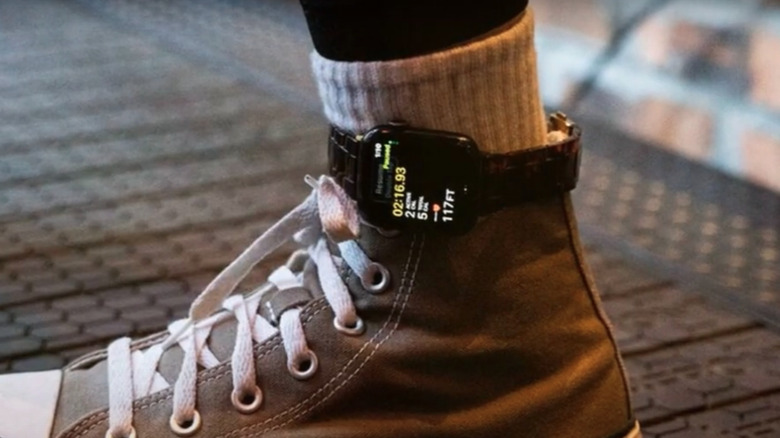
Walking pads have become a popular way for many people with sedentary jobs to get in a few extra steps during their workday. These minimalist treadmills fit under your desk, making it possible to get some exercise in without leaving your workspace and keyboard behind. That’s why many consider them to be an underrated high-tech smart office product, especially for the fitness-minded. While there’s no question that walking pads make it much easier to stay active at your desk, if you want to track your steps with your Apple Watch, you might find that the numbers aren’t adding up. That’s because the Apple Watch counts steps based on how often you move your wrist.If you’re typing on your computer or resting your arms on your desk, your Apple Watch may not recognize that you’re actually walking and assume you’re standing still, even if your feet are busy moving beneath your desk. The good news is there’s a workaround that’ll allow you to track your steps more accurately while on a walking pad: simply wear your Apple Watch on your ankle instead of your wrist. This might sound like a strange fix, but placing the watch on your ankle can help the device track your steps more accurately than when your arms are in a stationary position. If you log lots of hours on a walking pad while working, this simple change can make a big difference in your step count at the end of the day.>>>Replacement battery for Apple Watch Series 8 41mmWearing your Apple Watch on your ankle can give you more accurate step counts

Person wearing converse hightops with Apple Watch strapped to ankle

In most situations, tracking your steps using an Apple Watch is pretty straightforward. Once the watch is strapped onto your wrist and you’re moving naturally, it automatically counts your steps throughout the day. Your Apple Watch uses a combination of its accelerometer and gyroscope to track the number of steps you take, with the movement of your wrist playing a role in how it counts your steps. When your hands are busy typing or resting, which is often the case if you use a walking pad at work, the watch won’t detect much movement, even if you’re actually walking the whole time.Shifting your watch from your wrist to your ankle can help you bypass this limitation because foot motion still produces a consistent impact pattern that the accelerometer can pick up, allowing it to track your steps more reliably. In gym circles and on social media, this ankle placement has become known as the “Apple Watch hack,” with users on TikTok, Reddit, and other platforms saying this simple adjustment results in better step counts when you’re doing an activity that doesn’t involve moving your wrists. While these reports are anecdotal and Apple hasn’t officially endorsed the trend, if you’ve found your Apple Watch undercounts your steps when you’re using a walking pad, wearing it on your ankle could be a simple way to get more accurate results.>>>Replacement battery for Apple Watch Ultra 49mm S8What are the pros and cons of wearing your Apple Watch on your ankle?

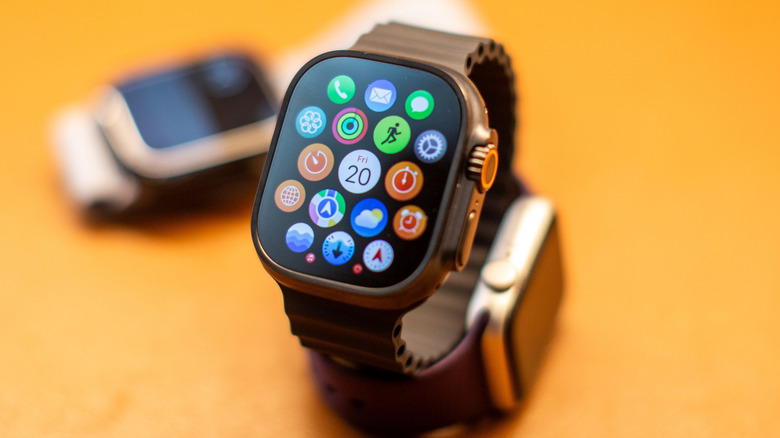
Close up of Apple Watch and apps with two Apple Watches in the background

Whether you’re trying to track steps while on a walking pad or pushing a shopping cart, strapping your Apple Watch to your ankle can make a real difference in your step count. This increased accuracy might help you use your Apple Watch to track calories burned more accurately, giving you a more accurate picture of your daily activity and overall fitness. You may also find ankle placement more comfortable if you have small wrists, tattoos that interfere with its sensors, or if your Apple Watch’s band irritates your skin. As useful as wearing your Apple Watch on your ankle can be, it does come with a few downsides. Apple designed its watch to track step counts using your wrists, and its algorithms are designed for that. If you move your Apple Watch to your ankle, you might notice readings for things like calorie burn, distance, or active minutes are unreliable or inconsistent. However, some users who’ve tested the ankle placement say they haven’t noticed much of a difference. Wearing your Apple Watch on your ankle can look a bit hard and make it harder to check notifications and use features like Apple Pay. But if you’re only strapping it to your ankle while walking at home, those trade-offs don’t really matter. Plus, you get the added benefit of improving your step count accuracy.

After weeks of testing, the new Razer Blade 16 is the gaming laptop I’d happily take anywhere

Serious performance muscle, now in an even skinnier shell.

Razer Blade 16 (2025) review lead

Stuff Verdict

The Razer Blade 16 (2025) is a gaming monster, naturally, but also has fantastic battery life and a stunning screen. If you can afford one, it’s a fantastic ultraportable powerhouse.

Pros

  • Immense gaming muscle and desktop performance
  • Gorgeous, high refresh rate OLED screen
  • Genuinely impressive battery life for a gaming laptop

Cons

  • Screen is very reflective
  • Ruinously expensive with an RTX 5090

>>>Replacement battery for Razer Blade Ryzen 14 2021 2022

Introduction

I’m not a fan of having to pick between high frame rates and portability. The most powerfulgaming laptopsare usually the biggest and heaviest – and rarely last more than a few hours as soon as you unplug their brick-like power adapters. Or at least, that used to be the case. Manufacturers have gotten much better at emphasising slimness and sleekness, without compromising on hardware. The new Razer Blade 16 might’ve just taken that to the extreme.

At a mere 17mm thick, it isn’t that far off a modern MacBook Pro’s dimensions, yet it finds room inside for top-tier Nvidia RTX 5090 mobile graphics. Razer has also opted for AMD internals for the first time to maximise battery life, and brought OLED display tech into the mix.

The laptop equivalent of a supercar never comes cheap, of course. The Blade 16 starts $2400/£2100 with an RTX 5060 GPU, but climbs up to a heady $4500/£3900 for the version tested here – and you can push that figure even further if you want extra RAM or storage. That puts it in the same ballpark as the equally svelte Asus ROG Zephyrus G16. Does the Razer do enough to justify its asking price?

>>>Replacement battery for Razer Blade 15 Base 2020

Design & build: slender fan

Razer Blade 16 (2025) review lid
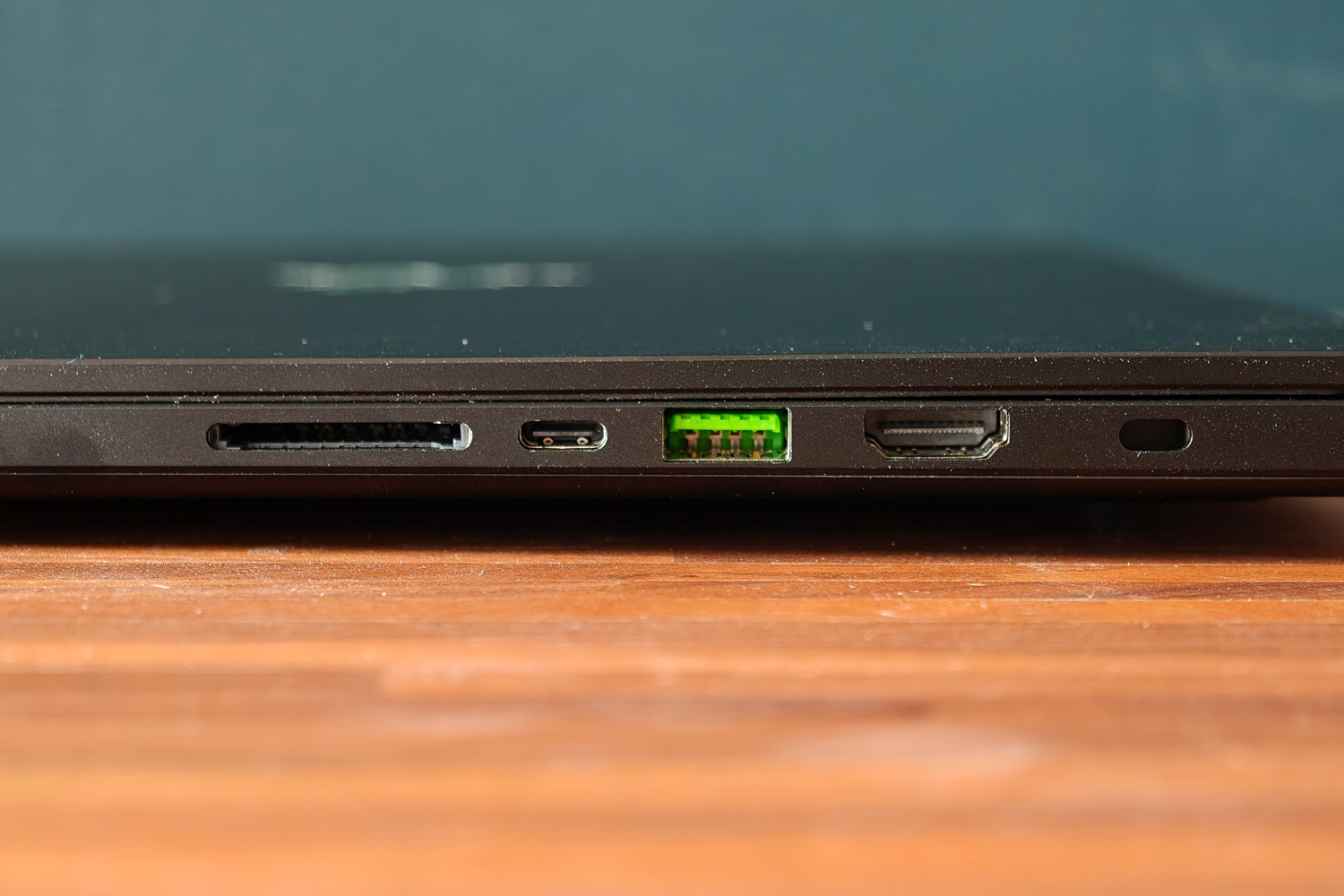
Razer Blade 16 (2025) review ports left
Razer Blade 16 (2025) review ports right

Side by side with a2023-era Blade(the last to use the old chassis), it’s seriously impressive how much skinnier this new model is – despite having to make room inside for some particularly toasty components, not least the RTX 5090 GPU. Cleverly, Razer has pulled this thinning off by actually making the new laptop larger.

The 5mm of depth that’s been shaved off has been added to the length of the laptop instead, but you’d only notice with a direct comparison. The footprint has barely grown, and it won’t affect the sort of backpacks or laptop bags the Blade will slide into. That’s handy, as given the new model is over 300g lighter than the old one, you’re going to want to take it on the move a lot more.

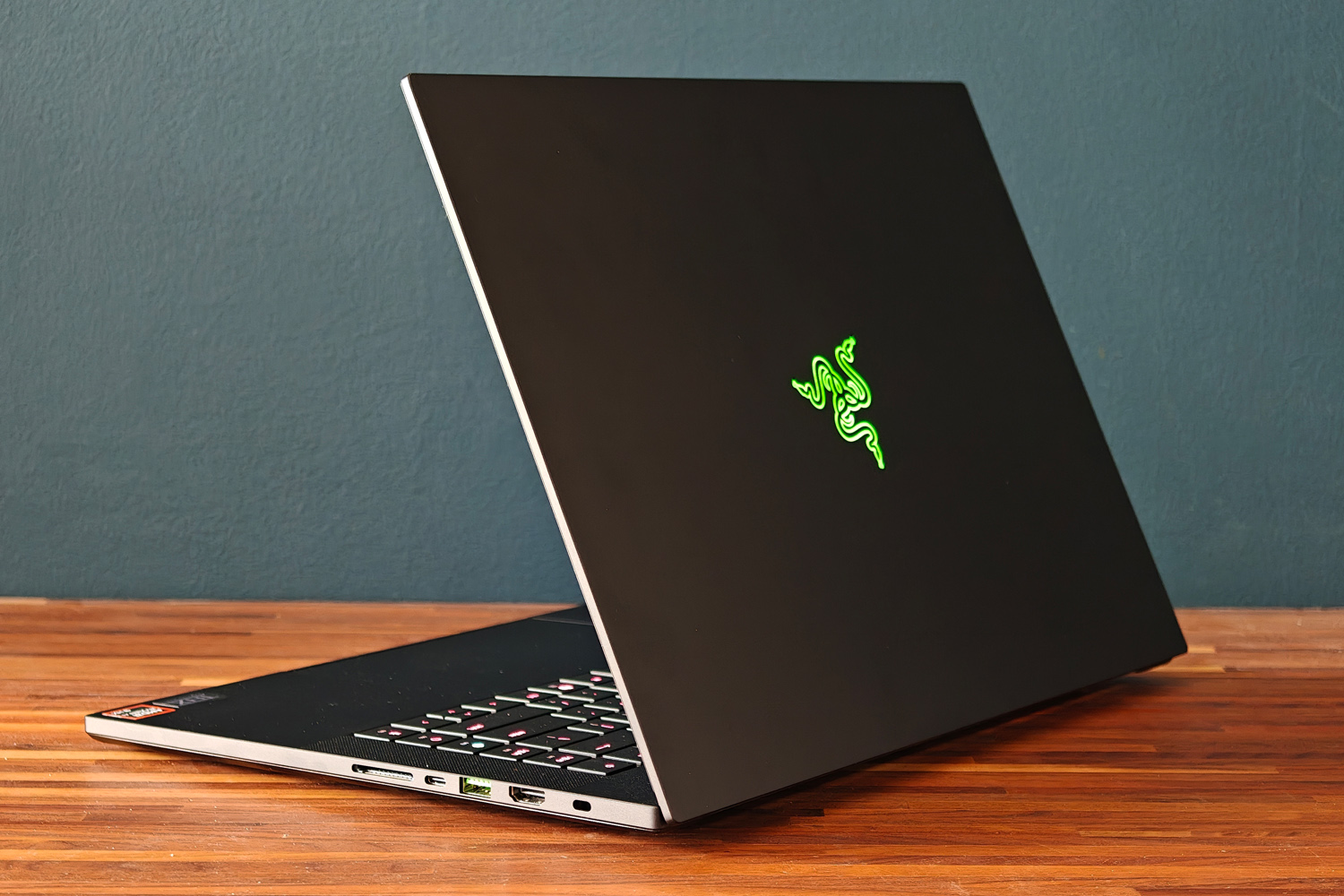
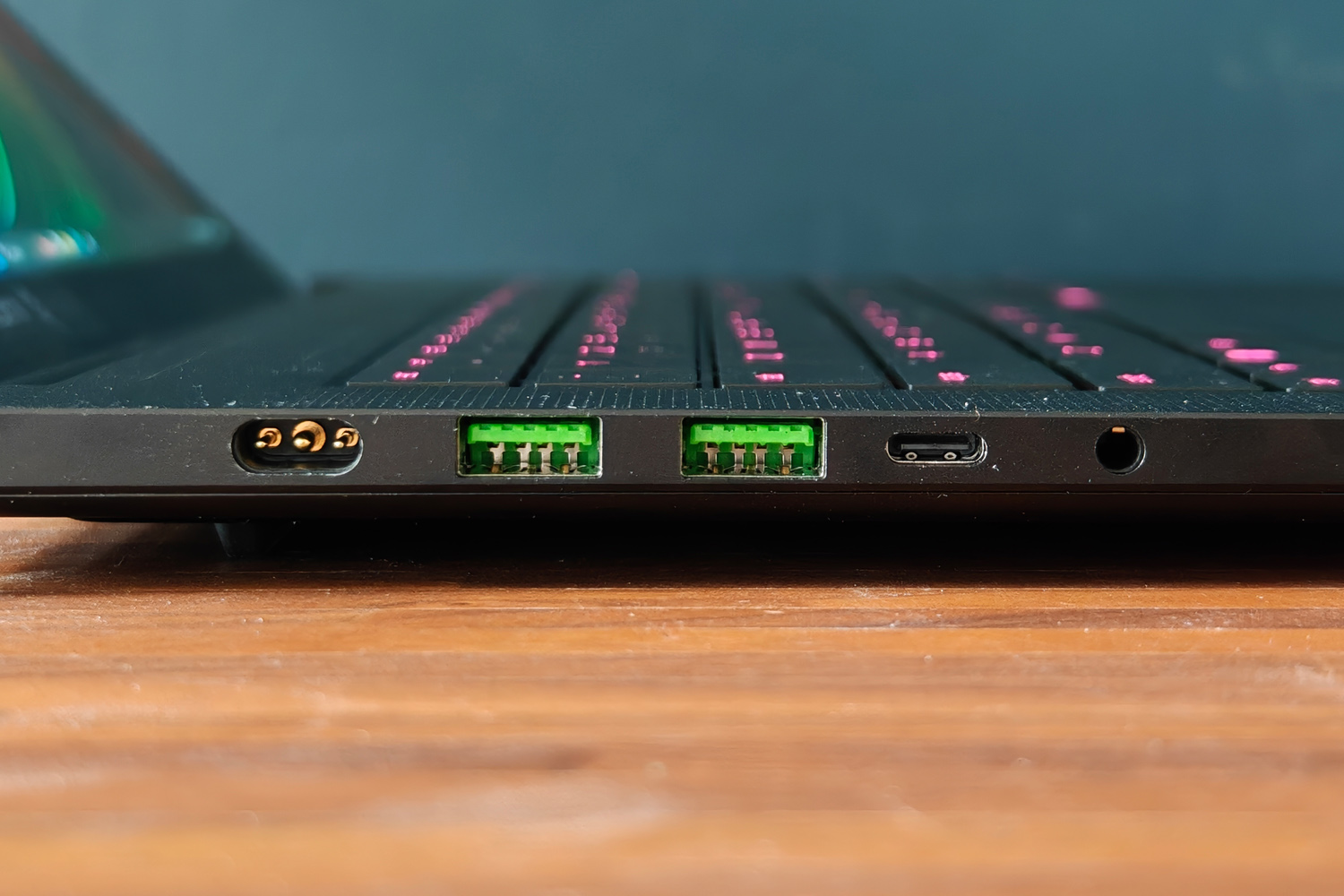
I’ve long seen Razer laptops as the yin to Apple’s yang, and that rings true again here. There’s a clear family resemblance in the milled aluminium unibody, subtle Ouroboros logo on the lid, and green accented USB ports at the sides. The matte black finish is treated to prevent wear, and does a decent job at minimising fingerprint smudges too. It looks mean, without also being shouty; as gaming laptops go, it’s wonderfully subtle unless you know what you’re looking at.

The Blade also gets a big thumbs up for not skimping on connectivity in the name of slimness. You get two USB-Cs (one USB4, one USB 3.2) and three USB type-As, as well as full-size HDMI, a 3.5mm combination headset port, and a full-size SD card reader. Having them all at the sides makes it impossible to keep cables out of sight when gaming at a desk, but convenient for quickly plugging in peripherals.

>>>Replacement battery for Razer Blade RZ09-01302E22 RZ09-0102 RZ09-01161 RZ09-01301E41

Keyboard & touchpad: happy taps

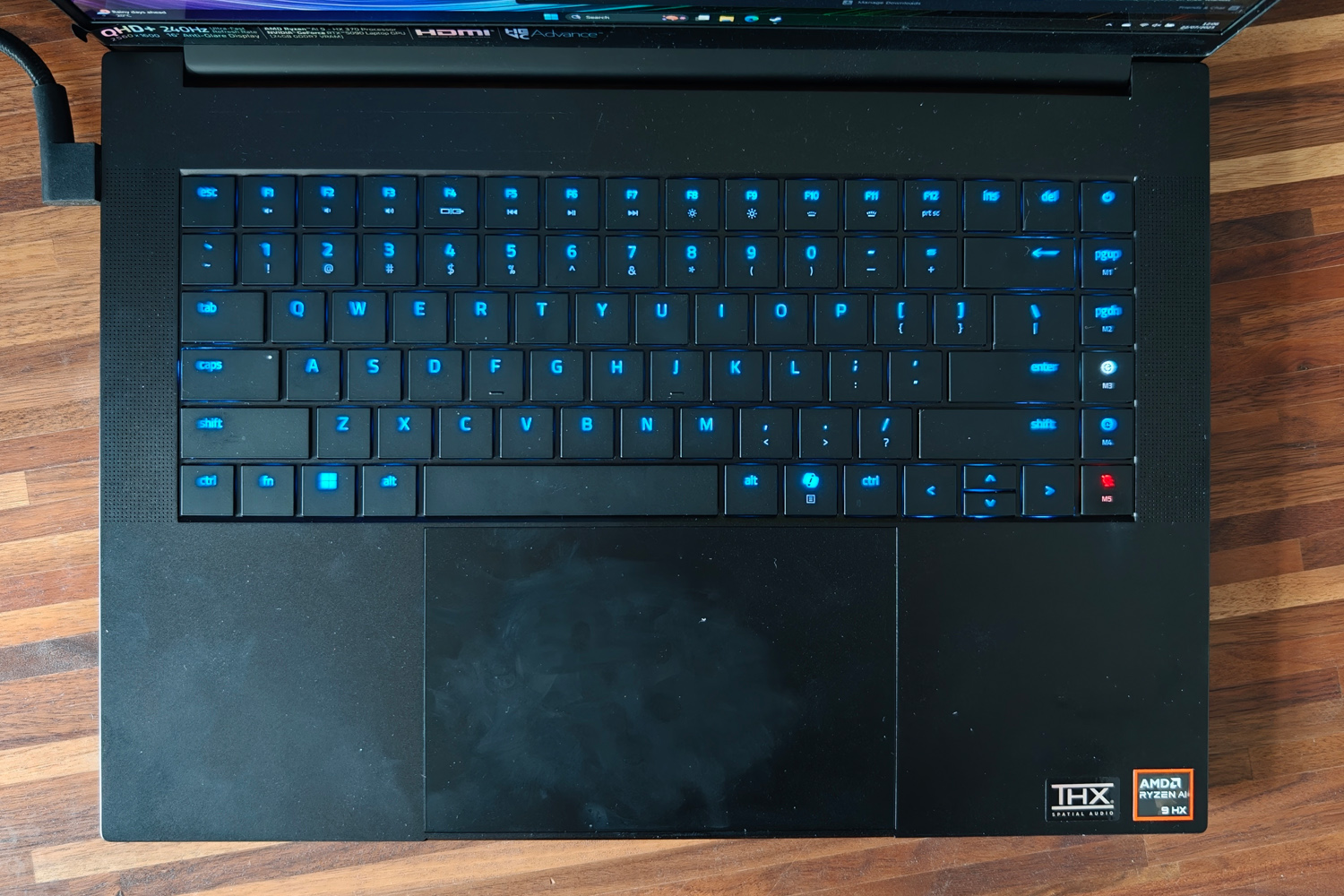
Razer Blade 16 (2025) review keyboard
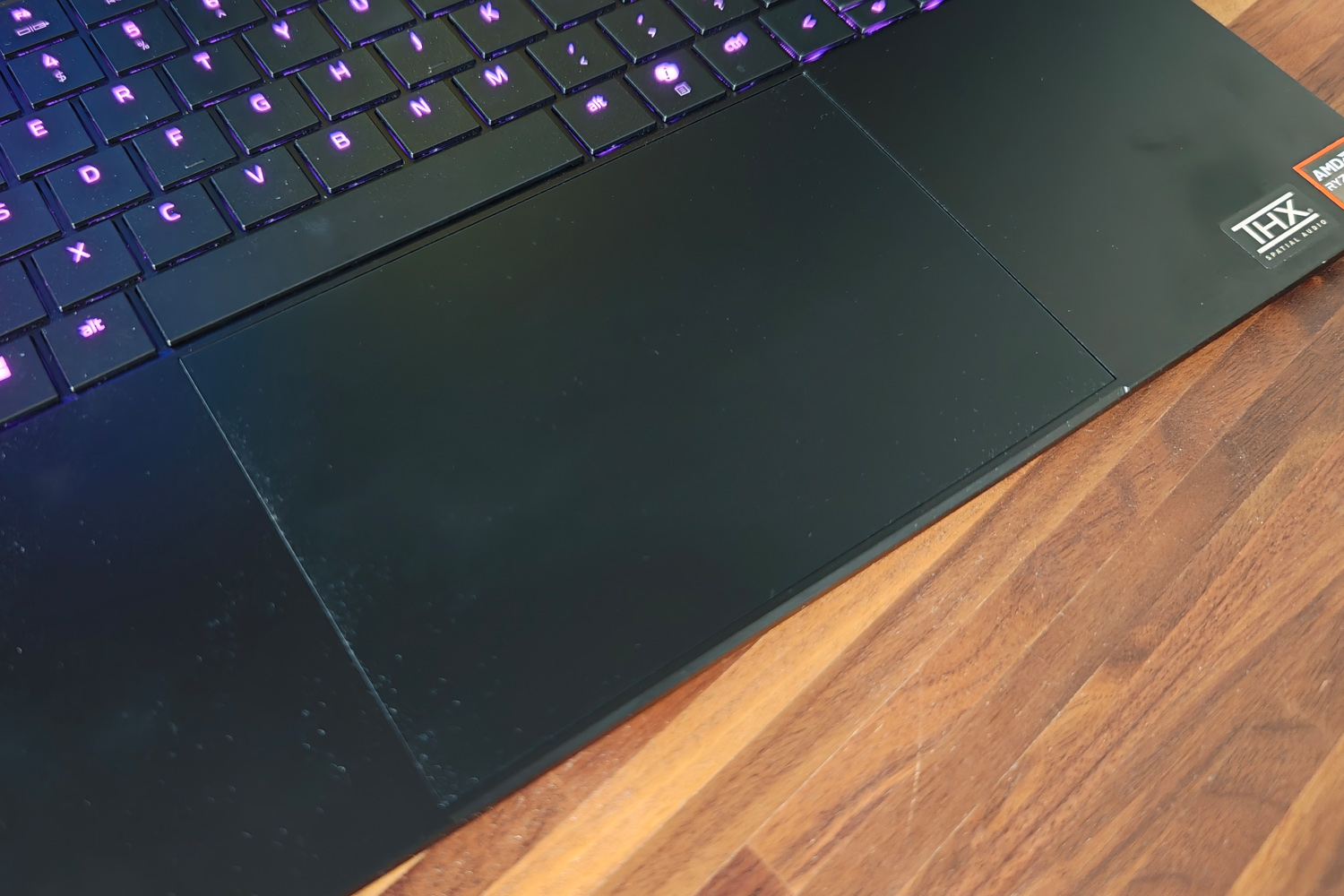
Razer Blade 16 (2025) review touchpad
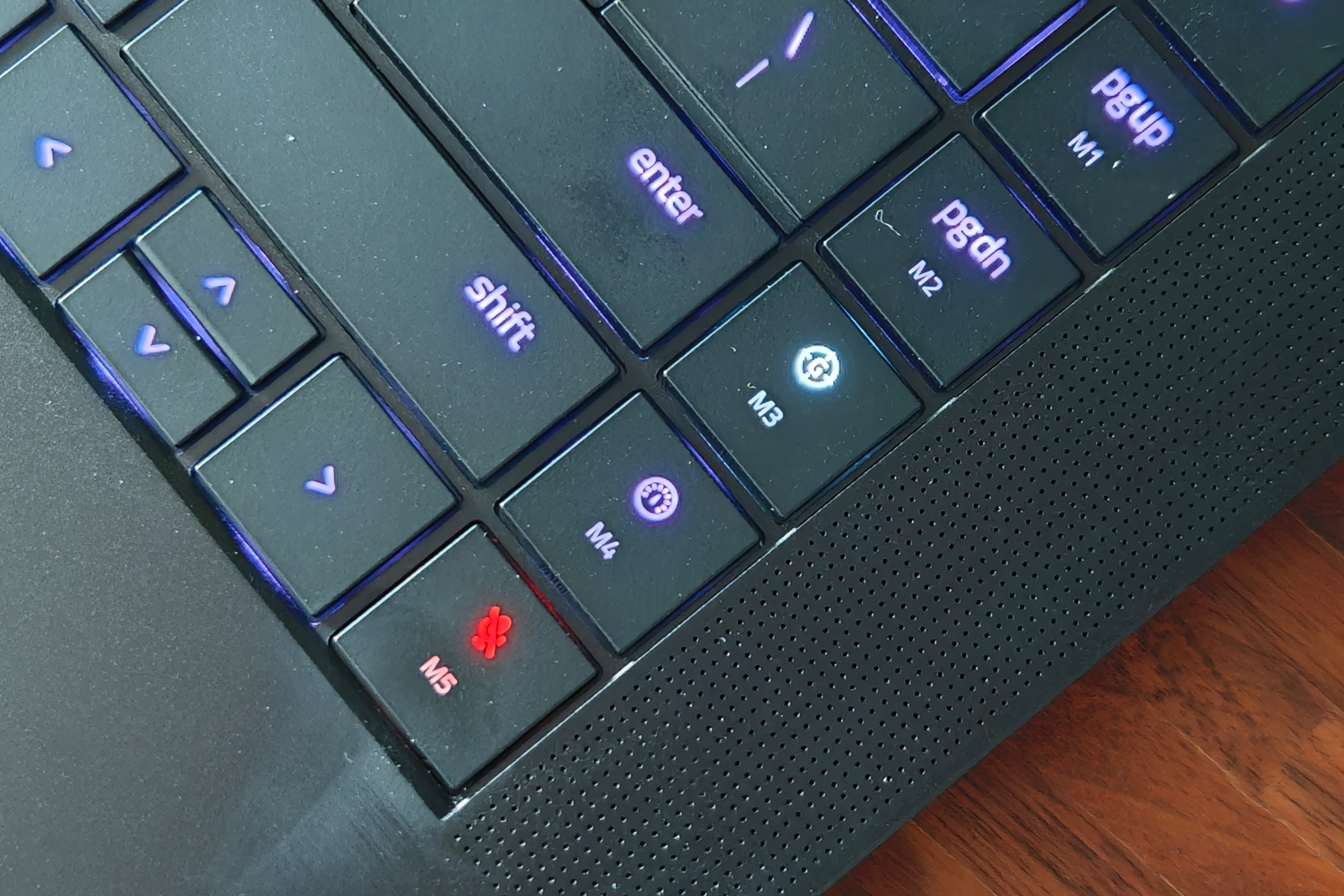
Razer Blade 16 (2025) review macro keys

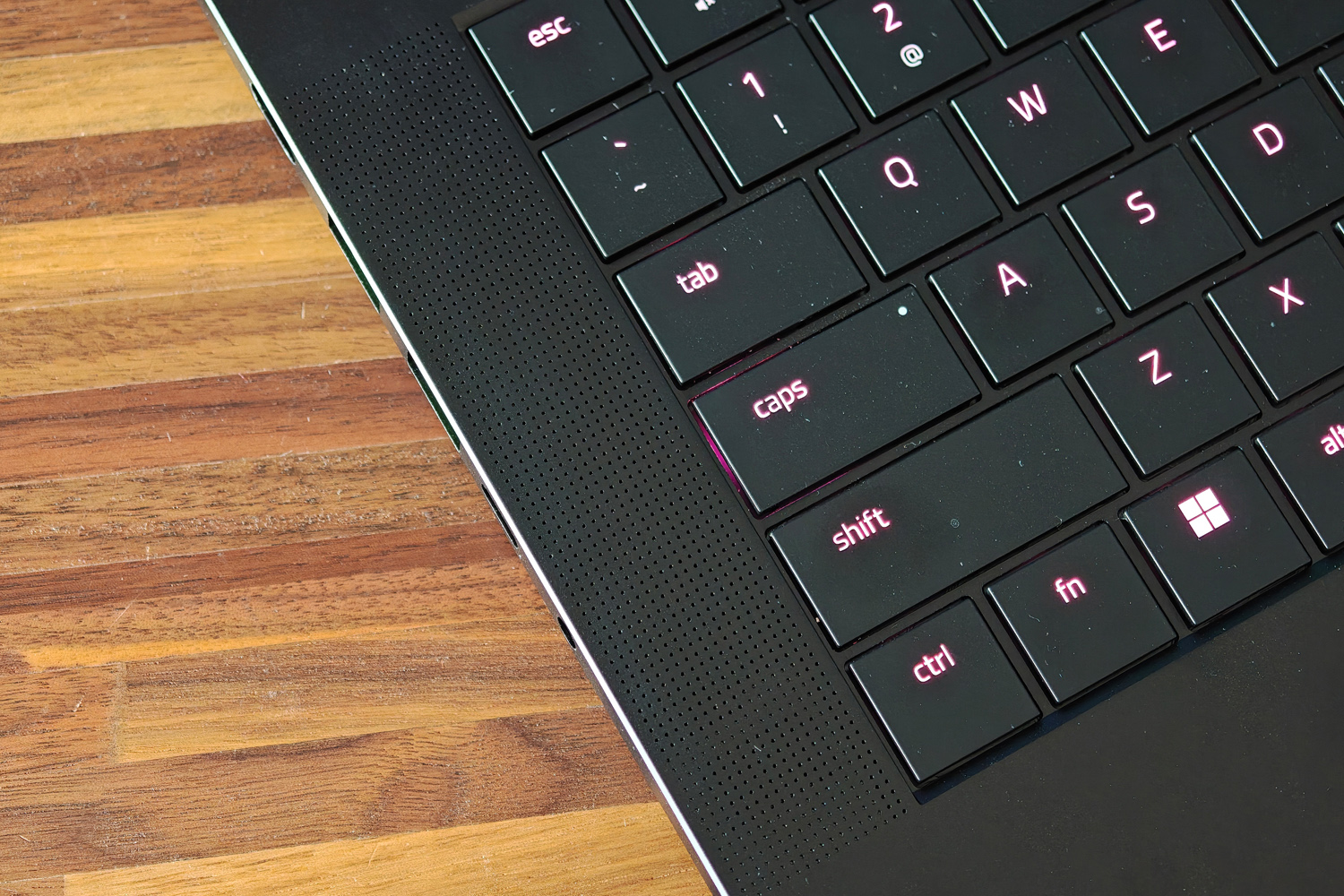
Older Blades weren’t the greatest laptops to type on, but this new one is a treat for your fingers. There’s 50% more key travel than the last-gen chassis got, and the actuation force has been adjusted so it feels like you’re pressing down with purpose before an input is detected. It’s fairly quiet to tap away on unless you type like you’re hammering nails, and each island-style key is comfortably spaced apart. It did take me a few hours to get used to how flat it all is, with no key recesses to help place your fingers.

Sensibly Razer hasn’t tried to shoehorn in a numerical keypad, but has found a bit of space at the edge of the board for a few customisable macro keys. Holding down the fn button also switches the per-key RGB backlighting to highlight the top row’s multimedia functions, making things like screen brightness and the mute key far easier to find. Doubling up on LEDs for these keys mean each key cap is perfectly lit, with next to no light bleed around the edges. You can customise the lot through Razer’s Synapse software, too.

While I default to a wireless mouse for pretty much anything outside of the Windows desktop, the Blade’s touchpad is a fine substitute when away from a desk. It’s huge, with a low-friction surface that makes cursor movement a breeze. It’s accurate and has a firm physical click action.

Screen & sound: how refreshing

Razer Blade 16 (2025) review display
Razer Blade 16 (2025) review speakers
Razer Blade 16 (2025) review webcam

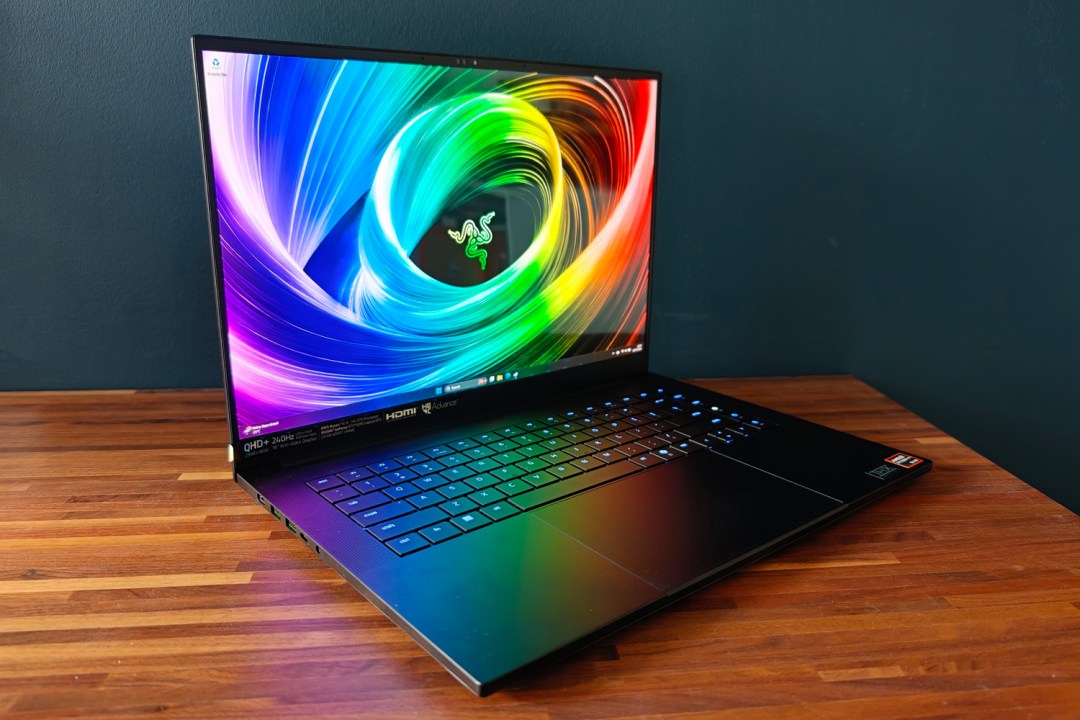
Regardless of what spec you choose, every Blade 16 gets the same QHD+ resolution display. I’m not complaining – it’s an absolute stunner, and I rarely used the last-gen Blade’s dual resolution mode anyway. Here you’re getting a 2560×1600 OLED with a rapid 240Hz refresh rate, which is ideal for hectic multiplayer gaming. While some LCD screens claim even faster refresh rates, OLED tech has inherently faster response times, so you’re getting a gloriously smooth presentation here. Variable refresh all but prevents tearing when frame rates dip below 60fps, too.

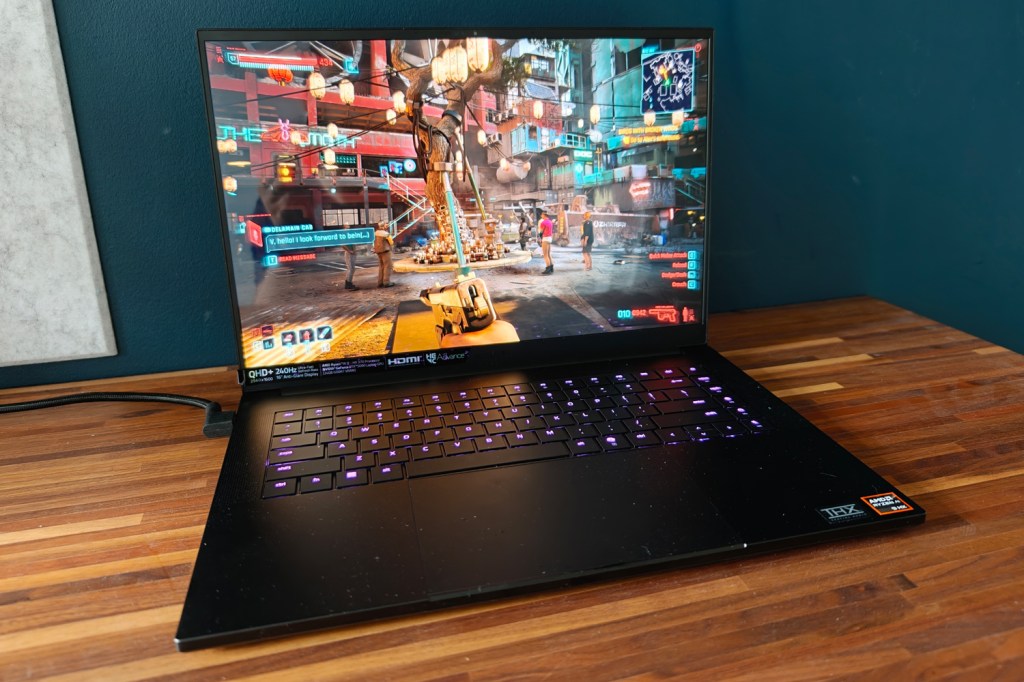
OLED also means there’s none of the light bloom or halo effect you got on the old Blade’s mini-LED panel – just perfect blacks and impeccable contrast, which give dimly lit movie scenes and dark game levels outstanding amounts of depth. Colours are deliciously vibrant, helpingCyberpunk 2077’s Phantom Libertyexpansion feel even more immersive than usual.

There’s a decent amount of brightness on tap, which helps give HDR content some welcome extra pop. Pretty much the only downside is how reflective the panel is; even at full whack, sitting by windows or underneath bright lights can be quite distracting.

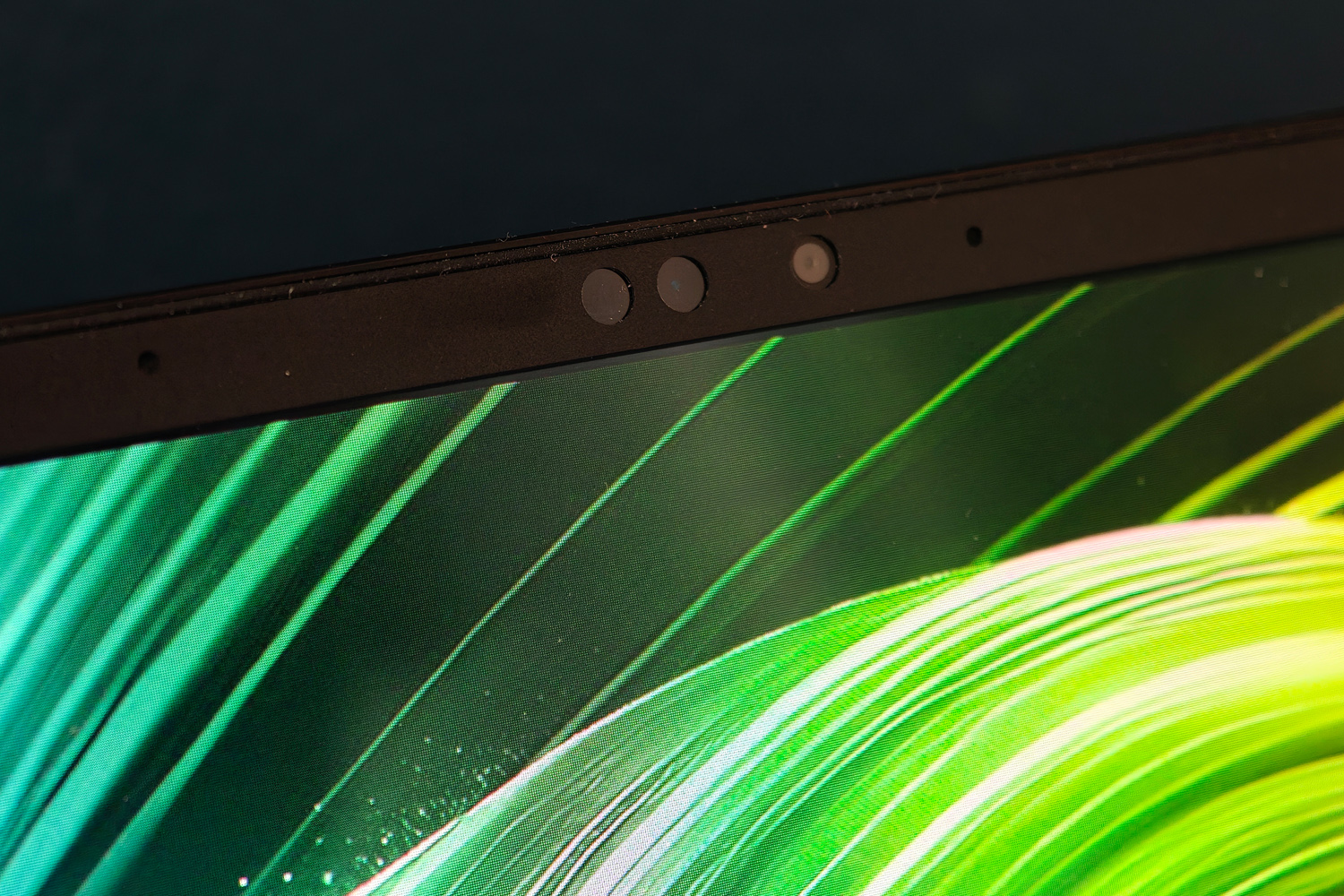
The six-speaker sound system is a great match to the screen, getting impressively loud and with decent amounts of bass for a laptop. The mid-range is clear, and THX Spatial Audio does a convincing impression of surround sound. Treble could use just a little extra bite, but I didn’t ever feel the need to plug in a headset unless I was gaming – and that was partly down to fan noise. The internal fans spin up to a noticeable degree as soon as you boot into a game, and are impossible to ignore when run at their maximum.

Performance: graphical greatness

Razer Blade 16 (2025) review Doom
Razer Blade 16 (2025) review AMD logo
Razer Blade 16 (2025) review Counter Strike

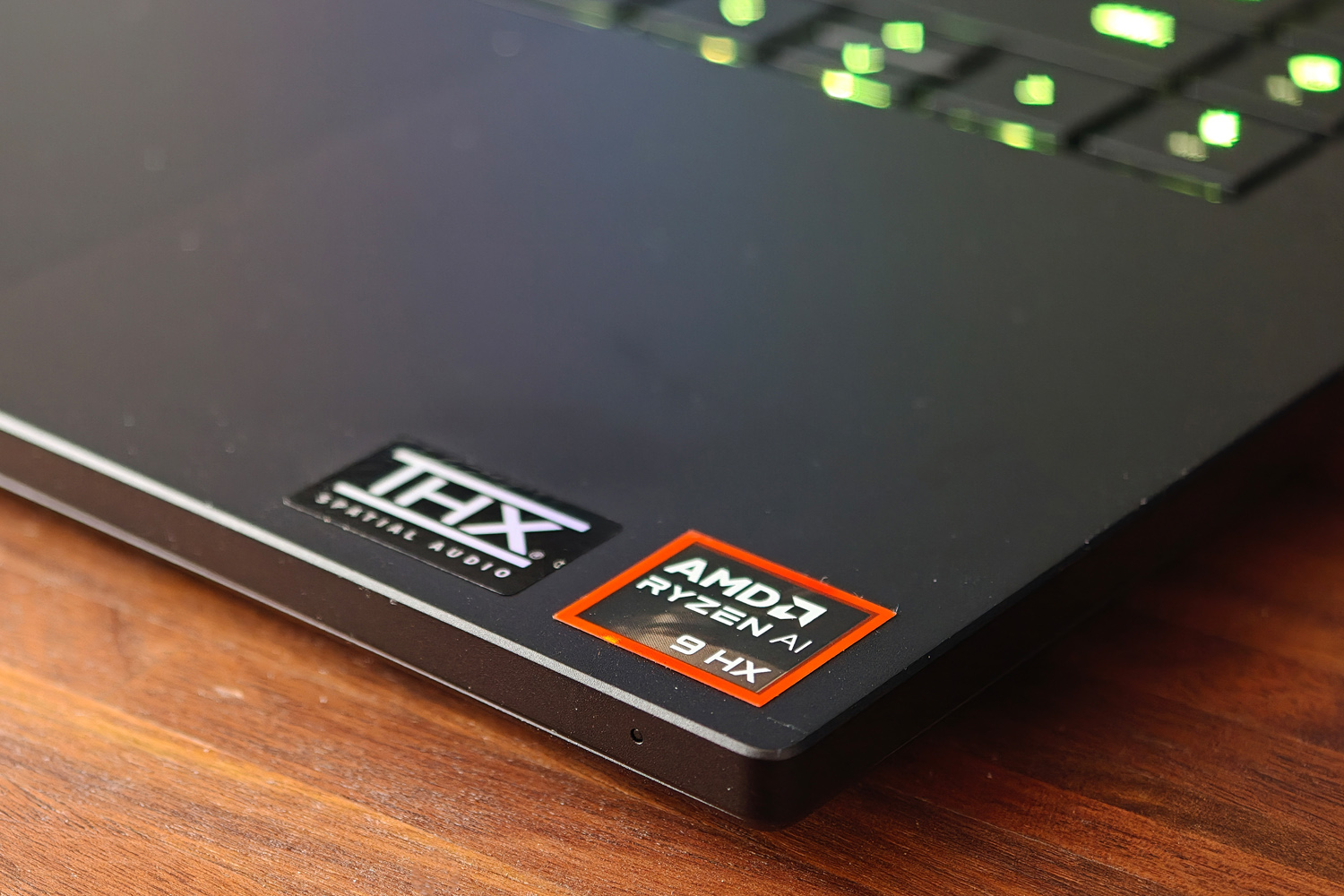
Razer used to be all-in on Intel, but has made the switch to AMD power for this laptop generation. The Blade 16 kicks off with an AMD Ryzen AI 9 365, but steps up to a Ryzen AI 9 HX 370 once you add RTX 5090 graphics to your order. I’ve seen this twelve core, 24-thread chip in larger gaming laptops, but this is the first time I’ve tried one in such a skinny chassis. In my review unit it’s paired with a 2TB NVMe SSD and 32GB of RAM.

For desktop duties, AMD’s silicon trades back and forth with the last-gen Intel Core chips. The gap is fairly small, and there’s ample oomph for all sorts of creative jobs like image editing. Synthetic tests show very little in the way of penalty for going slim, being roughly on par with the 18inMSI Stealth A18 AI+. Certain tasks – like video encoding – are just better suited to Intel’s architecture, so keep in mind that newer doesn’t always mean better – though AMD comfortably wins out on efficiency. More on that below.

Razer Blade 16 (2025) productivity benchmark scores
Geekbench 6 single-core2966
Geekbench 6 multi-core15488
Geekbench AI7643

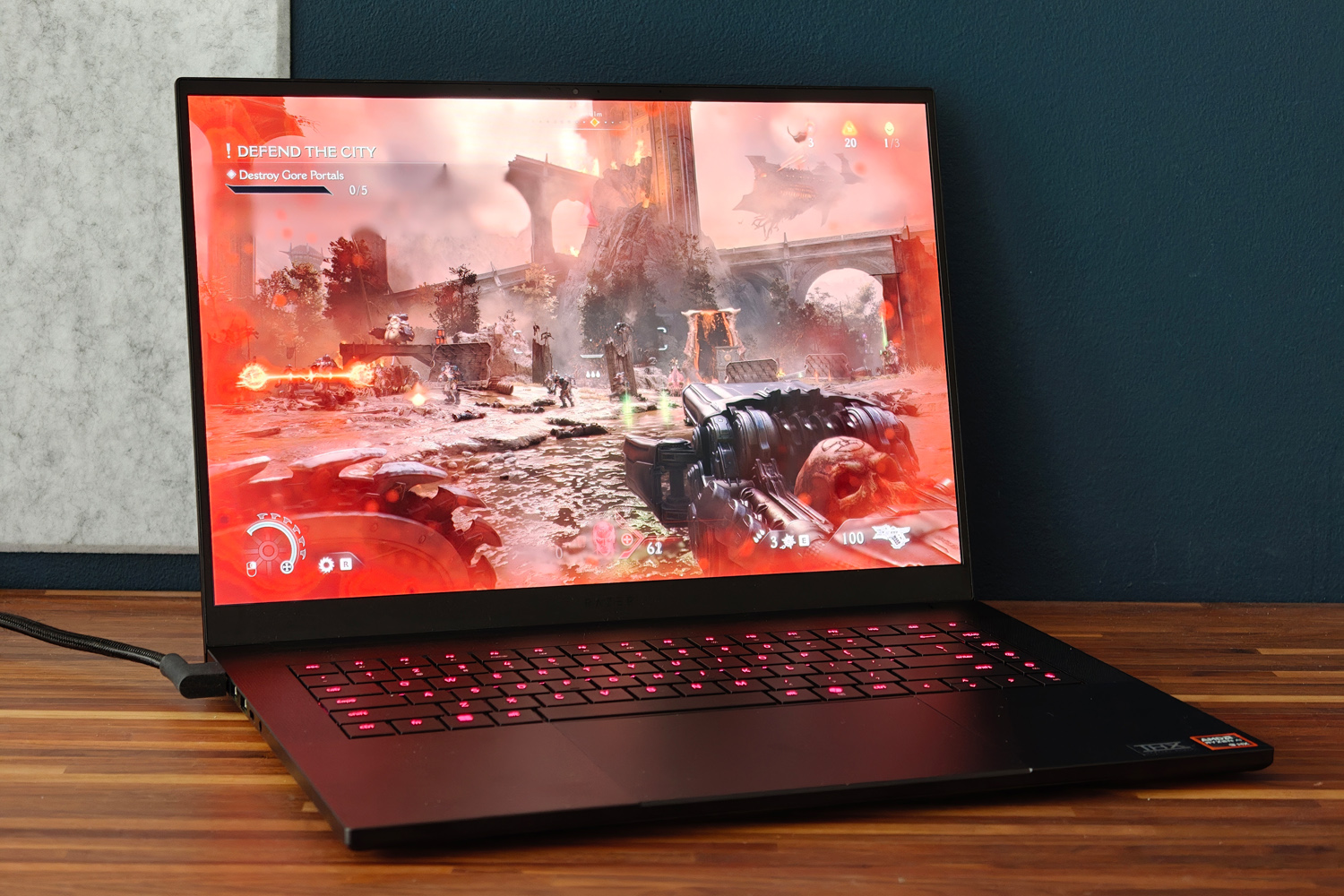
You don’t buy a Blade 16 to just work on the Windows desktop, of course. It’s gaming where this laptop truly shines, the RTX 5090 GPU and its whopping 24GB of video memory absolutely churning through modern titles. At the 2560×1600 native resolution, none of the titles I tried ever dipped below 60fps as long as ray tracing stayed disabled.Counter Strike 2comfortably saw frame rates in the 100-200fps range, which should be ideal for serious esports gamers.

Ray Tracing can still make the hardware sweat, Nvidia’s upscaling tech is on hand to assist. DLSS 4.0 and multi-frame generation are scarily good, creating entirely new frames without the tearing, blurriness or input delay seen on previous iterations.Cyberpunk 2077saw huge gains, from a barely playable 24.4fps with maximum path tracing but no upscaling, to a far smoother 53.9fps with DLSS.Doom: the Dark Ageswas equally impressive, running smoothly even when the screen was filled with demons.

This is the fastest mobile GPU money can buy, hands down – but native rendering performance isn’t a huge leap from the previous generation, and the RTX 5080 isn’t that far behind. It’s only with DLSS and multi-frame generation enabled that the 5000 series shows a truly generational leap from the 4000 series, and even then 4K gaming at maximum settings with ray tracing still looks out of reach in some titles. The Blade 16’s more restrictive thermals also limit the 5090’s potential a little, but not to the extent that games aren’t playable. Frame rates never dipped at any point, even during a marathon play session.

Razer Blade 16 (2025) gaming benchmark scoresNative rendering (2560×1600)DLSSupscaling
3DMark Steel Nomad5821N/A
Cyberpunk 2077 (RT Overdrive)24.43fps53.9fps
Cyberpunk 2077 (Ultra, RT off)91.42fps111.05fps
Shadow of the Tomb Raider (RT on)119fps148fps
Shadow of the Tomb Raider (RT off)156fps161fps
Gears Tactics130.6fpsN/A

Arguably what impressed me most when benchmarking the Blade 16 was how long it lasted while away from the mains. When looping a local video at 50% brightness, I was getting close to ten hours. That’s way more than I managed from the old Intel-powered Blade. Desktop working should see you closer to six or seven, which might be enough to see you through an entire working day – if you aren’t tempted to game during your lunch break.

Depending on the title it can last between one and three hours here. That’s still not a bad showing for a laptop with a green this big and a GPU this power-hungry.

Razer Blade 16 (2025) verdict

Razer Blade 16 (2025) review Cyberpunk

Razer laptops have always carried a certain gravitas, but I think the latest Blade 16 might be one of the first to truly deserve it. This is a gloriously potent gaming laptop, with the sort of screen you could happily stare at all day and enough ports at the sides to become a very effective desktop replacement. Yet it also has a long-lasting battery and is light enough that you can happily take it on the move.

OK, it’s expensive, especially in 5090 guise – but name a laptop with that GPU that isn’t. The ‘Razer tax’ does mean you pay a premium over the likes of Asus, MSI or Lenovo, but you’re getting a design that’s almost on par with Apple for your money. If you have the funds, it’ll demolish any game you can throw at it for years to come.

Stuff Says…

Score:5/5

The Razer Blade 16 (2025) is a gaming monster, naturally, but also has fantastic battery life and a stunning screen. If you can afford one, it’s a fantastic ultraportable powerhouse.

Pros

Immense gaming muscle and desktop performance

Gorgeous, high refresh rate OLED screen

Genuinely impressive battery life for a gaming laptop

Cons

Screen is very reflective

Ruinously expensive with an RTX 5090

Razer Blade 16 (2025) technical specifications

Screen16in, 2560×1600, 240Hz OLED
ProcessorAMD Ryzen AI 9 HX 370
Memory32GB RAM
GraphicsNvidia GeForce RTX 5090 Laptop w/ 24GB RAM
Storage2TB
Operating systemWindows 11
ConnectivityHDMI, 1x USB4 Type-C, 1x USB 3.2 Type-C, 3x USB, 3.5mm headphone port, SD card reader
Battery90Whr
Dimensions355x251x17.4mm, 2.14kg