Putting CPU Scores Aside for Now: Will Battery Health Become the Next Important Specification for Used Laptops?

For years, buying a used laptop in Britain has meant checking the processor, RAM, SSD capacity and screen condition before anything else. A Core i5 or Ryzen 5 badge can make a second-hand machine look attractive, while benchmark scores offer a reassuring sense of value.

But there is one specification that has often been treated as an afterthought: the battery.

That may be about to change.

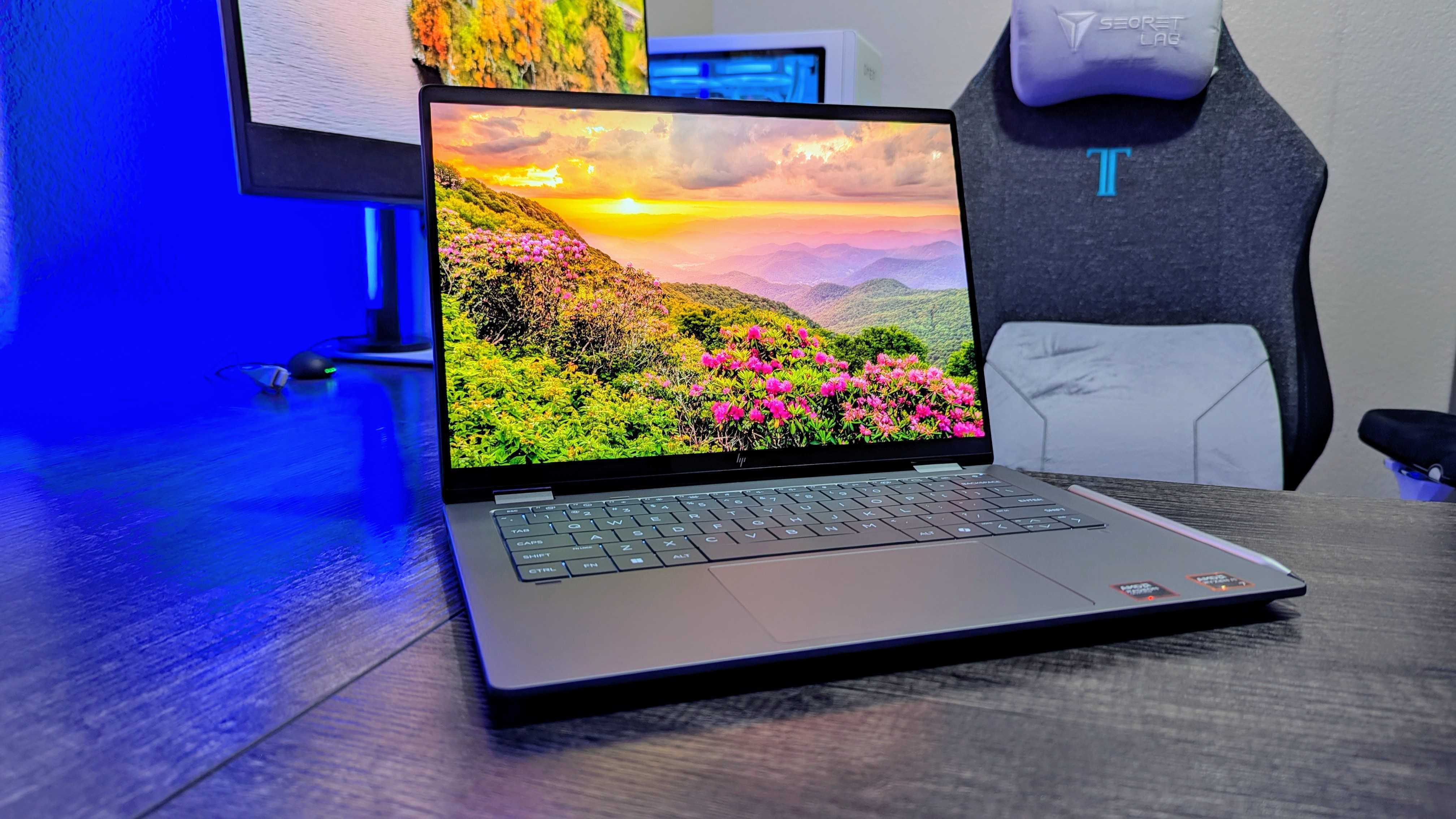
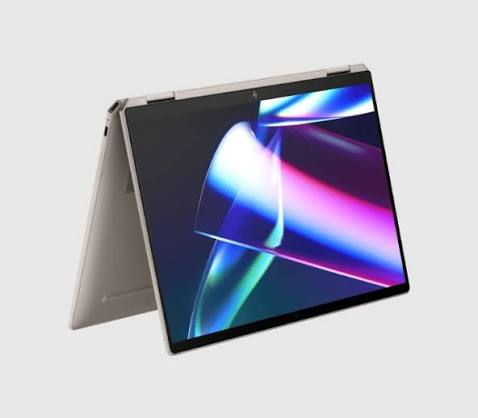
As the UK refurbished technology market continues to mature, buyers are becoming more interested in how long a device can realistically remain useful, rather than simply how powerful it was when it first launched. For someone considering a premium convertible such as the HP Spectre X360 14, battery condition can be just as relevant as the processor hiding underneath the chassis.

The question is increasingly straightforward: when buying a used laptop, should battery health be treated as a core specification rather than a minor detail?
The Second-Hand Laptop Market Is Changing

The appeal of buying refurbished technology is easy to understand. A premium laptop that once commanded a high price can become considerably more affordable after a few years, making previously expensive designs accessible to students, freelancers, remote workers and families.

There is also a growing environmental argument.

Extending the life of an existing computer means fewer devices need to be manufactured, transported and eventually discarded. For British consumers increasingly conscious of the cost and environmental impact of constant upgrades, keeping a laptop for longer can make financial as well as practical sense.

Yet the value of a second-hand laptop depends heavily on its condition.

A machine may have a fast processor, plenty of memory and an excellent display, but if its battery has deteriorated significantly, the ownership experience can be very different from what the original specifications suggest.

That is why battery health deserves a much more prominent place in the used-laptop conversation.

A Great Processor Cannot Fix a Worn-Out Battery

Imagine two laptops with virtually identical processors and memory.

On paper, they appear to offer similar performance. One, however, still has a healthy battery, while the other has spent years being charged and discharged.

The difference becomes obvious the moment both machines leave the charger behind.

A laptop with a degraded battery may require frequent top-ups, spend most of its working life next to a socket and become far less useful for commuting or working away from home.

This is particularly important in Britain, where laptops are often used in environments that are not designed around a permanent power supply. Think trains, university libraries, cafés, co-working spaces and shared offices.

For these situations, battery condition is not merely a technical statistic. It directly affects convenience.

A used HP Spectre X360 14, for example, might still offer the premium design and flexible 2-in-1 format that made the model attractive in the first place. But its real-world value to a second owner will depend partly on how its battery has aged.

Battery Health Could Become the Laptop Equivalent of Mileage

There is an interesting comparison with the used-car market.

When buying a second-hand car, consumers rarely look only at the engine specification. Mileage, service history, tyre condition and maintenance records all influence the price.

Used laptops could be heading in the same direction.

Instead of asking only, “Which processor does it have?”, buyers may increasingly ask:

  • How many years has it been used?
  • How heavily has the battery been cycled?
  • How much capacity remains?
  • Has the battery ever been replaced?
  • How long does it actually last away from the charger?

These questions could become particularly important for premium machines.

A well-maintained HP Spectre X360 14 with a healthy battery could arguably be a more attractive second-hand purchase than a theoretically faster laptop whose battery is nearing the end of its useful life.

That is because specifications describe what a laptop was designed to do. Battery health helps explain what it can still do today.

The Rise of AI PCs Makes the Question Even More Relevant

There is another reason battery health is becoming interesting: the rapid growth of AI-focused PCs.

Modern Windows laptops increasingly feature dedicated hardware designed to handle AI workloads locally. Rather than sending every task to the cloud, some processing can be performed directly on the machine.

That brings obvious benefits, but it also makes power management an increasingly important part of the laptop experience.

As users become accustomed to features such as AI assistants, image processing, transcription and other intelligent tools, battery efficiency will remain a key part of the equation.

This creates an unusual situation for the second-hand market.

A three-year-old premium laptop may still be perfectly capable of handling everyday browsing, office work, streaming and productivity. But if its battery has lost a substantial amount of its original capacity, its usefulness can feel much older than its processor suggests.

The HP Spectre X360 14 therefore provides an interesting example of a broader shift: the definition of a “modern” laptop may increasingly depend on usability rather than launch-date specifications.

The UK Repair-First Conversation Is Changing Consumer Behaviour

Britain’s growing interest in repair and longer-lasting technology is another factor worth watching.

Consumers have traditionally been encouraged to upgrade when a device becomes inconvenient, slow or unreliable. But that mindset is being challenged by the wider repair and right-to-repair movement.

A battery is a particularly interesting component in this debate.

Unlike a processor or display, it is a consumable component. Its capacity naturally declines with repeated use and age. That does not necessarily mean the entire laptop has reached the end of its life.

Replacing an ageing battery can, in the right circumstances, restore much of the portability that made a laptop useful in the first place.

For owners of a HP Spectre X360 14, this raises a practical question before buying a completely new machine: is the laptop genuinely obsolete, or is one ageing component making it feel obsolete?

That distinction could save consumers money while keeping perfectly functional electronics in use for longer.

What Should Buyers Check Before Purchasing a Used Laptop?

Battery health should not replace other checks. It should become part of a broader inspection.

First, buyers should examine the laptop’s physical condition. Scratches are usually cosmetic, but damaged hinges, cracked displays or warped chassis components can be much more serious.

Next comes performance. The processor, RAM and storage still matter, particularly if the laptop will be used for demanding workloads.

Then there is the battery.

Windows provides tools that can help users investigate battery information, while some manufacturers also provide diagnostics or battery-management utilities. Buyers should look for evidence of reduced capacity rather than relying solely on a seller’s claim that the laptop “still holds charge”.

It is also worth testing the machine away from the mains if possible.

A laptop that appears perfectly healthy while plugged in can tell a very different story once the charger is removed.

Battery Health Could Influence Used-Laptop Prices

If consumers begin demanding clearer battery information, the second-hand market itself could change.

Imagine two otherwise identical HP Spectre X360 14 laptops being offered for sale. One has a relatively healthy battery and a documented replacement history. The other has noticeably reduced capacity but is priced only slightly lower.

The first machine could become the obvious choice, even if the second has the same processor and storage.

This could eventually encourage refurbishers and private sellers to publish battery-health information alongside traditional specifications.

Just as buyers now expect details about SSD capacity and display resolution, battery condition could become part of the basic sales listing.

That would make comparisons easier and could also create a more transparent refurbished market.

Is Battery Health Really More Important Than CPU Performance?

Not always.

A professional video editor, engineer or gamer may still prioritise processing power, graphics performance and thermal behaviour. For demanding workloads, an older processor can be a genuine limitation.

But for the huge number of people whose laptops are used for emails, documents, research, video calls, web browsing and entertainment, the situation is different.

Once performance reaches a comfortable level, another question becomes more important: how pleasant is the laptop to use every day?

A machine that performs perfectly well but needs to remain plugged in may be less useful than a slightly older computer that can comfortably handle several hours of mobile work.

That is where battery health moves from being a hidden technical detail to a meaningful buying criterion.

The Future of Used Laptops May Be Measured in More Than Gigahertz

The second-hand technology market is becoming more sophisticated.

Buyers are learning that a laptop’s age does not tell the whole story. Neither does its processor generation, screen resolution or benchmark score.

Condition matters.

Maintenance matters.

And increasingly, battery health matters.

The HP Spectre X360 14 illustrates why this change could be significant. A premium laptop does not necessarily become worthless simply because a newer generation has arrived. If its core hardware remains capable and its physical condition is good, extending its useful life can make considerable sense.

The battery may simply become the part that determines whether that second life is genuinely practical.

So, will battery health become the next important specification for used laptops?

It is too early to say that it will overtake CPU performance across the entire market. But for everyday buyers, refurbished shoppers and anyone looking for a laptop that can survive life away from the plug, the answer may increasingly be yes.

In the coming years, the most important question when buying a used laptop might not be “How fast was this machine when it launched?”

It could be much simpler:

How much useful life does it still have?
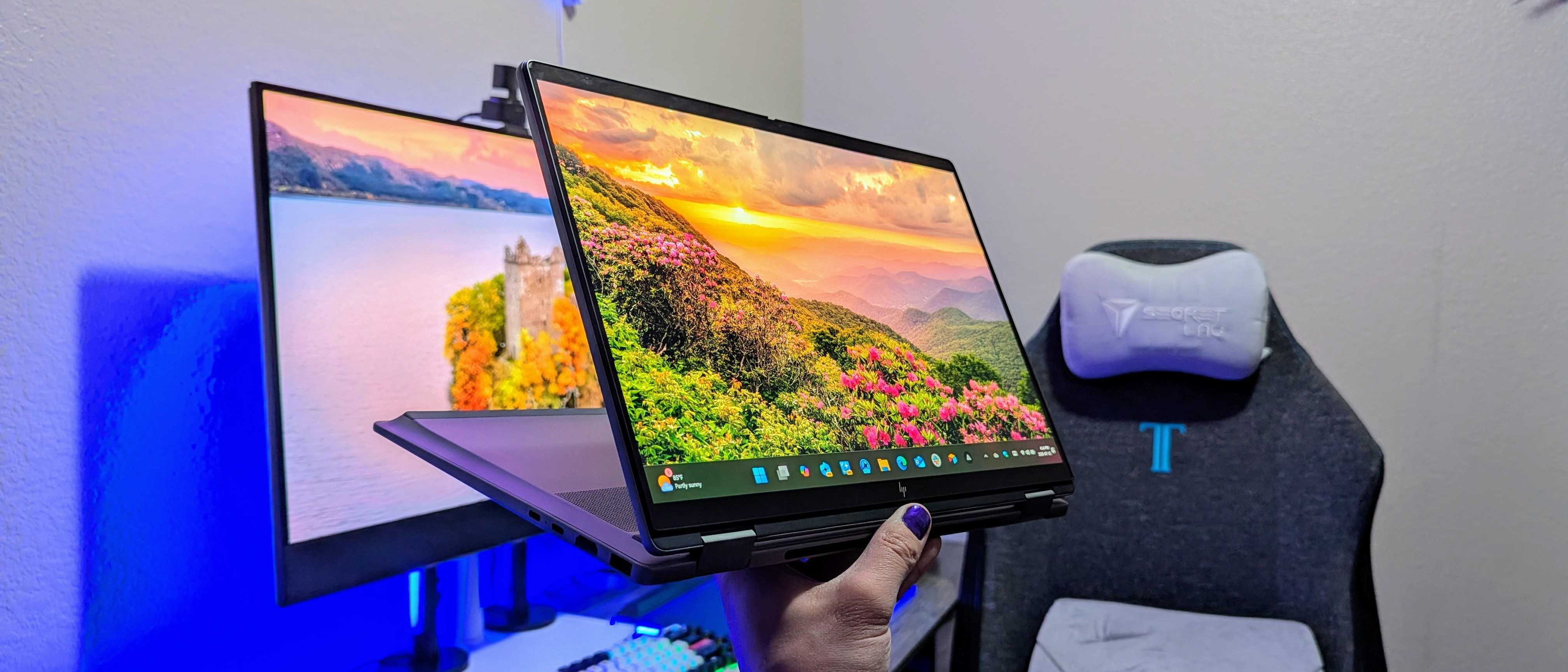
I’ve been enjoying this 2-in-1 AI laptop more than I expected, but it feels like it was made to go on sale

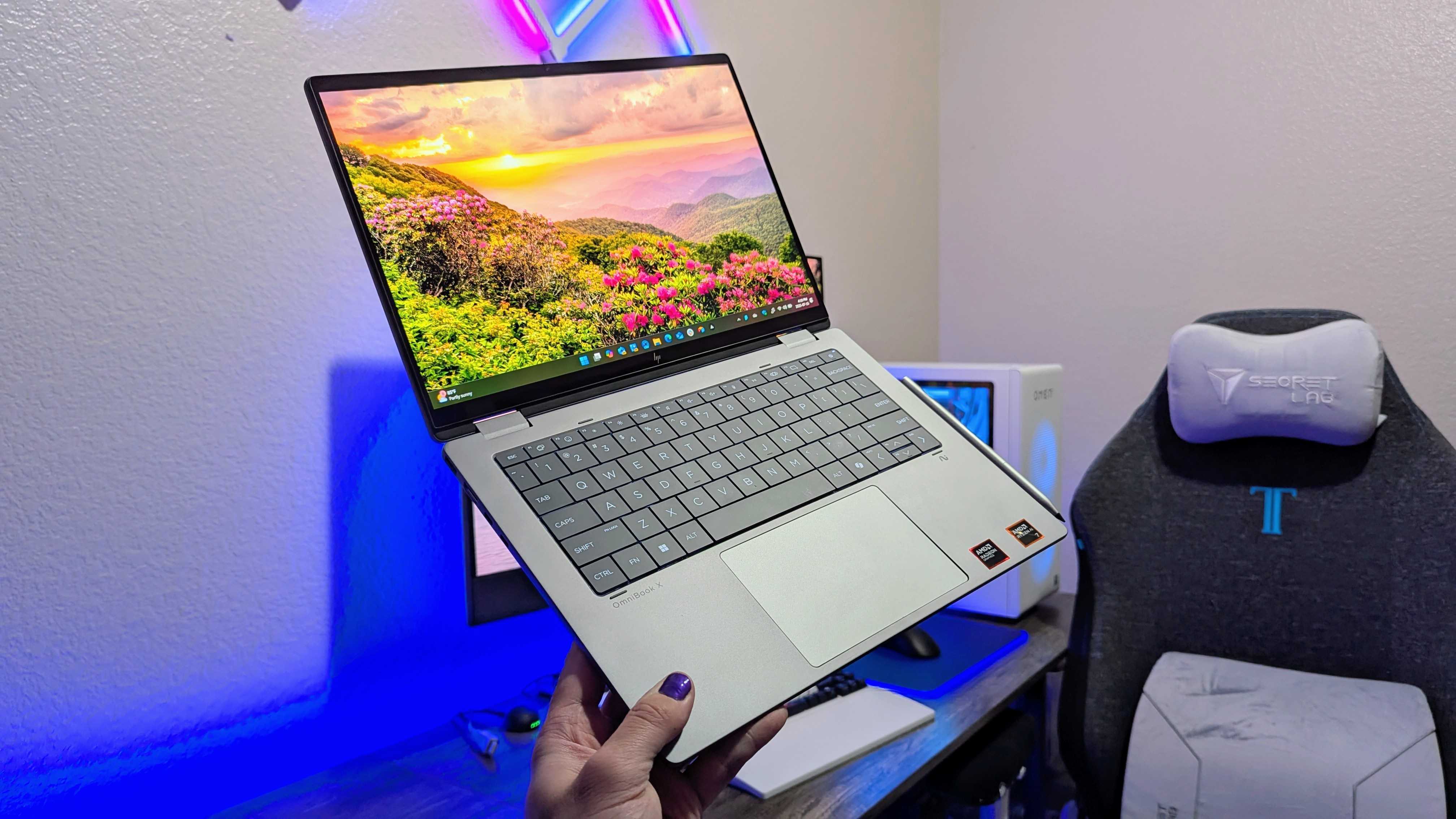
The HP OmniBook X Flip 14 (2025) is a great 2-in-1 laptop that is already benefiting from frequent deals.

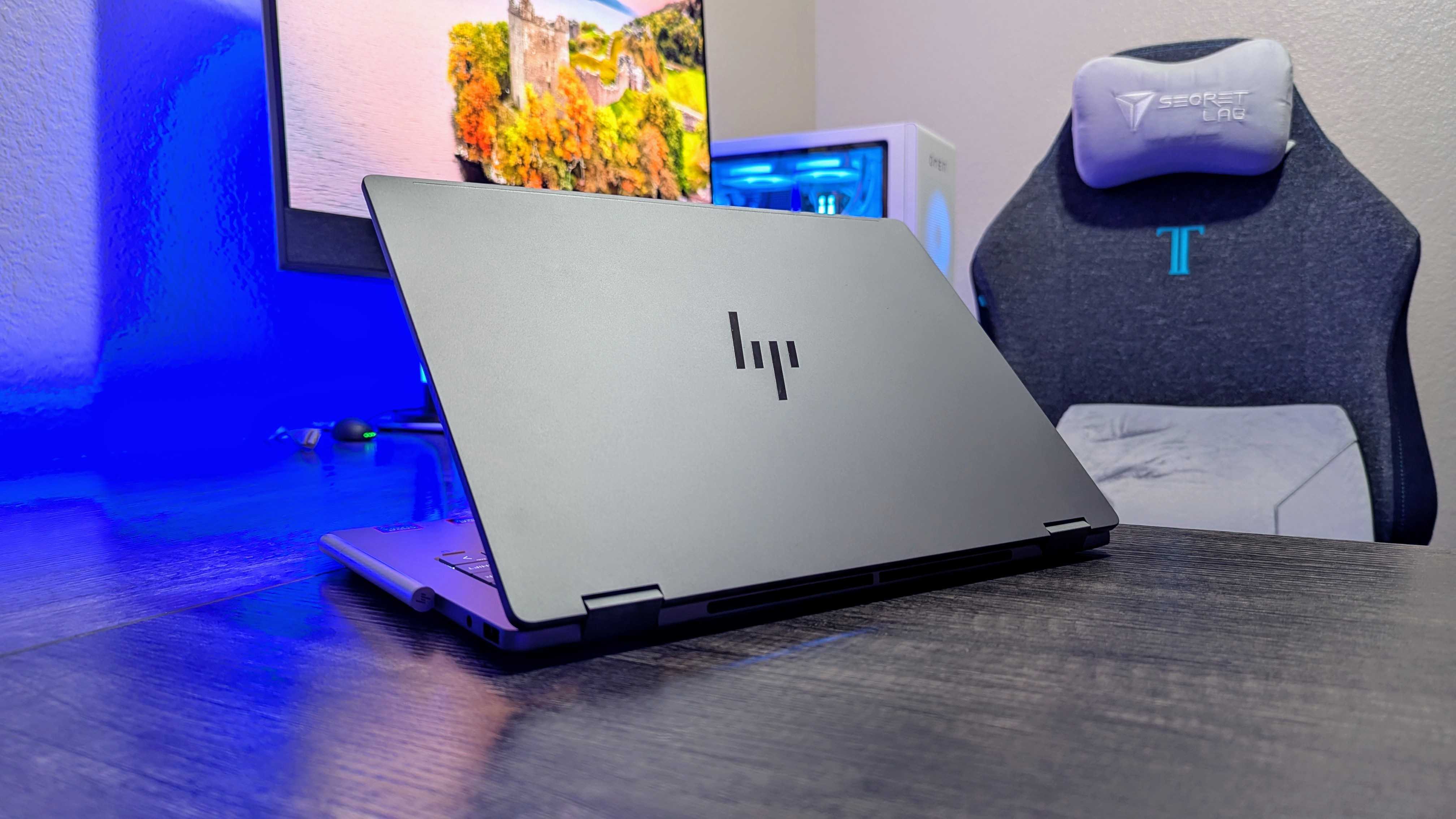
Image of the HP OmniBook X Flip 14 (2025) laptop.

Verdict

The HP OmniBook X Flip 14 (2025) isn’t an exciting laptop, but it does tick a lot of boxes for a capable and reliable mid-range 2-in-1 PC. I ended up liking the boring design more than I expected and was impressed by the performance, but the keyboard feels like a downgrade, and the battery can’t keep up with the longest-lasting laptops on the market. All my criticisms are softened by frequent discounts, though.

Pros

  • +Durable and practical 2-in-1 design
  • +Plenty of Intel and AMD configuration options
  • +Strong performance with AI features
  • +Already regularly going on sale

Cons

  • -Battery life isn’t too impressive
  • -New lattice-less keyboard design feels like a big step back

The vast majority of more affordablelaptopsare dreadfully boring, especially in the design department. It’s intentional, of course — premium devices will always be more exciting, but it does make reviewing budget and mid-range laptops a lot less interesting.

The HP OmniBook X Flip 14 (2025) is an important addition toHP’s growing OmniBook lineup, but it doesn’t escape the mid-range curse.

It’s a safe and boring laptop with a sturdy, versatile 2-in-1 design, strong enough performance to handle everything most people do with their laptops, and a range of configuration options to suit your needs or budget. It helps that it’s already regularly going on sale, too.

I did find myself enjoying this laptop’s design more than I expected (notable due to one feature), but I’m absolutely not a fan of HP’s decision to begin moving toward new lattice-less keyboards.

A safe 2-in-1 design with one unique feature

Image of the HP OmniBook X Flip 14 (2025) laptop.

At a glance, this looks like a lot of other mid-range Windows laptops.

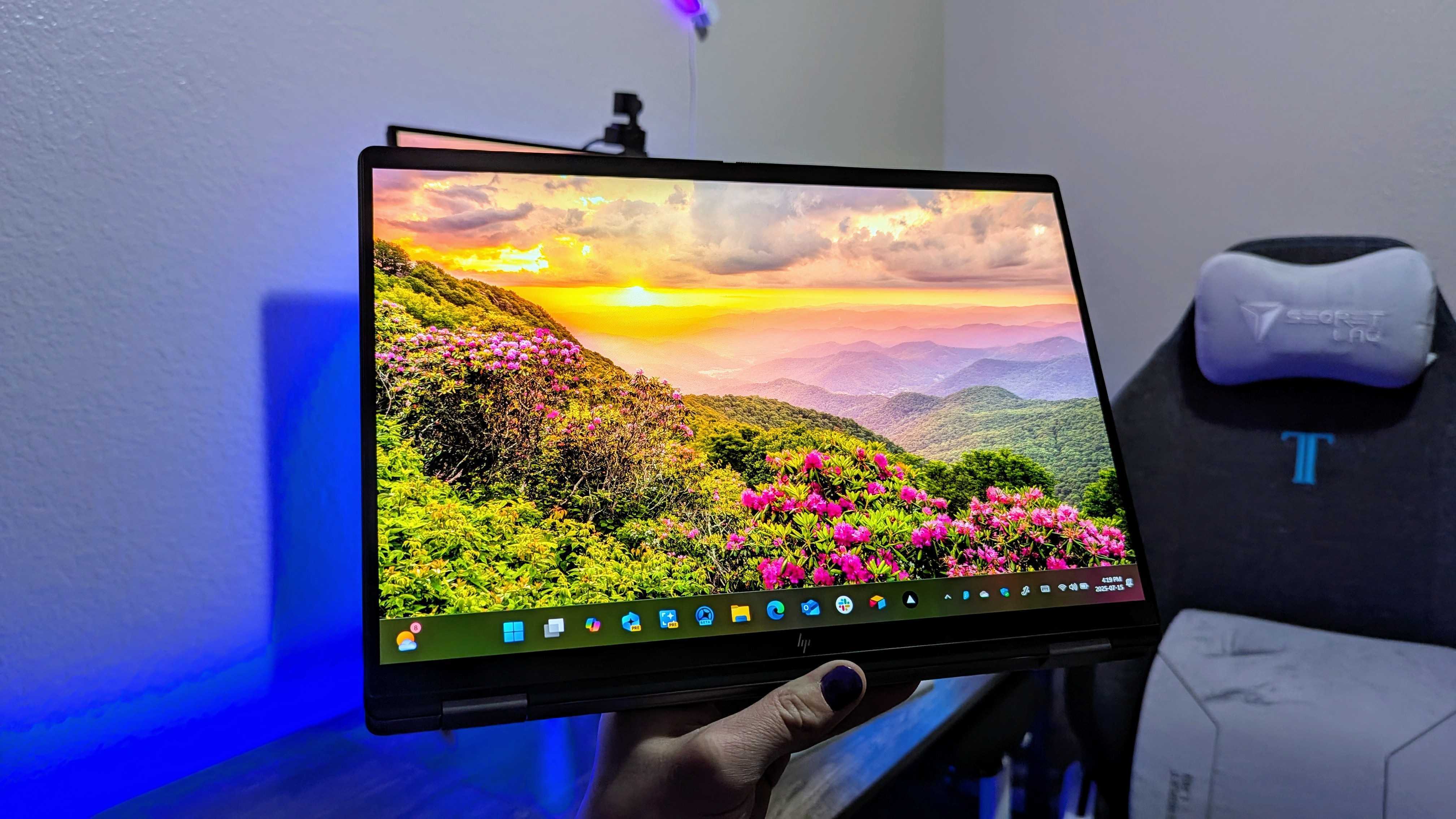
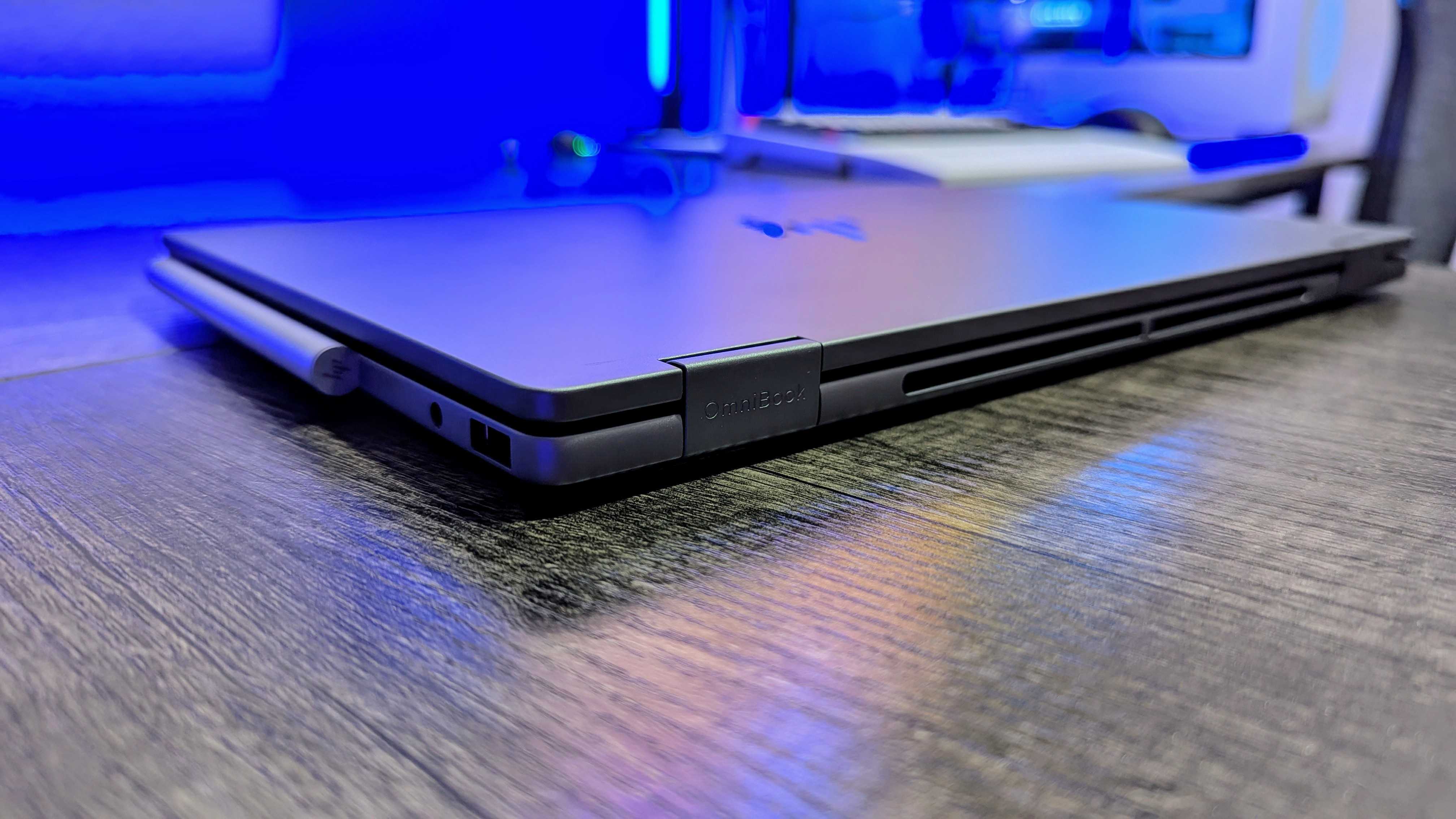
Most companies use androgenous designs across their entire budget and mid-range lineups, and HP is the same. The OmniBook X Flip 14 is your standard Windows laptop clad in aluminum, with dual 360-degrees hinges to support those 2-in-1 features.

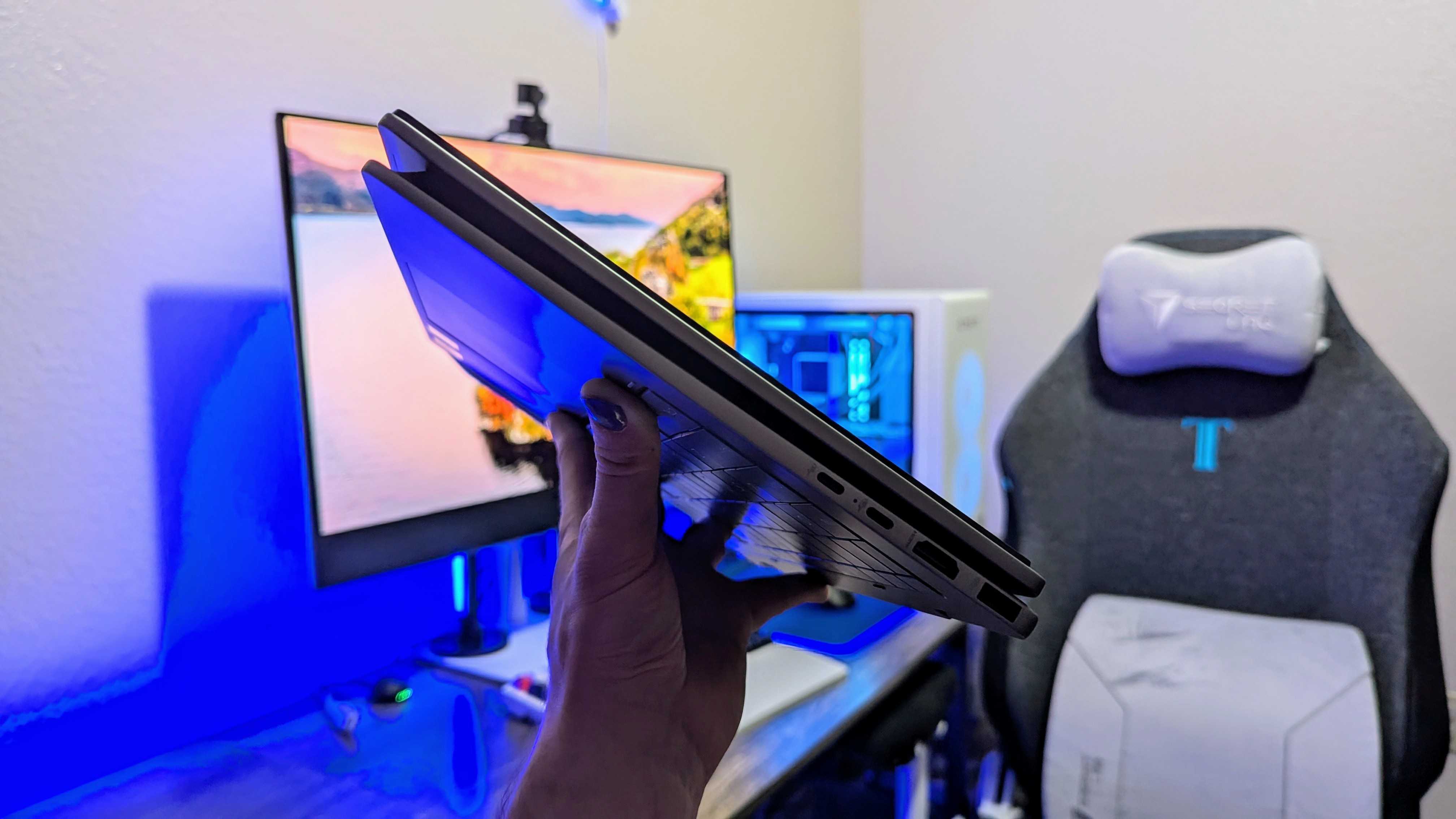
At over 3lbs and between 11.4 and 17mm (depending on where you measure), the OmniBook X Flip isn’t the thinnest or lightest machine around, but it doesn’t feel bloated by any means.

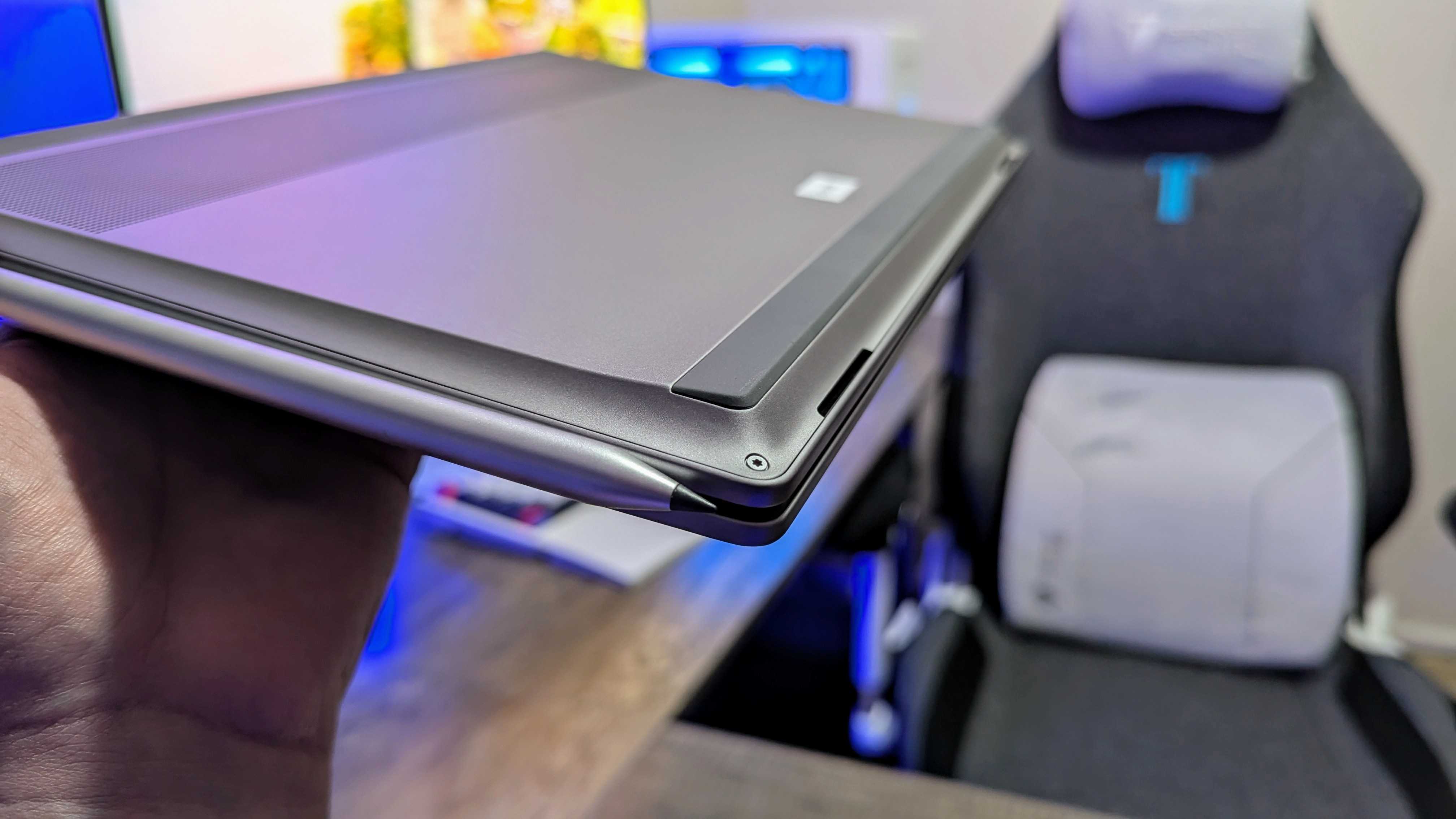
I honestly dig how this laptop looks, and it all comes down to that “swoop” at the front.

This laptop’s one unique feature is how the bottom panel “swoops” toward the front of the laptop, creating a unique side profile and providing space for the dual speaker system to fire forward, rather than downward.

These speakers aren’t the best, but this positioning is undeniably better than what a lot of cheaper laptops do, and I honestly dig how it looks. Build quality is also quite good — I’ve no complaints in that department.

>>>Replacement adapter for HP 8300E AIO

Image of the HP OmniBook X Flip 14 (2025) laptop.

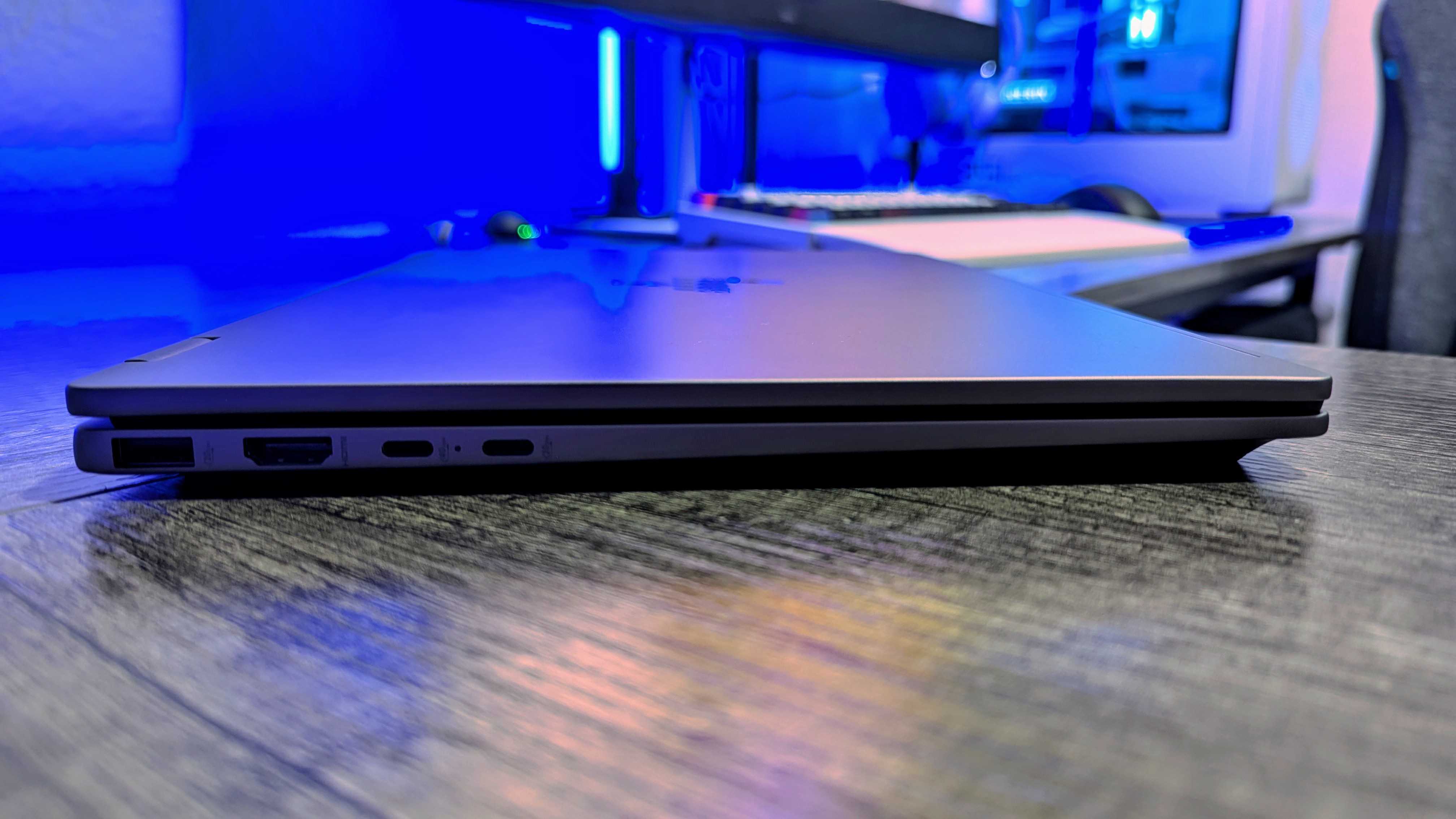
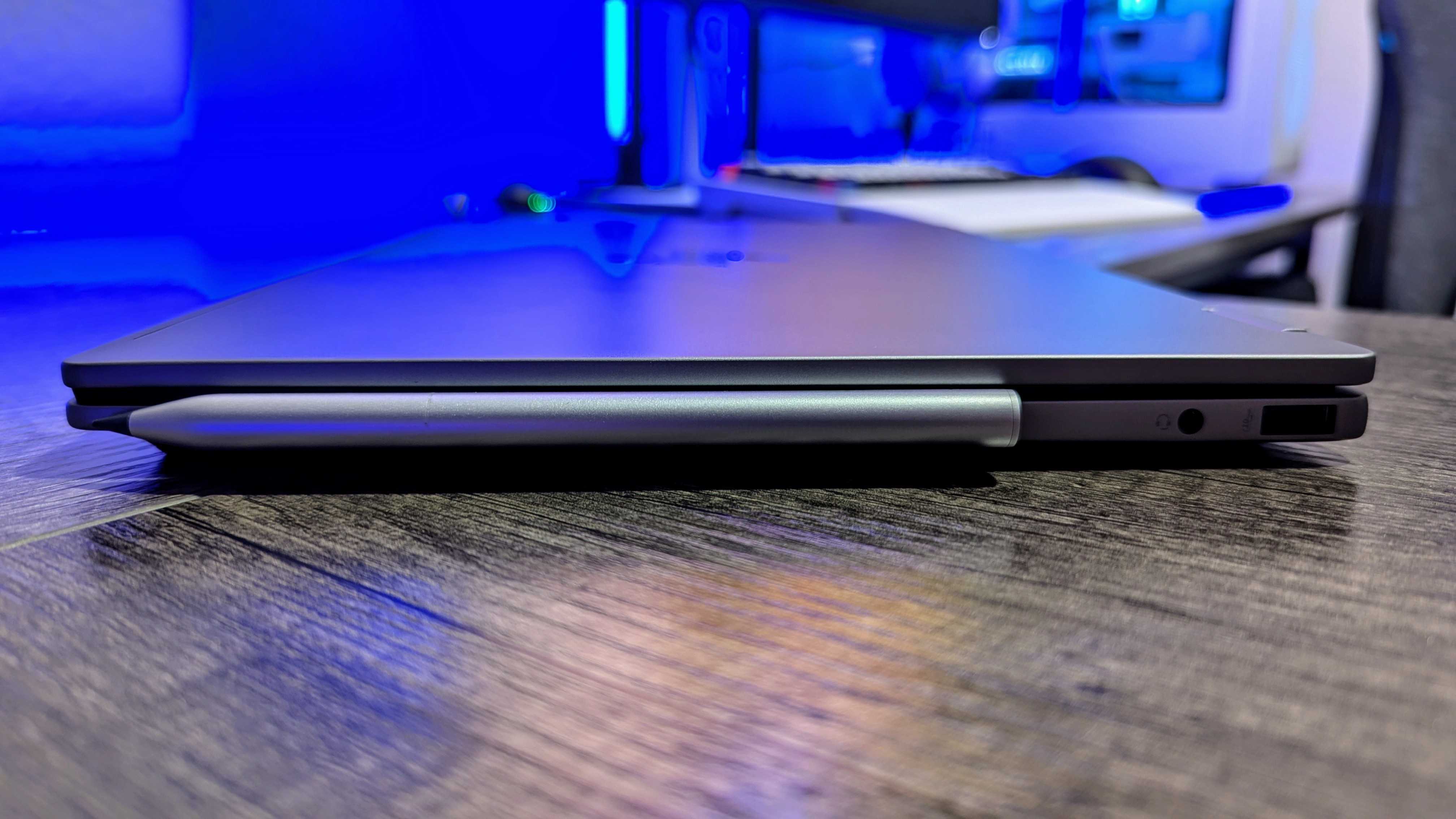
You get a nice number of ports, too, with twoUSBType-A 3.2 Gen 2, one USB Type-C 3.2 Gen 2, one HDMI 2.1, one 3.5mm audio jack, and oneUSB4(orThunderbolt 4) port. If you alsoget the HP Rechargeable MPP 2.0 Tilt Pen for$82.99 at HP(also sometimes on sale), it conveniently clips to the side of the OmniBook X Flip with some shockingly strong magnets, too.

Up front, you’ll find one of three multi-touch displays. My review sample boasts the highest-end panel, and one that we’ve seen on a lot of premium laptops — a 2.8K, 120HzOLEDdisplay with excellent color accuracy and performance. It’s still a beautiful display, but it’s honestly not the screen I recommend.

This laptop shines the most on the lower end of its price range, where it’s equipped with a 1200p IPS LCD display. It’s not nearly as fancy, but you’ll save yourself a decent chunk of change and get better battery life. That’s also the display you’ll find on all the configurations at Best Buy and the models that most often go on sale.

>>>Replacement battery for HP EliteBook 840 G11

Choosing between power or battery life

Most of HP’s highest-end laptops don’t provide much in the way of choice, which is always a shame. The OmniBook X Flip falls just under that line, though, and you get a wide range of configuration options.

Sure, that means choosing between the fancy OLED panel and the “basic” IPS LCD alternative, or choosing how much memory and storage you want, but it also means choosing betweenAMDand Intel chipsets.

You’ll get good performance with the OmniBook X Flip no matter what, but there’s an obvious difference between the AMD and Intel versions.

My review configuration is equipped with anAMD Ryzen AI7 350, but you can also go up to anIntel Core Ultra7 258V on the blue side. Speaking of blue, there’s also the option for a beautiful, dark blue colorway with Intel models, which I desperately wish I had received for review.

Either way, bothIntelandAMDversions are physically the same laptops for the most part, and both offer the sameAI PCandCopilot+ PCfeatures, including all of HP’s ownartificial intelligenceadditions. So, which should you choose? The answer is surprisingly straightforward.

>>>Replacement battery for HP EliteBook 440

Image of the HP OmniBook X Flip 14 (2025) laptop.

Hardware Laptops The HP EliteBook X G1a is a classy, capable and almost great laptop

A premium-feeling 14-in laptop that can tackle most applications without breaking a sweat – only the battery life disappoints

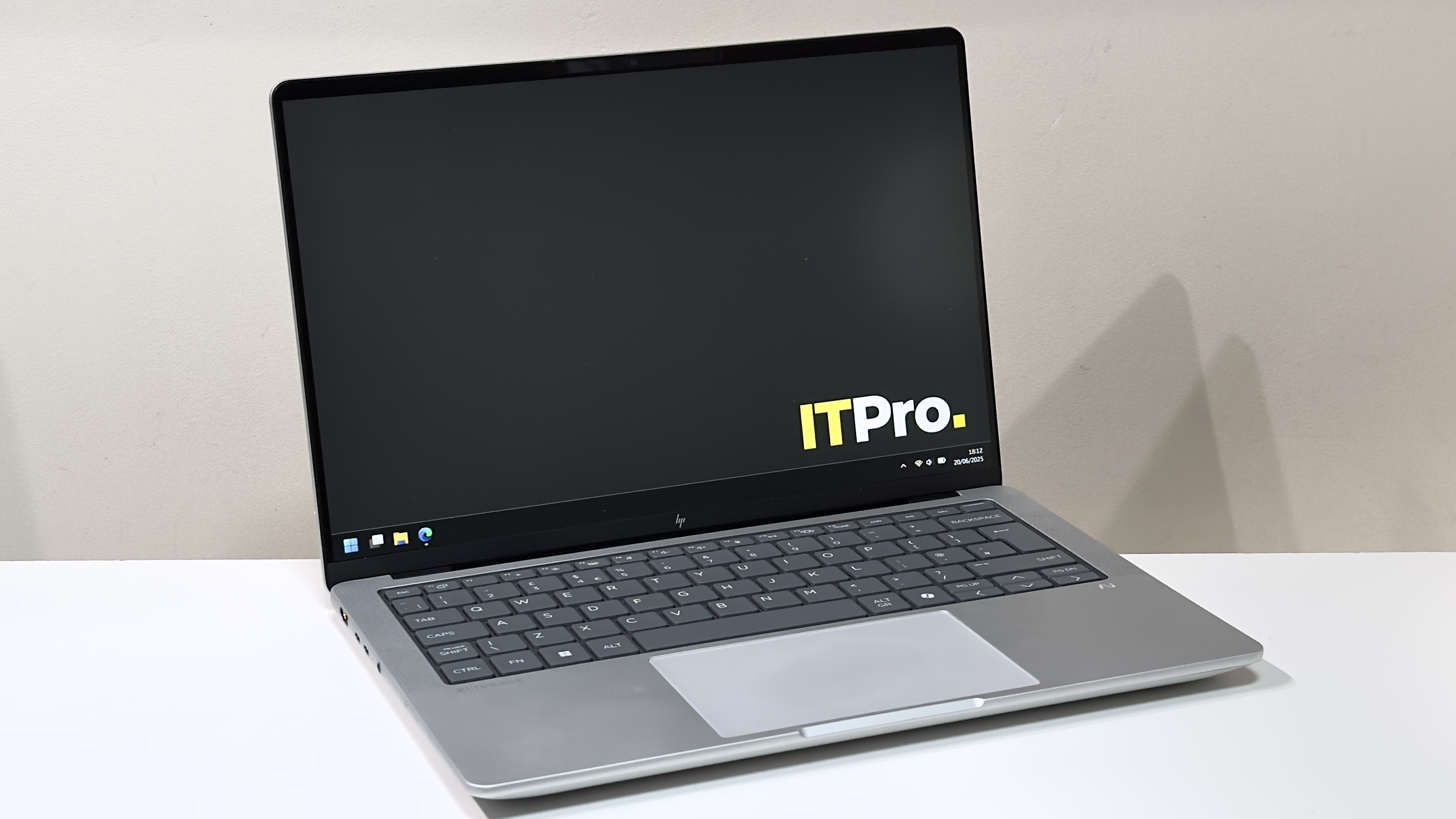
The HP EliteBook X G1a on the ITPro background

Reasons to buy

  • +Premium build and looks
  • +Competitive CPU and GPU performance
  • +Good keyboard and touchpad

Reasons to avoid

  • -Screen quality should be better
  • -Middling battery life
  • -Could be a bit lighter

Elite is a word that indicates excellence. The very best in its field. By that definition, you’d be forgiven for having unreasonably high expectations for the HP EliteBook X G1a. But let’s cut to the chase. It is not excellent. And it most certainly is not the best. What it is, however, is good – in some ways, great. You may want to consider buying it.

The EliteBook X gets off to a strong start. With a design brief that challenges it to distil the core talents of its pricier EliteBook Ultra sibling while trimming the luxuries, it’s good to see that it retains the burly all-aluminium build,Copilot+certification, and Thunderbolt 4 connectivity. Set your sights on the pricier models, and OLED is an option, too.

Meanwhile, the 14-inch chassis is pleasingly baggable without being ultra lightweight – thinkMacBook Prorather thanAir. And unlike the Intel-only Ultra models, you get a selection of capable chips from both AMD and Intel, with prices starting around £1,240 and creeping up and over the £2,000 mark.

>>>Replacement battery for HP EliteBook 840 G11

As ever, though, the devil is in the detail.

The HP EliteBook X G1a on a desk

HP EliteBook X G1a: Design

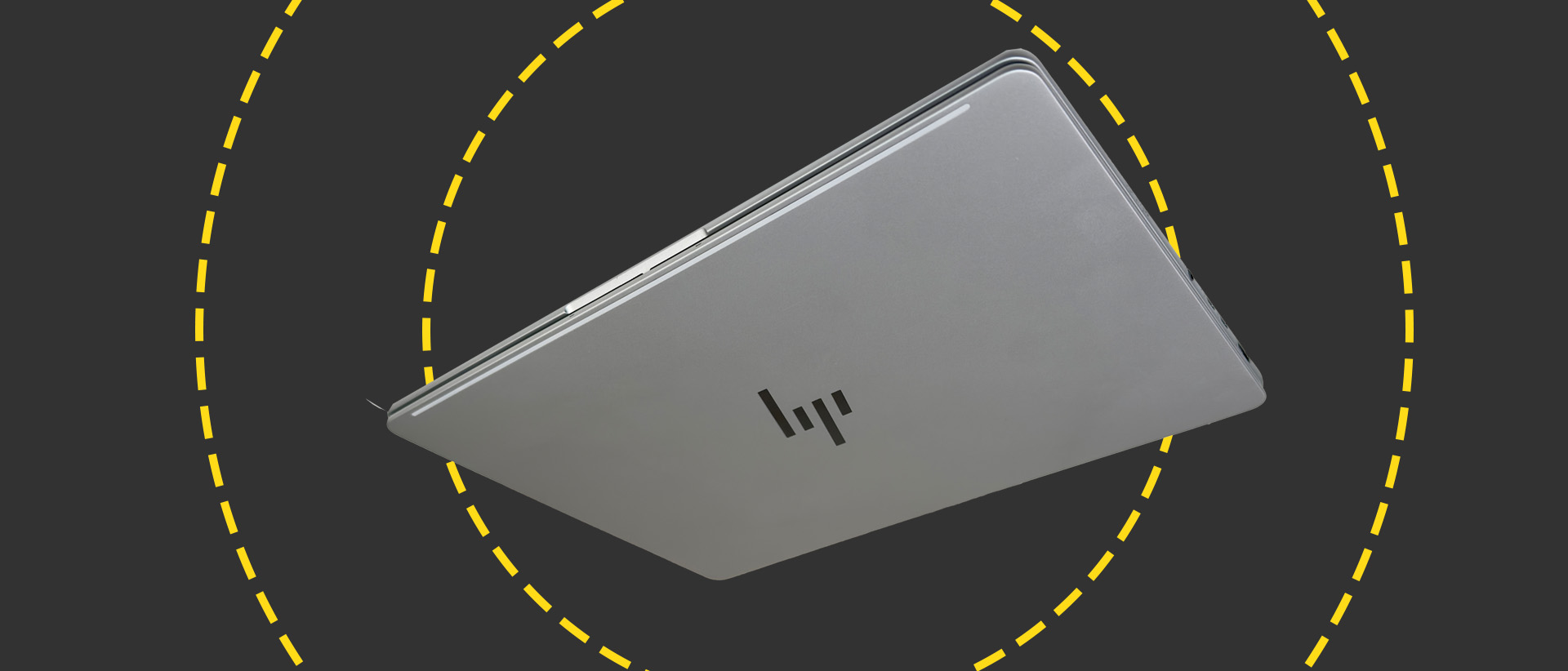
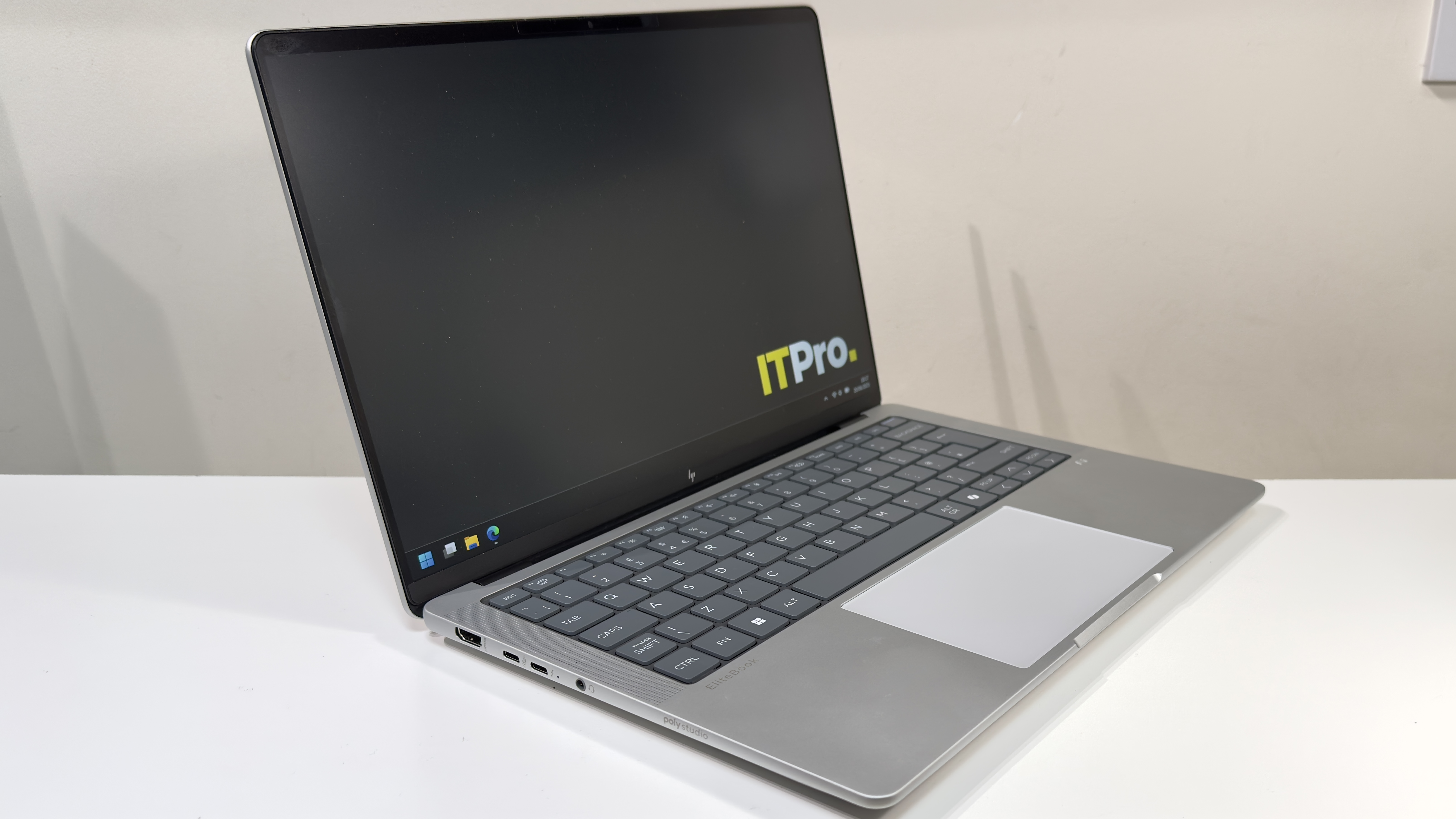
The design is great. The sandwich of light silver aluminium and rounded edges is more than a little reminiscent of the 14-inch MacBook Pro, and it feels really well constructed. There’s barely any give in the base, and even the lid feels incredibly taut and tough. No amount of bad-tempered prodding caused any show-through on the LCD panel inside, either. Hats off to HP here.

The downside of the burly build (and the huge 74.5Wh battery which we’ll discuss later in the review) is weight. The EliteBook X tips the scales at 1.59kg, which is 40-odd grams heavier than the 14-inch MacBook Pro. Compared to the 1.14kgDell Pro 14 Premium, the HP does feel like a bit of a lump.

Thankfully, it doesn’t look like one, but you may want to take HP’s quoted dimensions with a pinch of salt: they conveniently ignore the thick rubber feet on the underside. Those feet mean that the claimed 13mm thickness translates to just shy of 19mm when the laptop is sat on a desk. To be fair, though, you’d have to be working in very cramped conditions for this to prove problematic.

Cast an eye around the EliteBook X’s flanks and it’s well connected. You get a full-sized HDMI 2.1 port, two Thunderbolt 4 ports (one on each side), and one USB-A and USB-C port apiece, both of which reach USB 3.2 Gen 2 speeds. You also get a 3.5mm headset port, and a Kensington lock slot for good measure.

Wireless connectivity, meanwhile, stretches toWi-Fi 7and Bluetooth 5.4 courtesy of a MediaTek MT7925 adapter.

>>>Replacement battery for HP EliteBook 440

HP EliteBook X G1a: Keyboard and touchpad

This is one of the high points for the EliteBook X. You’d think that keyboards would be a solved design problem in 2025, but with big names such asDellmaking an absolute hash of it, it’s not something you can take for granted.

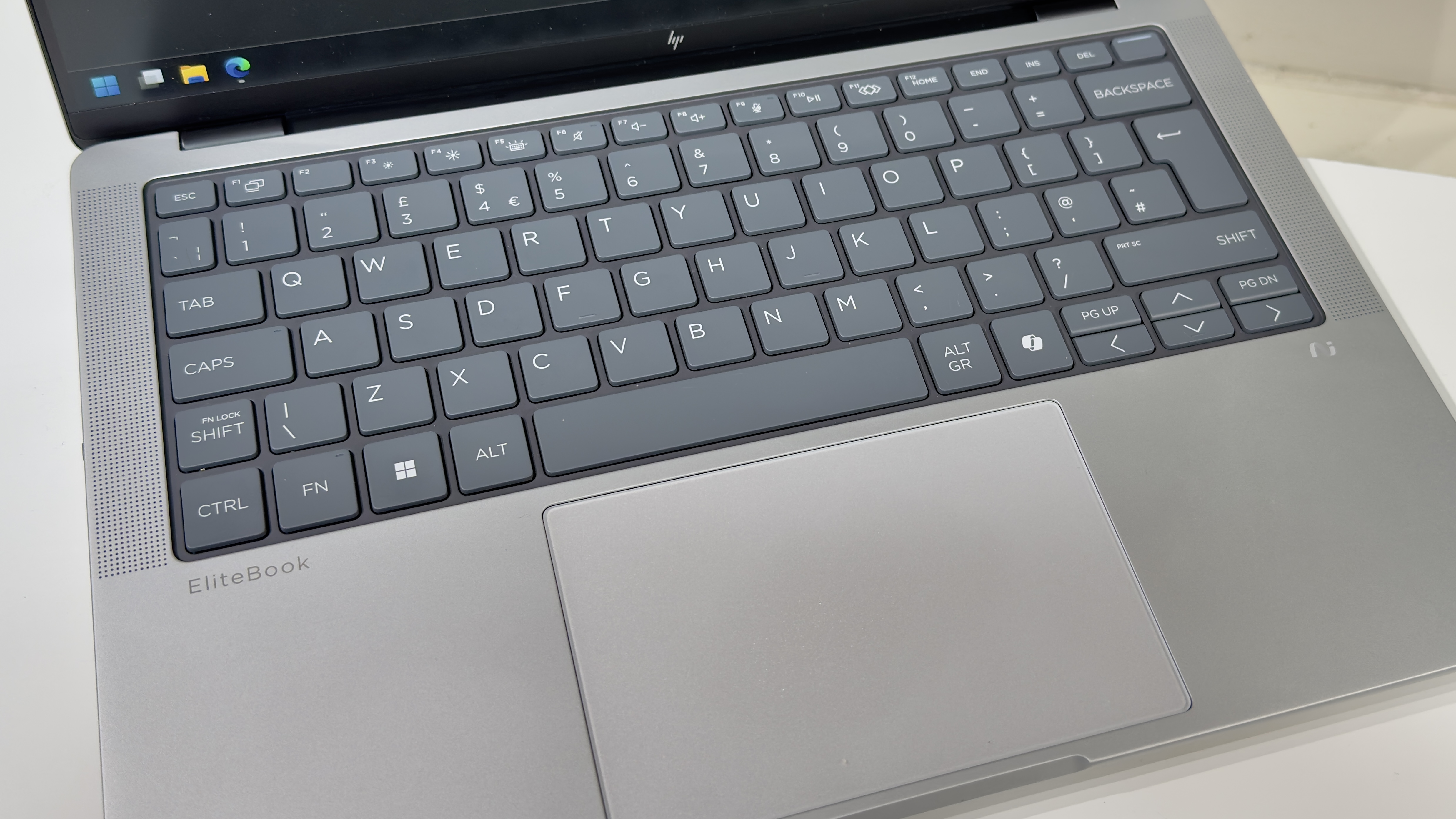
HP, happily, has put usability first. You get a dark grey panel of rounded chiclet keys, each of which respond with a lovely, light action. Unlike the zero-lattice designs onrival laptops, the chiclet design means that every key is separated by a 2mm channel. The result is a keyboard that feels spacious – and it also makes it easier to feel your way around with your fingertips.

Thankfully, there are no attempts here to revolutionise the keyboard. The function row is bog-standard keys which default to their secondary shortcut functions, adjusting brightness and volume, and so forth. There’s the usual Fn Lock arrangement for those who prefer function keys, and a little LED on the FN key illuminates when it’s active.

One nice touch is HP’s programmable button on the function row – this can be customised to launch specific apps, websites, folders or files; trigger a sequence of keypresses (up to five), or input up to 2,000 characters of text. Naturally, we set it to launch theITProwebsite with a single keystroke, although other websites are available.

The HP EliteBook X G1a on a desk

One of the regular pitfalls for modern laptops is the combined power button and fingerprint reader set just to the right of the Delete key, but here HP’s engineers have actually thought about usability. Jab at the Delete key a little too imprecisely, and even if you do hit the power button, the laptop won’t turn off if you’re on the Windows desktop or in an app – it only responds instantaneously on the lock screen or when you’re trying to wake the laptop. If you’re booted into Windows, however, then you’ll need to hold the power button down for a couple of seconds to send the laptop to sleep (or shut down, depending on your preferred settings).

If we take issue with any part of the keyboard layout, it’s the decision to position the Page Up and Page Down keys hard up against the left and right cursor keys. It may just be our particularly oversized fingertips, but we often found our cursor bouncing up or down a page when we were intending to move up or down a single line. It’s potentially something we might get used to, but during our time with the laptop, it was an annoyance.

The EliteBook X cuts costs with a large, mechanical touchpad in place of a fancier haptic variant, but it’s actually rather good. We didn’t encounter any issues with dodgy palm rejection or multi-fingered gestures – it just works, and works well. There’s a nice, deep, solid click action, and it didn’t miss a beat during our several weeks with the EliteBook.

HP EliteBook X G1a: Display

Our review unit came with the cheaper of the two available panels – it’s a 1,920 x 1,200 IPS panel with a claimed 100% sRGB coverage and a maximum 400cd/m2 brightness. Subjectively speaking, it’s absolutely fine. Color reproduction looks reasonably natural, contrast appears to be relatively high for an IPS panel, and the matte anti-glare coating does a superb job.

Put to the test with our X-Rite colorimeter, we measured an sRGB coverage of 94%, a maximum brightness of 370cd/m2, and a contrast ratio of 1,457:1. Even if two of those figures are marginally inferior to HP’s claims, those are respectable numbers.

One thing the panel isn’t, however, is strictly color accurate. The panel’s white point is noticeably too warm and reddish – we measured 6,059k rather than the ideal 6,500k – and the panel’s high gamma means that both colours and greyscales appear darker than intended. That results in a very mediocre average Delta E of 2.94 and a maximum of 6. That sounds worse than it is, though: colours don’t look terribly unnatural, with a few exceptions that are several shades too dark, and some oddly dark, yellowish-looking greys.

Ultimately, despite the inferior top-level measurements, we actually prefer it to the washed-out panel on the Dell Pro 14 Premium. But frankly, HP could still do much better here – and for the money, we think it should. If a laptop wants to call itself an EliteBook, it’s not unreasonable to suggest that a color-accurate display should be a bare minimum.

The HP EliteBook X G1a on a desk

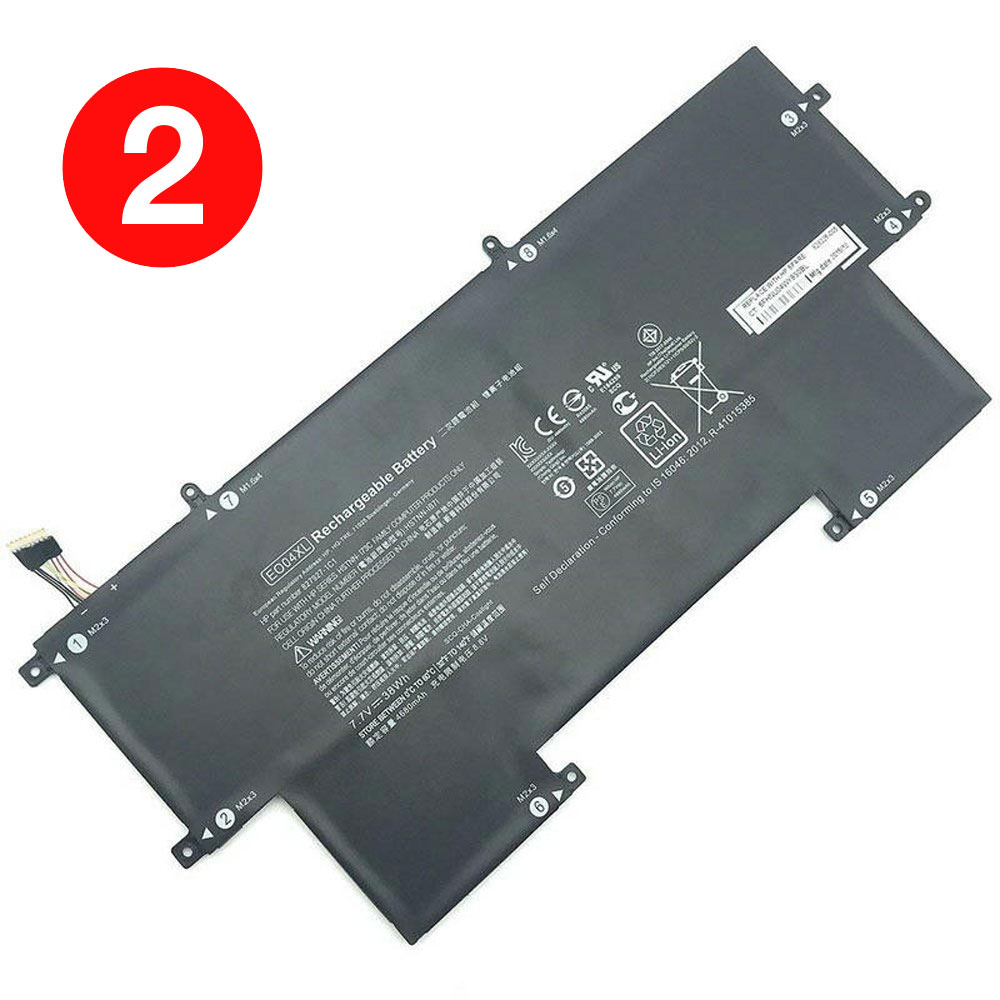
HP EliteBook Folio G1 HP EO04XL Battery

Buy HP EO04XL Laptop Battery replacement for HP EliteBook Folio G1.

Fit Machine Model HP EliteBook Folio G1 – 38Wh – 7.7V.

All products from our shop are 100% the highest quality! We provide the high quality Laptop Batteries. HP EO04XL battery is best compatible with the original equipments. 

OriccaBattery.co.uk ◆Free Shipping ◆ One year warranty ◆ 30 days money back guarantee.

Battery EO04XL Replacement For HP EliteBook Folio G1

EO04XL

HP EO04XL Specifications
Brand: Laptop Battery for HP
Capacity:38Wh
Voltage:7.7V
Type:Li-ion
All products from our shop are 100% the highest quality! 
We provide the high quality Laptop Adapters!

PRODUCT COMPATIBILITY:

EO04XL
827927-1B1
827927-1C1
828226-005
E004XL
HSTNN-I73C
HSTNN-IB71
HSTNN-IB7I

REPLACEABILITY WITH THE FOLLOWING MODELS:

HP EliteBook Folio G1
Notice : This battery has two different specifications ! please confirm your original battery specifications before order. Thank you! 

How to Maintenance your new replacement HP EO04XL battery?
1. New HP EO04XL battery pack must be fully charged before use.
2. New battery pack needs to be fully charged and discharged (cycled) a few times before it can condition to full capacity.
3.Laptop battery undergo self-discharging when left unused. Always store a HP EO04XL battery pack in a fully charged stage for storage.
4. Fully drain and fully recharge your battery pack every few months.
5. Turn down the LCD brightness of your portable device.
6. Use built-in power management on your portable device.
7. Turn off LCD or other unnecessary accessories when not in use.
8. Set screen saver blank to 1 to 2 minutes of your notebook.
9. Add more RAM if you have extra RAM expansion slot, it will reduce the usage of hard drive and it is power exhaustive.
10. Close unused software in your HP EliteBook Folio G1 laptop .
11. Remove unused PC Cards or USB devices from your notebook.
12. Don´t watch DVD or play graphics intensive video games.
13. Don´t short circuit terminal or store your HP EO04XL Laptop Batteries pack with metal parts. 14. Don´t drop or mutilate the HP EO04XL battery pack.
15. Don´t expose to moisture or water.

Related popular recommendations:
58-000049 Battery Compatible Amazon Kindle PaperWhite 2nd Gen 6″
L14M2P21 Battery Compatible Lenovo S41-70 S41-70AM
ACDP-100D01 Laptop Adapters For Sony Vaio PCGA AC19V4 ACDP-100D01
TLI017C1 Battery Compatible Alcatel One Touch OT-5027B DAWN OT-4060O STREAK OT-4060A IDEAL
088796 Battery Compatible Bose Soundlink Mini 2 Pack
PA5162U-1BRS Battery Compatible Toshiba Portege R30 R30-A series
061384 Battery Compatible BOSE SOUNDLINK Mini Series
82-71363-04 Battery Compatible MOTOROLA MC70 MC75 FR68
FX30 Battery Compatible Motorola XT1575 Moto X Pure Edition / Moto X Style

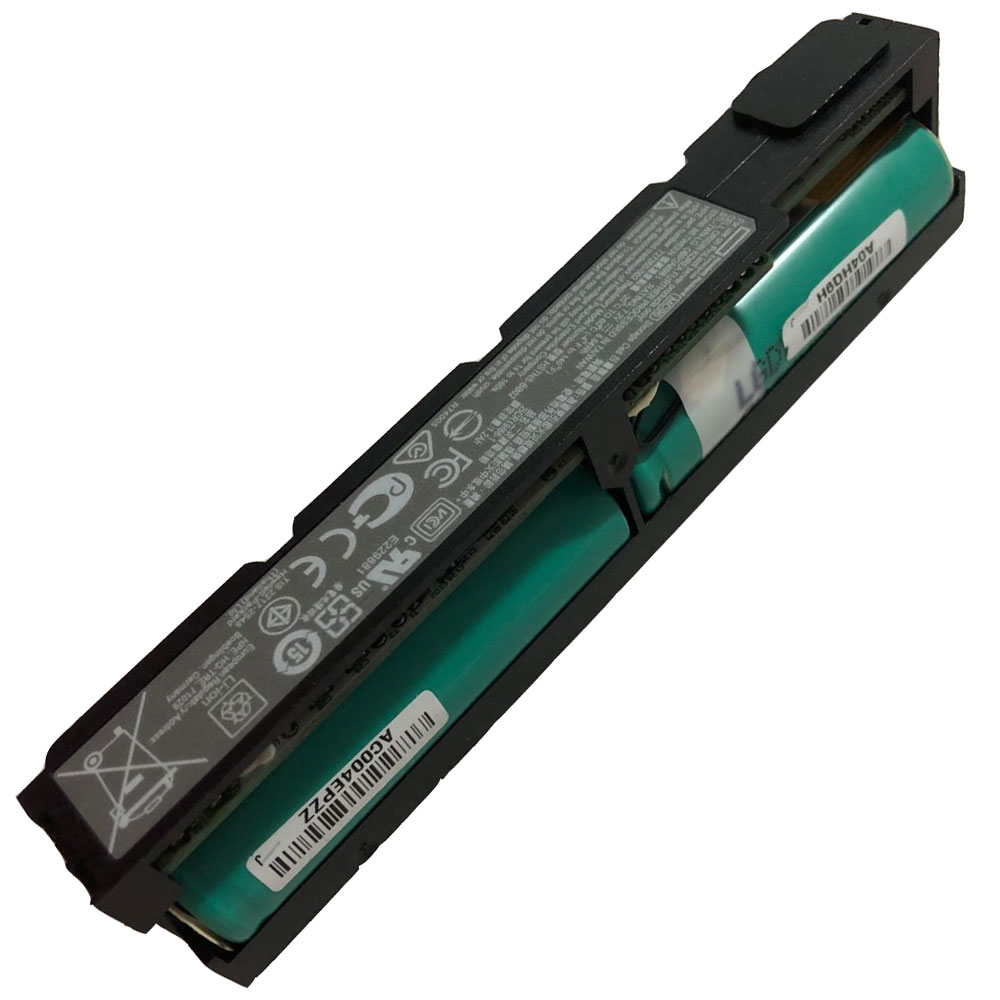
HP Smart Array P840 P440 HP MC96 Battery

Buy HP MC96 Battery replacement for HP Smart Array P840 P440.

Fit Machine Model HP Smart Array P840 P440 – 8.64Wh – 7.2V.

All products from our shop are 100% the highest quality! We provide the high quality Laptop Batteries. HP MC96 battery is best compatible with the original equipments. 

OriccaBattery.co.uk ◆Free Shipping ◆ One year warranty ◆ 30 days money back guarantee.

Battery MC96 Replacement For HP Smart Array P840 P440

MC96

HP MC96 Specifications
Brand: Battery for HP
Capacity:8.64Wh
Voltage:7.2V
Type:Li-ion
All products from our shop are 100% the highest quality! 
We provide the high quality Laptop Adapters!

PRODUCT COMPATIBILITY:

MC96
815983-001
727260-002
727260-003
786761-001
750450-001

REPLACEABILITY WITH THE FOLLOWING MODELS:

HP Smart Array P840 P440 

How to Maintenance your new replacement HP MC96 battery?
1. New HP MC96 battery pack must be fully charged before use.
2. New battery pack needs to be fully charged and discharged (cycled) a few times before it can condition to full capacity.
3.Laptop battery undergo self-discharging when left unused. Always store a HP MC96 battery pack in a fully charged stage for storage.
4. Fully drain and fully recharge your battery pack every few months.
5. Turn down the LCD brightness of your portable device.
6. Use built-in power management on your portable device.
7. Turn off LCD or other unnecessary accessories when not in use.
8. Set screen saver blank to 1 to 2 minutes of your notebook.
9. Add more RAM if you have extra RAM expansion slot, it will reduce the usage of hard drive and it is power exhaustive.
10. Close unused software in your HP Smart Array P840 P440 .
11. Remove unused PC Cards or USB devices from your notebook.
12. Don´t watch DVD or play graphics intensive video games.
13. Don´t short circuit terminal or store your HP MC96 Batteries pack with metal parts. 14. Don´t drop or mutilate the HP MC96 battery pack.
15. Don´t expose to moisture or water.

Related popular recommendations:
58-000049 Battery Compatible Amazon Kindle PaperWhite 2nd Gen 6″
L14M2P21 Battery Compatible Lenovo S41-70 S41-70AM
ACDP-100D01 Laptop Adapters For Sony Vaio PCGA AC19V4 ACDP-100D01
TLI017C1 Battery Compatible Alcatel One Touch OT-5027B DAWN OT-4060O STREAK OT-4060A IDEAL
088796 Battery Compatible Bose Soundlink Mini 2 Pack
PA5162U-1BRS Battery Compatible Toshiba Portege R30 R30-A series
061384 Battery Compatible BOSE SOUNDLINK Mini Series
82-71363-04 Battery Compatible MOTOROLA MC70 MC75 FR68
FX30 Battery Compatible Motorola XT1575 Moto X Pure Edition / Moto X Style