USB PORT NOT RECOGNIZING DEVICES? HERE ARE POSSIBLE ISSUES & HOW TO FIX THEM

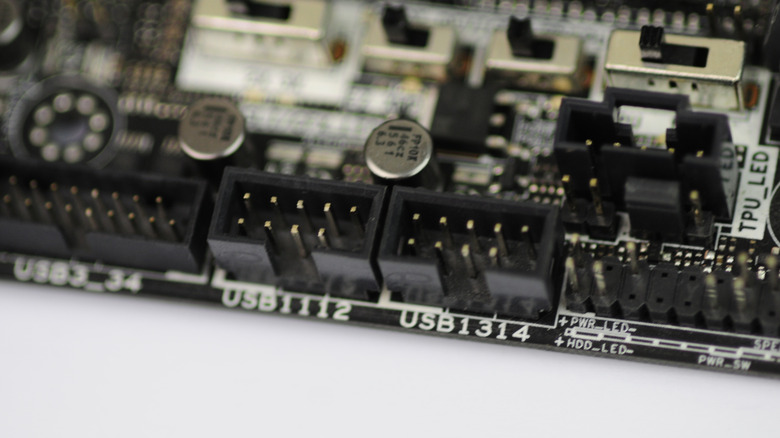
Internal USB 2.0 port header

If you’re upgrading or building your own PC, you’ll probably find some components inside that are similar in size and shape to USB ports. But those are actually USB headers, and even though they look familiar, they play a completely different role in your system. Knowing what they do can really comes in handy, especially when you’re trying to customize or troubleshoot your setup.USB headers are little connectors on your computer’s motherboard that handle the flow of power and data between your USB devices and the PC itself. For example, the seven most useful USB gadgets you can buy on Amazon plug into USB ports, and those ports connect to your PC’s motherboard via USB headers. The big difference between headers and ports is that headers are tucked away inside your computer and use a pin-based connection, while USB ports are the ones you actually plug devices into on the outside. One USB header can supply power and data to multiple USB ports.If you’re curious about being able to identify your computer’s USB headers, don’t worry. The headers are pins that should be clearly marked and if you want to double-check, you can always consult your computer’s user manual, or visit the manufacturer’s website for more information.>>>Replacement adapter for Google Pixelbook 45W USB Type-C Charger Power 3.0 USB-C – BRICK ONLYAdding more USB headers allows you to connect more devices
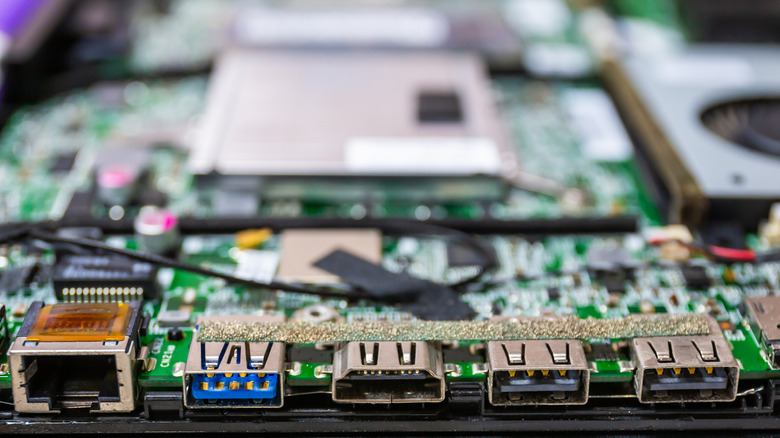
Close-up of the inside of a laptop motherboard with various connection ports

All computers, including the most powerful computers available from every major brand, have motherboards and all motherboards have USB headers. But not all of them have the same types of USB headers. In fact, there are three different common types of USB headers that may be inside your PC or laptop: USB 2.0, USB 3.2 Generation 1 (or just USB 3.0), and USB 3.2 Generation 2. While each one is compatible with any USB device despite the version or generation, each is faster than the previous one, and each has a slightly different looking header on your motherboard. If you need more USB ports than your computer currently has, you can actually add more, provided you’re tech-savvy and know how to do it. But there are restrictions to what you can do, and you may need to buy some hardware to make it happen. You could use an expansion card for your computer’s common hardware interface, known as PCI Express. This will allow you to, for example, add USB 3.2 Gen 2 USB-C ports, where your PC might only have USB-A ports built-in. But if you’re just needing a way to connect more USB devices, you can always invest in a USB hub, or even a USB dock. Powered and unpowered USB hubs are available, and both can give you options when you’re just wanting to use more devices than what your system can currently accommodate. >>>Replacement adapter for Apple Macbook 12 DisplayGenerally speaking, if you just need more of the same kind of USB ports (e.g., regular old USB-A ports), a hub is your best bet. If you need entirely different form factors or newer generations of USB ports, an expansion card is what you need.
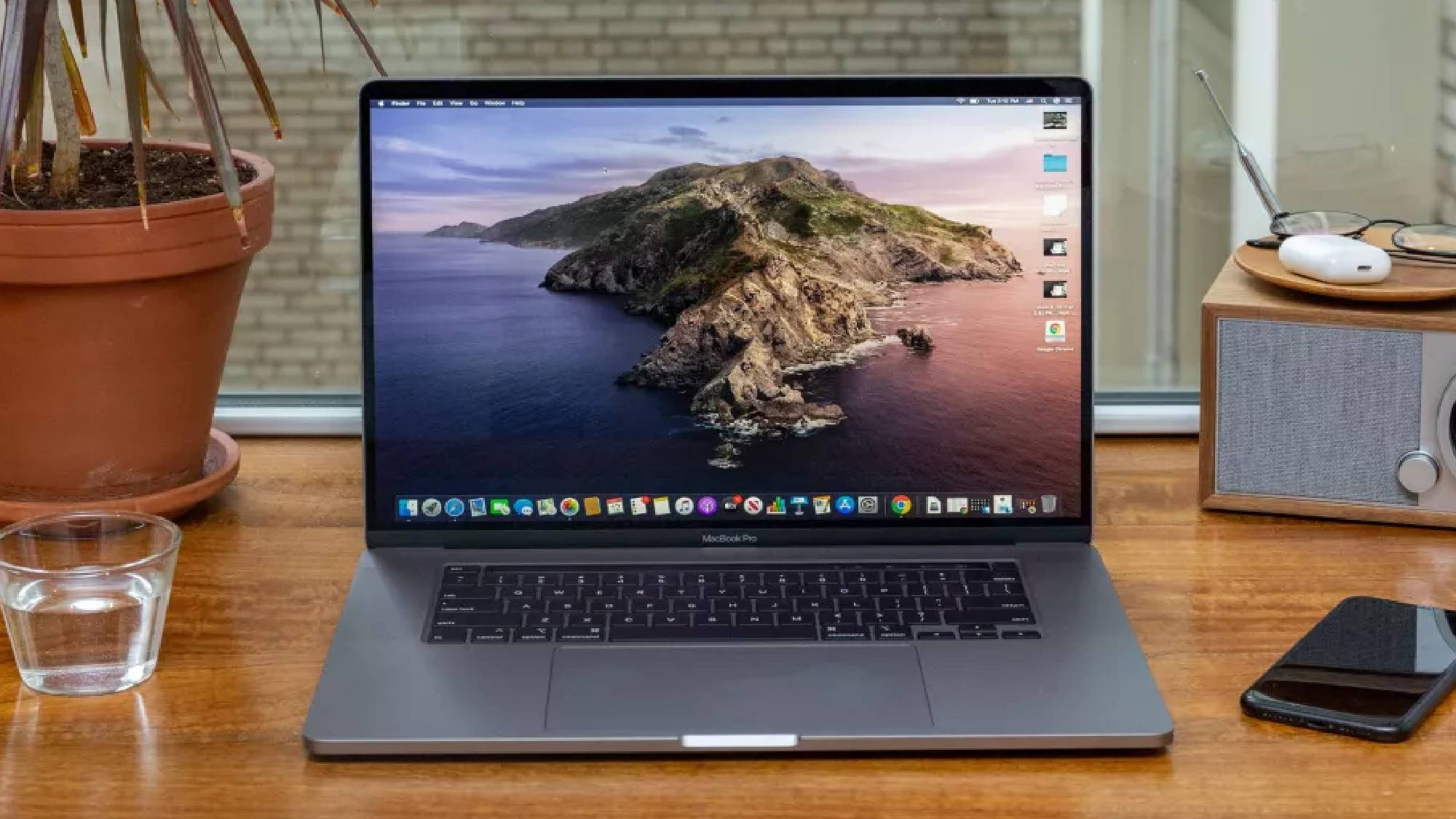

Apple tipped to reveal ‘macOS Tahoe’ at WWDC next week — what we know

Taking a trip to northern California

MacBook Pro 2021

Apple is expected to switch the naming convention of its various product operating systems this year tohave them reflect the year of release. However, macOS will surely still retain a moniker inspired by a Californian location and this year’s release is believed to be centred on Lake Tahoe.

The famous resort in northern California will lend its name to macOS Tahoe, which Apple seems all but certain to reveal atnext week’s WWDC. The rich blue of Lake Tahoe’s water may serve as inspiration for an overhauled UI.

The tip comes from Mark Gurman at Bloomberg who wrote in his latestPower Onnewsletter that Tahoe is “a famous resort area and a vacation destination (and second-home site) for many Apple employees.”

Apple’s California-themed naming convention for its desktop OS started back in 2013 with macOS Mavericks, taking over from the big cat theme of previous versions. The last time the company overhauled the UI was over a decade ago with 2014’s macOS Yosemite. Tahoe looks like it could be one of the most significant macOS releases in recent history.

>>>Replacement battery for Apple MacBook Pro 13 inch A1502 Retina Early 2015

Lake Tahoe

Lake Tahoe(Image credit: Getty Images)

According to reports, we may see the first developer beta macOS Tahoe on or around WWDC taking place next week from June 9. It’s tipped to arrive with a file size of around 17 GB — about 2 GB larger than Sequoia.

There will also, of course, be those Apple machines incapable of running the new OS.Apple Insideris reporting thatIntel-based Macs won’t support the update.

>>>Replacement battery for Apple MacBook Air 11 inch A1370(Mid 2011) A1465(Mid 2013)

These are the specific models that may not get macOS Tahoe.

  • 2017 iMac Pro
  • 2018 Mac mini
  • 2018 MacBook Pro models
  • 2020 MacBook Air (with Intel chips)

The switch to a year-based naming convention (so, iOS 26, iPad OS 26, tvOS 26, macOS 26) to denote a 2026 release date — similar to how car manufacturers operate — is likely to simplify things a great deal for Apple’s users. But there’s still something nice about having a bona fide name each year. Tahoe seems like a very good bet but, based on some recently filed trademarks, Redwood, Skyline and Diablo could also be in the running.

Of course, we won’t have long to find out. Here’s our full preview onwhat to expect at this year’s WWDC.

Microsoft promises it is ‘ending USB-C port confusion’ with updated Windows 11 certified program

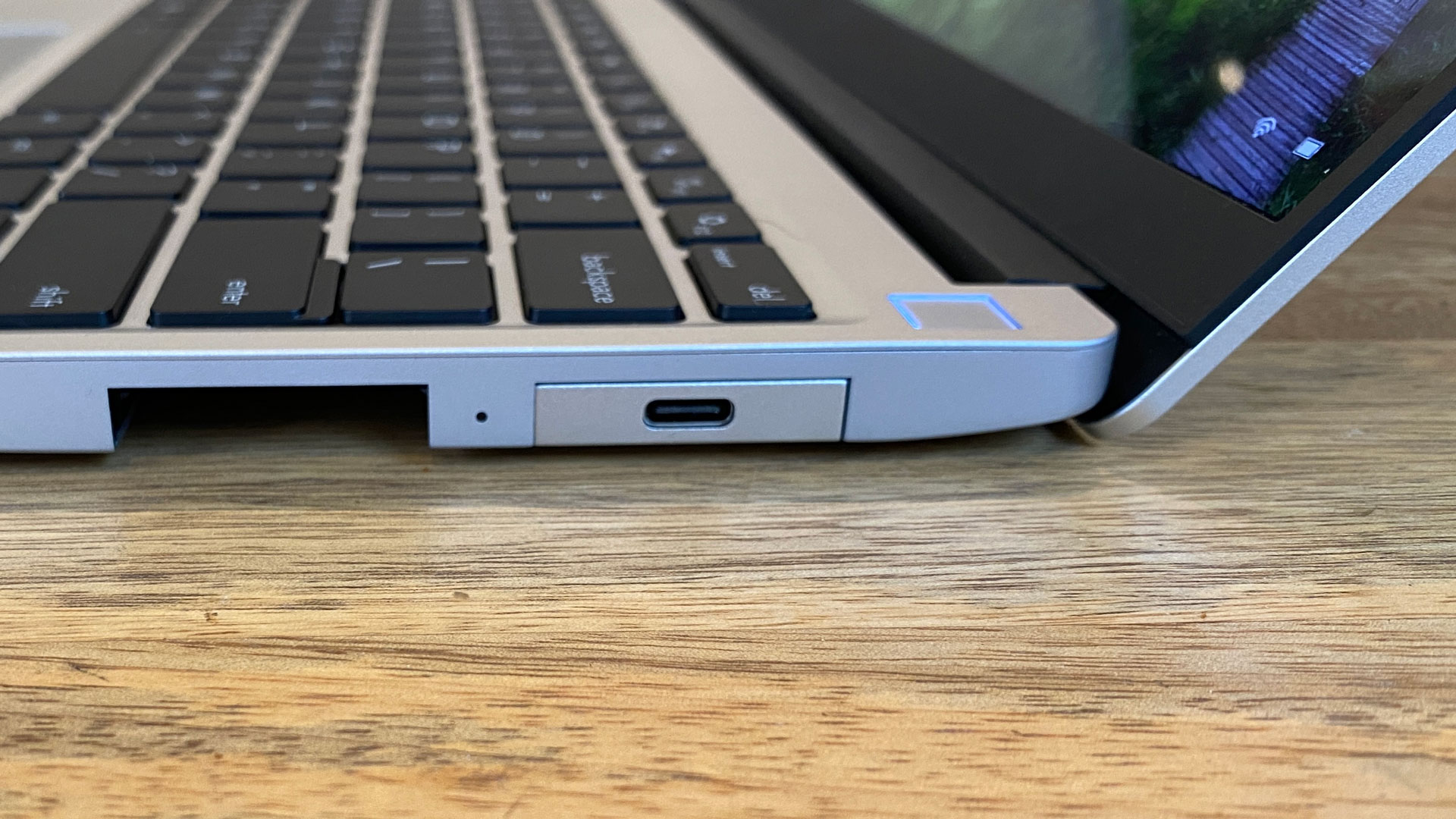
All USB-C ports need to support data, charging, and display functionality.

Framework Laptop (12th Gen, 2022)

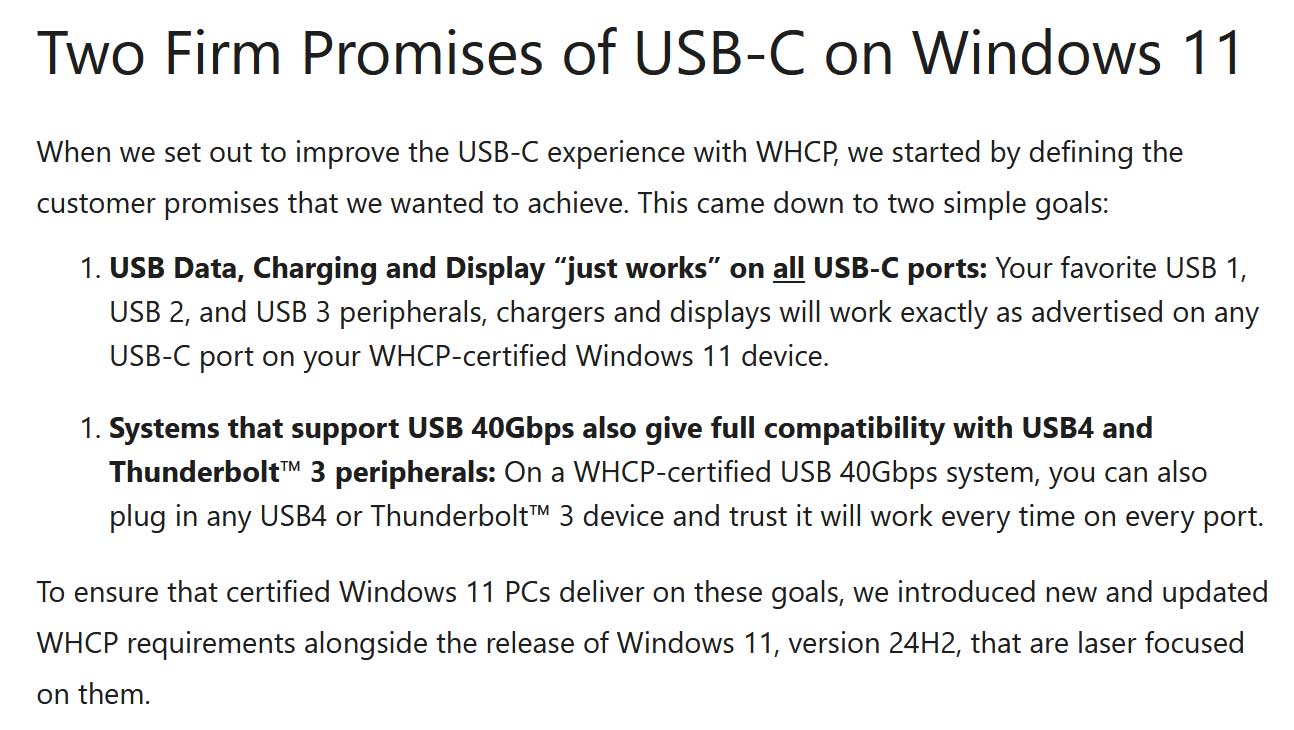
Microsoft promises it is “ending USB-C port confusion” with its updated Windows 11 Windows Hardware Compatibility Program (WHCP) initiative. Going forward, it pledges to ensure all USB data, charging, and display functionality “just works” on all your USB-C ports. Moreover, an additional rule means USB 40Gbps ports will be fully compatible with both USB4 and Thunderbolt 3 peripherals. The Microsoft blog indicates that these rules should already be in place with certified Windows 11 laptops and tablets that come with Windows 11 24H2 installed.

Senior Product Manager at Microsoft, Ugan S., asks readers of his blog whether they are “Tired of USB-C ports that don’t behave consistently?” To illustrate the problem, he retells a story about ‘The Blank Display’ and laments that such issues still happen in the present day. It isn’t the USB-C port that’s the problem, says the Microsoft exec, it is “the inconsistent implementations of USB-C port capabilities across the PC ecosystem.” Or in other words, not all USB-C ports are created equal.

To fix this inconsistency, the WHCP will now mandate that everyUSB-C porton new Windows laptops and tablets needs to support data, charging, and display functionality. This should mean no more guessing about which ports support what, and might also mean end users are happier as they can connect a charger or second display to either side of a laptop (if there are USB-C ports both side).

>>>Replacement battery for Microsoft Surface Pro X 13″ Tablet

USB-C confusion to end
(Image credit: Microsoft)

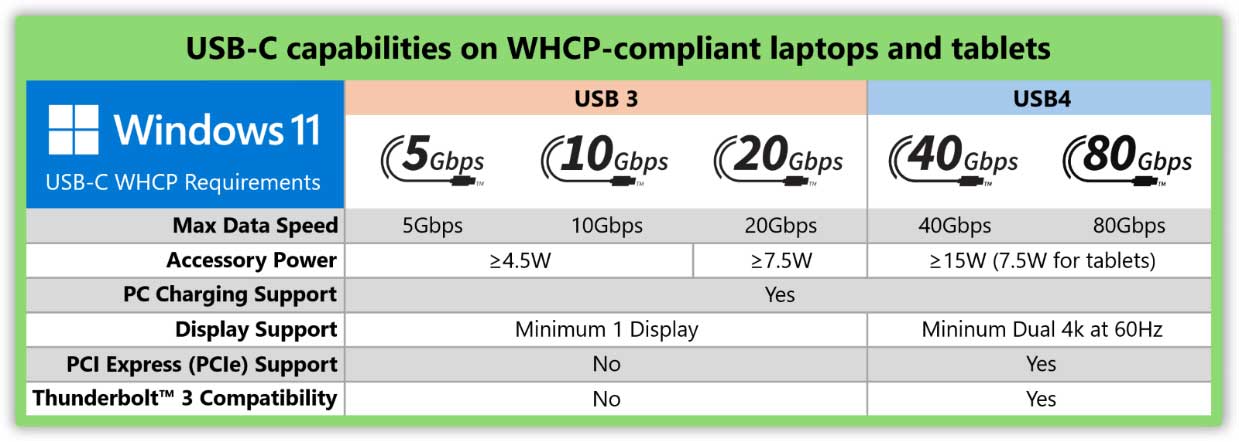
Microsoft put the chart above together to show the capabilities of WHCP-compliant laptops. Yes, they all support the three core functions, but their levels of support will still vary. In addition to the familiar data speed differences, USB 3.X ports won’t provide as much accessory power, or support as many displays, as USB4.

On the topic of USB4, you can also see in the table that “On a WHCP-certified USB 40Gbps system, you can also plug in any USB4 or Thunderbolt 3 device and trust it will work every time on every port.”

Not mentioned yet, or hinted at in the table, Microsoft is also requiring USB-IF certified silicon in the PC. Moreover, a new Microsoft driver stack requirement means PCs are validated using Microsoft’s built-in USB controllerdrivers. This should ensuresecurityand feature updates arrive via Windows Update.

>>>Replacement battery for Microsoft Surface Pro 8 1982 1983

To wrap up its post, Microsoft explains that the Hardware Lab Kit (HLK) is behind these improvements. The process is ongoing, with WHCP updating with every Windows release, delivering fixes and enhancements.