WHAT IS USB TYPE B AND WHICH DEVICES STILL USE IT?

USB type B ports side by side

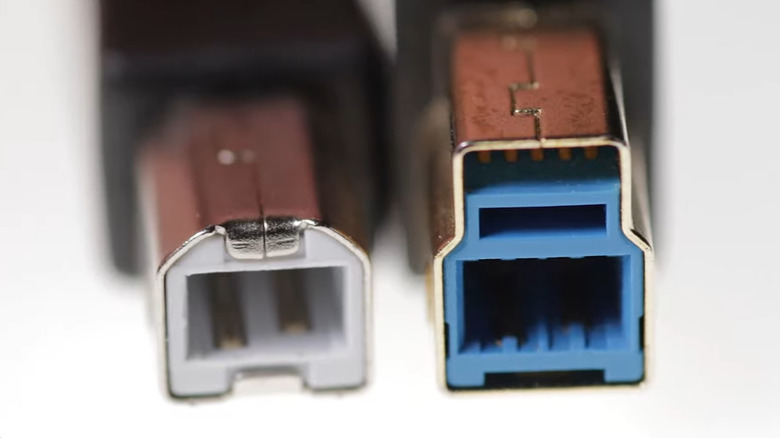
USB ports and connectors come in a variety of shapes and sizes. While you may be familiar with common types like USB Type-A and USB Type-C, there is also USB Type-B. It was introduced back in 1996 alongside USB Type-A. Unlike USB-A, the shape of USB Type-B connectors can vary depending on the version. The USB 2.0 Type-B connector is square with slightly rounded corners at the top. In contrast, the USB 3.0 Type-B connector features a square design with a noticeable protrusion at the top. The larger shape accommodates nine pins, compared to four in other USB Type-B ports. These extra pins also help support faster data transfer. The difference in shape also means you cannot use USB-B 3.0 connectors with older USB-B 2.0 or USB-B 1.1 ports. However, USB-B 3.0 ports are designed to accept older USB-B connectors. Like most USB ports, USB-B 3.0 ports are typically blue, while USB-B 2.0 ports are black, and USB-B 1.0 ports are often white. That said, this isn’t always the case, as USB port colors are not standardized across all equipment manufacturers.>>>Replacement adapter for HP Chromebook X360 14-CA051WM 14-CA051WMWhich devices use USB Type B?
Close up of USB A to USB B black cable

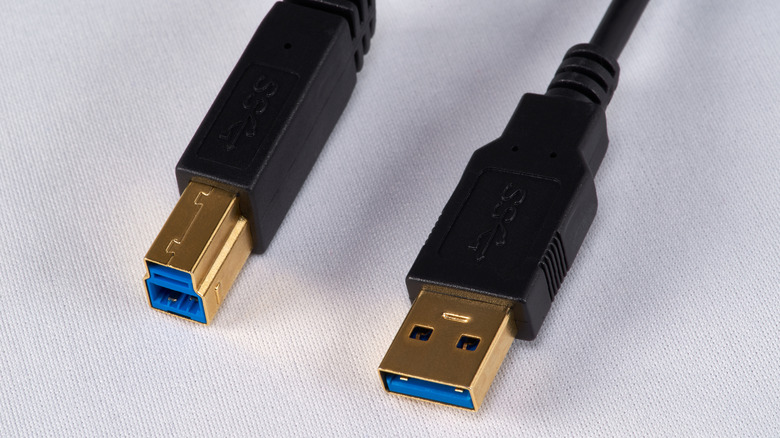
USB Type-B ports are commonly found on larger devices like printers and scanners. You’ll also find them on external storage devices such as hard drives. Additionally, USB Type-B ports are used on musical equipment and networking hardware. All of these devices typically use a USB-A to USB-B cable to connect to a PC or laptop.Some computer monitors also feature USB Type-B ports, which serve as upstream ports for the monitor’s built-in USB hub. This setup allows you to connect peripheral devices like a keyboard, mouse, or storage devices, to your monitor’s downstream ports, which then communicate with the computer. This is quite useful as it lets you plug USB devices directly into the monitor instead of running long USB cables to the PC. >>>Replacement adapter for Dell LA45NM150 HDCY5 0HDCY5There’s also the USB Type-B Mini, a five-pin version introduced in the year 2000. It is commonly used in smaller devices where a standard USB-B port would be too bulky. This includes digital cameras, MP3 players, GPS units, and even some smartphones. With USB-C becoming the standard in most consumer electronics, USB Type-B is no longer widely used. However, you’ll still find them on printers and other office equipment.
Nintendo can brick your console for unauthorized use as per new user agreement

Nintendo has updated its US EULA to emphasize that those who do not comply can lose access not only to their digital content but also to their console. These changes come ahead of the Switch 2’s June 5 release which will bring new ways to interact with other users.

Nintendo official company logo. (Image source: Nintendo)

Nintendo official company logo. (Image source: Nintendo)

Nintendo is taking a more aggressive stance against piracy and emulation as confirmed by the updated user agreement. The changes state that users do no own their Nintendo Account Services but only purchase a license to use them so tampering with them could lead to grave consequences. Those found to be using these services in ways other than intended, Nintendo can brick your console. 

Thechanges to the US Nintendo Account User Agreementwere shared via email to Nintendo account holders as a link to the updated policy. These updates take effect in May 2025 so they should already be in place. One of the changes is the clarification that Nintendo services are licensed and not owned by users, which means there are some restrictions and guidelines that must be followed. 

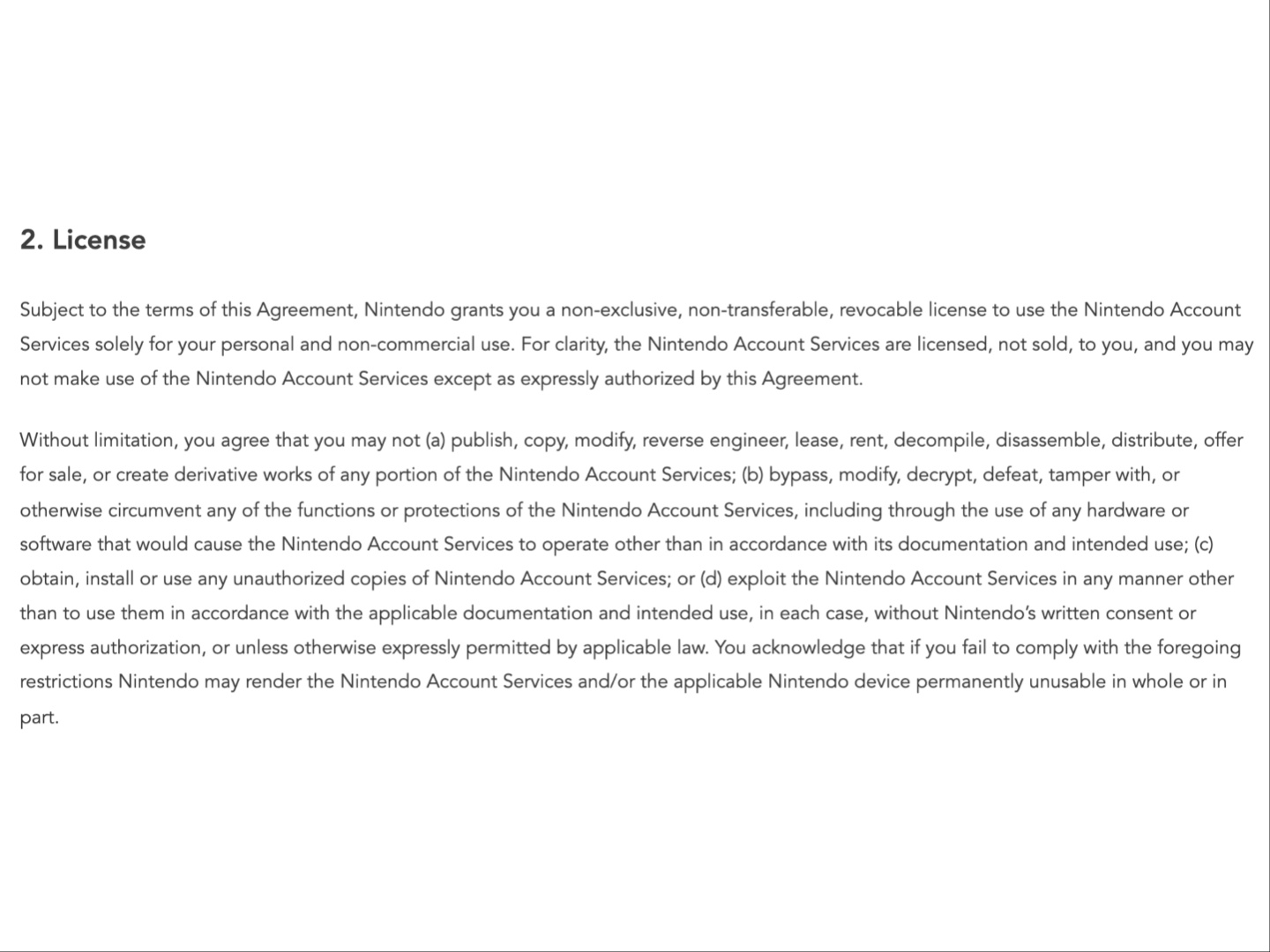
The License section explains that as per the EULA (End User License Agreement), users agree to not publish, copy, modify, reverse engineer, bypass, modify, tamper with, or circumvent any of the functions or protections of the Nintendo Account Services. There are quite a few more clauses and the full list can be seen in the screenshot below. Failure to comply gives Nintendo the right to render the account or the console itself, “permanently unusable” or bricked.

>>>Replacement battery for Nintendo Game Boy Micro OXY-001 Y76NB01

The updated US EULA explaining consequences for non compliance. (Image source: Nintendo)

The updated US EULA explaining consequences for non compliance. (Image source: Nintendo)

The update to theUK EULAis not as extensive and states, “In particular, without NOE’s written consent, you must neither lease nor rent Digital Products nor sublicense, publish, copy, modify, adapt, translate, reverse engineer, decompile or disassemble any portion of Digital Products other than as expressly permitted by applicable law.” If users fail to comply, the Digital product may become unusable. 

>>>Replacement battery for Nintendo Wii U GamePad WUP003 WUP-012

Nintendo alsoupdated its privacy policyrecently in regards to the Switch 2 and GameChat. If users give consent, Nintendo can record video and voice chats stored on the console. The company said this is to ensure a safe and secure environment for certain services.

Toshiba says Europe doesn’t need 24TB HDDs, witholds beefy models from region

But there is demand for 24TB drives in America and the U.K.

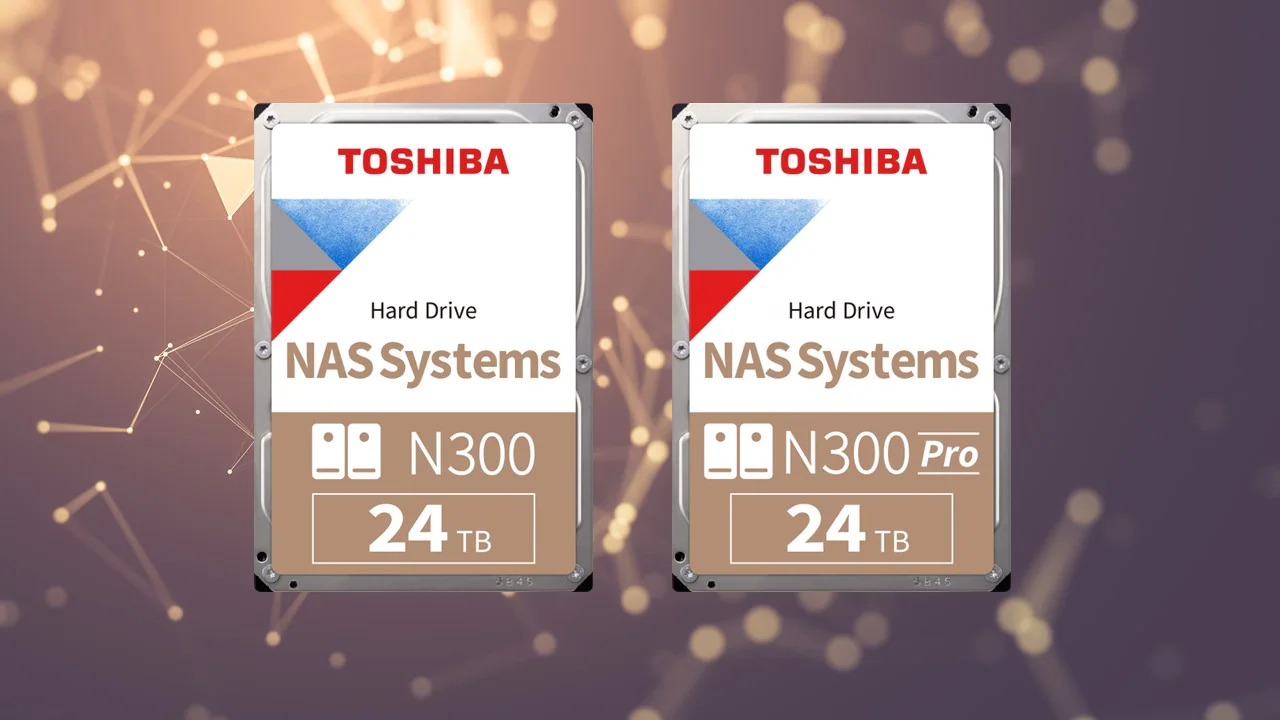
Toshiba 24TB N300 and N300 Pro HDDs

(Image credit: Toshiba)

Unlike its industry peers, Toshiba has a rather convoluted way of introducing new hard drives: the company first unveils them globally and only then launches them to the American and European markets. However, with24TB versions of N300 and N300 Pro HDDs, things became even more complicated, as the company says that it has no plans to launch 24TB drives to Europe due to a lack of demand. 

“We are currently observing a manageable demand for NAS hard drives with 24TB storage capacity on the European market,” a statement by Toshiba published byComputerBasereads. “Against this background, we will not be launching the N300 24TB model on the European market for the time being. We continuously analyze the market development and regularly validate our decision on the basis of current needs assessments.” 

For now, 24TB HDDs are the highest capacity hard drives that Toshiba can offer. The company already offers nearline MG11-series 24TB HDDs in theU.S.,Europe, andAsia. However, the company only lists 24TB N300 and N300 Pro HDDs, which could be among the best HDDs today, in America, Asia, and the U.K., but not in mainland Europe. In contrast, bothSeagateandWestern Digitalsell their 24TB and 26TB hard drives for NAS in mainland Europe, though such HDDs seem overpriced there. 

>>>Replacement battery for Toshiba Dynabook PS0231UA1BRS

Given that both of Toshiba’s rivals readily offer their highest capacity products in Europe, it is hard to imagine that there is no demand for 24TB NAS-oriented HDDs in the region. 

However, there might be a more elaborate strategy in place for Toshiba. The Japanese HDD maker might be more interested in shipping its highest-capacity models to the U.S. and its partners there, as this market is more important for the company. Toshiba may also attempt to ship as many high-end HDDs to its American stock as possible before country-specific tariffs kick in this July to grab some extra market share.

>>>Replacement battery for Toshiba SF16915 ER63C38

If this is the case, we might see lowering shipments of other high-capacity Toshiba HDDs to mainland Europe as the company might be stockpiling them for its American customers in the U.S. Still, bear in mind that we are speculating and Toshiba hasn’t communicated its strategy in detail.

HarmonyOS replacing Windows on Huawei laptops — delivers connectivity across the ecosystem

The Chinese tech giant is forced to use its own operating system after its Microsoft license expired.

Huawei

(Image credit: Shutterstock)

Huawei’s license to useMicrosoftWindows expired last March, and it’s unable to renew its contract with the software giant due to U.S. sanctions against the company. Instead, the Chinese tech giant launched HarmonyOS, its replacement for the desktop operating system from Redmond.

According to theSouth China Morning Post, the company showed off a yet-to-be-named laptop running HarmonyOS 5 (sometimes called HarmonyOS Next), the latest version of Huawei’s operating system. The laptop is set for an official launch later this month.

The operating system has been in development since 2012, and it first hit Huawei devices in 2019 in the Honor Vision smart TV. By 2021, Huawei started deploying it in its smartphones, with older models getting the homegrown operating system, too. Most Huawei laptops come withWindows 11, although the company has also offered some models that use Linux, which is open source.

>>>Replacement battery for Huawei FreeLace Pro M0002

But relying on its own operating system allows it to create an ecosystem of devices. This is especially true as it already has several other devices running HarmonyOS, from smart TVs and laptops to tablets and smartphones, running the same software. This will make it easier for the company to market its devices as one seamless platform, similar to how Apple does with iOS, iPadOS, and macOS.

HarmonyOS-powered Huawei smartphones have already overtaken Apple in China, with the former achieving 19% market share over the latter’s 17% last quarter. This will likely make it more enticing for Chinese customers to switch to HarmonyOS for their desktop or laptop computing needs.

Apps for the HarmonyOS laptop include WPS Office, a free substitute to the Microsoft Office suite, and DingTalk, an enterprise collaboration system, which reportedly works on the laptop. The PC is also expected to natively run the thousands of mobile apps that are already available for HarmonyOS smartphones.

>>>Replacement battery for Huawei Ascend W1 W1-C00 W1-U00

We don’t yet know the specs for this HarmonyOS-powered Huawei computer. But if it still uses an Intel or AMD chip like other laptops in its lineup, there’s a chance that users who need Windows can install it after purchase. They might even be able to dual-boot it, allowing them to stick to temporarily use Windows for the apps they need but aren’t available yet on HarmonyOS.

Google Maps just added a genius time-saving feature for your iPhone

Google rolls out a screenshot-reading feature

Google Maps on iPhone

(Image credit: Shutterstock)

Google Mapshas started to roll out a screenshot recognition feature for iPhones that aims to make finding locations saved in your camera roll much simpler.

We originally heard about the newscreenshot feature last month, but a new report from9to5Googlehas revealed that the rollout has begun on iOS, albeit later than originally anticipated. As Google originally promised, the feature appears to be for the U.S. only, as we have yet to find it on our iPhones in the U.K..

Also, Google has yet to confirm the release date on Android, meaning users with thebest Android phoneswill have to keep waiting to try the feature out.

>>>Replacement battery for Google Pixel 9 Pro Fold

New screenshot tab in Google Maps

(Image credit: 9to5 Google)

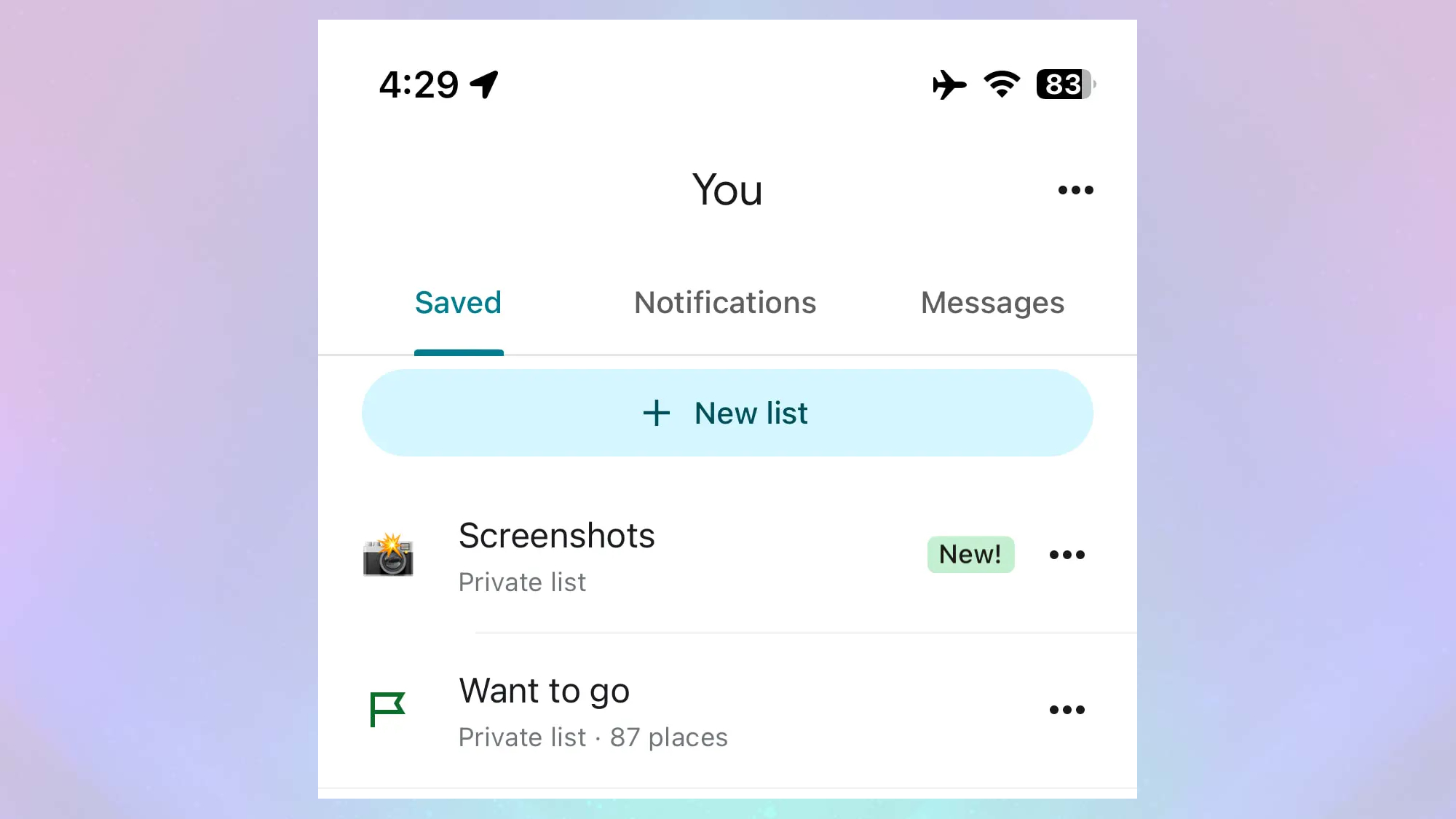
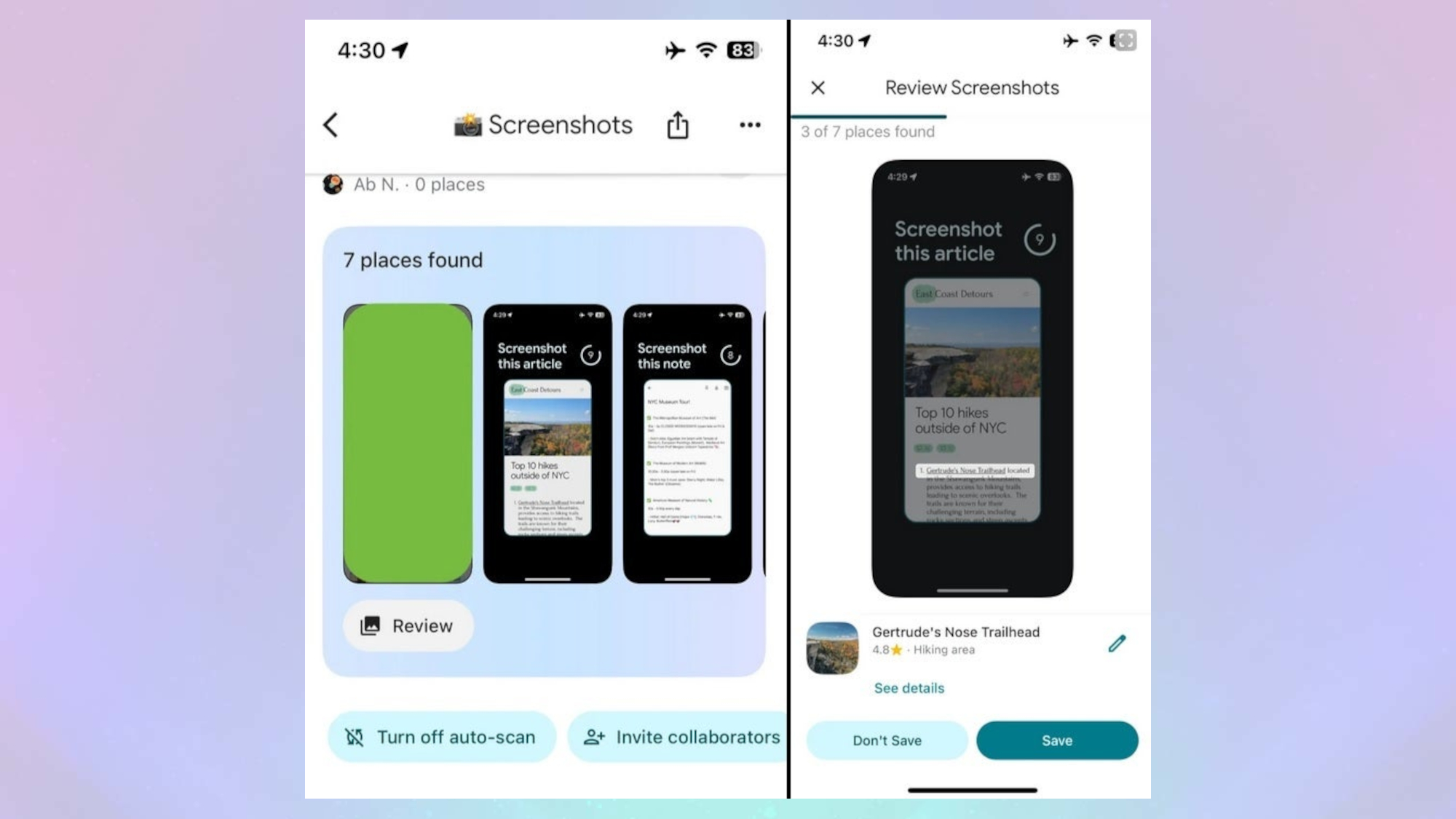
Google’s new feature aims to make finding directions to locations seen online and screengrabbed more streamlined. Instead of having to make a note of the name and address and enter them manually into the app, Google Maps, with assistance fromGemini, can now detect if a screenshot includes any location information and pull up a map listing with directions. Users can then quickly save these locations, which will appear in a new screenshots tab in the Google Maps app, under the “You” heading.

Google Maps screenshot carousel and turn off button

(Image credit: 9to5 Google)

Google Maps can access and scan your photo library, gathering together all images and screenshots with location information into a carousel of screengrabs that you can choose to keep or remove. You can also add screenshots manually, image-by-image, or elect to turn off the feature by using the large button that appears at the bottom of the carousel, if you’d prefer to keep your screenshots private.

>>>Replacement battery for Google Pixel Fold

Where does this leave Apple Maps?

Google Maps vs Apple Mapsis always a tricky choice, and some people will likely stick withApple Mapsas it comes preinstalled on most iPhones with full integration with iOS and other apps. However, many users prefer to use Google Maps. For example, I much prefer Google Maps’ UI to the point that I never use Apple Maps on myiPhone 15 Pro Max.

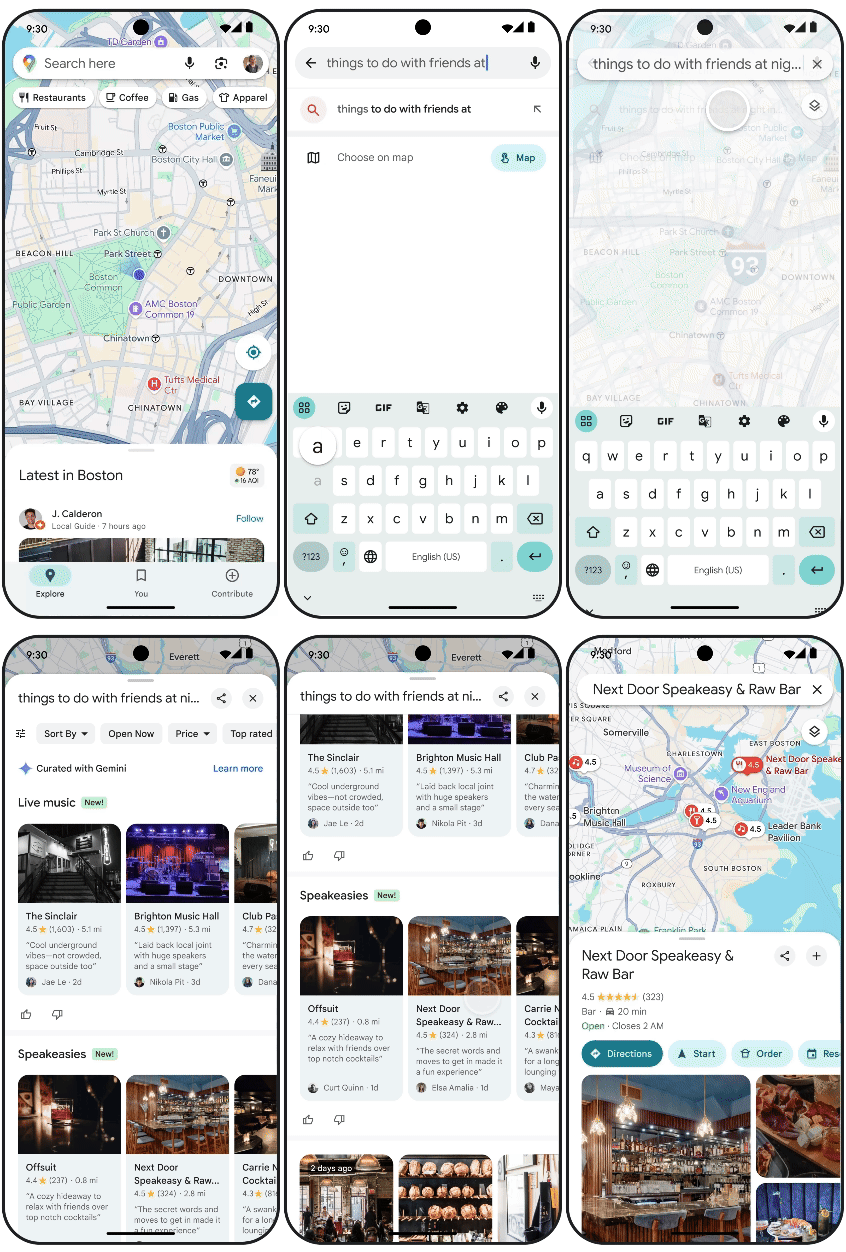
Another possible reason is that Google has been much better at implementing new AI-powered features into its products than Apple. For instance, last year sawGoogle add Gemini into Google Maps,which introduced new features such as generating ideas on where you can go, producing location review summaries and fielding follow-up questions about your destination.

Gemini-generated suggestions in Google Maps

(Image credit: Google)

Meanwhile, Apple has struggled to introduceApple Intelligenceinto Apple Maps in a meaningful way. However, that could be changing as Apple is reportedly planning on usingthe app to train its AI models, which could mean new and improved services later down the line. However, we don’t quite know what this will entail just yet.

Overall, this screenshot-reading ability is an addition that could make using Google Maps on thebest iPhonesthat much more appealing. With that said, let us know if this is an addition that will have you adopt Google Maps as your go-to navigation app, or if will you stick with Apple Maps for the duration.