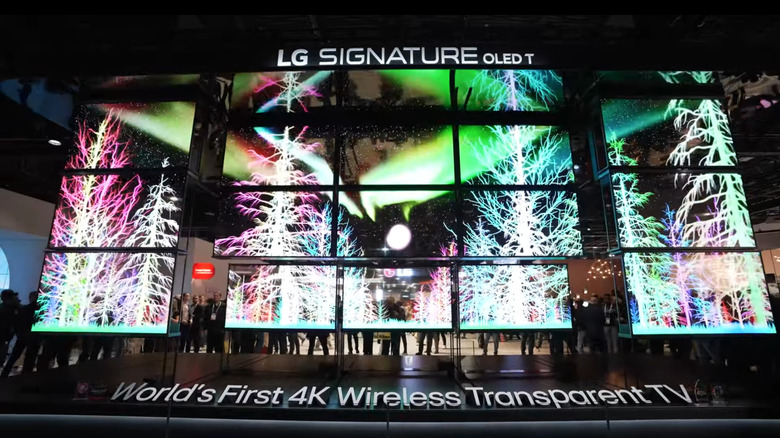
LG’s transparent TV tech starts with OLED (not to be confused with QLED). It stands for organic light-emitting diodes; they are self-lighting pixels, which means they don’t need a separate backlight like LCDs. LG’s transparent OLED panel uses a modified pixel structure where the light-emitting portions are shrunk and spaced out, leaving gaps between them that allow light to pass through. The trick is using materials like indium tin oxide for the wiring; it’s conductive but mostly see-through.The real challenge is the transistors. These are normally opaque, but LG uses IGZO (indium gallium zinc oxide) instead of traditional silicon to shrink them down and reduce visual obstruction. Everything is built on a glass substrate that also has to remain optically clean. To protect the sensitive OLED materials from moisture or air exposure (which would kill them), the panel is sealed in a transparent encapsulation layer.So while it looks like a floating hologram, the screen is basically a tightly packed grid of translucent components with just enough space for background visibility. It’s not glass-clear (you’ll still see some darkening), but it’s transparent enough to create that futuristic floating image effect. LG claims around 45% transparency.>>>Replacement adapter for LG 32HL714S-WWhat makes LG’s OLED T different from earlier transparent screens
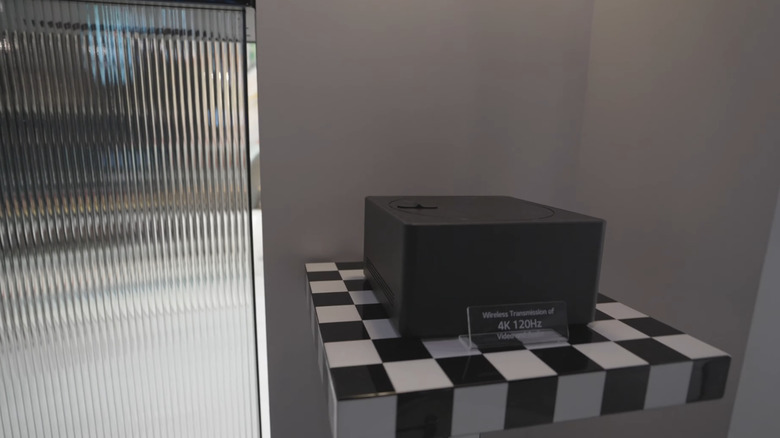
The LG OLED T is a rethinking of where and how TVs can exist in your space. First, it’s wireless. Using a Zero Connect Box, LG sends 4K video and audio to the display through proprietary wireless tech. That means no HDMI cords running up your wall or across the room. You can place it anywhere, even in front of a window or in the middle of a room.Unlike earlier prototypes that needed to be against a solid surface, the OLED T integrates a retractable contrast screen behind the panel. With the push of a button, a black layer rises up to give you proper blacks and vivid contrast when needed. When it drops down, the screen returns to full transparency.The TV supports both passive and dynamic content. You can run ambient visuals, digital art, or news tickers on the transparent screen while still seeing your space behind it. LG also added software features like the “T-Bar,” which runs information like weather and music titles along the bottom without obstructing your view.While Xiaomi technically released the first transparent TV back in 2020, LG’s version is the first to combine OLED tech with a wireless setup and ambient transparency modes. That makes it more than a gimmick; it’s a modular, design-conscious screen meant to integrate with modern living spaces, not dominate them.>>>Replacement adapter for LG 32HL714S-W 4K IPSWhy transparent TVs are cool but not quite ready for everyone
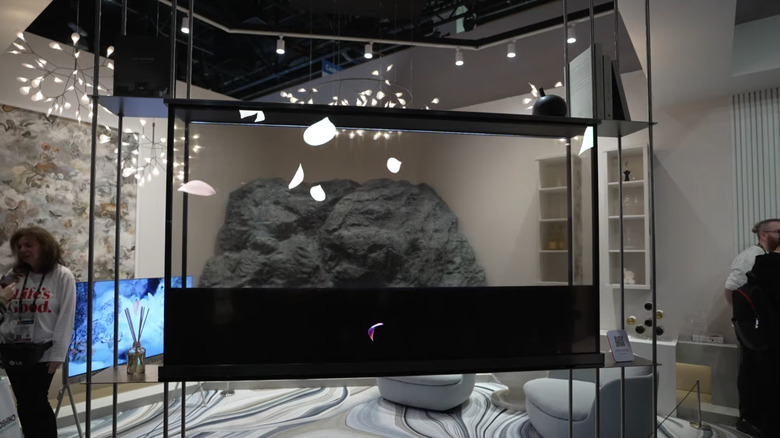
Despite the slick demos, LG’s transparent TV isn’t coming to most homes anytime soon, and it’s not just about price, although at $60,000, it’s one of the most expensive TVs on sale. Image performance is also compromised by design. Since the pixels are spaced out to let light through, you lose brightness and contrast compared to LG’s non-transparent OLEDs. Even with the retractable black layer, it’s not on par with high-end models like the G4 or M-series.There’s also the simple question of practicality. Most people don’t want to see their bookcase, window, or hallway light through the TV while binge-watching a show. For this tech to really shine, it needs a controlled environment or use case. That’s why LG’s early commercial installs are focused on retail signage and smart windows; places where screens are part of the architecture, not focal points.>>>Replacement battery for LG Nexus 5In the long term, though, transparent displays may prove more useful in places like AR-driven desktops, vehicles, or storefronts. But for living room dominance, conventional OLEDs still win. Transparent TVs are technically impressive, but the wow factor is still doing more of the heavy lifting than the use cases. But still, there is no denying the fact that this might be one of the most important advancements in TV history.