CAN YOU POWER A MONITOR BY PLUGGING IT INTO YOUR COMPUTER’S USB PORT?

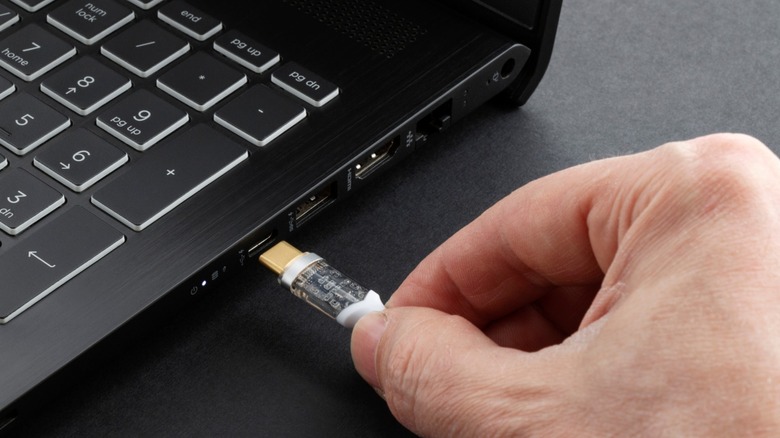
Connecting a USB-C cable to a laptop

Thin and light laptops now pack in enough performance to get you by most CPU or GPU-intensive tasks you throw at them, and yet, a few bucks spent on laptop accessories can skyrocket your productivity. An external monitor is inarguably the most effective way to do so, allowing you to view and work with multiple app windows without having to furiously alt-tab every few seconds.Setting up an external monitor is straightforward — you hook it up to a power source and connect it to your laptop or desktop over HDMI or DisplayPort. This works well if you often dock your laptop in a designated workspace, but most monitors simply aren’t portable enough, given their size and the fact that you would need to carry around a bulky power adapter. Seeing how universal and convenient USB-C has become, the idea of connecting and powering an external display using just one cable must have struck your mind, but can it actually be done?The short answer is yes, but you will need a compatible display as well as a relatively modern laptop that offers this functionality. With exponential leaps in charging speeds and data transfer rates, the right USB-C port and cable can not only carry a video signal to a portable monitor but also power it over the same connection. Here’s how to check if your laptop can power a monitor via USB-C and what to look for when shopping for one.>>>Replacement battery for Lenovo ThinkPad L16 Gen 1Exploring plug and play portable monitors
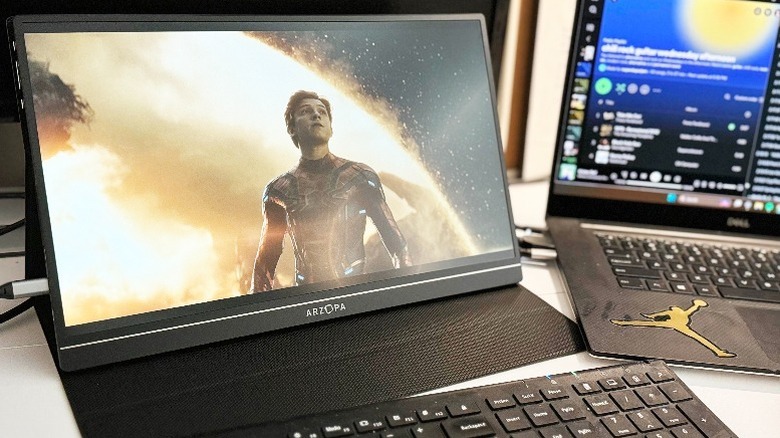
Portable monitor connected to a laptop

A quick search on Amazon reveals several listings for portable monitors from various brands, often coming in at sizes quite similar to most laptop screens. This way, you’re essentially doubling the screen real estate without being affixed to a traditional desk setup. Some of these options even offer touchscreen functionality, which can open interesting opportunities for working with interactive content. However, it’s important to go through each of the options you’re considering and look at how the portable monitor is being powered. Products like the Arzopa Portable Monitor that we went hands-on with feature this functionality, meaning you get a fully working external display powered by USB-C and displaying a video feed using the same connection. Displays that support both video and power over USB-C will list this feature explicitly, so be sure to look for it in the tech specs section.>>>Replacement battery for Lenovo IdeaPad Slim 5 14IMH9A plug-and-play portable monitor is only half the equation — in order to use USB for displays, you will also need to make sure your laptop features a USB-C port with both Power Delivery and DisplayPort Alt Mode. Most modern laptops, including MacBooks, offer this convenience, but it’s best to look for this functionality by visiting the product page. You can also directly connect a portable display to a smartphone or handheld consoles like the Nintendo Switch — although certain scenarios may have you relying on an external power source such as a power bank.
WHAT DOES THE ‘PD’ IN USB PD STAND FOR & AND WHY IS IT IMPORTANT TO USB DEVICES?

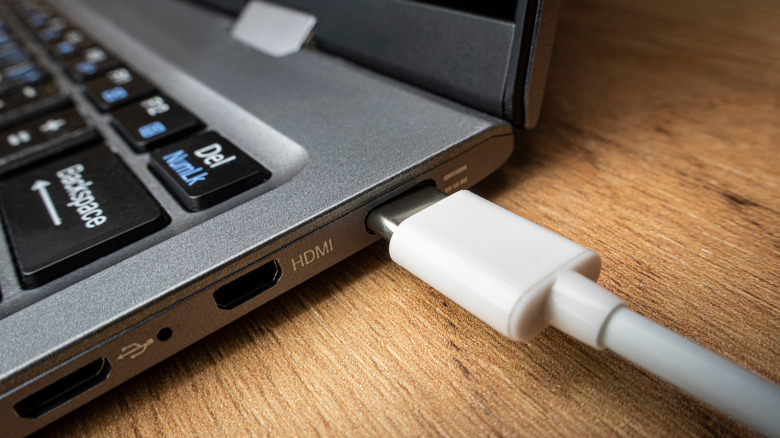
USB type C cable loosely connected to a laptop

With the growing number of devices that most people use today, be it smartphones, smartwatches, laptops, wireless earbuds, and other gadgets, charging them quickly and efficiently becomes important. That’s exactly the problem USB PD aims to solve. But what exactly is USB PD, and what makes it so special? The ‘PD’ in USB PD stands for Power Delivery. USB PD is a universal fast charging standard used in most modern-day smartphones, laptops, tablets, monitors, and more. This enables you to use a single charger to power a variety of devices, eliminating the need to carry different chargers. USB PD was first launched back in 2012 and is currently in its third revision. The latest version can deliver up to 240W, while the older versions, namely USB PD 1.0 and 2.0, topped out at 100W. While those earlier versions worked with USB-A to USB-C cables, USB PD 3.0 requires USB-C on both ends. >>>Replacement battery for HP Officejet 100 150 H470Why is USB PD special?

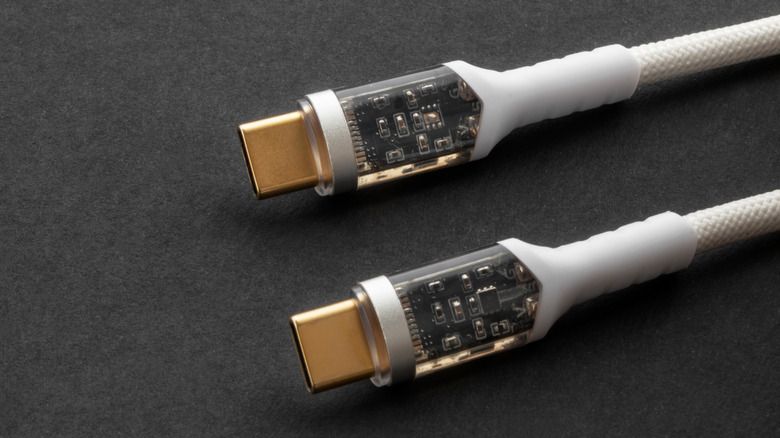
White USB C cable with transparent connector

Higher power output isn’t the only feature that makes USB PD special. It also supports multiple voltage levels like 5V, 9V, 15V, and 20V, and enables communication between both the charger and the connected device to determine the appropriate voltage level. For instance, if a smartphone only requires 18W, the USB PD charger will only supply exactly that. Similarly, a lower power headset will only receive the power it needs. This not only reduces energy waste and prevents overheating, but also makes the charging process safer. >>>Replacement battery for MSI Summit E13FlipEvo A11MT-205RU-WW71185U16GXXDX10PAnother feature that separates USB PD from other charging technologies is its bidirectional power delivery. While older USB chargers can only deliver power from the charger to the device, USB PD allows the power to flow both to and from the device. This means that you can use a smartphone that supports USB PD to charge another device, such as a laptop.To take full advantage of USB PD, you need to have a charger, a cable, and a device that all support the standard. Also, it’s important to note that while USB PD is capable of delivering up to 240W of power, most smartphones max out around 45W, and laptops usually demand up to 100W of power. That said, companies like Oppo have been working on a 240W charger, so it’s likely only a matter of time before the higher wattage support becomes a standard across devices.

Windows 11 just got a new Start menu — here’s what it looks like

Roomier with more AI

Windows 11

(Image credit: Microsoft)

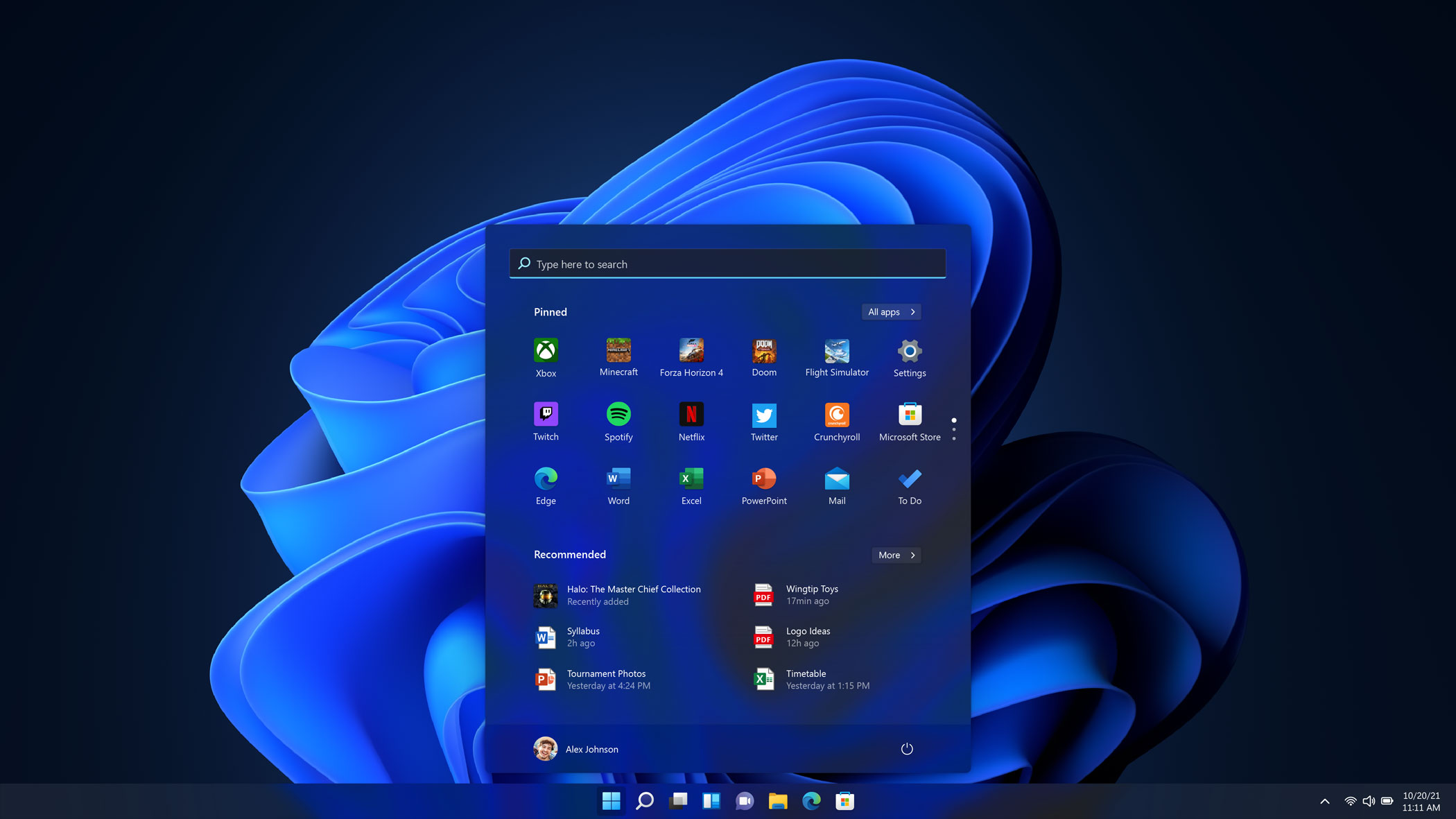
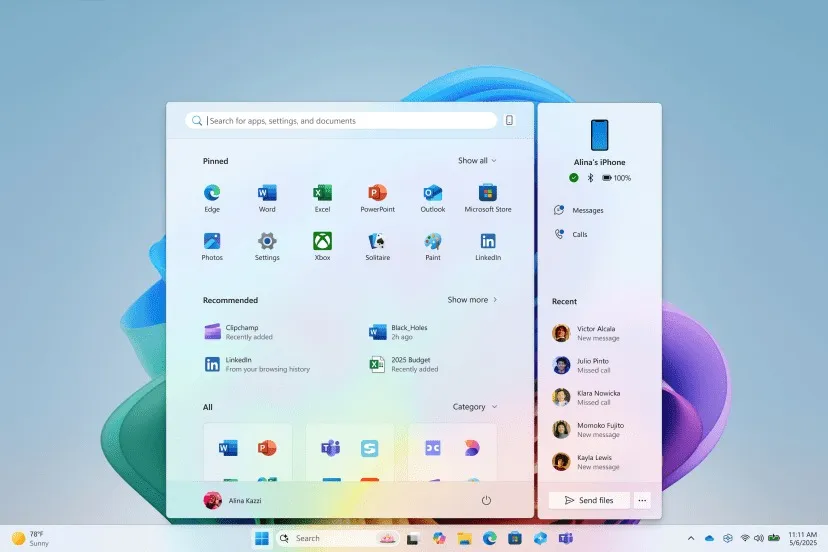
Over the next month, Microsoft is rolling out a revamp of theWindows 11Start menu alongside a number of new AI features. It’s a wider with an all apps view that is roomier and easier to scroll.

As reported byThe Verge, the updated menu will also be getting a new phone companion panel, meaning that you can access your contacts, messages, calls and more on a synced Android or iPhone device.

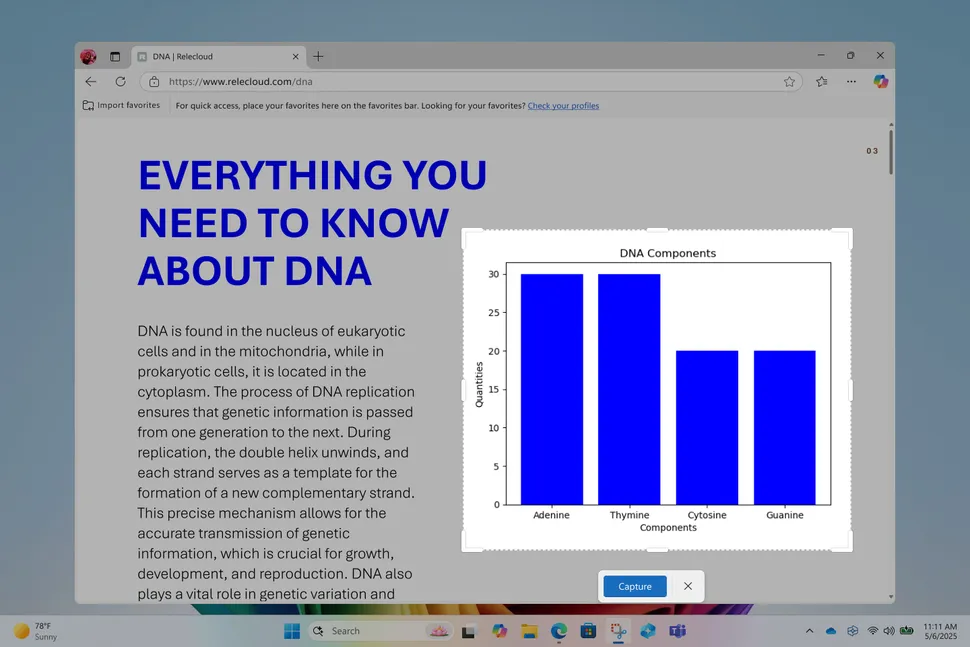
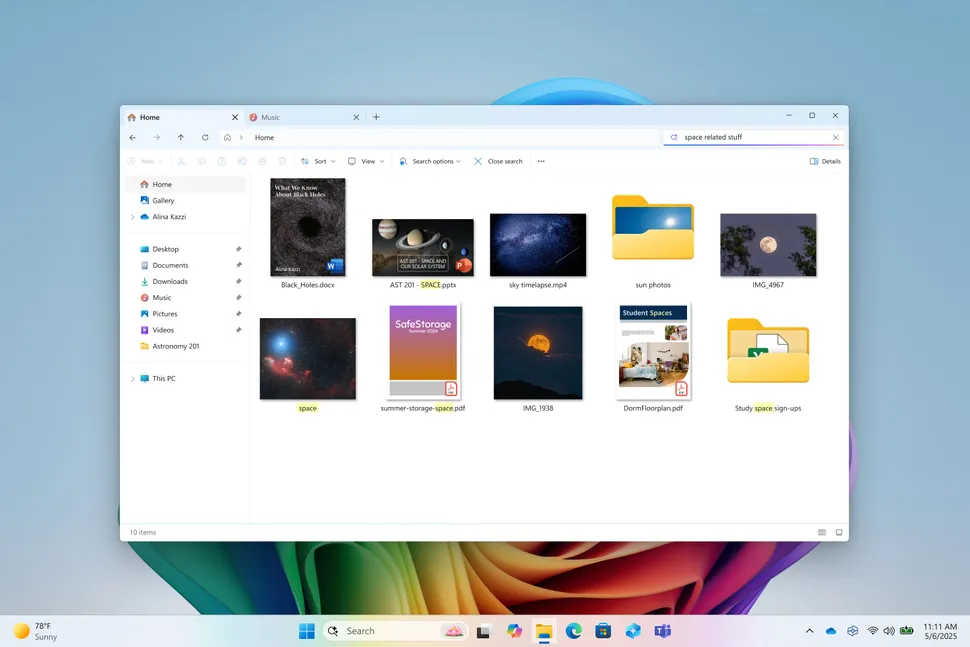
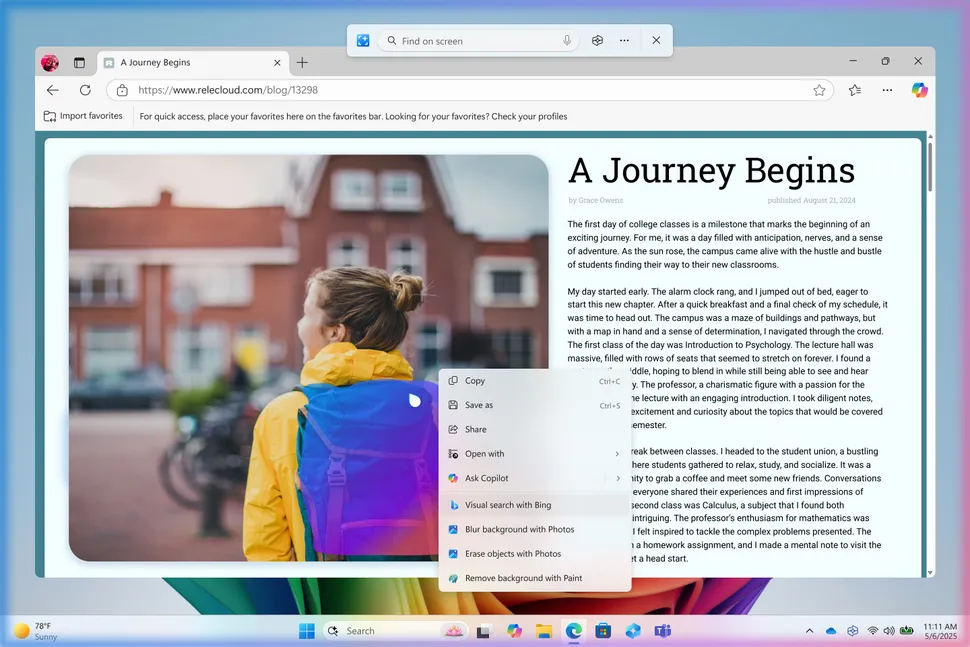
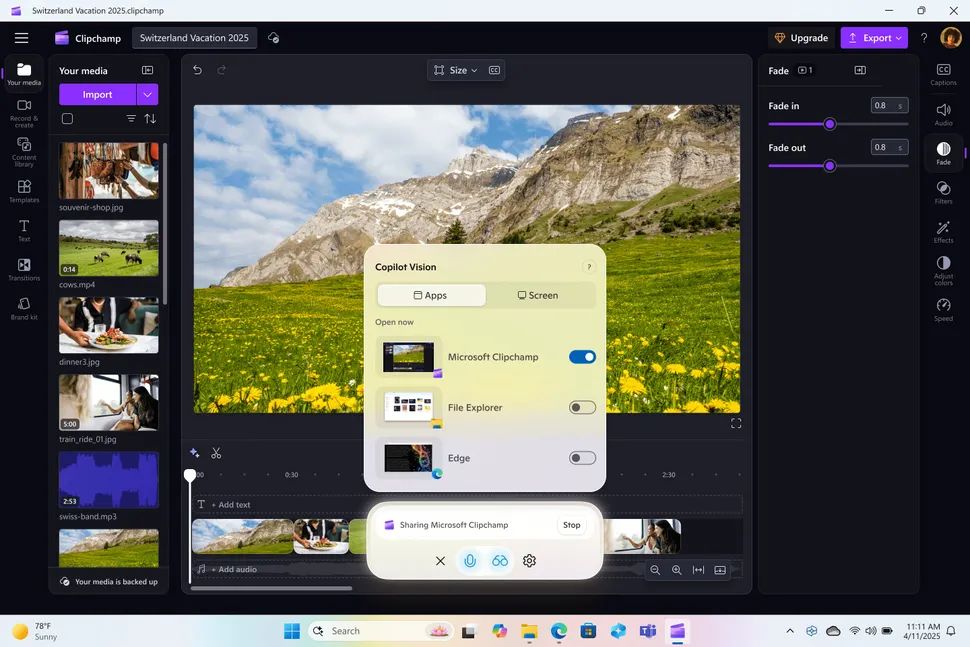
Alongside that, a number of AI features are coming that can be accessed via the Start menu or the Windows setting menu. Non-menu AI features include AI editing tools in Paint, Photos and the Snipping tool, additional Click to Do text and images actions, Copilot Vision visual search, improved Windows Search, writing functions in Notepad, and AI actions in File Explorer.

Microsoft has a blog post breaking down the features and says the new features “make our experiences more intuitive, more accessible and ultimately more useful.”

>>>Replacement battery for Microsoft Surface Laptop Studio 1964

(Image credit: Microsoft)

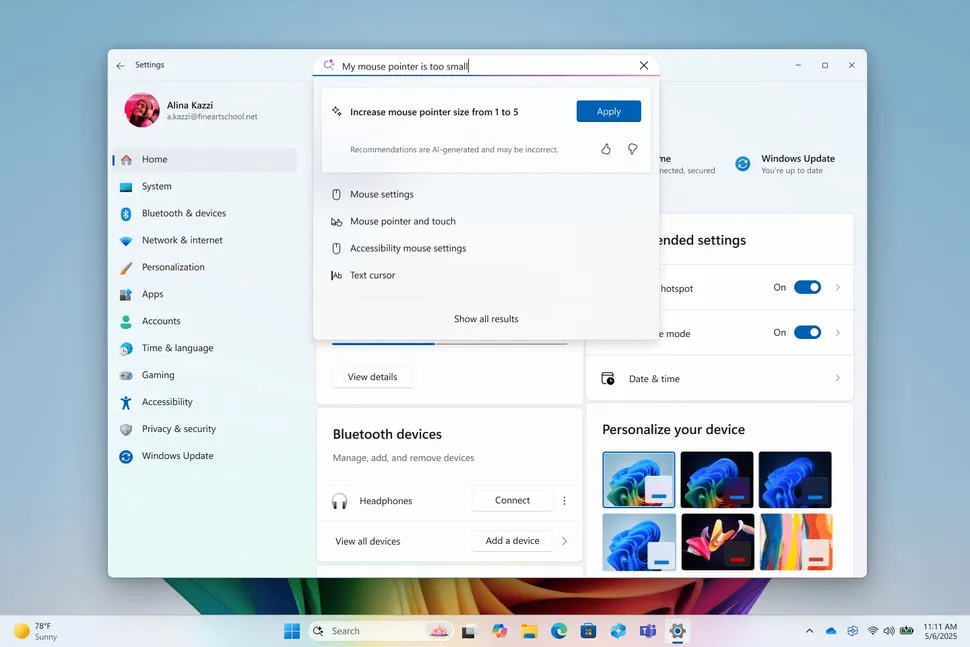
With the on-device AI, you can use it to adjust Windows Settings or troubleshoot problems.

Microsoft says that Windows will provide a warning that says, “Recommendations are AI-generated and may be incorrect.” A concerning warning to get before making changes to settings on your computer.

>>>Replacement battery for Microsoft Surface Pro X 13″ Tablet

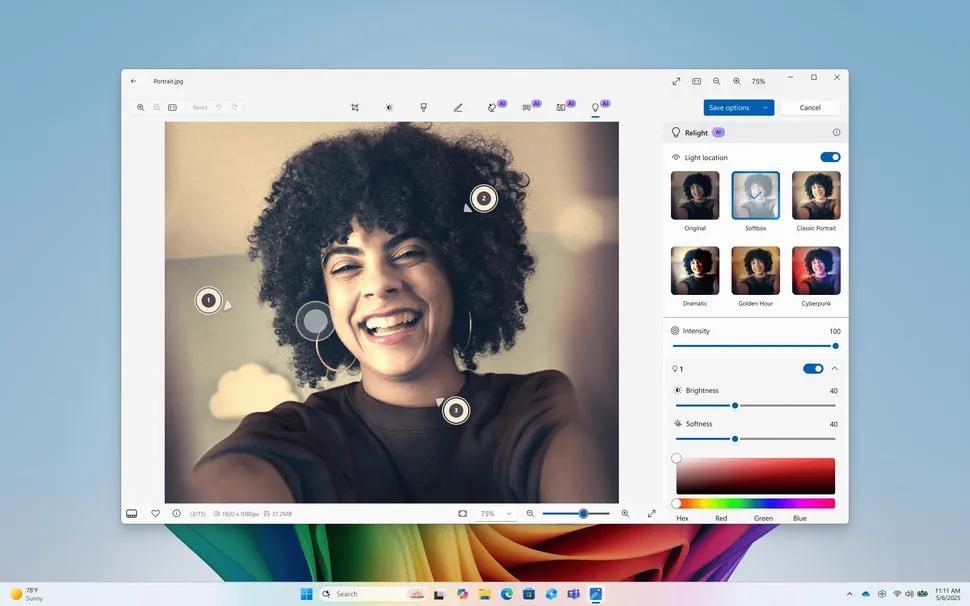
If you use Microsoft’s built-in apps for image editing, there are new features in three main apps. The Paint app is getting a content-aware selection tool that can add generative fill, and move or erase portions of the image. It can also be used to generate stickers via text prompts.If you use Microsoft’s built-in apps for image editing, there are new features in three main apps. The Paint app is getting a content-aware selection tool that can add generative fill, and move or erase portions of the image. It can also be used to generate stickers via text prompts.

Samsung’s ‘Tap to Transfer’ is finally landing on US Galaxy phones this month

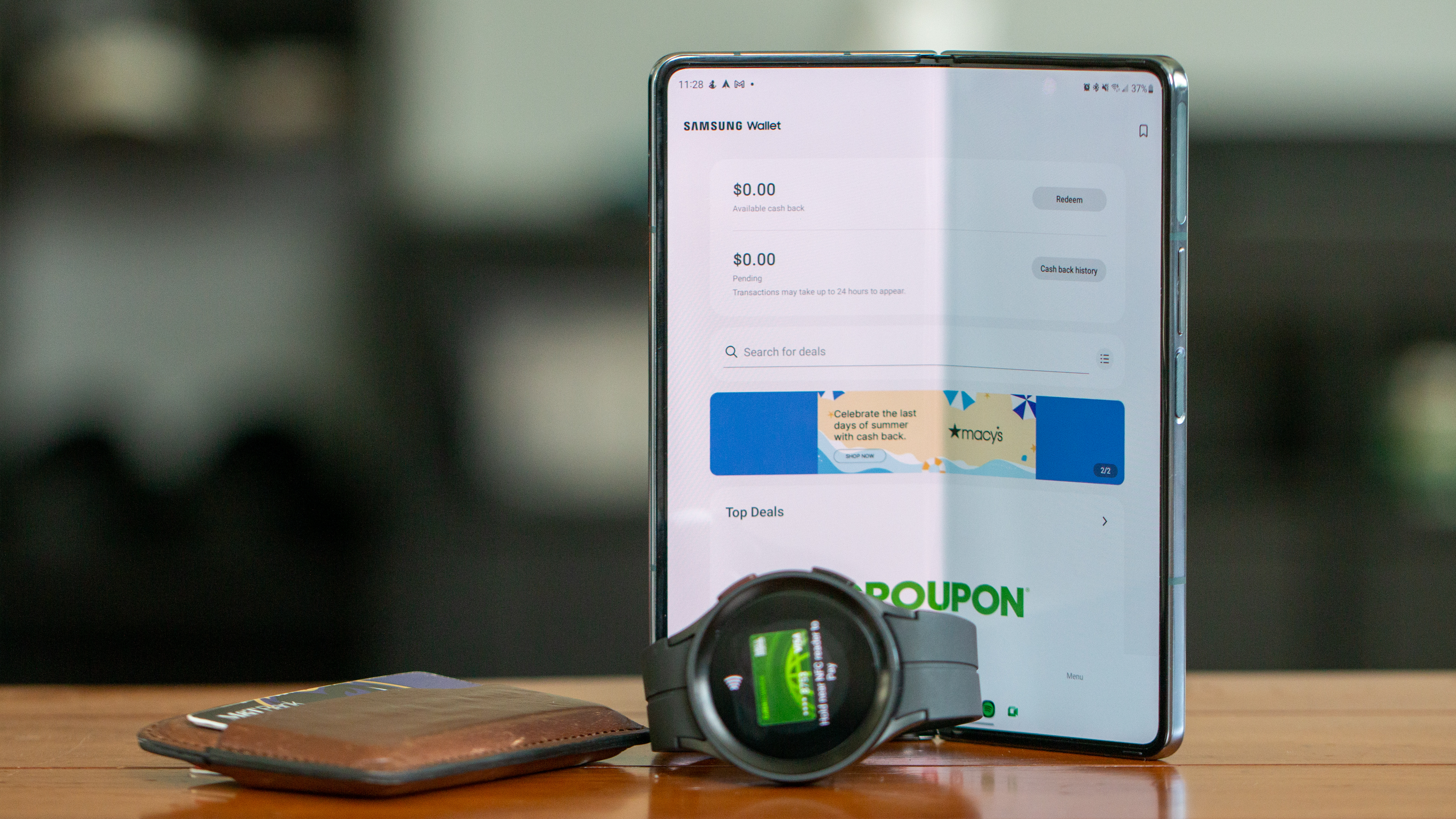
Samsung Wallet’s new feature lets you

Samsung Pay and Samsung Wallet with Galaxy Z Fold 4 and Galaxy Watch 5 Pro

What you need to know

  • Samsung’s new Tap to Transfer makes sending money as easy as a phone bump, and it’s rolling out to the US later this month.
  • Debuted with the Galaxy S25, this feature is Samsung’s answer to Apple’s Tap to Cash, but more open and flexible.
  • It’s backed by Visa and Mastercard, so you can send money using your debit card inside Samsung Wallet.

Splitting the bill after dinner or concert tickets is always a pain. But Samsung just made things a whole lot easier with the new “Tap to Transfer” feature forSamsung Wallet.

Samsung first showed off its peer-to-peer payment method when it launched theGalaxy S25series earlier this year. It works a lot likeApple’s “Tap to Cash,” where iPhone users can just bump phones to send money.

But unlike Apple’s walled garden, Samsung’s version plays nice with a bunch of third-party digital wallets too.pay friends with just a tap.

Starting later this month in the U.S., users can send money to friends and family just by tapping theirSamsung phonestogether.

>>>Replacement battery for Samsung Galaxy S25

Backed by Visa and Mastercard

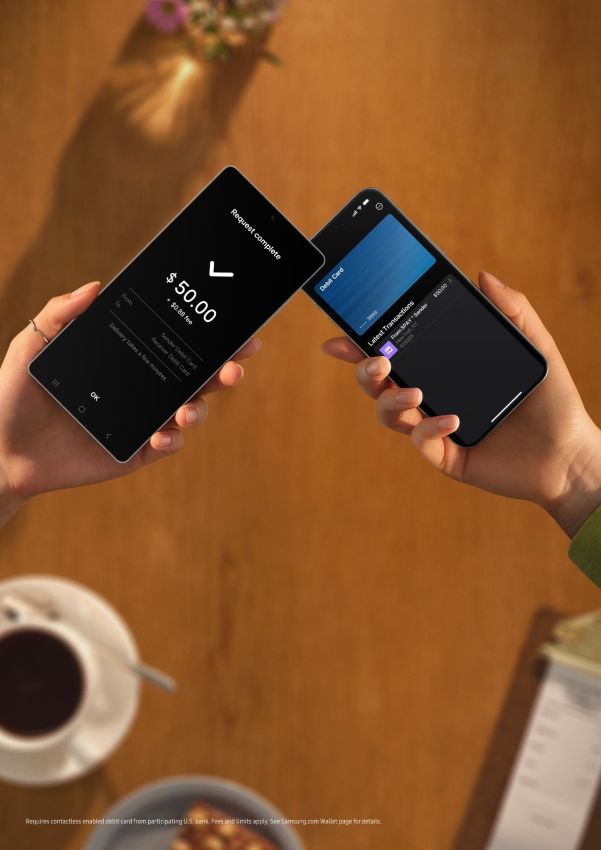
Samsung says it has teamed up with Visa and Mastercard to let users send funds using their debit card stored in Samsung Wallet. If the person you’re sending to also has their debit card set up in a digital wallet, the cash moves instantly with just one tap.

Two phones with Samsung Wallet bumped together

(Image credit: Samsung)

Nonetheless, even if they don’t have a digital wallet, it still works — as long as they’ve got a physical debit card with tap-to-pay powers, Samsung Wallet can link up via the chip.

If you need to send money from a distance, you can just find your contact by their phone number and send cash their way, no matter where they are.

Samsung Wallet already lets you store everything from your driver’s license and student ID to that random coffee shop loyalty card you forgot existed. This new update turns it into an all-in-one life organizer and money mover.

>>>Replacement battery for Samsung Galaxy S25+

Money moves in minutes

And in case you’re wondering, the money shows up within minutes (depending on your bank).

It’s worth pointing out that Tap to Transfer isn’t locked into Samsung’s ecosystem. It’ll also work with a bunch of third-party digital wallets. That’s because it taps into your existing accounts and debit cards, not just Samsung’s own setup.

Of course, there might be some limits or fees depending on your bank, and not every card will play nice from day one. But for Galaxy users, this could mean the end of payment app hopping.

Microsoft Authenticator warning: Generated passwords will be deleted August 2025

Microsoft Authenticator will lose the ability to store and autofill passwords August 1, 2025. All users of this app should immediately back up all saved and generated passwords up to prevent loss of access to email, banking, and other accounts.

Microsoft Authenticator will delete generated passwords August 2025 - Back up your passwords now. (Image source: Microsoft)

Microsoft Authenticator will delete generated passwords August 2025 – Back up your passwords now. (Image source: Microsoft)

The Microsoft Authenticator app for Android and Apple iOS devices will lose password storage and autofill capabilities from August 2025.

All usersshouldimmediately back upstoredand generatedpasswordsto prevent loss of access to their important email, banking, and other online accounts.

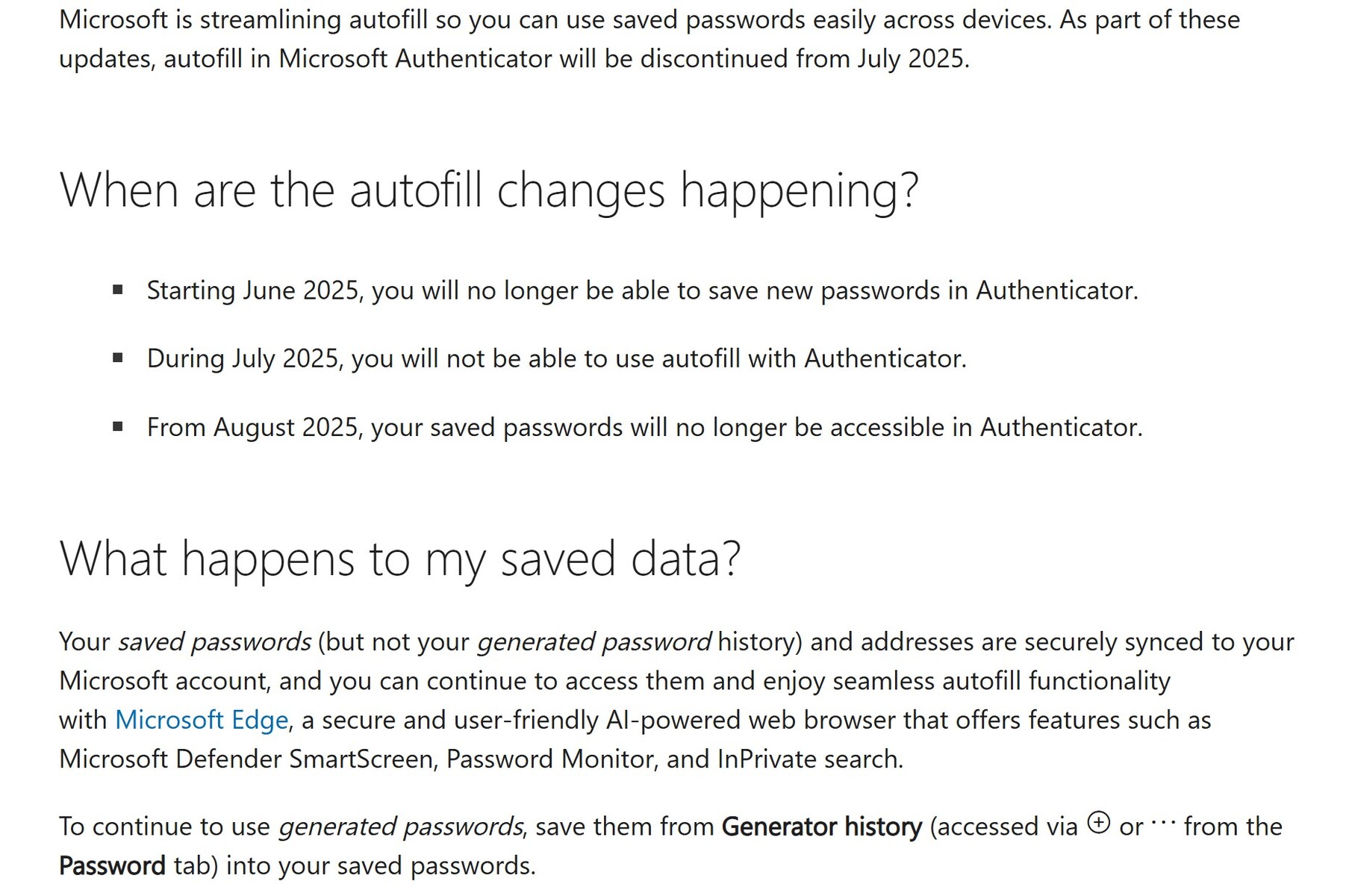
There are two types of passwords in Authenticator – stored passwords saved to Authenticator and the linked Microsoft account, and generated passwords that have not been saved. All generated passwords will be deleted on August 1, 2025. After this date, access to ONLY saved passwords will only be possible using Microsoft Edge logged into the same Microsoft account.

Additionally, all payment information will be deleted from Authenticator on July 1, 2025.

Given the possibility of password loss during this change over, all users should write down each and every stored password as well as each and every generated password. Users can also use screenshots, copying passwords to a text file, or other means.

Make certain todouble-check each recorded password for accuracy.

Readers looking for an alternative password manager can look at open-source KeePassand itsalternatives.

Those who don’t trust software 2FA apps like Microsoft Authenticator might want to research hardware 2FA devices like the Yubico 5C NFC (sold here on Amazon). Remember to buy at least two hardware 2FA keys and store one in a bank or other offsite location.

Screenshot of Microsoft Authenticator password storage changes. (Image source: Microsoft)

Screenshot of Microsoft Authenticator password storage changes. (Image source: Microsoft)