A Very Brief Introduction to Electrical Terminology

Each AC/DC power adapter is specifically designed to accept a certain AC input (usually the standard output from a 120 V AC outlet in your home) and convert it to a particular DC output. Likewise, each electronic device is specifically designed to accept a certain DC input. The key is to match the DC output of the adapter to the DC input of your device. Determining the outputs and inputs of your adapters and devices is the hard part.

Power adapters are a bit like canned food. Some manufacturers put a lot of information on the label. Others put just a few details. And if there is no information on the label, proceed with extreme caution.

The most important details for you and your delicate electronics are the voltage and the current. Voltage is measured in volts (V) and current is measured in amps (A). (You’ve probably also heard about resistance (Ω), but this doesn’t usually show up on power adapters.)

dc power connectors – round

To understand what these three terms mean, it helps to think of electricity as water flowing through a pipe. In this analogy, the voltage would be the water pressure. Current, as the term implies, refers to the flow rate. And resistance relates to the size of the pipe. Tweaking any of these three variables increases or decreases the amount of electrical power sent to your device. It’s important because too little power means your device won’t charge or operate correctly. Too much power generates excess heat, which is the bane of sensitive electronics.

The other important term to know is polarity. For direct currents, there is a positive pole (+) and a negative pole (-). For an adapter to work, the positive plug must mate with a negative receptacle or vice versa. Direct current, by nature, is a one-way street, and things just won’t work if you try to go up the downspout.

If you multiply the voltage by the current, you get the wattage. But the number of watts alone won’t tell you if the adapter is right for your device.

If the manufacturer was smart enough (or compelled by law) to include the DC output on the label, you are in luck. Look at the “brick” part of the adapter for the word OUTPUT. Here, you’ll see the volts followed by the direct current symbol and then the current.

The DC symbol looks like this:

To check the polarity, look for a + or – sign next to the voltage. Or, look for a diagram showing the polarity. It will usually consist of three circles, with a plus or minus on either side and a solid circle or C in the middle. If the + sign is on the right, then the adapter has positive polarity:

To check the polarity, look for a + or – sign next to the voltage. Or, look for a diagram showing the polarity. It will usually consist of three circles, with a plus or minus on either side and a solid circle or C in the middle. If the + sign is on the right, then the adapter has positive polarity:

dc center positive polarity

If there is a – sign on the right, then it has negative polarity:

dc center negative polarity

Next, you want to look at your device for the DC input. You’ll usually see at least the voltage near the DC plug receptacle. But you also want to make sure the current matches, too.

You might find both the voltage and the current elsewhere on the device, on the bottom or inside a battery compartment cover or in the manual. Again, look for the polarity, by either noting a + or – symbol or the polarity diagram.

Remember: the input of the device should be the same as the output of the adapter. This includes polarity. If the device has a DC input of +12V / 5.4A, get an adapter that has a DC output of +12V / 5.4A. If you have a universal adapter, make sure it has the proper current rating and that you choose the correct voltage and polarity.

>>>>>>>>Buy Laptop Adapter Online
What Happens if You Use the Wrong Adapter?

Ideally, you’ll have the same voltage, current, and polarity on your adapter and device.

But what if you accidentally (or purposefully) use the wrong adapter? In some cases, the plug won’t fit. But there are many instances where an incompatible power adapter will plug into your device. Here’s what you can expect in each scenario:

Wrong polarity – If you reverse the polarity, a few things can happen. If you’re lucky, nothing will happen, and no damage will occur. If you are unlucky, your device will be damaged. There’s a middle ground, too. Some laptops and other devices include polarity protection, which is essentially a fuse that burns out if you use the wrong polarity. If this happens, you might hear a pop and see smoke. But the device may still work on battery power. However, your DC input will be toast. To fix this, either replace the polarity protection fuse or get it serviced. The good news is that the main circuitry wasn’t fried.

Voltage too low – If the voltage on an adapter is lower than the device, but the current is the same, then the device may work, albeit erratically. If we think back to our analogy of voltage being water pressure, then it would mean that the device has “low blood pressure.” The effect of low voltage depends on the complexity of the device. A speaker, for example, may be okay, but it just won’t get as loud. More sophisticated devices will falter, and may even shut themselves off when they detect an under-voltage condition. Usually, an under-voltage condition won’t cause damage or shorten the life of your device.

Voltage too high – If the adapter has a higher voltage, but the current is the same, then the device will likely shut itself off when it detects an overvoltage. If it doesn’t, then it may run hotter than normal, which can shorten the life of the device or cause immediate damage.

Current too high – If the adapter has the correct voltage, but the current is greater than what the device input requires, then you shouldn’t see any problems. For example, if you have a laptop that calls for a 19V / 5A DC input, but you use a 19V / 8A DC adapter, your laptop will still get the 19V voltage it requires, but it will only draw 5A of current. As far as current goes, the device calls the shots, and the adapter will have to do less work.

Current too Low – If the adapter has the correct voltage, but the adapter’s rated current is lower than what the device input, then a few things might happen. The device could power on, and just draw more current from the adapter than it’s designed for. This could cause the adapter to overheat or fail. Or, the device may power on, but the adapter may not be able to keep up, causing the voltage to drop (see voltage too low above). For laptops running on undercurrent adapters, you might see the battery charge, but the laptop is not powering on, or it may run on power, but the battery won’t charge. Bottom-line: it’s a bad idea to use a lower current rating adapter since it could cause excess heat.

All of the above are what you would expect to see, based on a simple understanding of polarity, voltage and current. What these outlooks don’t take into account is the various protections and versatility of adapters and devices. Manufacturers may also build a bit of a cushion into their ratings. For example, your laptop may be rated for an 8A draw, but in reality, it only draws around 5A. Conversely, an adapter may be rated at 5A, but in fact, can withstand currents up to 8A. Also, some adapters and devices will have voltage and current switching or detecting features that will adjust the output/draw depending on what’s needed. And, as mentioned above, many devices will automatically shut down before it causes damage.

That being said, I don’t recommend fudging the margin under the assumption that you can do the equivalent of driving 5 MPH over the speed limit with your electronic devices. The margin is there for a reason, and the more complicated the device, the more potential for something to go wrong.

Wall adapters that give you a USB port for charging aren’t nearly as tricky. Standard USB devices have a voltage of 5 V dc and a current up .5 A or 500 mA for charging only. This is what allows them to play nice with the USB ports on your computer. Most USB wall adapters will be 5 V adapters and have a current rating well over .5 A. The iPhone USB wall adapter I’m holding in my hand right now is 5 V / 1 A. You also don’t have to worry about polarity with USB. A USB plug is a USB plug, and all you usually have to worry about is form factor (e.g. micro, mini or standard). Furthermore, USB devices are smart enough to shut things down if something isn’t right. Hence, the oft-encountered “Charging is not supported with this accessory” message.

>>>>>>>>>>>Buy Laptop Adapter Online at Best Prices.

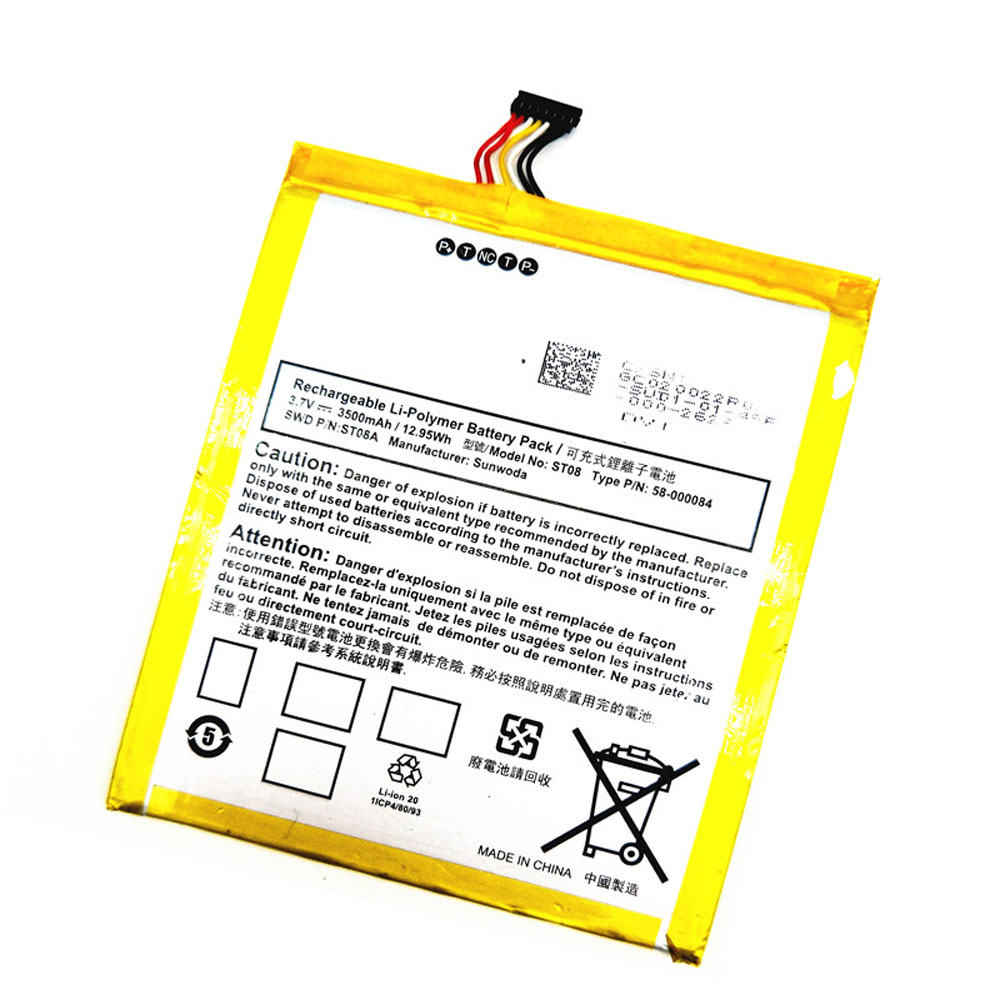
Amazon Kindle Fire HD 7 Model SQ46CW 3.7V 3500mAh/12.95Wh Battery

Buy Amazon Kindle MC-347993 Tablet PC Battery replacement for Amazon Kindle Fire HD 7 SQ46CW.

Fit Machine Model Amazon Kindle Fire HD 7 SQ46CW – 3500mAh/12.95Wh – 3.7V.

All products from our shop are 100% the highest quality! We provide the high quality Laptop Batteries. Amazon Kindle MC-347993 battery is best compatible with the original equipments.

OriccaBattery.co.uk ◆Free Shipping ◆ One year warranty ◆ 30 days money back guarantee.

Battery MC-347993 Replacement For Amazon Kindle Tablet Amazon Kindle Fire HD 7 SQ46CW

MC-347993

Amazon Kindle MC-347993 Specifications
Brand:Tablet PC Battery for Amazon Kindle
Capacity:3500mAh/12.95Wh
Voltage:3.7V
Type:Li-ion
All products from our shop are 100% the highest quality!
We provide the high quality Laptop Adapters!

PRODUCT COMPATIBILITY:

58-000084
MC-347993

REPLACEABILITY WITH THE FOLLOWING MODELS:

Amazon Kindle Fire HD 7 Model SQ46CW

How to Maintenance your new replacement Amazon Kindle MC-347993 battery?
1. New Amazon Kindle MC-347993 battery pack must be fully charged before use.
2. New battery pack needs to be fully charged and discharged (cycled) a few times before it can condition to full capacity.
3.Laptop battery undergo self-discharging when left unused. Always store a Amazon Kindle MC-347993 battery pack in a fully charged stage for storage.
4. Fully drain and fully recharge your battery pack every few months.
5. Turn down the LCD brightness of your portable device.
6. Use built-in power management on your portable device.
7. Turn off LCD or other unnecessary accessories when not in use.
8. Set screen saver blank to 1 to 2 minutes of your notebook.
9. Add more RAM if you have extra RAM expansion slot, it will reduce the usage of hard drive and it is power exhaustive.
10. Close unused software in your Amazon Kindle Fire HD 7 SQ46CW Tablet PC .
11. Remove unused PC Cards or USB devices from your notebook.
12. Don´t watch DVD or play graphics intensive video games.
13. Don´t short circuit terminal or store your Amazon Kindle MC-347993 Tablet Batteries pack with metal parts. 14. Don´t drop or mutilate the Amazon Kindle MC-347993 battery pack.
15. Don´t expose to moisture or water.

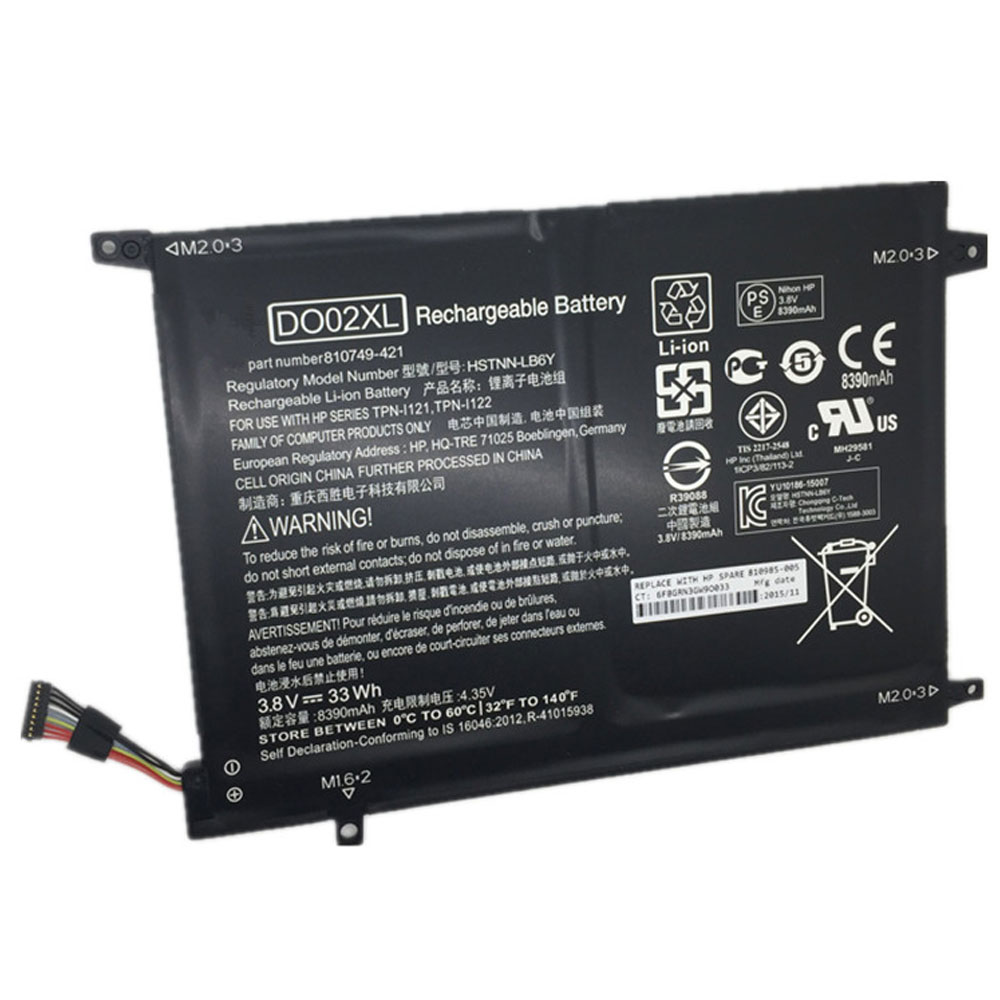
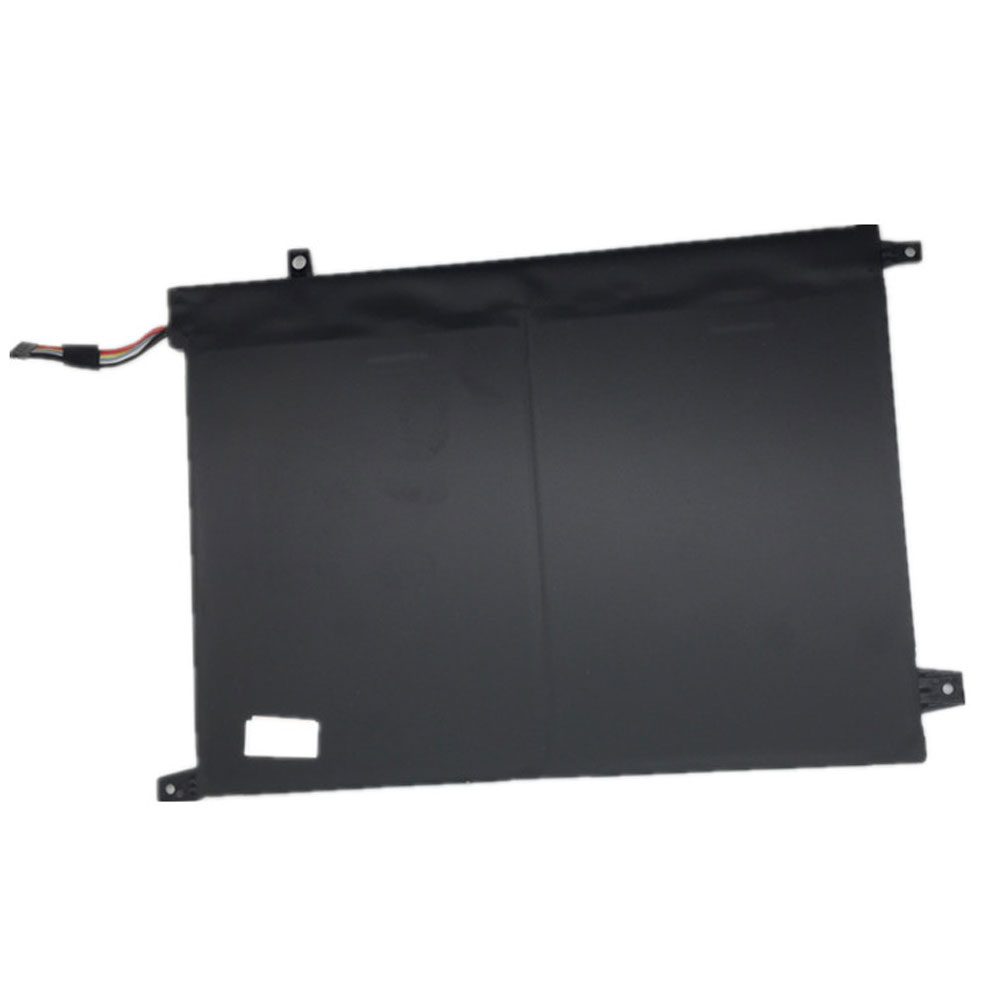
HP Pavilion X2 10-j014tu(K2N77PA) 3.8V 33Wh Battery

Buy HP DO02XL Laptop Battery replacement for HP Pavilion X2 10 Series.

Fit Machine Model HP Pavilion X2 10 Series – 33Wh – 3.8V.

All products from our shop are 100% the highest quality! We provide the high quality Laptop Batteries. HP DO02XL battery is best compatible with the original equipments.

OriccaBattery.co.uk ◆Free Shipping ◆ One year warranty ◆ 30 days money back guarantee.

Battery DO02XL Replacement For HP laptop HP Pavilion X2 10 Series

DO02XL

HP DO02XL Specifications
Brand: Laptop Battery for HP
Capacity:33Wh
Voltage:3.8V
Type:Li-ion
All products from our shop are 100% the highest quality!
We provide the high quality Laptop Adapters!

PRODUCT COMPATIBILITY:

810749-421
810985-005
DO02XL
HSTNN-LB6Y
TPN-I121
TPN-I122

REPLACEABILITY WITH THE FOLLOWING MODELS:

HP Pavilion x2 10-j025tu(K5C46PA)
HP Pavilion X2 10-n030ca
HP Pavilion X2 10-j014tu(K2N77PA)
Hp Pavilion X2 10-n20no
HP Pavilion X2 10-j013tu(K2N76PA)
HP Pavilion X2 10-j024tu(K5C45PA)
HP Pavilion X2 10-n20ns
HP Pavilion X2 10

DO02XL

How to Maintenance your new replacement HP DO02XL battery?
1. New HP DO02XL battery pack must be fully charged before use.
2. New battery pack needs to be fully charged and discharged (cycled) a few times before it can condition to full capacity.
3.Laptop battery undergo self-discharging when left unused. Always store a HP DO02XL battery pack in a fully charged stage for storage.
4. Fully drain and fully recharge your battery pack every few months.
5. Turn down the LCD brightness of your portable device.
6. Use built-in power management on your portable device.
7. Turn off LCD or other unnecessary accessories when not in use.
8. Set screen saver blank to 1 to 2 minutes of your notebook.
9. Add more RAM if you have extra RAM expansion slot, it will reduce the usage of hard drive and it is power exhaustive.
10. Close unused software in your HP Pavilion X2 10 Series laptop .
11. Remove unused PC Cards or USB devices from your notebook.
12. Don´t watch DVD or play graphics intensive video games.
13. Don´t short circuit terminal or store your HP DO02XL Laptop Batteries pack with metal parts. 14. Don´t drop or mutilate the HP DO02XL battery pack.
15. Don´t expose to moisture or water.

Lenovo Yoga Tab3 Pro YT3-X90L/ L15D1P31 3.8V 4000mAh/15.2Wh Battery

Buy Lenovo L15D1P31 Cell Phone Battery replacement for Lenovo Yoga Tab3 Pro YT3-X90L.

Fit Machine Model Lenovo Yoga Tab3 Pro YT3-X90L – 4000mAh/15.2Wh – 3.8V.

All products from our shop are 100% the highest quality! We provide the high quality Laptop Batteries. Lenovo L15D1P31 battery is best compatible with the original equipments.

OriccaBattery.co.uk ◆Free Shipping ◆ One year warranty ◆ 30 days money back guarantee.

Battery L15D1P31 Replacement For Lenovo cell phone Lenovo Yoga Tab3 Pro YT3-X90L

L15D1P31

Lenovo L15D1P31 Specifications
Brand:Cell Phone Battery for Lenovo
Capacity:4000mAh/15.2Wh
Voltage:3.8V
Type:Li-ion
Color:White
All products from our shop are 100% the highest quality!
We provide the high quality Laptop Adapters!

PRODUCT COMPATIBILITY:

L15D1P31

REPLACEABILITY WITH THE FOLLOWING MODELS:

Lenovo Yoga Tab3 Pro YT3-X90L/ L15D1P31

How to Maintenance your new replacement Lenovo L15D1P31 battery?
1. New Lenovo L15D1P31 battery pack must be fully charged before use.
2. New battery pack needs to be fully charged and discharged (cycled) a few times before it can condition to full capacity.
3.Laptop battery undergo self-discharging when left unused. Always store a Lenovo L15D1P31 battery pack in a fully charged stage for storage.
4. Fully drain and fully recharge your battery pack every few months.
5. Turn down the LCD brightness of your portable device.
6. Use built-in power management on your portable device.
7. Turn off LCD or other unnecessary accessories when not in use.
8. Set screen saver blank to 1 to 2 minutes of your notebook.
9. Add more RAM if you have extra RAM expansion slot, it will reduce the usage of hard drive and it is power exhaustive.
10. Close unused software in your Lenovo Yoga Tab3 Pro YT3-X90L phone .
11. Remove unused PC Cards or USB devices from your notebook.
12. Don´t watch DVD or play graphics intensive video games.
13. Don´t short circuit terminal or store your Lenovo L15D1P31 Cell Phone Batteries pack with metal parts. 14. Don´t drop or mutilate the Lenovo L15D1P31 battery pack.
15. Don´t expose to moisture or water.