HOMTOM HT17 HT17 Pro HOMTOM HT17 Battery

Buy HOMTOM HT17 Cell Phone Battery replacement for HOMTOM HT17 HT17 Pro.

Fit Machine Model HOMTOM HT17 HT17 Pro – 3000mAh/11.4Wh – 3.8V/4.35V.

All products from our shop are 100% the highest quality! We provide the high quality Laptop Batteries. HOMTOM HT17 battery is best compatible with the original equipments. 

OriccaBattery.co.uk ◆Free Shipping ◆ One year warranty ◆ 30 days money back guarantee.

Battery HT17 Replacement For HOMTOM HT17 HT17 Pro
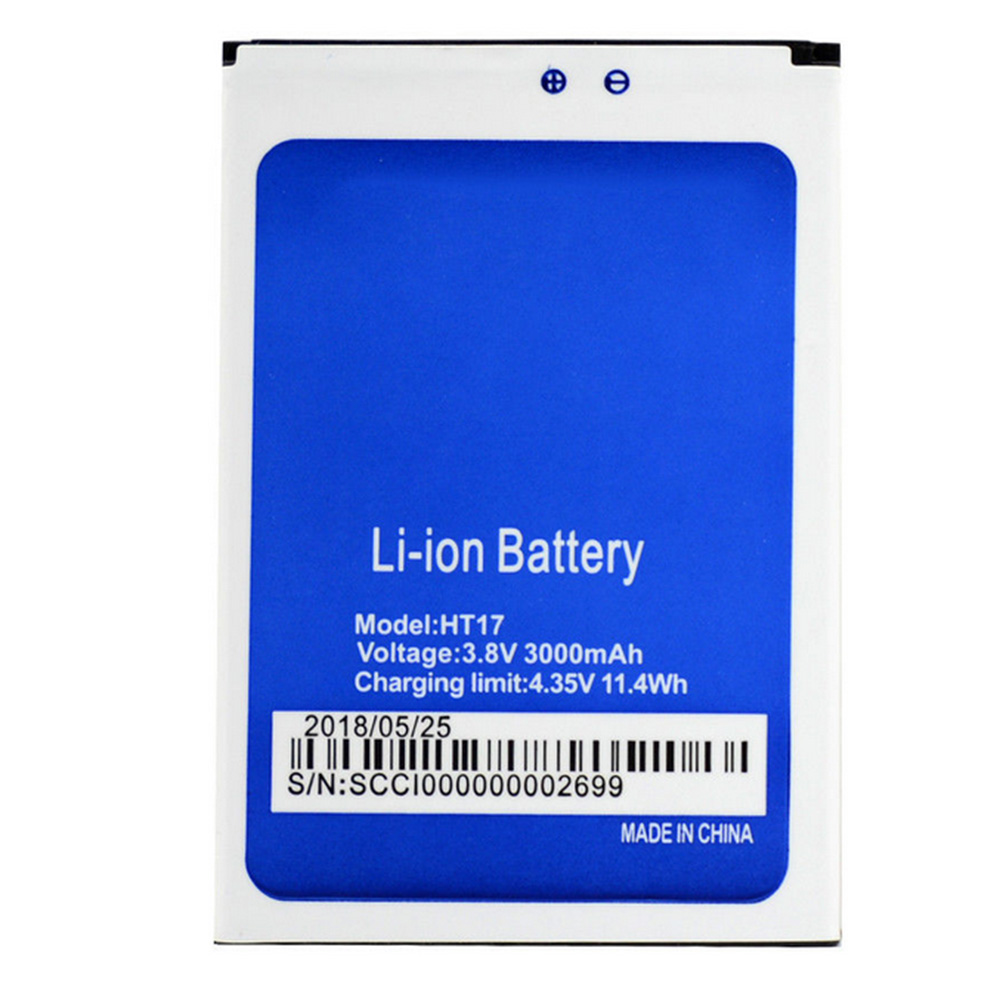
HT17

HOMTOM HT17 Specifications
Brand:Cell Phone Battery for HOMTOM
Capacity:3000mAh/11.4Wh
Voltage:3.8V/4.35V
Type:Li-ion
All products from our shop are 100% the highest quality! 
We provide the high quality Laptop Adapters!

PRODUCT COMPATIBILITY:

HT17
HT17_Pro

REPLACEABILITY WITH THE FOLLOWING MODELS:

HOMTOM HT17 HT17 Pro 

How to Maintenance your new replacement HOMTOM HT17 battery?
1. New HOMTOM HT17 battery pack must be fully charged before use.
2. New battery pack needs to be fully charged and discharged (cycled) a few times before it can condition to full capacity.
3.Laptop battery undergo self-discharging when left unused. Always store a HOMTOM HT17 battery pack in a fully charged stage for storage.
4. Fully drain and fully recharge your battery pack every few months.
5. Turn down the LCD brightness of your portable device.
6. Use built-in power management on your portable device.
7. Turn off LCD or other unnecessary accessories when not in use.
8. Set screen saver blank to 1 to 2 minutes of your notebook.
9. Add more RAM if you have extra RAM expansion slot, it will reduce the usage of hard drive and it is power exhaustive.
10. Close unused software in your HOMTOM HT17 HT17 Pro phone .
11. Remove unused PC Cards or USB devices from your notebook.
12. Don´t watch DVD or play graphics intensive video games.
13. Don´t short circuit terminal or store your HOMTOM HT17 Cell Phone Batteries pack with metal parts. 14. Don´t drop or mutilate the HOMTOM HT17 battery pack.
15. Don´t expose to moisture or water.

Related popular recommendations:
58-000049 Battery Compatible Amazon Kindle PaperWhite 2nd Gen 6″
L14M2P21 Battery Compatible Lenovo S41-70 S41-70AM
ACDP-100D01 Laptop Adapters For Sony Vaio PCGA AC19V4 ACDP-100D01
TLI017C1 Battery Compatible Alcatel One Touch OT-5027B DAWN OT-4060O STREAK OT-4060A IDEAL
088796 Battery Compatible Bose Soundlink Mini 2 Pack
PA5162U-1BRS Battery Compatible Toshiba Portege R30 R30-A series
061384 Battery Compatible BOSE SOUNDLINK Mini Series
82-71363-04 Battery Compatible MOTOROLA MC70 MC75 FR68
FX30 Battery Compatible Motorola XT1575 Moto X Pure Edition / Moto X Style
How to Charge a Battery Without a Charger

Have you ever had a dead battery in your camera at just the moment when you need them most? Worse still is a dead cell in an emergency situation. And you can’t always carry a charger with you. For those who like to (or need to) improvise, these recommendations may prove useful.

Using a Battery to Charge a Battery
1.Remove the battery from the device. You will need access to the connection points on the battery. Keep in mind that the battery is not intended to be accessed on certain models of cell phone, so know what can be done with the model you have. On most (but not all) Android and Windows phones the back can be removed with the appropriate amount of pressure in just the right spot. Do not attempt this with most Apple products.

2.Find some AA, AAA, or 9-volt batteries. Unlike the power that comes from the wall outlet (alternating current), the power in common household batteries is no different from that used by your cell phone or camera battery.

Perhaps you are baffled that anyone would suggest using one battery to charge another. Maybe you were expecting some magic trick that would allow you to add charge to your battery without having to find an alternate source of electric power. In fact, that is not possible. One of the fundamental laws of physics (the law of conservation of energy/conservation of mass) makes clear that you can’t get something for nothing.Deal with it.

It is recommended that you charge your battery rather than attempt to hotwire your electronic device and use the alternative batteries directly. Using the improper amount of amperage or voltage can potentially damage complex circuitry, so such methods are obviously not worth the risk.

3.Identify the positive and negative connectors on each battery. On the AAs and other household batteries, these will be marked. For most cell phone batteries, the positive connector will be the one closest to the edge, while the negative connector will usually be the one farthest from the edge (there may be three or four connectors, but the middle one or two are used for temperature regulation and other functions).

4.Match voltage of your battery which need to charge and other battery (AA, AAA or others with enough power to provide). Normally now a day’s Cellphone battery needs more than 3.7V DC to get charged. So multiple AA or AAAs or one 9V battery will be idle for providing a charge. Keep in mind that normal AA or AAA battery on everyday household use provide 1.5V each. So to gain more than 3.7V, you need 3 AA or AAA battery connected in series. 1.5V + 1.5V + 1.5V = 4.5V would be your power source if battery on your hand is either AA or AAA model.

5.Obtain two pieces of metal wire. Ideally, these will be covered in plastic insulation except for exposed ends.

6.Tape or clamp the wires to the battery that will be providing a charge and the battery that requires a charge. These wires may get hot (though most likely they will not if you are doing it properly). It will also take quite a long time to transfer the charge. You don’t want to be holding them the whole time.

If you are using AA and AAA batteries; you may want to connect them to each other “in serie” before attaching them to the battery requiring a charge. This means using wire to connect the negative side of all the small batteries to the negative connector on the battery that needs a charge, and the same for the positive side.

7.After some time, the battery should be charged. Keep in mind that it probably won’t be fully charged, but you should have at least some use of the device that you needed.

Using the Rubbing Trick
1.Remove the battery from the electronic device. Hold it in your hands.

2.Rub the battery hard by using both of your hands to generate enough friction and heat. Continue to do this for 30 seconds to several minutes.

Note: Your battery is not being recharged. Some internet commentators have suggested the rubbing the battery provides it with additional charge, perhaps from built up static electricity.
This interpretation is entirely incorrect.

Lithium ion cells, like all genuine batteries, release electricity as a consequence of chemical reactions. As predicted by the Arrhenius equation, these reactions become more powerful as temperatures increase.[6][7] Essentially, you are improving the conductivity of the battery by raising its temperature.

3.Place the battery back in the electronic device. You may only have a few moments of battery life, so make the most of them.

Largest range of Laptop Batteries, Chargers & AC adapters. Find the right battery, ac adapters for your phone or tablet. 12 Month Warranty,30 Days Money Back!

Protéger son smartphone de la casse

Indispensables à notre quotidien, de plus en plus chers, nos smartphones nous sont précieux et les protéger de la casse devient un impératif. Loin d’être incassables et même programmés pour tomber en panne à plus ou moins longues échéances, votre téléphone est pourtant un indispensable de votre quotidien, il est donc nécessaire de faire le protéger au mieux.

Plusieurs solutions sont possibles pour éviter les dommages sur votre téléphone, suivez le guide !

Quel intérêt de protéger son téléphone ?
Avec des smartphones de plus en plus fins et des écrans de plus en plus grands, les smartphones récents dévoilent aussi plusieurs faiblesses en risquant d’être plus facilement endommagés en cas de choc. Protéger son téléphone, c’est faire en sorte qu’il dure le plus longtemps possible.

Outre le fait qu’on espère pouvoir s’en servir le plus longtemps possible, protéger son smartphone c’est aussi s’assurer de son bon fonctionnement à long terme.

Au moment où l’envie d’un nouveau smartphone se fera sentir, vous pourrez peut-être envisager de tirer profit de votre ancien téléphone en le revendant sur le marché d’occasion. Toutefois celui-ci doit être en bon état si vous espérez en tirer un bon prix et pouvoir ainsi diminuer le coût de votre nouvelle acquisition.

La priorité : l’écran
Quand on parle de protection pour smartphone on pense souvent coque ou autre cover en oubliant l’écran ! C’est pourtant lui le point le plus fragile et le plus exposé de votre téléphone ! Les vitres étant toujours plus grandes, la surface potentiellement exposée aux chocs en cas de chute l’est aussi !

Il est donc primordial d’opter pour une protection en verre trempé. Il en existe pour les différents modèles, capables de se fondre avec l’écran, elle protège l’écran sans en changer l’utilisation. Véritable absorbeur de choc, avec une protection en verre trempé, le tactile fonctionnera très bien et l’image ne sera pas altérée, mais votre écran, lui sera complètement protégé.

Attention à la pose : l’écran comme la protection doivent être parfaitement propres. Au moment de la pose, il faudra aussi chasser correctement les bulles d’air, au risque de ne pas pouvoir profiter pleinement de votre écran.

La coque pour une protection intégrale
Si les smartphones sont conçus pour résister aux petits chocs, en cas de gros chocs ils risquent, au mieux, quelques égratignures, et au pire, d’être cabossés ou éventrés. Même si vous l’avez choisi avec soin pour sa couleur, son design, avec une coque, vous êtes assurés de limiter les dégâts en cas de choc.

Il existe de très nombreux modèles parmi lesquels des modèles en silicone qui se moule sur votre téléphone, et même transparents pour que vous puissiez pleinement profiter de votre joli téléphone.

Pour les personnes particulièrement maladroites ou évoluant dans un contexte à risque, notamment les métiers en extérieur, sachez qu’il existe des coques tout terrain qui résistent à peu près à tout ! Renforcées, elles protègent vos téléphones avec des matériaux qui absorbent les chocs. Parfois plus lourdes, elles sont souvent moins élégantes mais au diable l’élégance quand il s’agit de faire durer son téléphone portable !

Les flip-covers pour conjuguer protection et aspects pratique.
Les couvertures intégrales offrent une protection plus rigide que la simple coque mais elles offrent la possibilité de stocker des cartes et autres tickets de transports ou paiement.

Grâce à la couverture, tout le téléphone est protégé, écran inclus. En contrepartie le téléphone est complètement caché par la couverture, mais rien n’empêche d’opter pour une jolie couverture qui correspond à vos goûts !

>>>>>>>>>>>>>Cell Phone Battery

How to Know when You Have to Get a Replacement Battery

Between browsing the internet, playing games, and using other apps, the battery on your phone or laptop takes a daily beating. Batteries have limited life spans and can wear down as they get older and are used more and more. It will become necessary to replace your battery, but it can be hard to tell exactly when you should make the change. This article will help you know when you have to get a replacement battery.

1.Check for excessive heat when the battery is in use. A little heat is normal when batteries are recharging or working, but excessive heat can be a sign that they are dying. Notice if the battery starts to heat up significantly more than normal, or compare your suspicious battery to a newer one to see if there is a significant difference in heat.

2.See if your battery gets bloated or swells up. Sometimes when the rechargeable batteries start depleting, the internal cell ruptures and starts leaking. A small bulge will be the first visible sign of this starting. To check if the battery is bloated, place it on flat surface. If it wobbles or does not lie down properly, that could mean it’s depleting.

Using bloated batteries is riskier as they might explode on being charged.

3.Notice any reduced battery performance. A fully charged phone battery should provide at least 20 hrs of battery life on standby mode and minimum 7 hrs on usage, while laptop batteries usually have a life of around 2.5 – 3 hrs on usage and several days of shelf life. If your battery lasts for a significantly shorter period of time, or if you’ve noticed a decrease in the battery life during the time that you’ve had your device, this could be a sign that the battery is wearing down.

4.Take note of any automatic or sudden losses of power. Sometimes when the unit’s capacity is deteriorated it still as fully charged, after only charging very little. When you use it, it shows the battery as depleting very fast. Sometimes, the battery may shut down, powering off the device, while you are using heavy applications or on a call for a long time. This generally appears with excessive heating of the battery.

If when you switch the phone back on, you find that the battery is not hot and there is still power left, then phone is faulty but your battery should be fine.

5.Look for visible corrosion or physical changes. See if the terminals and electric panels on the battery appear to be rusted. No matter how small the area is, show it to a specialist. Visible corrosion means that there is some internal problem and it is time to change the battery. Continuing with the corrosive battery may end up destroying the phone.

Tips
You must know where you can get a proper replacement battery. It is important to check that the specification of the replacement battery is same as the rechargeable battery and is compatible with the device.

All Cell Phone Battery in oriccabattery.co.uk online store, such as Acer, Asus, Gateway, Apple, HP, Compaq, Sony, Fujitsu, Lenovo, Toshiba or MSI Cell Phone Battery and so on.

VARTA CP1654 A3 Bluetoot Headset VARTA CP1654_A3 Battery

Buy VARTA CP1654_A3 Battery replacement for VARTA CP1654 A3 Bluetoot Headset.

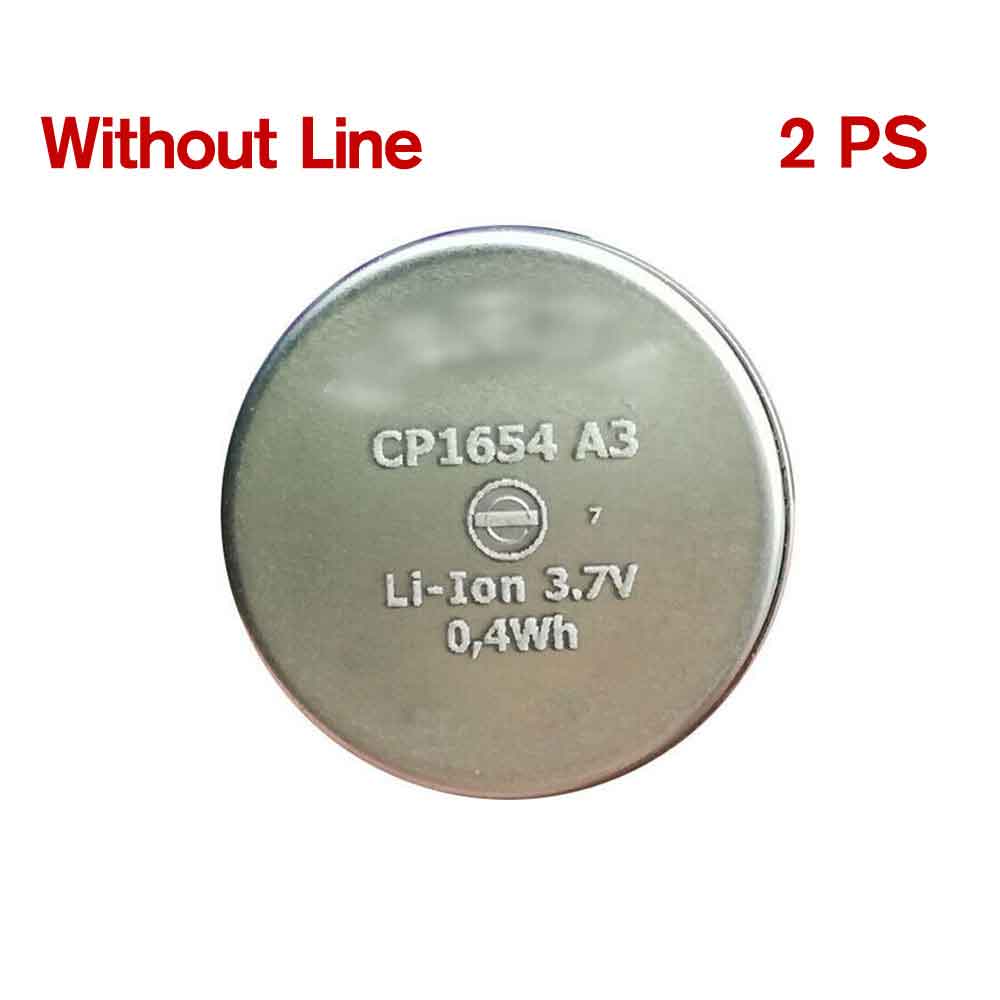
Fit Machine Model VARTA CP1654 A3 Bluetoot Headset – 0.4WH – 3.7V.

All products from our shop are 100% the highest quality! We provide the high quality Laptop Batteries. VARTA CP1654_A3 battery is best compatible with the original equipments. 

OriccaBattery.co.uk ◆Free Shipping ◆ One year warranty ◆ 30 days money back guarantee.

Battery CP1654_A3 Replacement For VARTA CP1654 A3 Bluetoot Headset

CP1654_A3

VARTA CP1654_A3 Specifications
Brand: Battery for VARTA
Capacity:0.4WH
Voltage:3.7V
Type:Li-ion
All products from our shop are 100% the highest quality! 
We provide the high quality Laptop Adapters!

PRODUCT COMPATIBILITY:

CP1654_A3

REPLACEABILITY WITH THE FOLLOWING MODELS:

VARTA CP1654 A3 Bluetoot Headset 

How to Maintenance your new replacement VARTA CP1654_A3 battery?
1. New VARTA CP1654_A3 battery pack must be fully charged before use.
2. New battery pack needs to be fully charged and discharged (cycled) a few times before it can condition to full capacity.
3.Laptop battery undergo self-discharging when left unused. Always store a VARTA CP1654_A3 battery pack in a fully charged stage for storage.
4. Fully drain and fully recharge your battery pack every few months.
5. Turn down the LCD brightness of your portable device.
6. Use built-in power management on your portable device.
7. Turn off LCD or other unnecessary accessories when not in use.
8. Set screen saver blank to 1 to 2 minutes of your notebook.
9. Add more RAM if you have extra RAM expansion slot, it will reduce the usage of hard drive and it is power exhaustive.
10. Close unused software in your VARTA CP1654 A3 Bluetoot Headset .
11. Remove unused PC Cards or USB devices from your notebook.
12. Don´t watch DVD or play graphics intensive video games.
13. Don´t short circuit terminal or store your VARTA CP1654_A3 Batteries pack with metal parts. 14. Don´t drop or mutilate the VARTA CP1654_A3 battery pack.
15. Don´t expose to moisture or water.

Related popular recommendations:
58-000049 Battery Compatible Amazon Kindle PaperWhite 2nd Gen 6″
L14M2P21 Battery Compatible Lenovo S41-70 S41-70AM
ACDP-100D01 Laptop Adapters For Sony Vaio PCGA AC19V4 ACDP-100D01
TLI017C1 Battery Compatible Alcatel One Touch OT-5027B DAWN OT-4060O STREAK OT-4060A IDEAL
088796 Battery Compatible Bose Soundlink Mini 2 Pack
PA5162U-1BRS Battery Compatible Toshiba Portege R30 R30-A series
061384 Battery Compatible BOSE SOUNDLINK Mini Series
82-71363-04 Battery Compatible MOTOROLA MC70 MC75 FR68
FX30 Battery Compatible Motorola XT1575 Moto X Pure Edition / Moto X Style