Sony raises Playstation 5 prices across Europe, Australia, and New Zealand

Sony has begun raising PS5 prices worldwide in response to the current economic situation caused in part by the Trump trade tariff increases, which has affected the yen and price of components.
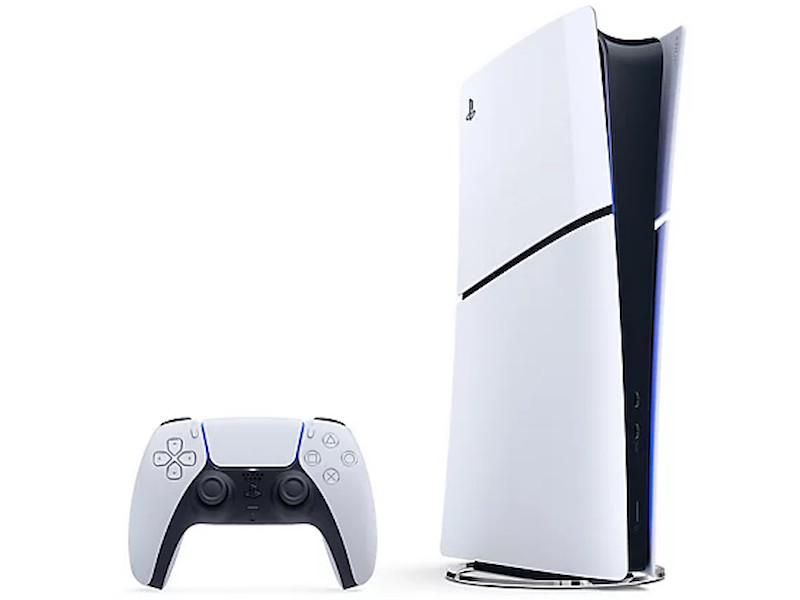
Sony has increased PS5 prices across the EU, Australia, and New Zealand due to tariff and yen trade conditions. (Image source: Sony)

Sony has increased PS5 prices across the EU, Australia, and New Zealand due to tariff and yen trade conditions. (Image source: Sony)

Sony has announced price changes to the Playstation 5 and Disc Drive for PS5 due to current market conditions, which are being affected negatively for Japanese console makers by US tariffs and a poorer yen trade currency market. Readers who fear prices on imported game consoles will keep rising should consider buying a Playstation 5 Pro at today’s prices here on Amazon.

The Trump administration has increased tariffs on almost all countries it trades with over the past weeks, with increases as high as 145% for China. This has had a dramatic effect on the yen to foreign currency trade as well as the price of components imported and consoles exported from Japan.

In response to current market conditions, Sony will on April 14 make the following PS5 price changes:

  • Europe – Increase price of PS5 Digital Edition to €499.99
  • UK – Increase price of PS5 Digital Edition to £429.99
  • Australia – Increase standard PS5 with Ultra HD Blu-ray disc drive to AUD $829.95
  • Australia – Increase PS5 Digital Edition to AUD $749.95
  • New Zealand – Increase standard PS5 with Ultra HD Blu-ray disc drive to NZD $949.95
  • New Zealand – Increase PS5 Digital Edition to NZD $859.95

>>>Replacement battery for Sony PlayStation 5 PS5 DualSense Controller CFI-ZCT1W

The current price of the PS5 Digital Edition in the UK is £339.99, so the planned price increase to £429.99 is a 26.5% increase.

Use and demand for games delivered on physical optical media, from DVDs to Blu-Rays to PS5 games, has declined in recent years with the shift to digital delivery. Sony will on April 14 make the following Disc Drive for PS5 price changes:

  • Europe – Decrease price to €79.99
  • UK – Decrease price to £69.99
  • Australia – Decrease price to AUD $124.95
  • New Zealand – Decrease price to NZD $139.95

The current price of the Disc Drive for PS5 in the UK is £99.99, so the planned price decrease to £69.99 is a 30.0% decrease.

>>>Replacement battery for Sony PlayStation PS Vita 1000 PCH-1001 PCH-1101

Source(s)

Playstation blog
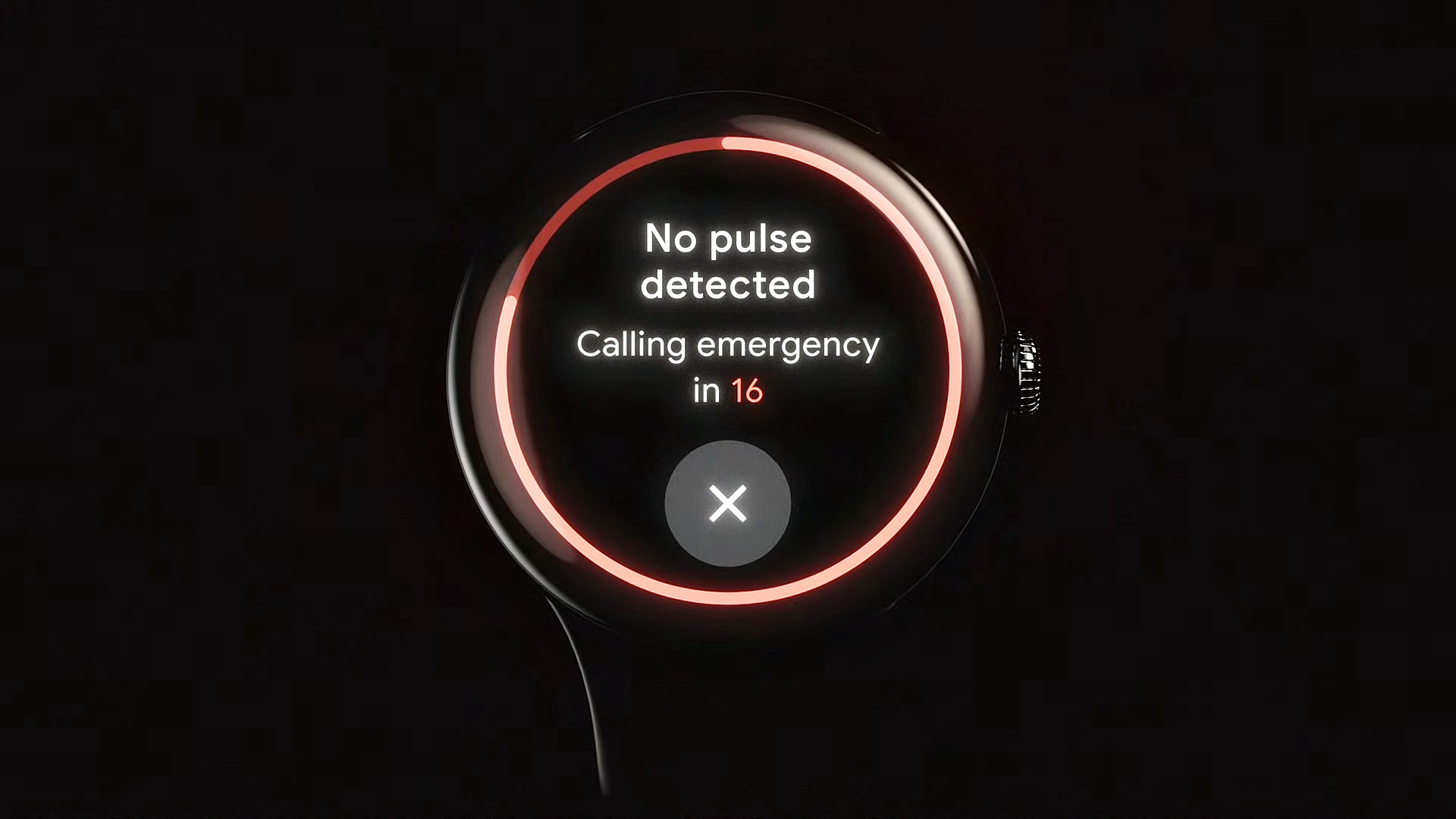
Google’s new life-saving tool just launched in the U.S. — here’s how to use it on your Pixel Watch

How to set up Loss of Pulse Detection on your Pixel Watch 3

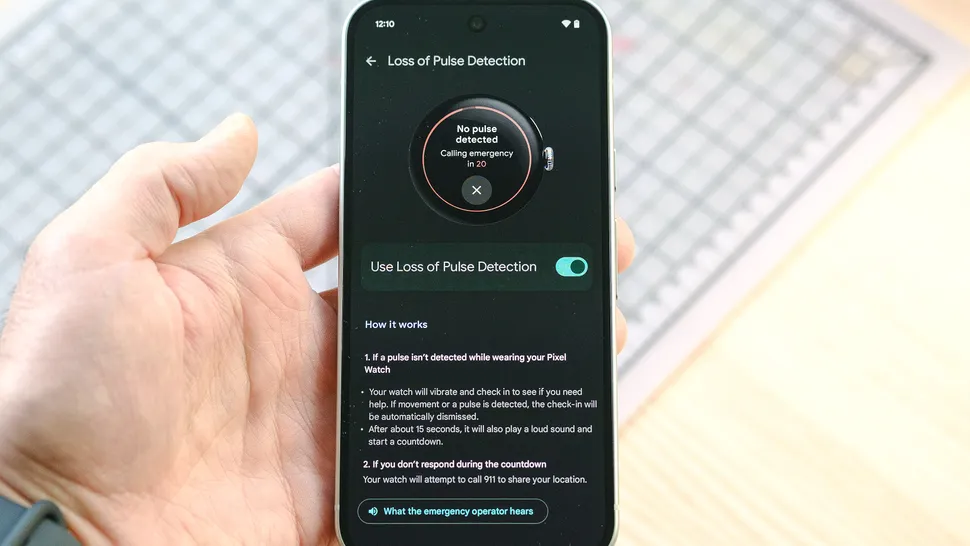
A presentation slide showing the Pixel Watch 3's new Loss of Pulse Detection feature

(Image credit: Google)

When theGoogle Pixel Watch 3first launched in 2024, one of its marquee new health features — Loss of Pulse Detection — wasn’t available for U.S. customers.

Despite this, thePixel Watch3 still impressed us enough to earn a spot on ourbest smartwatchlist. Now, seven months after the U.S. release date, Google’sLoss of Pulse DetectionisFDA-approvedand rolling out to U.S. Pixel Watch 3 customers from Sacramento to Bangor.

A potentially life-saving tool, Loss of Pulse Detection is a first-of-its-kind feature for a smartwatch. While other models can alert you to signs of sleep apnea or atrial fibrillation (AFib), Google’s tool is aimed at getting you help during a cardiac emergency.

Similar to fall or crash detection, it can automatically contact emergency services if a cardiac event is logged and you’re unresponsive.

Best of all, setting up Loss of Pulse Detection on your Google Pixel Watch 3 is a quick and easy affair. Follow along and I’ll show you how to do it in seven steps.

>>>Replacement battery for Google Pixel 9 Pro Fold

How to use Loss of Pulse Detection on your Google Pixel Watch 3

  1. Ensure your software is up-to-date
  2. Open the Personal Safety app on your watch and scroll down
  3. Open the Watch app on your phone and tap ‘Loss of Pulse Detection’
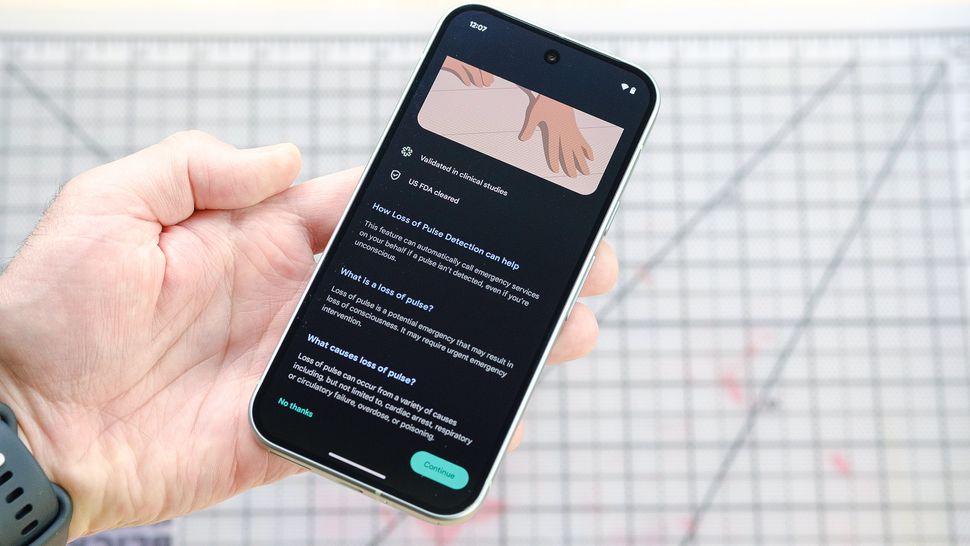
  4. Read about the setup process and tap ‘Continue’
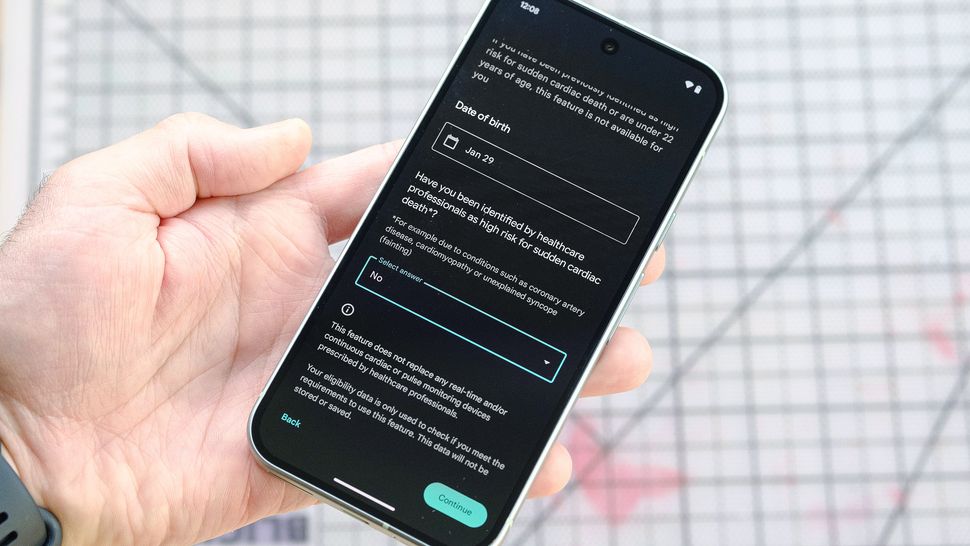
  5. Verify your eligibility and tap ‘Continue’
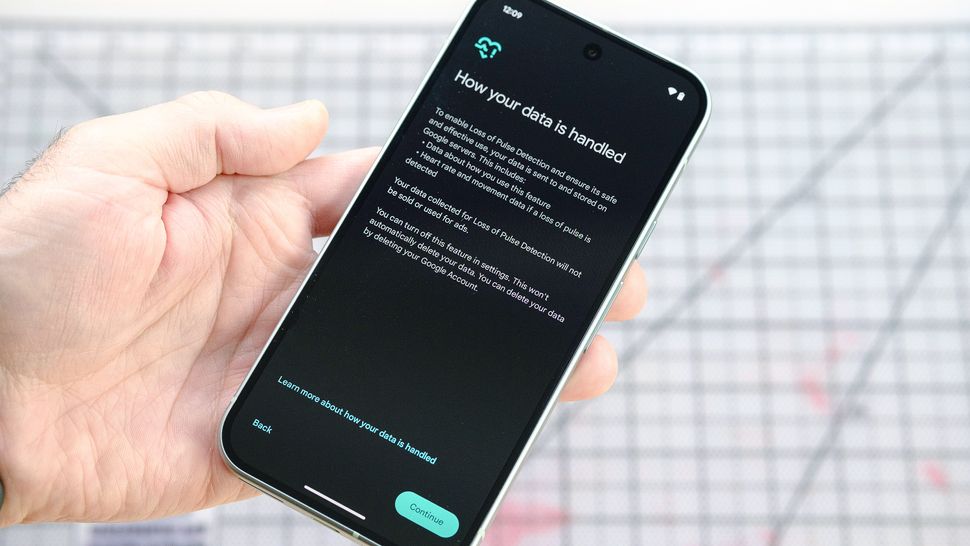
  6. Read through the info and click ‘Continue’ on the next two screens
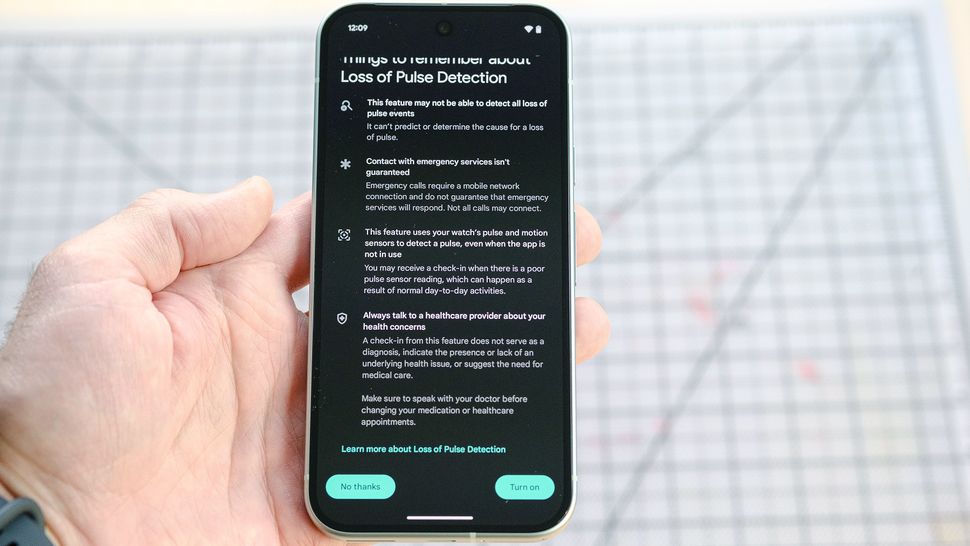
  7. At the bottom of ‘Things to Remember’ tap ‘Turn on’

Read on to see full illustrated instructions for each step.

>>>Replacement battery for Google GDHB7

1. Ensure your software is up-to-date

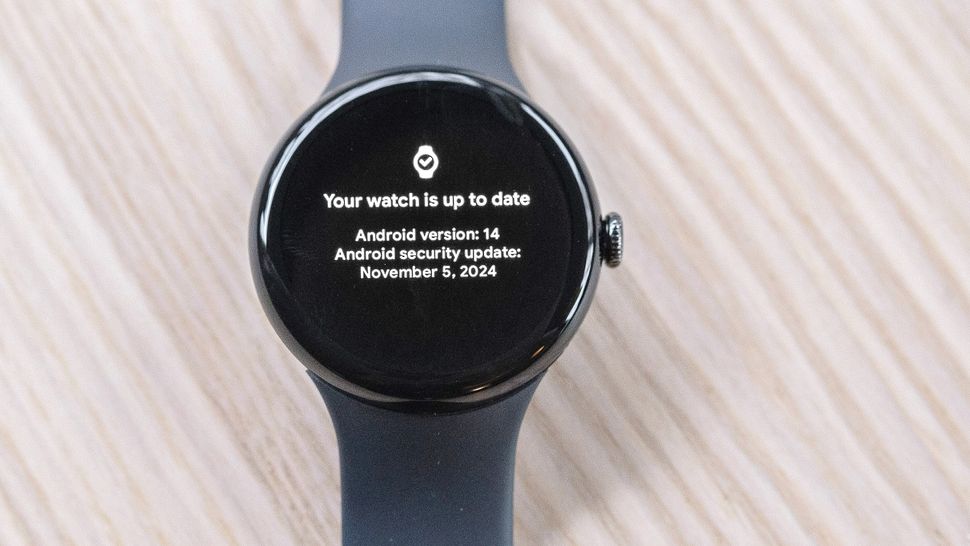
To access Google’s new Loss of Pulse Detection feature, you’ll want toensure that your Pixel Watch 3 is running the latest version of Wear OS. As of writing, that’s 15.1. It’s also a good idea tomake sure your companion Pixel phone is also up-to-dateon the software front.Android 15is the newest release. Need a refresher on the update process? Here’s everything you need to know aboutupdating Android.

>>>Replacement battery for Google Pixel Fold

2. Open the Personal Safety app on your watch

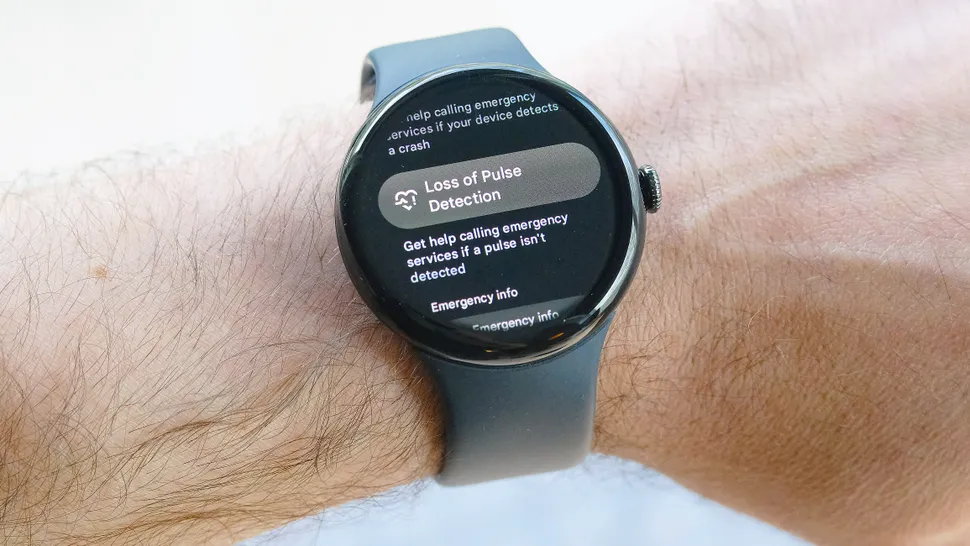
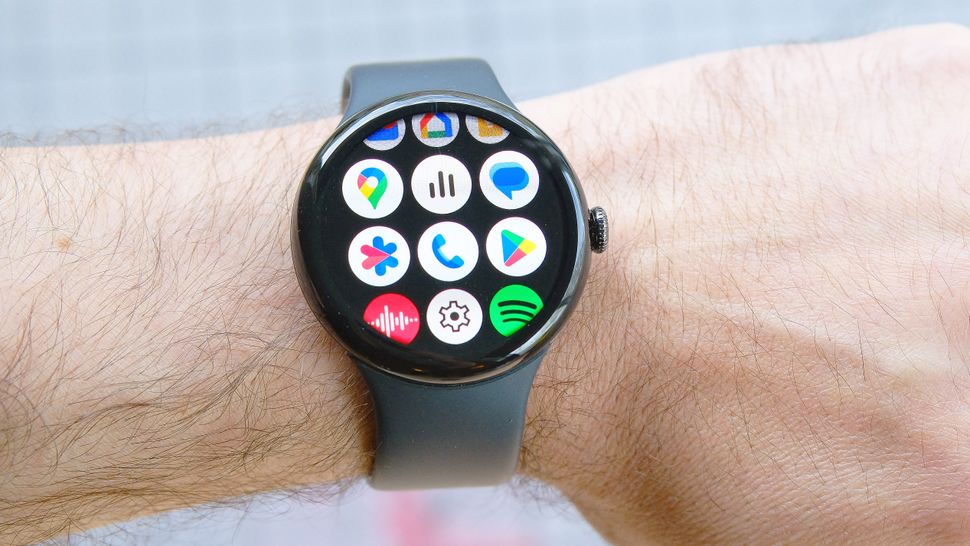
With both your smartwatch and smartphone up-to-date, it’s time to enable Loss of Pulse Detection. To do this,head to the Personal Safety app on your Pixel Watch 3. Once there,scroll down until you see ‘Loss of Pulse Detection.’Go ahead andtap on it. If you’re not seeing Loss of Pulse Detection listed, try restarting your Pixel Watch and checking again.

3. Open the Watch app on your phone and tap ‘Loss of Pulse Detection’

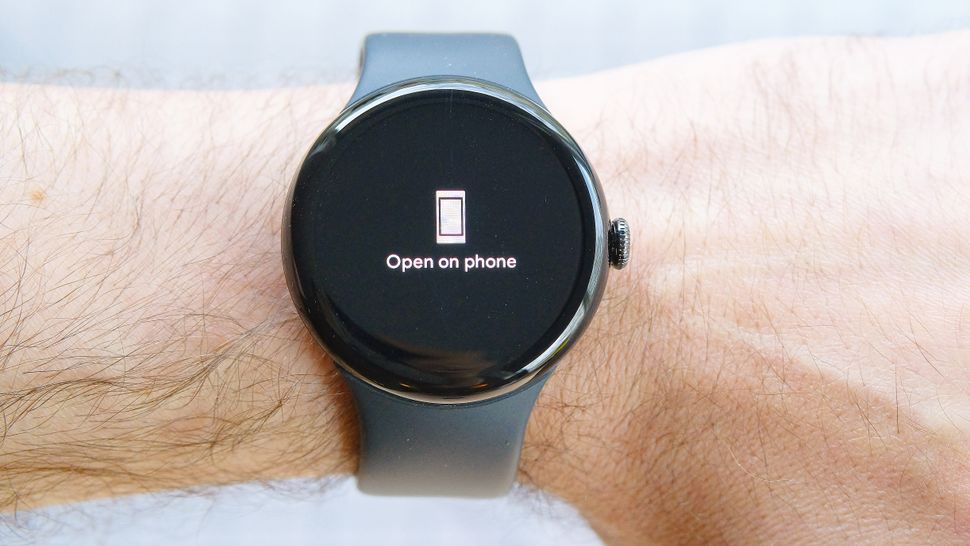
After tapping on ‘Loss of Pulse Detection’ in the Personal Safety app, a message should appear instructing you to open your phone. Go ahead andunlock your phone.The Watch app should automatically openanda brief summary of the setup process should appear. Note: The rest of the Loss of Pulse Detection process takes place on your phone.

4. Read about the setup process and tap ‘Continue’

Read through the info on the screen (if you like). When finished, scroll to the bottom and tap ‘Continue.’

5. Verify your eligibility and tap ‘Continue’

You’ll now need to verify your eligibility to use Loss of Pulse Detection. Go ahead andenter your date of birth in the first field. Nextanswer the yes or no question. When complete,head to the bottom right and click ‘Continue.’

6. Read through the info and click ‘Continue’ on the next two screens

The app will then present a couple of screens with information on data usage and limitations of the feature.Read through these two screens(again, if you like) andtap ‘Continue’when you’re done.You’re almost there!

7. At the bottom of ‘Things to Remember’ tap ‘Turn on’

The final screen in the setup process shows you a list of ‘Things to Remember’ about Loss of Pulse Detection. When finished reading through the bulleted points,head to the bottom of the screen and tap ‘Turn on.’Voila, you’re done.

There you have it, Google’s innovative new Loss of Pulse Detection is up and running in just seven easy-breezy steps. Now you can wear your Google Pixel Watch 3 with even more confidence knowing that it can help you out during a medical emergency.

Of course, in addition to Loss of Pulse Detection, the Pixel Watch 3 offers all sorts of other useful safety features worth exploring including Fall and Car Crash Detection, an Emergency SOS function, real-time location sharing and more.

Razer’s PC Remote Play app lets you stream PC games to your mobile devices

Razer’s new streaming service is allegedly the easiest PC-to-mobile streaming service to use.

Razer PC Remote Play

(Image credit: Razer)

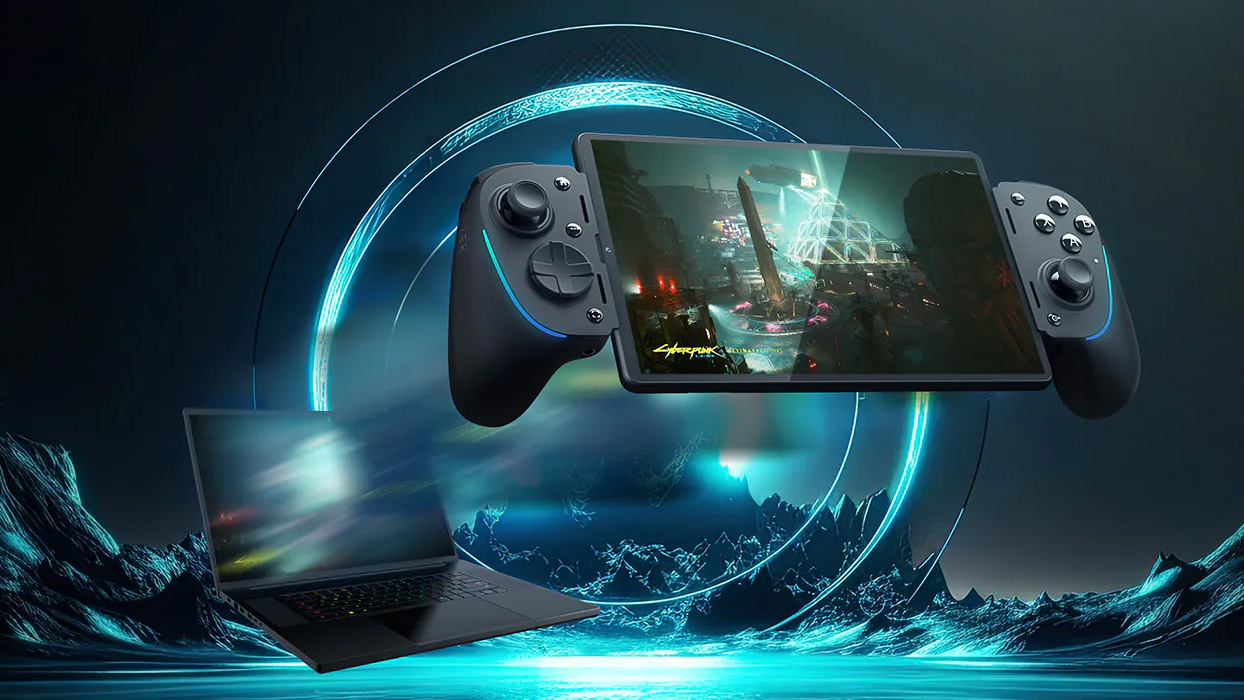
Razer has launchedRazer PC Remote Play, a new streaming platform that allows PC gamers to stream their PC games to their iOS or Android devices. The platform supports all mobile gaming controllers compatible with the aforementioned operating systems and uses AV1 encoding to provide a high-quality, low-latency gaming experience.

Razer PC Remote Play makes all your (supported) PC games easily accessible from your mobile device within the Razer Nexus app. Currently, the platform supports Steam, PC Game Pass, Epic Games “and more.” Razer’s remote software requires a Windows 10 host PC and a mobile device equipped with iOS 18 or Android 14 (or newer) to be the streaming device.

One perk Razer has over its competitors is full support of a mobile device’s display capabilities. Typically, PC-to-mobile streaming services are limited to the output of the host PC’s video specifications. However, Razer’s PC remote play platform can automatically adjust display resolution and refresh rate to match the streaming device. This is very beneficial for smartphones, which typically have an aspect ratio of around 21:9.

>>>Replacement battery for Razer RZ09-0510SGM4-R3G1 BLADE 16 2023 GEFORCE RTX 4070

Beyond support for all mobile gaming controllers, Razer offers additional haptic support (dubbed Razer Sensa HD Haptics) for its Razer Kishi Ultra controller, a mobile gaming controller built for Android devices. iPads also get additional peripheral support and are fully compatible with keyboards, mice, and trackpads.

According to a Razer product developer on Reddit, Razer tailors its remote play platform around user-friendliness and ease of use compared to its competitors. Most other platforms, such as Moonlight orSteam Remote Play, require user tinkering to dial in the optimum settings. However, Razer PC Remote Play is allegedly a lot more straightforward. As previously mentioned, it automatically quits games when you’re done playing them and automatically adjusts resolution and refresh rate.

>>>Replacement battery for Razer Blade Ryzen 14 2021 2022

The streaming service is free to use; you just need to download the Razer PC Remote Play and Razer Nexus apps on your mobile device and the Razer Cortex app on your PC.

Windows 11’s controversial Recall feature could soon arrive for Copilot+ PCs – I just hope Microsoft’s tightening of its privacy is up to scratch

There’ll be no shortage of security experts and hackers lining up to test Recall’s defenses, let’s face it

A woman sitting in a chair looking at a Windows 11 laptop

(Image credit: Microsoft)


  • Recall has entered the final stage of testing in Windows 11 previews
  • This means it could soon be released for all Copilot+ PCs
  • However, the rollout will likely be a gradual one (as is the case in Release Preview testing right now)

Those wondering whereWindows 11’s controversial Recall feature has got to –last seen lost in testing somewhere– well, it looks like Microsoft is readying to release this AI-powered search functionality for real soon enough.

The Vergehighlighted thatMicrosofthas pushed out a new test build (version 26100.3902) in the Release Preview channel, and that this comes with both Recall and itspartner feature Click to Do(context-sensitive AI-driven suggestions).

There are four main testing channels for Windows 11, and Release Preview is the last stage before hitting finished versions of the desktopoperating system– as the name denotes, it’s the final stage before release.

In short, it looks like Recall and Click to Do could soon arrive for everyone (who has aCopilot+ PC– remember, these AI features need thepowerful NPUthat’s a requirement for those devices).

When Recall does pitch up, it’ll be optimized for only an initial small set of languages. Those are: English, Chinese (Simplified), French, German, Japanese, and Spanish.

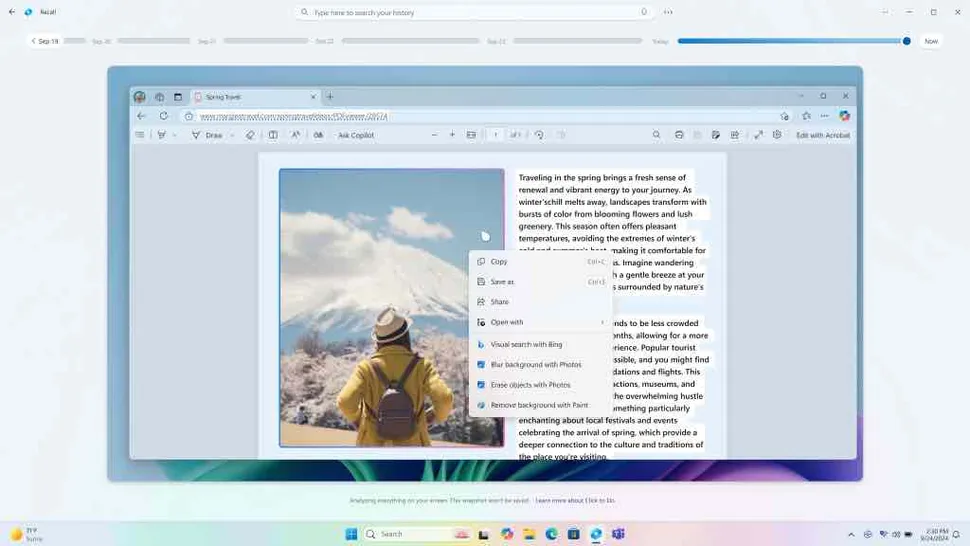
For those who’ve forgotten – though that’s unlikely, given all thecontroversy this capability has caused since its revelationlast year – Recall uses AI and regularly taken screenshots of the activity on your PC to drive an in-depth natural language search. (Queries such as: “Find that document where I wrote my packing list for holidays abroad.”)

While that certainly promises to be very useful, there have been many privacy and security concerns around Recall, which has led Microsoft to take a bunch of steps to shore up those areas. That includes the introduction ofWindows Hello sign-into confirm it’s actually you present at the Copilot+ PC when using Recall.

>>>Replacement battery for Microsoft Surface Pro X 13″ Tablet

(Image credit: Microsoft)

Analysis: A pivotal moment for Copilot+ PCs

This is exciting news for those who want to use Recall, of course, and interesting for those of us who don’t feel drawn to the feature yet, but still want to see how it plays out in the real-world.

This is Microsoft’s cornerstone AI feature for Copilot+ PCs, of course, so it’s going to be watched keenly by a whole lot of eyes. And prodded and poked at by a whole lot of security experts and hackers (white hat or otherwise).

Will Microsoft be nervous? Most likely, certainly about the reaction this is going to be met with, andhow bulletproof Recall actually is security-wise, when it launches on a grand scale – although we need to hold our horses a bit on that front.

Recall will still likely be labelled a preview ability, even when it releases to finished Windows 11 Copilot+ devices. There’ll be a limited rollout to begin with, as well, when Recall formally debuts. Even right now in testing, Microsoft has said that the rollout is a gradual one, so not all testers will see this straight away. I’m guessing the speed of the rollout in Release Preview will depend on how well this last phase of testing progresses.

>>>Replacement battery for MSI Summit E13FlipEvo A11MT-205RU-WW71185U16GXXDX10P

In the footnotes for the blog post for this new preview build, Microsoft tells us that Recall will be available in “early 2025 in most markets” which is a bit odd, seeing as that timeframe has already sailed in my book. (I’d call Q1 the early part of the year, and of course we’re in Q2 now, in April).

However, Microsoft also clarifies that Recall won’t be coming to Europe early in 2025, and that it’ll be “rolling out to the European Economic Area later this year” instead. That’s presumably due to the data regulations in that region, which has been the cause of a number of capabilities being put on ice.

Microsoft is about to launch Recall for real this time

The long-delayed feature will begin gradually rolling out to Windows Insiders.

STK095_Microsoft_04

Microsoft is starting to gradually roll out a preview of Recall, its feature that captures screenshots of what you do on a Copilot Plus PC to find again later, to Windows Insiders, according toa blog post published Thursday.

This new rollout could indicate that Microsoft is finally getting close to launching Recall more widely. Microsoft originally intended to launch Recall alongside Copilot Plus PCs last June, but the featurewas delayedfollowing concerns raisedby security experts. The company then planned to launch it in October, but thatgot pushedas well so that the company could deliver “a secure and trusted experience.”

>>>Replacement battery for Microsoft Surface Pro 9 2032 1996 1997 2038

The company did release a preview of Recallin Novemberto Windows Insiders in the Dev Channel for Qualcomm Copilot Plus PCs and made a preview available to Intel- and AMD-powered Copilot Plus PCshortly after. And after a couple weeks of testing, my colleague Aria said thatRecall is “creepy, clever, and compelling.”

In Thursday’s blog post, Microsoft spells out that you have to opt in to saving snapshots with Recall, and you can pause saving them “at any time.”