HP ZBook 17 G3 90Wh 11.4V Battery

Buy HP VV09XL Laptop Battery replacement for HP ZBook 15 G4 G3 17 G3.

Fit Machine Model HP ZBook 15 G4 G3 17 G3 – 90Wh – 11.4V.

All products from our shop are 100% the highest quality! We provide the high quality Laptop Batteries. HP VV09XL battery is best compatible with the original equipments. 

OriccaBattery.co.uk ◆Free Shipping ◆ One year warranty ◆ 30 days money back guarantee.

Battery VV09XL Replacement For HP ZBook 15 G4 G3 17 G3
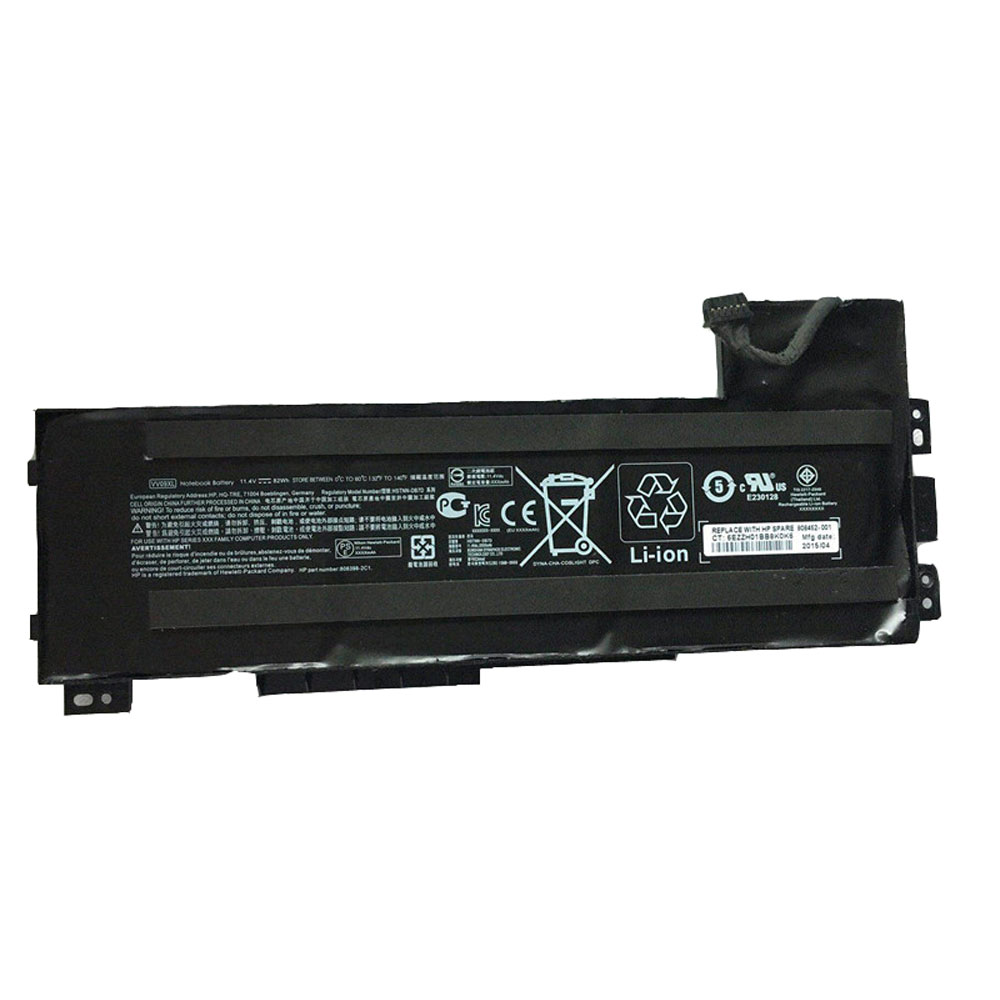
VV09XL

HP VV09XL Specifications
Brand: Laptop Battery for HP
Capacity:90Wh
Voltage:11.4V
Type:Li-ion
All products from our shop are 100% the highest quality! 
We provide the high quality Laptop Adapters!

PRODUCT COMPATIBILITY:

VV09XL
HSTNN-DB7D
808398-2C1
808452-001

REPLACEABILITY WITH THE FOLLOWING MODELS:

HP ZBook 15 G3
HP ZBook 17 G3 Series 

How to Maintenance your new replacement HP VV09XL battery?
1. New HP VV09XL battery pack must be fully charged before use.
2. New battery pack needs to be fully charged and discharged (cycled) a few times before it can condition to full capacity.
3.Laptop battery undergo self-discharging when left unused. Always store a HP VV09XL battery pack in a fully charged stage for storage.
4. Fully drain and fully recharge your battery pack every few months.
5. Turn down the LCD brightness of your portable device.
6. Use built-in power management on your portable device.
7. Turn off LCD or other unnecessary accessories when not in use.
8. Set screen saver blank to 1 to 2 minutes of your notebook.
9. Add more RAM if you have extra RAM expansion slot, it will reduce the usage of hard drive and it is power exhaustive.
10. Close unused software in your HP ZBook 15 G4 G3 17 G3 laptop .
11. Remove unused PC Cards or USB devices from your notebook.
12. Don´t watch DVD or play graphics intensive video games.
13. Don´t short circuit terminal or store your HP VV09XL Laptop Batteries pack with metal parts. 14. Don´t drop or mutilate the HP VV09XL battery pack.
15. Don´t expose to moisture or water.

Related popular recommendations:
58-000049 Battery Compatible Amazon Kindle PaperWhite 2nd Gen 6″
L14M2P21 Battery Compatible Lenovo S41-70 S41-70AM
ACDP-100D01 Laptop Adapters For Sony Vaio PCGA AC19V4 ACDP-100D01
TLI017C1 Battery Compatible Alcatel One Touch OT-5027B DAWN OT-4060O STREAK OT-4060A IDEAL
088796 Battery Compatible Bose Soundlink Mini 2 Pack
PA5162U-1BRS Battery Compatible Toshiba Portege R30 R30-A series
061384 Battery Compatible BOSE SOUNDLINK Mini Series
82-71363-04 Battery Compatible MOTOROLA MC70 MC75 FR68
FX30 Battery Compatible Motorola XT1575 Moto X Pure Edition / Moto X Style
How To Extend Your Laptop’s Battery Life

Laptops have an advantage over smaller electronics when it comes to the battery. They have more room to put a power source in a laptop than phones or portable media players.

But as applications become increasingly demanding and your work requires more and more mobility, it’s very possible that your laptop battery still isn’t up to snuff.
Try these tips to prolong your battery life. Can you make it through the work day on a single charge?

  • Keep your laptop battery cool. Battery power saps more quickly when the battery is hot. Keep vents clear and don’t put your laptop on a pillow or other surface that will cover vents and trap heat.
  • Don’t keep your laptop plugged in. If you rarely unplug your laptop, you’re leaving it in a state of perpetual charge at 100 percent. That’s bad for the battery’s long-term health. Unplug it on occasion and let the battery drain.
  • Put your computer to sleep when not in use. If you’re taking a break, let your computer take one as well.
  • Remove the battery if you’re working at your desk for a while. When you remove it, don’t store it fully charged. Aim for the middle: between 40 and 50 percent.
  • Buy an extra battery. Keep a spare battery on hand in case you can’t get to a power outlet.
  • Close nonessential programs. The more your computer does, the more battery power it requires. Close any programs or background applications you’re not using.
  • Disable wifi. Obviously there are times that having wireless internet is required, but for your next presentation or writing marathon, save your battery (and your focus) by turning it off.
  • Turn off Bluetooth. Turn off your laptop’s Bluetooth when you’re not connected to a phone or other peripheral.
  • Disable screen savers. Complex moving images are tough on your battery. Don’t opt in for them.
  • Change power options. Macs and PCs have built-in functions to help you maximize battery life and efficiency. You can set the computer to effectively balance features like auto-sleep and screen brightness to make sure you’re productive at your laptop all day without worrying about the battery.

Try a third-party power management tool. We like NightWatchman for PC and Power Manager for Mac.

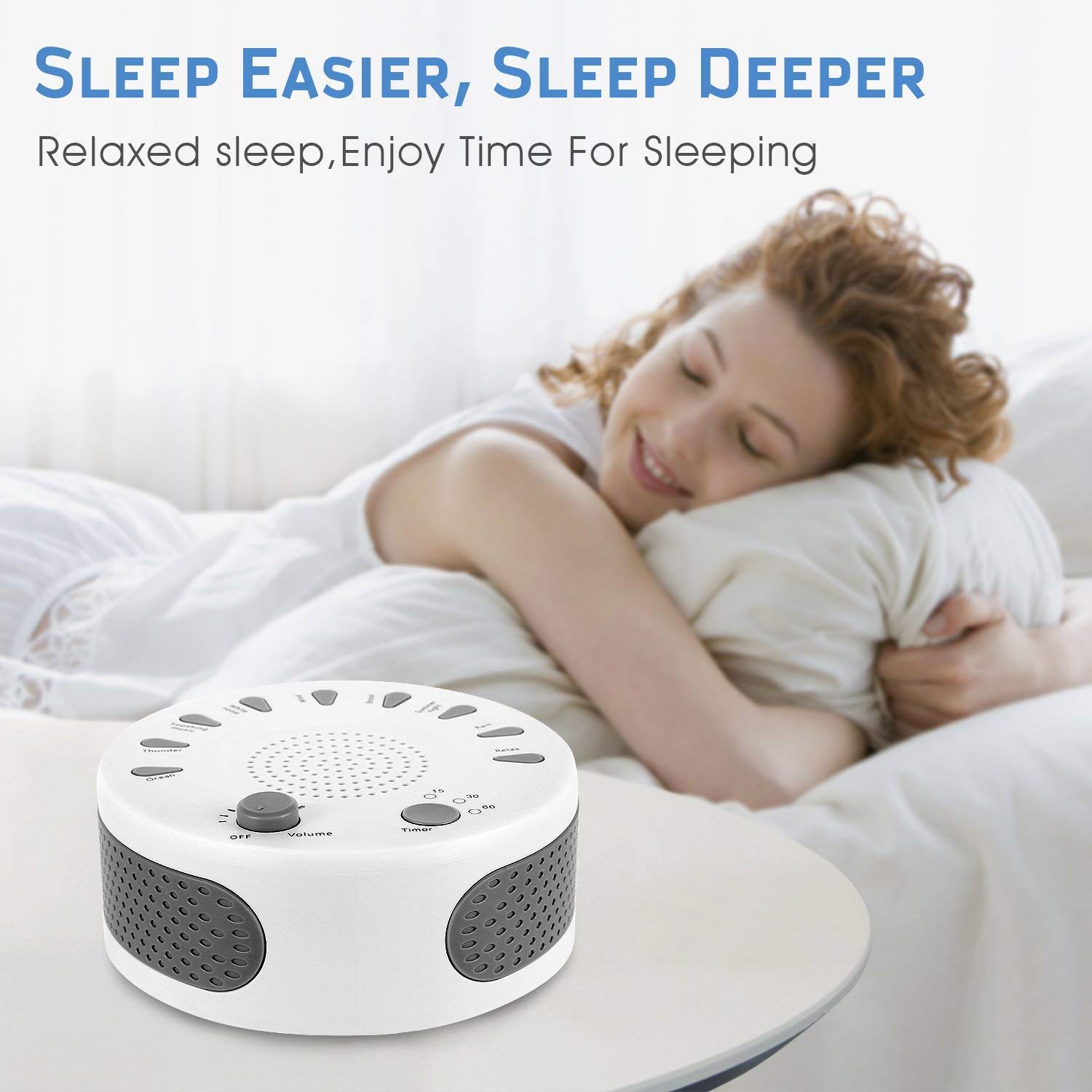
White Noise Machine Sleep Helper Sound Relaxation Machine Rekome Sleep Therapy Sound Machine with 9 Unique Natural Sounds

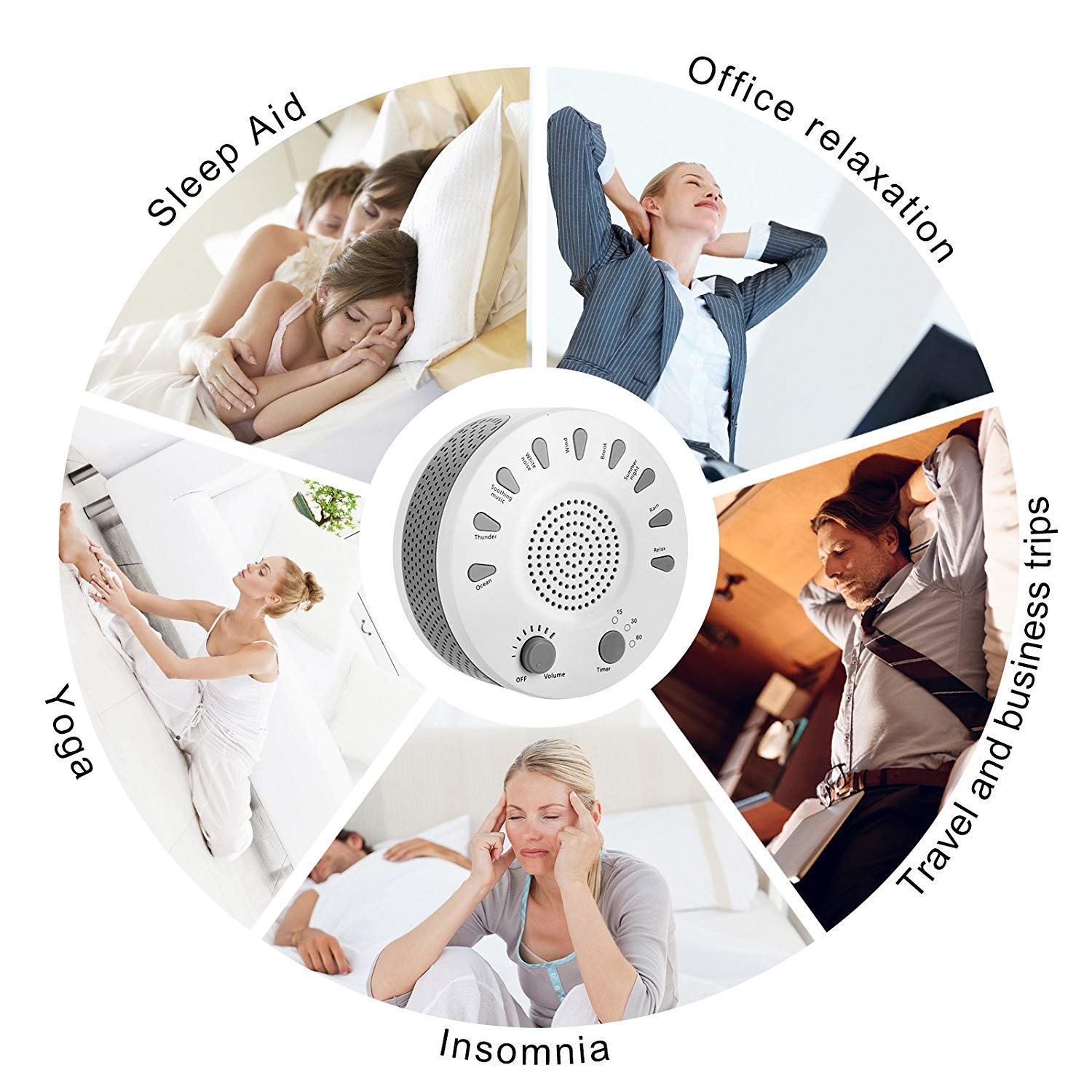
This sound machine with 9 kinds of sounds, including White Noise, Ocean, Thunder, Soothing music, Wind, Brook, Summer night , Rain and Relax music. All the sounds played by this machine are crisp, natural, realistic, and without any scratching noises.

Blocks unwanted noises: With this device,you will surely get a better and more relaxing night’s sleep .The sound sleep machine mask unwanted noise and give you a comfortable environment to sleep.

Convenient & Portable: Compact, basic and lightweight design, easy to put into your bag and power it conviniently by USB charging or AA batteries. So you can enjoy a smoothing sleep anywhere .

Focusing enhancement: Using this machine in your office or study area can help you focus on the thin gs important and get things done efficientl y. It’s also a simple solution to improve privacy and make sure that your conversations won’t distract others.
Best gift for anyone in your family!

Smoothing Definition Sound: The portable sound machine with crystal clear quality sound speaker, Digitally recorded soothing white noise and natural sounds allow you to have a relaxed atmosphere and enhanced sleep.
New Version:Upgraded Sound machine, use in any situation you want. Perfect for baby nurseries, day care centers, college dorms, apartments, hotel rooms , office spaces and home.
Portable & Convenient Design: USB rechargeable (cable included) or 4AA batteries operated (not included).

Product description
Product Specification :
Color : white
Power source: USB or AA battery
Input Power: 5V USB charge
Battery Power :4*AA battery (not included)
Timer: 3 options,15 /30 /60 munites .
Sounds: 9 sounds
Product size : 1.2 inch*5 inch round
Weight : 8.2 oz

Package included:
White Noise Machine x 1
Set Adapter x 1
User Manual x 1
BUY NOW:https://www.oriccabattery.co.uk/-electronic-p1776778.htm

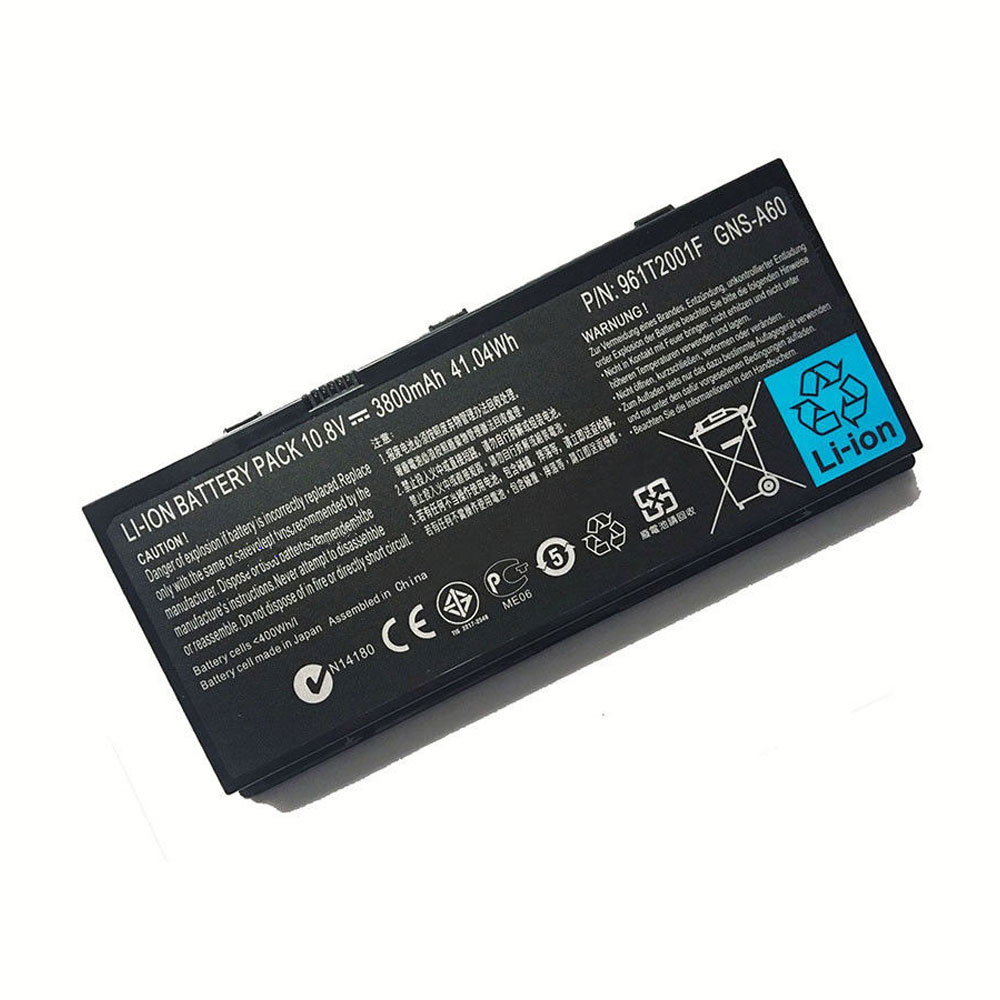
Gigabyte M1305 41.04Wh/3800mAh 10.8V Battery

Buy Gigabyte GNS-A60 Laptop Battery replacement for Gigabyte M1305 961T2001F Series.

Fit Machine Model Gigabyte M1305 961T2001F Series – 41.04Wh/3800mAh – 10.8V.

All products from our shop are 100% the highest quality! We provide the high quality Laptop Batteries. Gigabyte GNS-A60 battery is best compatible with the original equipments.

OriccaBattery.co.uk ◆Free Shipping ◆ One year warranty ◆ 30 days money back guarantee.

Battery GNS-A60 Replacement For Gigabyte M1305 961T2001F Series

GNS-A60

Gigabyte GNS-A60 Specifications
Brand: Laptop Battery for Gigabyte
Capacity:41.04Wh/3800mAh
Voltage:10.8V
Type:Li-ion
All products from our shop are 100% the highest quality!
We provide the high quality Laptop Adapters!

PRODUCT COMPATIBILITY:

961T2001F
GNS-A60

REPLACEABILITY WITH THE FOLLOWING MODELS:

Gigabyte M1305

How to Maintenance your new replacement Gigabyte GNS-A60 battery?
1. New Gigabyte GNS-A60 battery pack must be fully charged before use.
2. New battery pack needs to be fully charged and discharged (cycled) a few times before it can condition to full capacity.
3.Laptop battery undergo self-discharging when left unused. Always store a Gigabyte GNS-A60 battery pack in a fully charged stage for storage.
4. Fully drain and fully recharge your battery pack every few months.
5. Turn down the LCD brightness of your portable device.
6. Use built-in power management on your portable device.
7. Turn off LCD or other unnecessary accessories when not in use.
8. Set screen saver blank to 1 to 2 minutes of your notebook.
9. Add more RAM if you have extra RAM expansion slot, it will reduce the usage of hard drive and it is power exhaustive.
10. Close unused software in your Gigabyte M1305 961T2001F Series laptop .
11. Remove unused PC Cards or USB devices from your notebook.
12. Don´t watch DVD or play graphics intensive video games.
13. Don´t short circuit terminal or store your Gigabyte GNS-A60 Laptop Batteries pack with metal parts. 14. Don´t drop or mutilate the Gigabyte GNS-A60 battery pack.
15. Don´t expose to moisture or water.

Related popular recommendations:
58-000049 Battery Compatible Amazon Kindle PaperWhite 2nd Gen 6″
L14M2P21 Battery Compatible Lenovo S41-70 S41-70AM
ACDP-100D01 Laptop Adapters For Sony Vaio PCGA AC19V4 ACDP-100D01
TLI017C1 Battery Compatible Alcatel One Touch OT-5027B DAWN OT-4060O STREAK OT-4060A IDEAL
088796 Battery Compatible Bose Soundlink Mini 2 Pack
PA5162U-1BRS Battery Compatible Toshiba Portege R30 R30-A series
061384 Battery Compatible BOSE SOUNDLINK Mini Series
82-71363-04 Battery Compatible MOTOROLA MC70 MC75 FR68
FX30 Battery Compatible Motorola XT1575 Moto X Pure Edition / Moto X Style
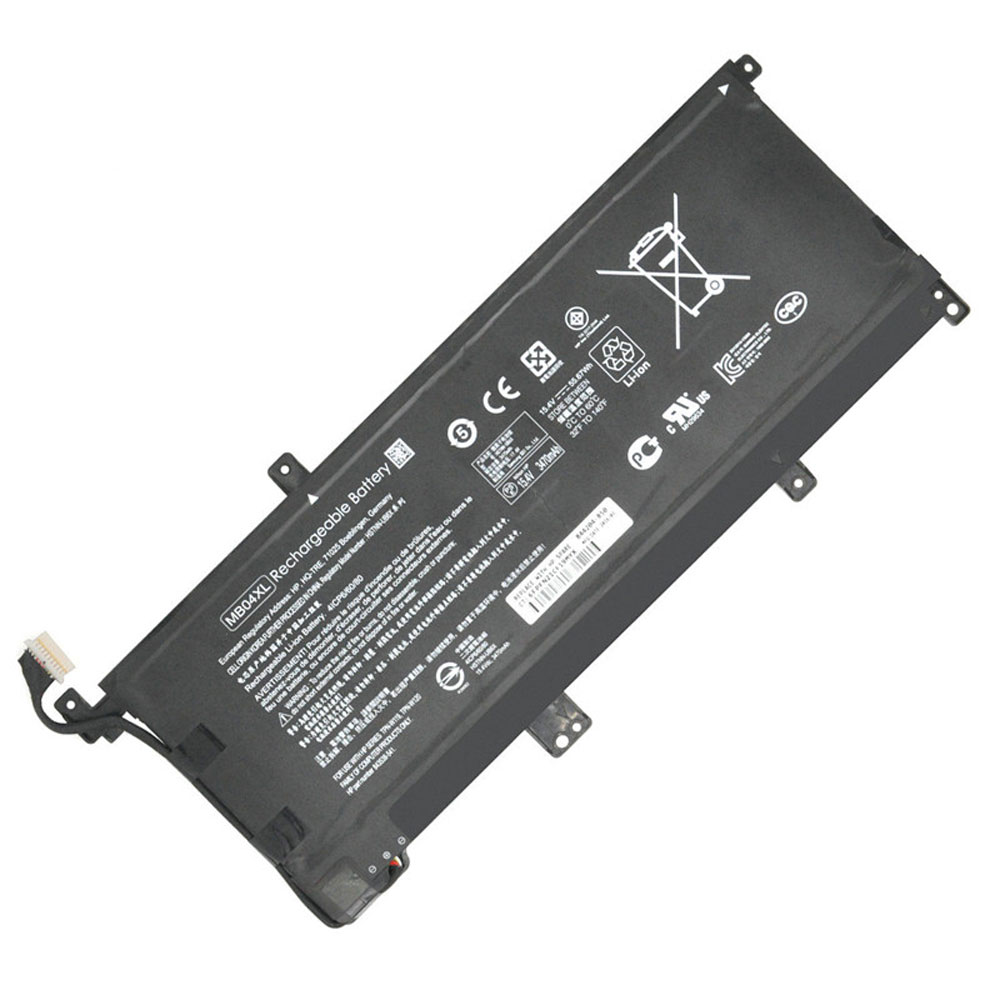
HP x360 15-AQ102NG 15-AQ103NG 15-AQ104NG 55.67Wh 15.4V Battery

Buy HP MB04XL Laptop Battery replacement for HP x360 15-aq005na.

Fit Machine Model HP x360 15-aq005na – 55.67Wh – 15.4V.

All products from our shop are 100% the highest quality! We provide the high quality Laptop Batteries. HP MB04XL battery is best compatible with the original equipments.

OriccaBattery.co.uk ◆Free Shipping ◆ One year warranty ◆ 30 days money back guarantee.

Battery MB04XL Replacement For HP x360 15-aq005na

MB04XL

HP MB04XL Specifications
Brand: Laptop Battery for HP
Capacity:55.67Wh
Voltage:15.4V
Type:Li-ion
All products from our shop are 100% the highest quality!
We provide the high quality Laptop Adapters!

PRODUCT COMPATIBILITY:

MB04XL
MBO4XL
HSTNN-UB6X
843538-541
844204-850
TPN-W119
TPN-W120

REPLACEABILITY WITH THE FOLLOWING MODELS:

HP x360 15-aq005na
HP x360 15-aq100
HP x360 15-aq101ng
HP x360 15-aq102ng
HP x360 15-aq103ng
HP x360 15-aq104ng
HP x360 15-aq105ng
HP x360 15-aq106ng
HP x360 m6-aq000
HP x360 m6-aq003dx
HP x360 m6-aq005dx
HP X360 M6-AQ103DX
HP M6-AQ103DX

How to Maintenance your new replacement HP MB04XL battery?
1. New HP MB04XL battery pack must be fully charged before use.
2. New battery pack needs to be fully charged and discharged (cycled) a few times before it can condition to full capacity.
3.Laptop battery undergo self-discharging when left unused. Always store a HP MB04XL battery pack in a fully charged stage for storage.
4. Fully drain and fully recharge your battery pack every few months.
5. Turn down the LCD brightness of your portable device.
6. Use built-in power management on your portable device.
7. Turn off LCD or other unnecessary accessories when not in use.
8. Set screen saver blank to 1 to 2 minutes of your notebook.
9. Add more RAM if you have extra RAM expansion slot, it will reduce the usage of hard drive and it is power exhaustive.
10. Close unused software in your HP x360 15-aq005na laptop .
11. Remove unused PC Cards or USB devices from your notebook.
12. Don´t watch DVD or play graphics intensive video games.
13. Don´t short circuit terminal or store your HP MB04XL Laptop Batteries pack with metal parts. 14. Don´t drop or mutilate the HP MB04XL battery pack.
15. Don´t expose to moisture or water.

Related popular recommendations:
58-000049 Battery Compatible Amazon Kindle PaperWhite 2nd Gen 6″
L14M2P21 Battery Compatible Lenovo S41-70 S41-70AM
ACDP-100D01 Laptop Adapters For Sony Vaio PCGA AC19V4 ACDP-100D01
TLI017C1 Battery Compatible Alcatel One Touch OT-5027B DAWN OT-4060O STREAK OT-4060A IDEAL
088796 Battery Compatible Bose Soundlink Mini 2 Pack
PA5162U-1BRS Battery Compatible Toshiba Portege R30 R30-A series
061384 Battery Compatible BOSE SOUNDLINK Mini Series
82-71363-04 Battery Compatible MOTOROLA MC70 MC75 FR68
FX30 Battery Compatible Motorola XT1575 Moto X Pure Edition / Moto X Style