How to Clean Battery Terminals

Batteries are extremely important, as they practically power our entire lives; from car batteries for our vehicles to alkaline batteries for our personal devices and beyond, we’ve come to rely on them greatly. Thus, it’s extremely important that we know how to clean battery terminals. Otherwise, debris and corrosion will render them completely useless, in which case, it’ll render us completely useless, too.

That’s why our team at OriccaBattery.co.uk wrote this How to Clean Battery Terminals guide. Reach out to us for more info!

In this guide, we’ll cover two separate types of cleaning processes: cleaning car battery terminals and cleaning a corroded alkaline compartment. And, as always, contact us if you need any more guidance.

How to Clean Battery Terminals
Here are six simple steps that you can follow to clean your car or lawn mower battery’s terminals. Check ‘em out now!
1.Find the battery. This shouldn’t be too difficult; check the auto owner’s manual for assistance.
2.Remove the terminal covers. By this point, you must wear both work gloves and safety glasses.
3.Disconnect the battery. First, loosen the negative clamp; then, loosen the positive clamp. Make sure you avoid touching any other metal objects, like the frame of the vehicle.
4.Select a cleaning agent. Baking soda is the most common cleaning agent for auto batteries.
5.Rinse, and then dry. Once you clean off the corrosion using the cleaning agent, you need to rinse off the cleaning agent itself from the posts. Use a spray bottle of water, and then dry.
6.Reconnect the battery. You only need to do this if you want your car to start again someday!

How to Clean Battery Terminals: Corroded Alkaline Battery
Last, but certainly not least, here’s an 8-step method that you can use if the battery compartment itself needs cleaning (due to alkaline corrosion). This is perfect for many different consumer devices and alkaline batteries.

Supplies: old toothbrush or cotton swabs, lemon juice or vinegar, baking soda, gloves, goggles, etc.

Safety: Don’t let the corrosion touch your skin, protect your eyes, and work in a well-ventilated area.
1.Wear some protective gloves (made from rubber or a similar material).
2.Open the battery compartment that contains the leaking battery.
3.Remove the damaged battery and put it in a plastic bag.
4.Wipe away any white, solid materials (loose corrosion) using a cloth.
5.Pour some white vinegar into a cup or a bowl.
6.Dip a cotton swab into the white vinegar and then use it to wipe the contacts.
7.Then, dip a fresh swab into clean water and wipe the excess vinegar from the contacts.
8.Dry the contacts using a fresh towel.

>>>>>>>>>>>>Buy Online – Laptop Batteries, Chargers and AC Adapters
Rechargeable Battery vs Disposable Battery

Practically applicable batteries have been around for hundreds of years, but the rechargeable battery vs disposable battery discussion is a more recent development. The battery market is much more complicated today than it was at the dawn of the 19th century. With so many different shapes, sizes, and chemical compositions available, consumers are facing a few tough choices.

And one of those difficult choices is deciding between a rechargeable battery and a disposable battery. That’s why our wrote this rechargeable battery vs disposable battery comparison.

Benefits of Rechargeable Batteries
This is perhaps the first and foremost benefit of going with a rechargeable battery. After all, money speaks to everyone. The cost of buying all those AA and AAA batteries (or any other type, for that matter) can really add up. If you can reuse the same one over and over, you’ll save money.

Environmental Friendliness
The metaphorical cost of ditching all those spent battery cartridges into the local landfill can really add up, too. So, with a rechargeable battery, you’ll not only save yourself money, but you could contribute to saving the planet, as well. That’s what people call a win-win situation!

Benefits of Disposable Batteries
Here’s a good example: Some disposable alkaline batteries can last up to twice as long as comparable non-alkaline rechargeable models. That means that disposable technology makes sense for low-drain devices: smoke detectors, alarm clocks, remote controls, garage-door clickers, etc.

No Charger Necessary
Another perk of the single-use battery is that you don’t have to buy a charger. Not only can you save a few bucks, but you don’t have to spend your valuable time looking for the right one, either. Disposable batteries are simple: Put them in, take them out, throw them out, and repeat.

Drawbacks of Rechargeable Batteries: The Charger Conundrum

There are also drawbacks to both options in the rechargeable battery vs disposable battery comparison. Yes, there are drawbacks to rechargeable batteries (also called secondary batteries), believe it or not. The main one we’d like to emphasize here is the issue of the charger. Without the correct charger, a rechargeable battery is absolutely worthless! You won’t encounter this issue with disposable batteries.

Drawbacks of Disposable Batteries: Stockpiles of Spares
Last, but certainly not least, we’ll go over one of the major drawbacks to disposable batteries (also called primary batteries). If you want to sleep soundly at night, knowing that you can run your device tomorrow, you must keep a healthy reserve of them on hand. This is costly, and takes up lots of space!

>>>>>>>>>>>>Buy Online – Laptop Batteries, Chargers and AC Adapters
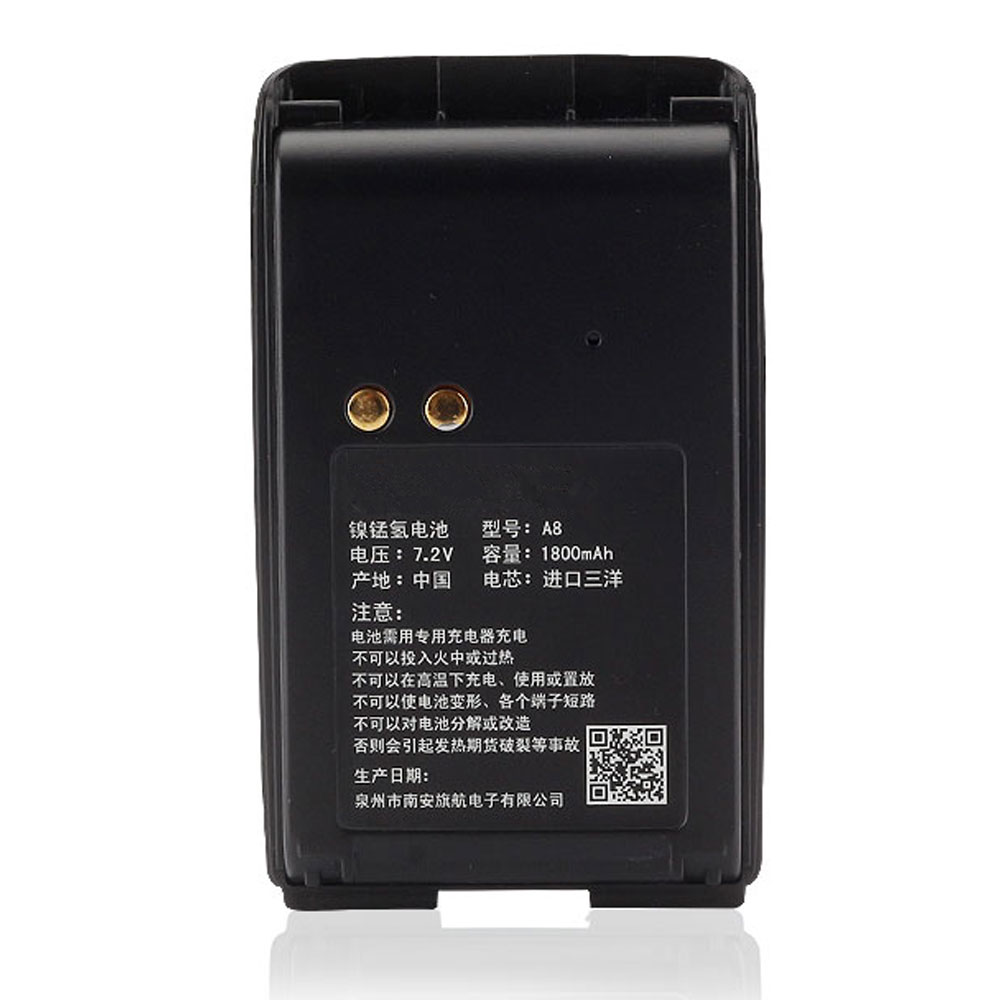
Motorola Mag One BPR40 A8 A6 1800MAH 7.4V Battery

Buy Motorola PMNN4071 Battery replacement for Motorola Mag One BPR40 A8 A6.

Fit Machine Model Motorola Mag One BPR40 A8 A6 – 1800MAH – 7.4V.

All products from our shop are 100% the highest quality! We provide the high quality Laptop Batteries. Motorola PMNN4071 battery is best compatible with the original equipments.

OriccaBattery.co.uk ◆Free Shipping ◆ One year warranty ◆ 30 days money back guarantee.

Battery PMNN4071 Replacement For Motorola Motorola Mag One BPR40 A8 A6

PMNN4071

Motorola PMNN4071 Specifications
Brand: Battery for Motorola
Capacity:1800MAH
Voltage:7.4V
Type:NI-MH
All products from our shop are 100% the highest quality!
We provide the high quality Laptop Adapters!

PRODUCT COMPATIBILITY:

PMNN4071
PMNN4071A
PMNN4071AC

REPLACEABILITY WITH THE FOLLOWING MODELS:

Motorola Mag One BPR40 A8 A6

How to Maintenance your new replacement Motorola PMNN4071 battery?
1. New Motorola PMNN4071 battery pack must be fully charged before use.
2. New battery pack needs to be fully charged and discharged (cycled) a few times before it can condition to full capacity.
3.Laptop battery undergo self-discharging when left unused. Always store a Motorola PMNN4071 battery pack in a fully charged stage for storage.
4. Fully drain and fully recharge your battery pack every few months.
5. Turn down the LCD brightness of your portable device.
6. Use built-in power management on your portable device.
7. Turn off LCD or other unnecessary accessories when not in use.
8. Set screen saver blank to 1 to 2 minutes of your notebook.
9. Add more RAM if you have extra RAM expansion slot, it will reduce the usage of hard drive and it is power exhaustive.
10. Close unused software in your Motorola Mag One BPR40 A8 A6 .
11. Remove unused PC Cards or USB devices from your notebook.
12. Don´t watch DVD or play graphics intensive video games.
13. Don´t short circuit terminal or store your Motorola PMNN4071 Batteries pack with metal parts. 14. Don´t drop or mutilate the Motorola PMNN4071 battery pack.
15. Don´t expose to moisture or water.

Other Online Stores:
USA————MOTOROLA PMNN4071 battery
NED————Motorola PMNN4071 Accu
FRA————Motorola PMNN4071 Autres Batteries
JPN————Motorola PMNN4071 NI-MH 新品デル互換用バッテリー
ESP————Motorola PMNN4071 baterías

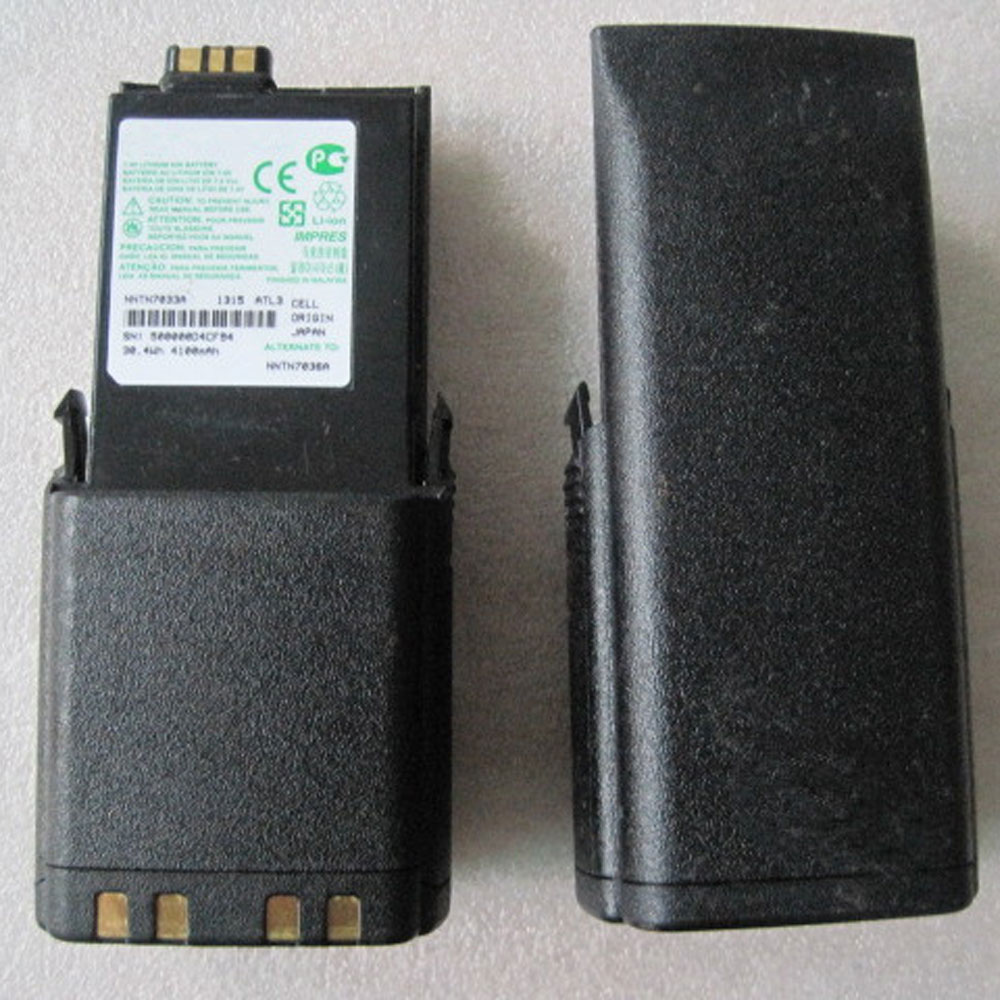
Motorola APX6000 APX7000 APX8000 SRX2200 4100MAH/30.4WH 7.4V Battery

Buy Motorola NNTN7038B Battery replacement for Motorola APX6000 APX7000 APX8000 SRX2200.

Fit Machine Model Motorola APX6000 APX7000 APX8000 SRX2200 – 4100MAH/30.4WH – 7.4V.

All products from our shop are 100% the highest quality! We provide the high quality Laptop Batteries. Motorola NNTN7038B battery is best compatible with the original equipments.

OriccaBattery.co.uk ◆Free Shipping ◆ One year warranty ◆ 30 days money back guarantee.

Battery NNTN7038B Replacement For Motorola Motorola APX6000 APX7000 APX8000 SRX2200

NNTN7038B

Motorola NNTN7038B Specifications
Brand: Battery for Motorola
Capacity:4100MAH/30.4WH
Voltage:7.4V
Type:Li-ion
All products from our shop are 100% the highest quality!
We provide the high quality Laptop Adapters!

PRODUCT COMPATIBILITY:

NNTN7038B
NNTN7038A

REPLACEABILITY WITH THE FOLLOWING MODELS:

Motorola APX6000 APX7000 APX8000 SRX2200

How to Maintenance your new replacement Motorola NNTN7038B battery?
1. New Motorola NNTN7038B battery pack must be fully charged before use.
2. New battery pack needs to be fully charged and discharged (cycled) a few times before it can condition to full capacity.
3.Laptop battery undergo self-discharging when left unused. Always store a Motorola NNTN7038B battery pack in a fully charged stage for storage.
4. Fully drain and fully recharge your battery pack every few months.
5. Turn down the LCD brightness of your portable device.
6. Use built-in power management on your portable device.
7. Turn off LCD or other unnecessary accessories when not in use.
8. Set screen saver blank to 1 to 2 minutes of your notebook.
9. Add more RAM if you have extra RAM expansion slot, it will reduce the usage of hard drive and it is power exhaustive.
10. Close unused software in your Motorola APX6000 APX7000 APX8000 SRX2200 .
11. Remove unused PC Cards or USB devices from your notebook.
12. Don´t watch DVD or play graphics intensive video games.
13. Don´t short circuit terminal or store your Motorola NNTN7038B Batteries pack with metal parts. 14. Don´t drop or mutilate the Motorola NNTN7038B battery pack.
15. Don´t expose to moisture or water.

Other Online Stores:
USA————MOTOROLA NNTN7038B battery
NED————Motorola NNTN7038B Accu
FRA————Motorola NNTN7038B Autres Batteries
JPN————Motorola NNTN7038B Li-ion 新品デル互換用バッテリー
ESP————Motorola NNTN7038B baterías

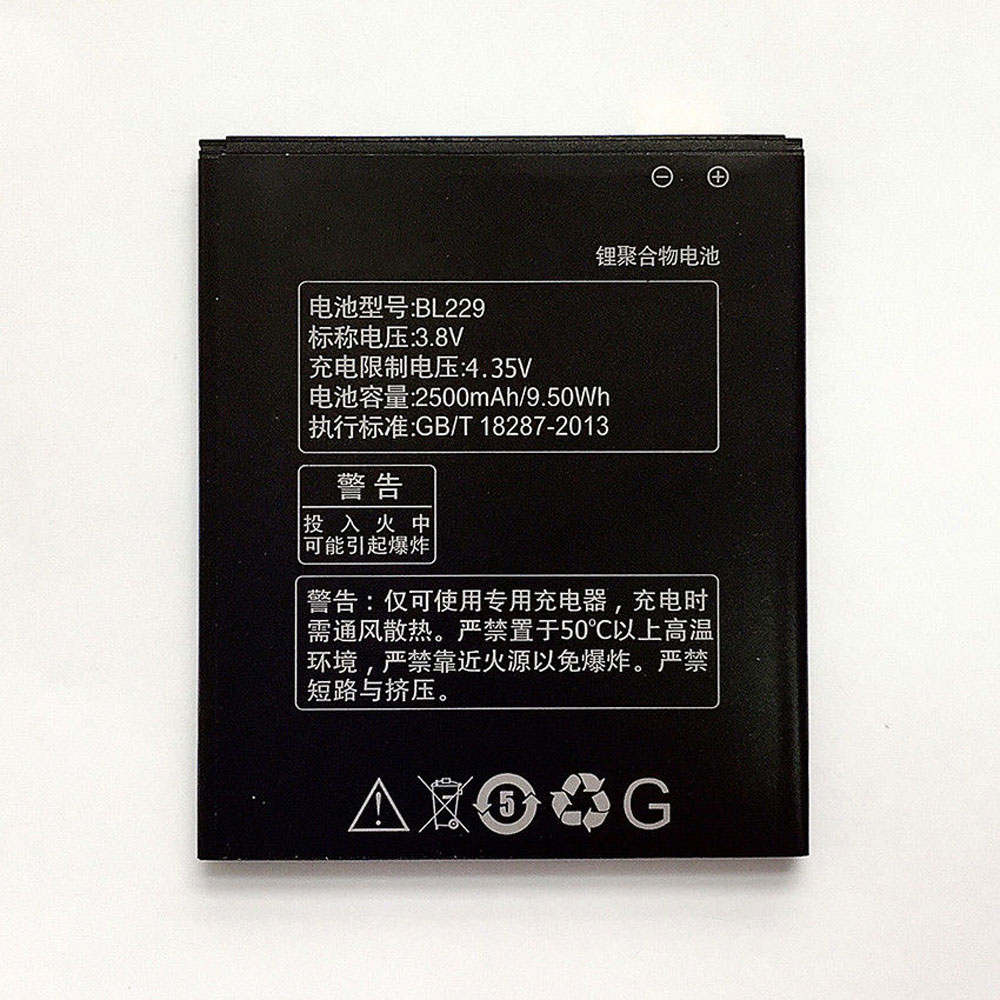
Lenovo Smartphone A8 A806 A808T 2500mAh/9.50WH 3.8V/4.35V Battery

Buy Lenovo BL229 Cell Phone Battery replacement for Lenovo Gold Gladiator A8 A806 A808T.

Fit Machine Model Lenovo Gold Gladiator A8 A806 A808T – 2500mAh/9.50WH – 3.8V/4.35V.

All products from our shop are 100% the highest quality! We provide the high quality Laptop Batteries. Lenovo BL229 battery is best compatible with the original equipments.

OriccaBattery.co.uk ◆Free Shipping ◆ One year warranty ◆ 30 days money back guarantee.

Battery BL229 Replacement For Lenovo cell phone Lenovo Gold Gladiator A8 A806 A808T

BL229

Lenovo BL229 Specifications
Brand:Cell Phone Battery for Lenovo
Capacity:2500mAh/9.50WH
Voltage:3.8V/4.35V
Type:Li-ion
All products from our shop are 100% the highest quality!
We provide the high quality Laptop Adapters!

PRODUCT COMPATIBILITY:

BL229

REPLACEABILITY WITH THE FOLLOWING MODELS:

Lenovo Smartphone A8 A806 A808T

How to Maintenance your new replacement Lenovo BL229 battery?
1. New Lenovo BL229 battery pack must be fully charged before use.
2. New battery pack needs to be fully charged and discharged (cycled) a few times before it can condition to full capacity.
3.Laptop battery undergo self-discharging when left unused. Always store a Lenovo BL229 battery pack in a fully charged stage for storage.
4. Fully drain and fully recharge your battery pack every few months.
5. Turn down the LCD brightness of your portable device.
6. Use built-in power management on your portable device.
7. Turn off LCD or other unnecessary accessories when not in use.
8. Set screen saver blank to 1 to 2 minutes of your notebook.
9. Add more RAM if you have extra RAM expansion slot, it will reduce the usage of hard drive and it is power exhaustive.
10. Close unused software in your Lenovo Gold Gladiator A8 A806 A808T phone .
11. Remove unused PC Cards or USB devices from your notebook.
12. Don´t watch DVD or play graphics intensive video games.
13. Don´t short circuit terminal or store your Lenovo BL229 Cell Phone Batteries pack with metal parts. 14. Don´t drop or mutilate the Lenovo BL229 battery pack.
15. Don´t expose to moisture or water.

Other Online Stores:
USA————LENOVO BL229 battery
NED————Lenovo BL229 Accu
FRA————Lenovo BL229 Batterie Téléphone
JPN————Lenovo BL229 Li-ion 新品デル互換用バッテリー
ESP————Lenovo BL229 baterías