We special in laptop battery ,laptop adapters for most of top brands, such as apple,acer, asus, dell, fujitsu,hp, compaq, ibm, lenovo, toshiba, samsung, sony on UK,all the ac power adapters, laptop batteries are high quality and low price.
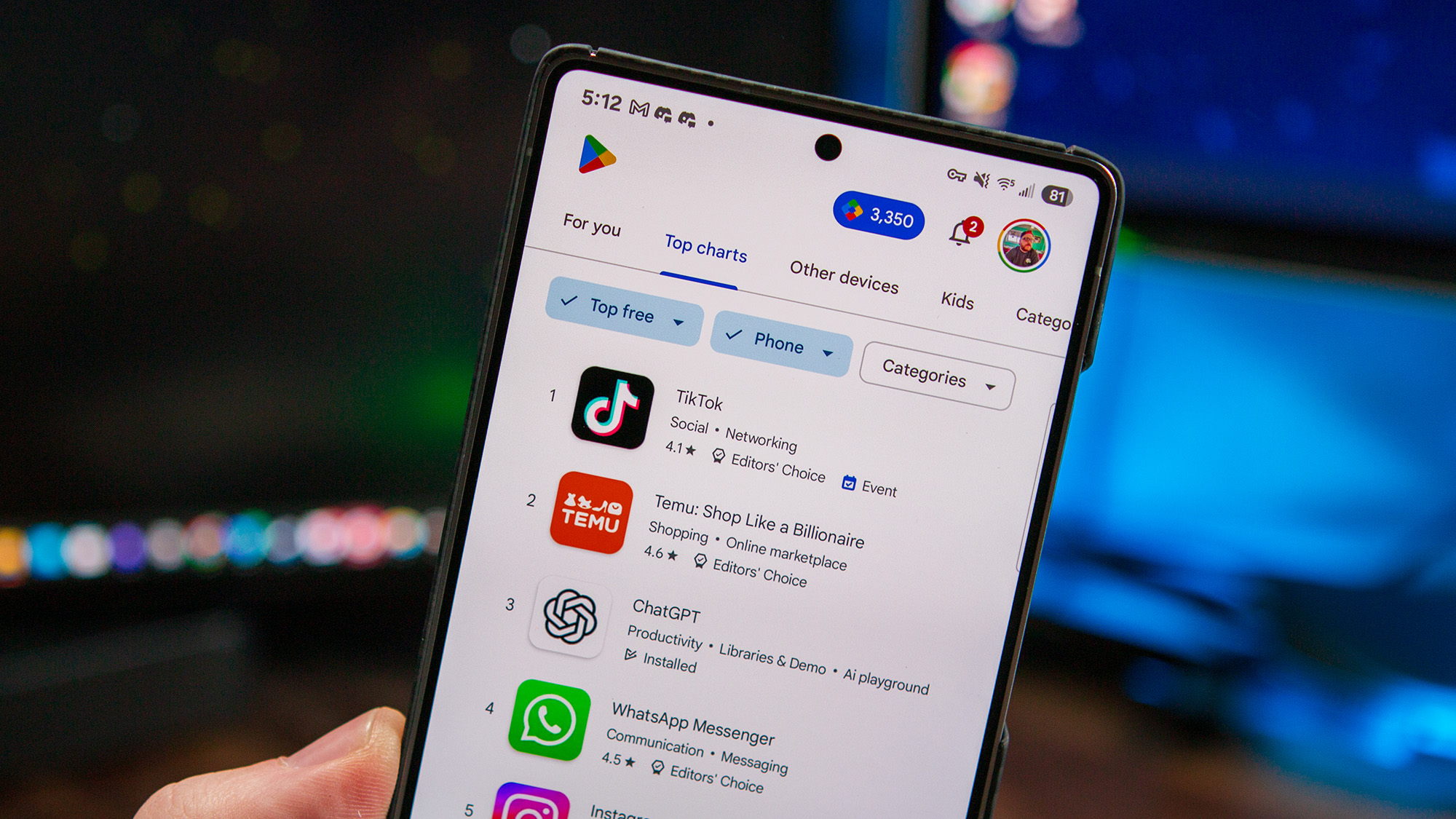
Google has finally ditched one-tap buys on the Play Store for a swipe-to-buy move, making sure you really want to spend your cash.
The “Slide to buy” feature rolled out with Play Store version 46.5.19-31 and shows up everywhere — apps, books, movies, even Google TV.
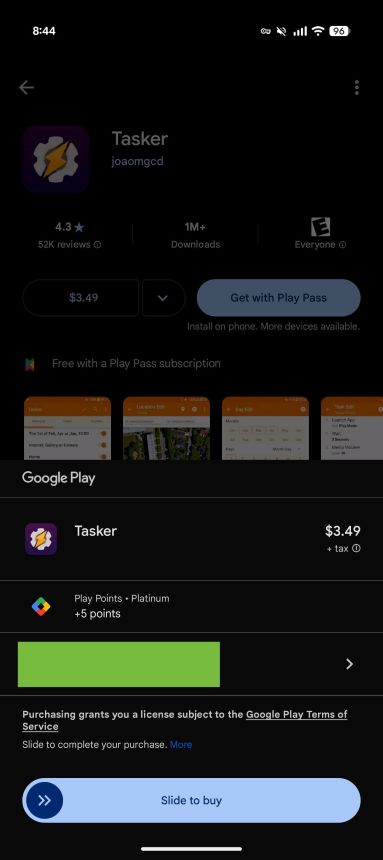
Instead of a quick tap, you now drag a pill-shaped button with helpful arrows and bounce effects guiding you to confirm.
Google has now swapped out the one-tap buy on the Play Store for a slide-to-buy gesture in order to tackle accidental purchases head-on, making sure you actually mean to hit buy.
Following up on what was teased in March’s Play Services update, Google Play Store has officially replaced its old one-tap buy button with a swipe-to-confirm gesture. Spotted first by9to5Google, this “Slide to buy” feature is now live across the whole digital lineup, such as apps, books, movies, you name it.
This change appears to be rolling out wide with Play Store version 46.5.19-31. You’ll see it pop up everywhere you make a Google Play purchase — whether you’re buying from third-party apps or right inside the Google TV app.
Instead of just tapping once, users now interact with a pill-shaped button that has a circular handle you drag. Animated arrows and a little bounce hint at the swipe action, making it clear how to seal the deal before buying.
(Image credit: 9to5Google)
Single-tap buys made it way too easy to accidentally spend cash, especially on apps. Seeing this problem, Google has stepped in to fix it. What used to be a quick checkout had a downside—people clicking “buy” by mistake. This new slide move is Google’s way of cutting down those oops moments for good.
With this change, now you have to swipe sideways to confirm before the usual password or fingerprint step kicks in. This new slide-to-buy gesture works the same whether you’re grabbing a one-off app or signing up for a subscription through the Play Store.
This swipe move is a solid upgrade, especially for people who’ve dialed back or turned off purchase checks. It’s a smart way to make buying stuff a whole lot less stressful, and honestly, we’re all here for it.
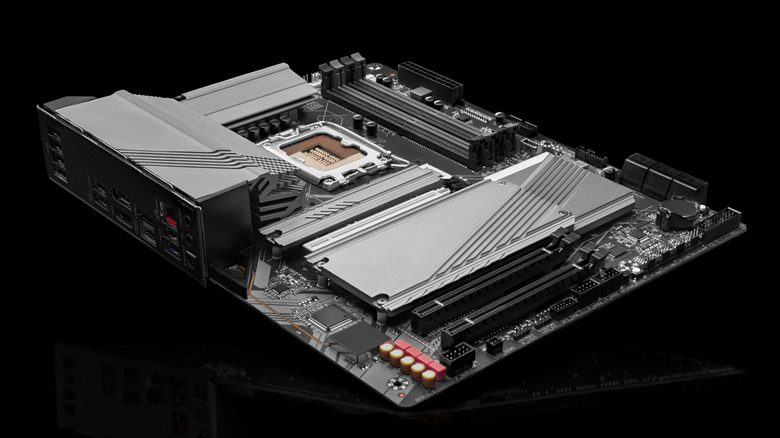
Your computer’s motherboard is the main circuit board that powers the system and connects key components like the CPU, RAM, GPU, and storage drives. Just like other PC parts, not all motherboards are the same. They vary in size, socket type, chipset, and features like RAM support, storage, and connectivity. If you’re thinking about upgrading your computer, knowing your motherboard’s brand and model can be a big help. Similarly, you might need to know your motherboard’s serial number for things like warranty registration, submitting a claim, or finding compatible parts. It’s also useful when downloading BIOS updates directly from the manufacturer’s website. Some software might even ask for it during registration. In large organizations, IT teams often keep track of serial numbers as part of their hardware inventory. No matter the reason, checking the serial number is quite easy, and you don’t even have to open up your computer’s case to find it.>>>Replacement battery for Microsoft Surface Laptop Studio 1964How to find your motherboard’s serial number
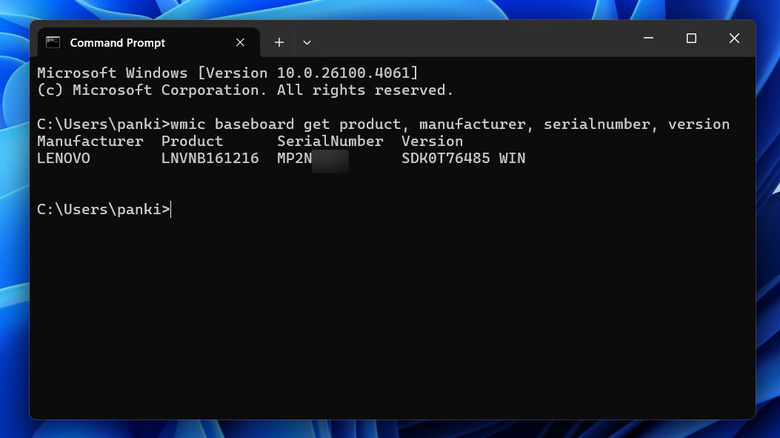
Finding your motherboard’s serial number in Windows 10 or 11 is simple. You simply have to run a quick command in the Command Prompt. Along with the serial number, you’ll also see details like the manufacturer, model, and version number. Here’s what you need to do:
Press Win + S to open the search menu.
Type Command Prompt in the text box and select the first result that appears.
In the console, type the following command and hit Enter:
wmic baseboard get product, manufacturer, serialnumber, version>>>Replacement battery for Microsoft Surface Pro 8 1982 1983The Command Prompt will now display your motherboard’s brand, product number, serial number, and version. If you usually work in PowerShell, you can use this command instead:gwmi win32_baseboard | FL Product,Manufacturer,SerialNumber,VersionMotherboards typically also have the serial number printed directly on the circuit board. So, if your computer won’t turn on for some reason, you can open the case and look for a sticker or label on the circuit board. The exact location of the serial number may vary, and you might need to clean the motherboard if it’s covered in dust or dirt.
For as long as I can remember, Nintendo’s gamepads have been a core part of my life. The NES’s original rectangular controller was awfully unergonomic, but I still loved it, and it set me down the path of being a lifelong gaming and gadget geek. The SNES’s rounded gamepad practically defined my childhood. It’s so iconic, you can still see echoes of its layout in most controllers today. I didn’t have much love for the Nintendo 64’s triple-armed monstrosity (or that system in general), but the Gamecube’s cartoonishly quirky controller was fantastic, especially when Nintendo’s WaveBird finally made wireless gaming a reality. And while I didn’t like the Wiimote or Wii U tablet much either, I can respect the swings Nintendo took with both of them.>>>Replacement battery for Nintendo Game Boy Micro OXY-001 Y76NB01
Switch 2 Pro Controller
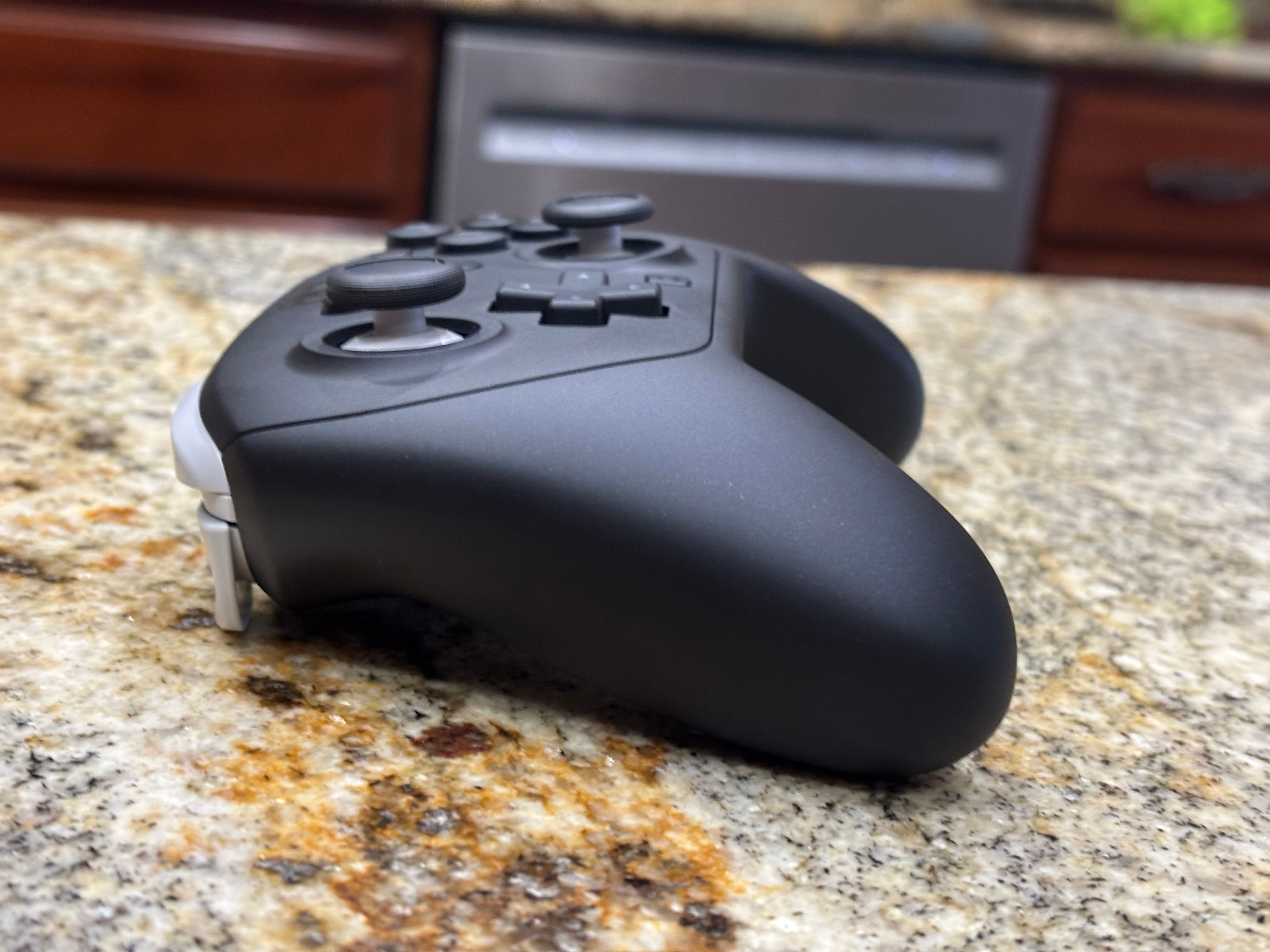
The Switch 2 Pro controller is clearly the most refined gamepad Nintendo has ever made. It’s just a shame that it’s so expensive and doesn’t have Hall effect sticks.Pros
Incredibly smooth joysticks
Responsive face buttons
Accurate D-pad
Comfortable ergonomics
Customizable rear buttons
Cons
So expensive
No Hall effect sticks
No analog triggers
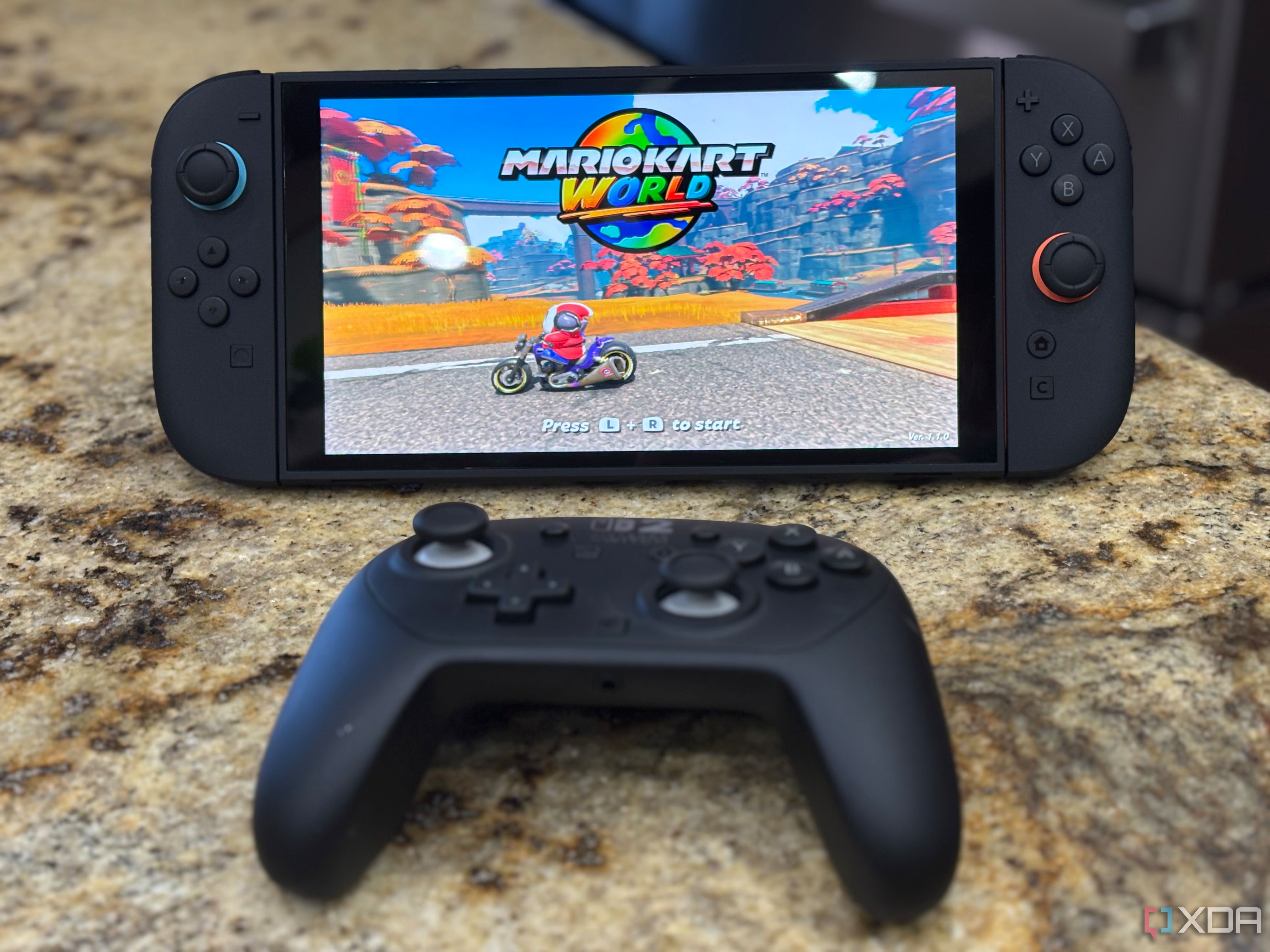
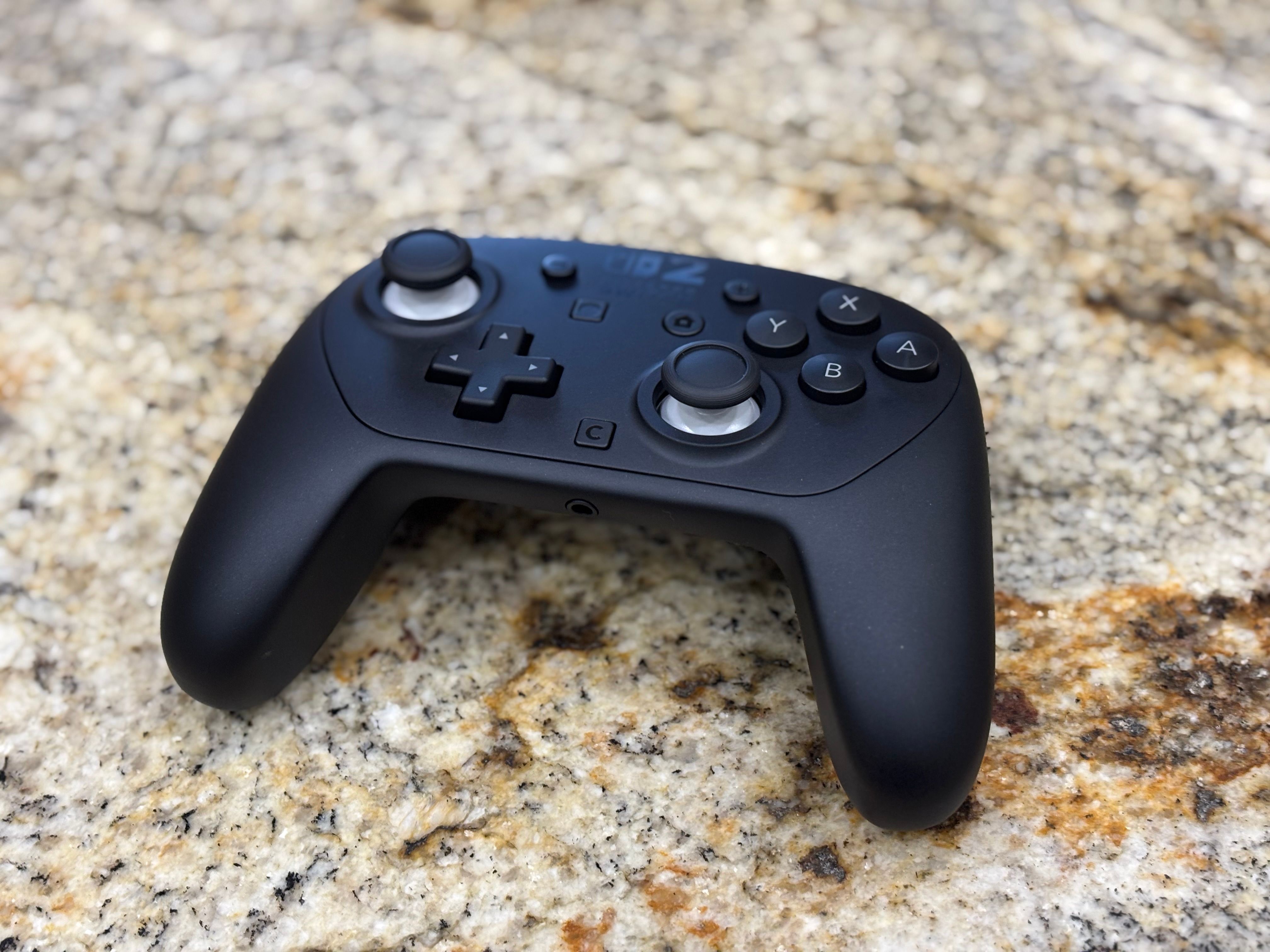
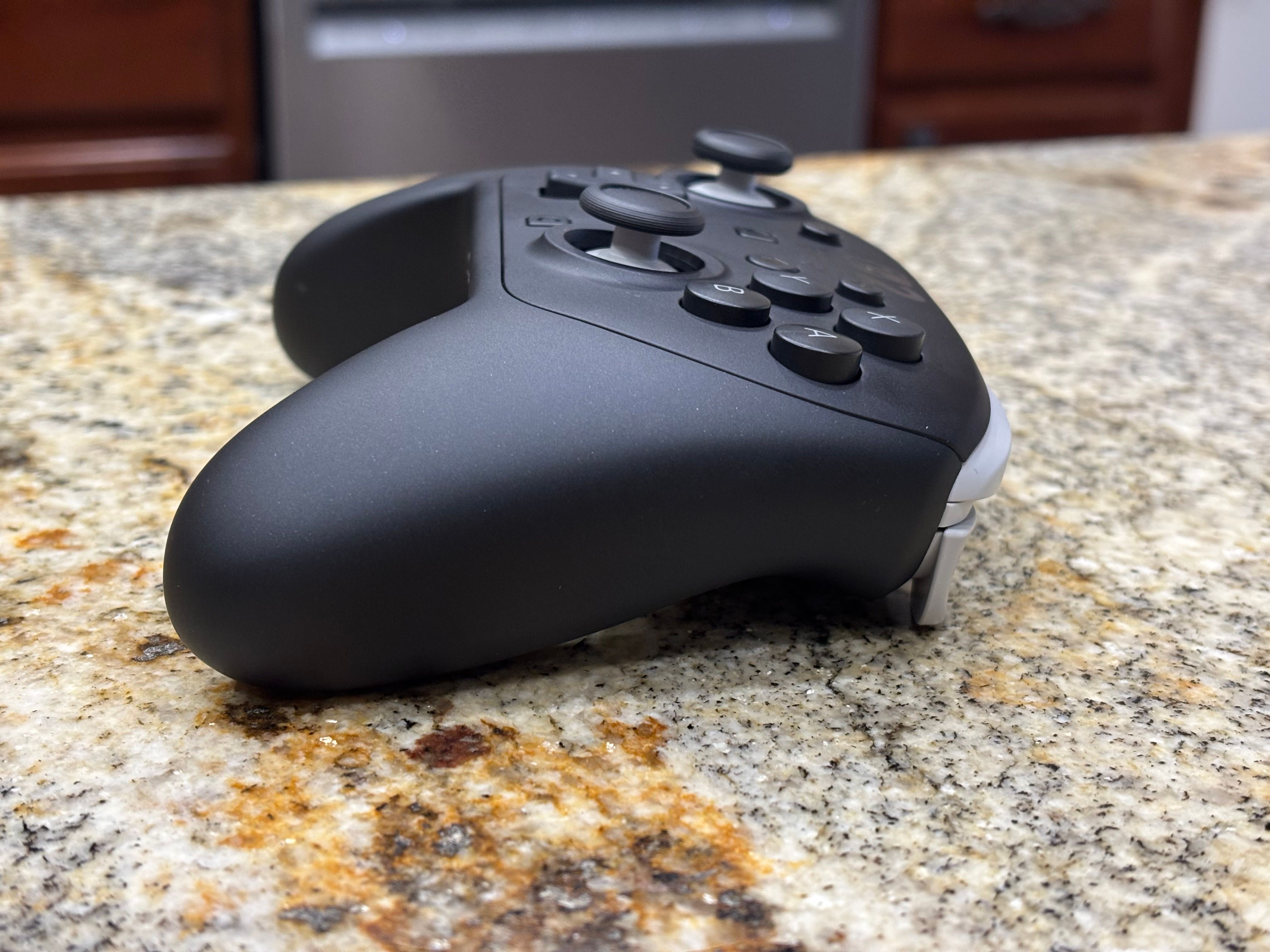
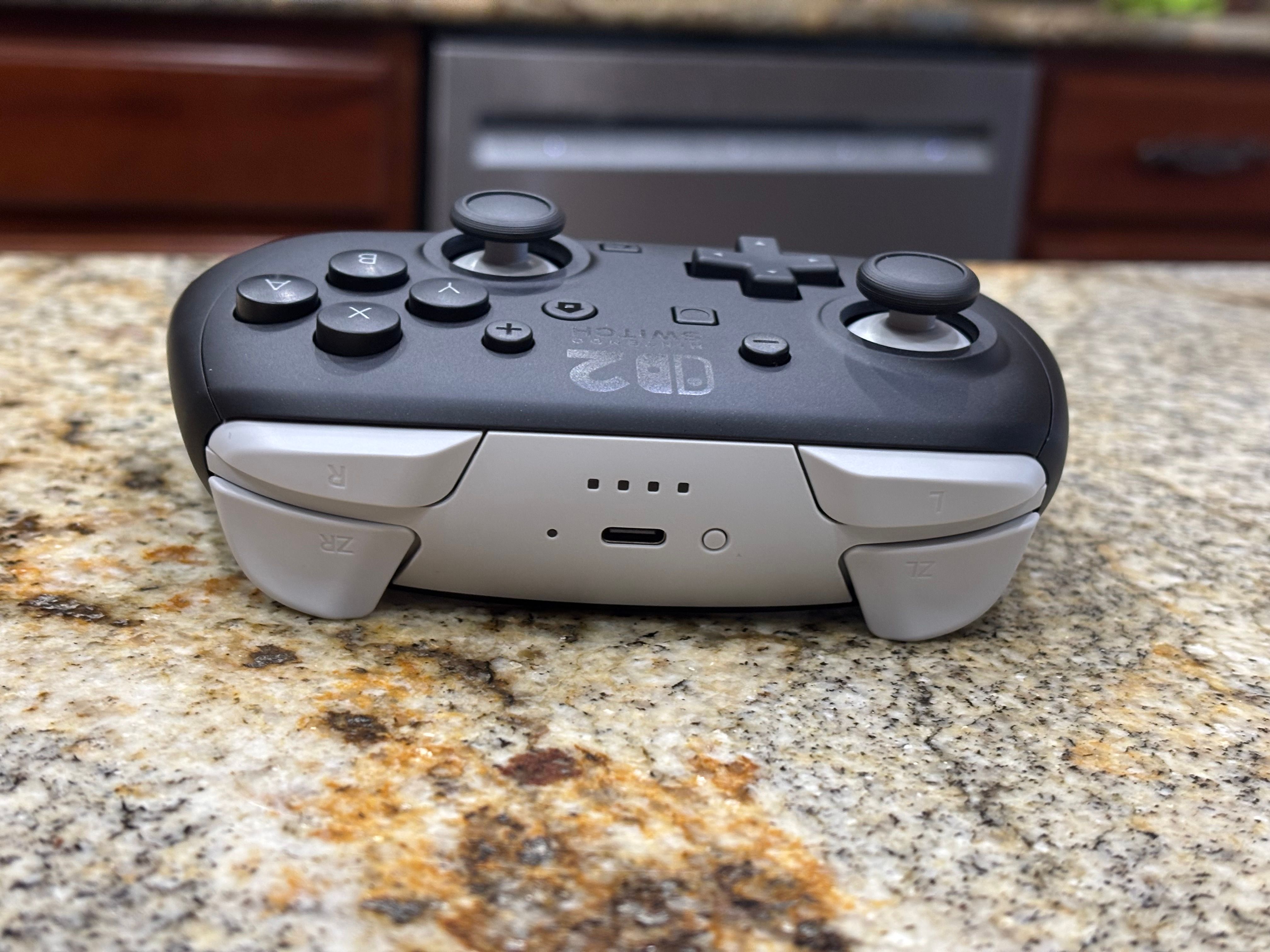
>>>Replacement battery for Nintendo 3DS N3DSSo, believe me when I say this: The Switch 2 Pro Controller is the best gamepad Nintendo has ever made. It feels wonderfully ergonomic and luxurious in your hands, its joysticks are buttery smooth and all of its buttons deliver excellent feedback. It’s a huge step up from the original Switch’s Pro controller, which felt weirdly cheap and plasticky, especially when rotating its analog sticks. And, as an added bonus, the Switch 2 Pro controller is also customizable, thanks to two rear buttons that can be quickly programmed in any game. There’s even a 3.5mm jack to plug in wired headphones, something I’ve never seen on a Nintendo controller before (but which has been standard on Xbox and PlayStation systems for decades).
Switch 2 Pro Controller
Switch 2 Pro Controller
The Switch 2 Pro Controller isn’t perfect, though. For one, it costs $85 (up from its originally announced $80 price, thanks to the Trump administration’s tariffs). I suppose that’s not as bad as buying a whole new pair of Joy-Con 2s for $95, and it’s not too far off from the PlayStation 5’s $75 Dual Sense 2, but it still stings. It’s even more painful when you consider that8Bitdo’s excellent Ultimate wireless controllercurrently costs $50 (down from a $70 launch price), it works with the Switch 2, has rear buttonsandit features Hall effect joysticks. That means they’re impervious to the drifting problem that plagued the Switch 1’s controllers.
While gamers have been begging Nintendo to implement Hall effect sticks for years, the company still hasn’t listened. Both the Joy-Con 2 and Switch 2 Pro Controller appear to use the same mechanism as the Switch 1’s accessories. In an interview, Nintendo producer Kouichi Kawamotosaid the company “redesigned everything from scratch,” for the Joy-Con 2, and from my time with the Pro 2 Controller it also feels significantly different than before. But really, all I can do is hope and pray it doesn’t start drifting. One Reddit user claimed that their Switch 2 Joy-Cons were drifting right out of the box, but that doesn’t appear to be a widespread issue.
Beyond the pricing and technical disappointments, though, the Switch 2 Pro Controller is a dream to play with. It seriously leveled-up myMario Kart Worldperformance, since it was easier to drift around corners and hop up to rails without cramping my hands, something that’s unavoidable with the Joy-Con 2. I was able to play for several hours with the new Pro controller and I didn’t notice any pain, and I could also still hold it easily as my palms got sweaty.
As someone who was raised on every version ofStreet Fighter 2on the SNES, I also had to put the Switch 2 Pro Controller through its paces for fighting games. And let me tell you, the hadoukens came easily. The controller’s D-pad sits under my left thumb comfortably, and it’s a cinch to click and rotate to performStreet Fighter 2moves. While playingSoulcalibur 2(now available as part of the Gamecube Classics for Nintendo Online subscribers), the Switch 2 Pro controller was also comfortable while holding my right fingers above the face buttons, similar to an arcade stick. (That’s aSoulcaliburtechnique I learned on the Dreamcast and never let go.)
Despite being fine-tuned for Mario Kart, the Switch 2 Pro Controller isn’t ideal for more realistic racing games since it doesn’t have analog triggers like its predecessor. Nintendo engineers have said in interviews that the company opted for digital triggers since they’re quicker to respond. Premium gamepads like the Xbox Elite have switches that let you choose between quick trigger modes and long analog presses, so there’s clearly a cure for Nintendo’s analog aversion. But implementing that sort of customization also makes gamepads far more complex and expensive.
At least Nintendo gave us a modicum of customization with the Switch 2 Pro controller’s rear GL and GR buttons, which sit right above the handle grips. You can instantly remap their functionality in any game from the Switch 2’s quick settings menu, making it easier to do things like switch weapons or jump without moving your thumbs away from the joysticks. I ended up remapping the drift and action buttons in Mario Kart World to GL and GR, which helped me avoid reaching up to hit the top trigger buttons. You can also remap all of the Switch 2 Pro Controller’s buttons from the Switch 2’s accessibility menu, where you can create presets for different titles too.
After around 10 hours of playing a variety of games, the Switch 2 Pro Controller’s battery fell to 82 percent. Nintendo claims it can last up to 40 hours, but unfortunately I haven’t been able to play that much during this review. Based on what I’m seeing, though, the gamepad should reach 40 hours easily.
As much as I like the Switch 2 Pro Controller, it’s undoubtedly an extravagance at $85 when 8Bitdo’s Ultimate gamepad offers even more features for $50. But if you’re a dedicated Nintendo fan, or you just can’t accept third-party controllers, it’s also one of the best gamepads you can buy today.
Should you buy the Switch 2 Pro Controller?
You should buy the Switch 2 Pro Controller if you:
Like the original Switch Pro Controller
Primarily play docked
Enjoy extra buttons and button remapping
Prefer a more quality feel compared to the Joy-Cons
You should not buy the Switch 2 Pro Controller if you:
Countries from Afghanistan to Zimbabwe can purchase Helldivers 2 once again.
It turns out that region-locking your games makes it harder to sell more copies. First discovered byWario64, Sony has lifted regional restrictions for several of its titles that are available to play on PC through Steam. Sony hasn’t officially announced the removal of these region locks, nor the reason why, butGod of War Ragnarok, The Last of Us Part II Remastered,Spider-Man 2, and the hit co-op shooterHelldivers 2can be purchased once again in 177 countries that were previously prohibited, as seen in database changelogs.
To understand why Sony decided to limit sales of its games in certain countries, we have to revisit when the video game publisher announced it would requireHelldivers 2PC players to link their Steam accounts to the PlayStation Network. This controversial decision prohibited players in countries that didn’t have access to the PSN, so Sony also removedHelldivers 2from being on sale in those locations. The publisherquickly backtrackedon that move, even laterremoving the PSN requirementsfor other titles likeSpider-Man 2.
More recently, the PC release ofStellar Bladeon June 11 resurfaced Sony’s PSN login requirement debacle. The game’s developer, Shift Up, was able to work with Sony to loosen restrictions and make a PSN login optional, allowing for an explosive launch where the game saw a peak of nearly 200,000 players in its opening week. Now, PC gamers across the world can playStellar BladeandHelldivers 2without needing a PSN account. However, there are still some Sony titles on Steam that are heavily restricted, likeGhost of TsushimaandUntil Dawn.
The Honor 400 Pro’s camera feels flagship level in every respect.
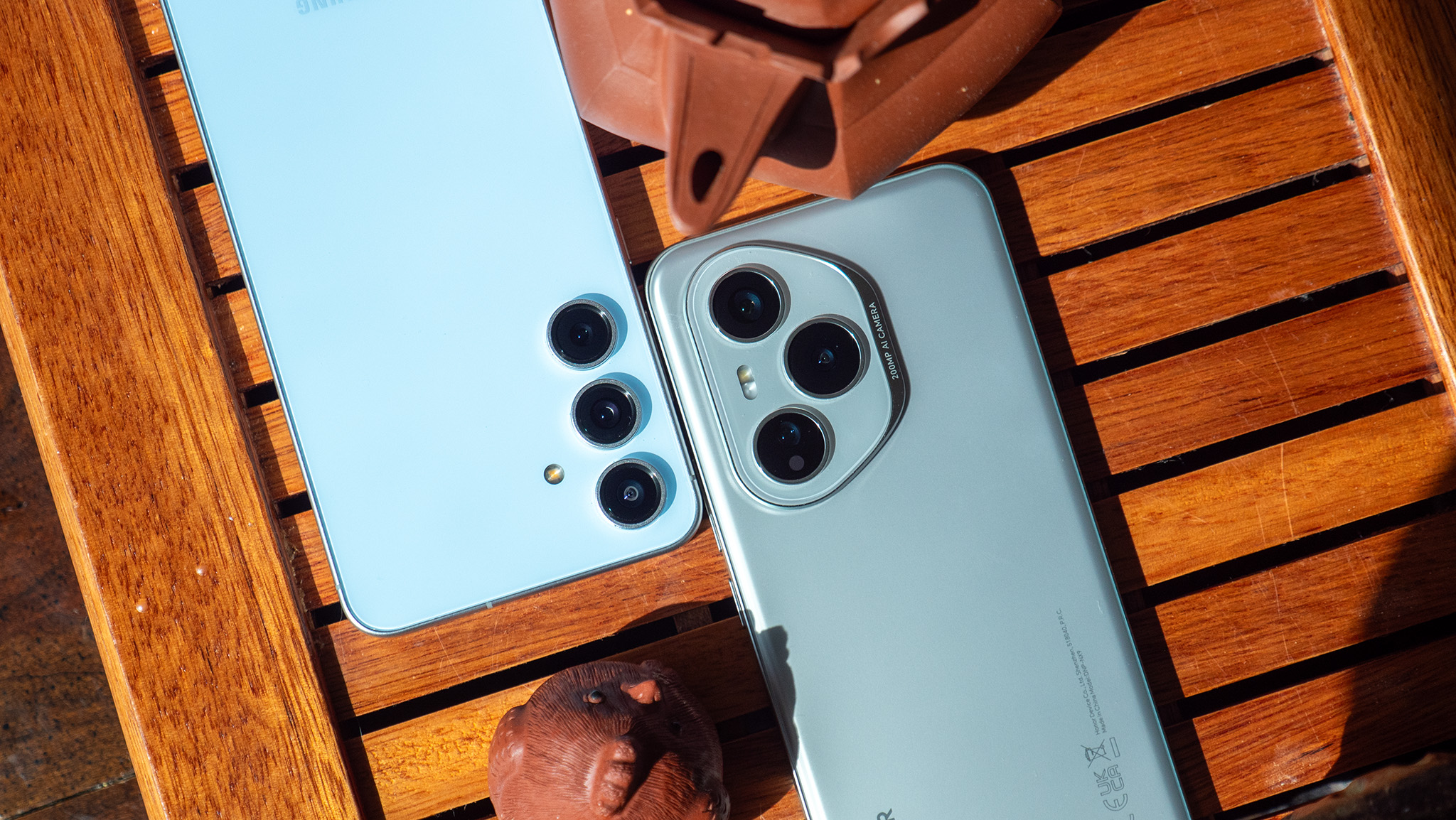
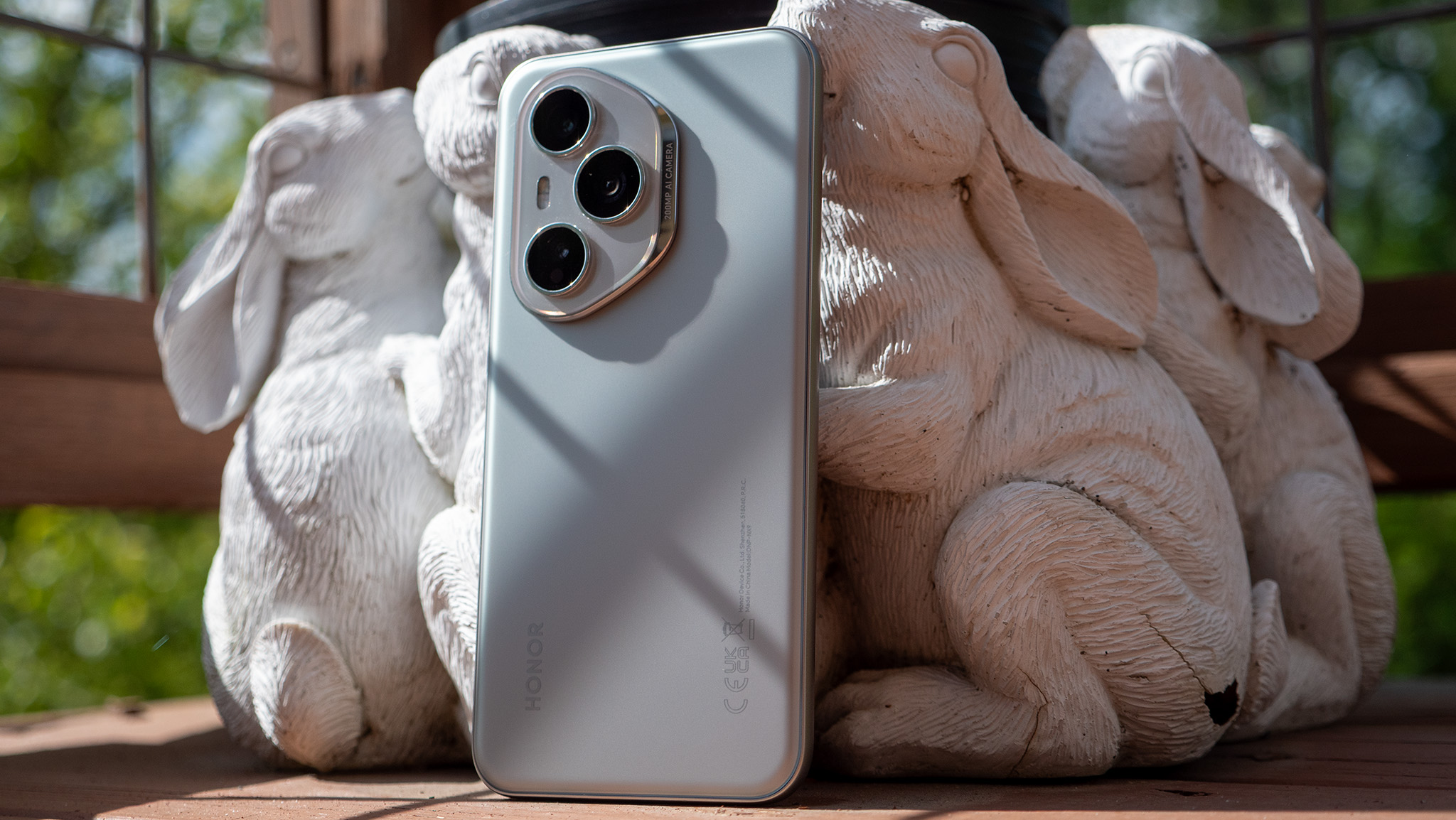
The camera hardware on the Honor 400 Pro looks a lot more like a flagship phone than a mid-range one. Not only does it have three rear cameras — something that gives it an immediate advantage over the Pixel 9a andiPhone 16e— but Honor’s camera software is basically unmatched in its quality, too.
Last year,I was blown awayby what Honor was able to do with AI. While it wasn’t quite the all-encompassing buzzword it is today, Honor has fully leaned into the AI domain and describes nearly every mode and feature with the term. It’s overused, for sure, but it doesn’t make the results any less impressive. Here’s a list of all the main modes and editing options you’ll get with the Honor 400 Pro:
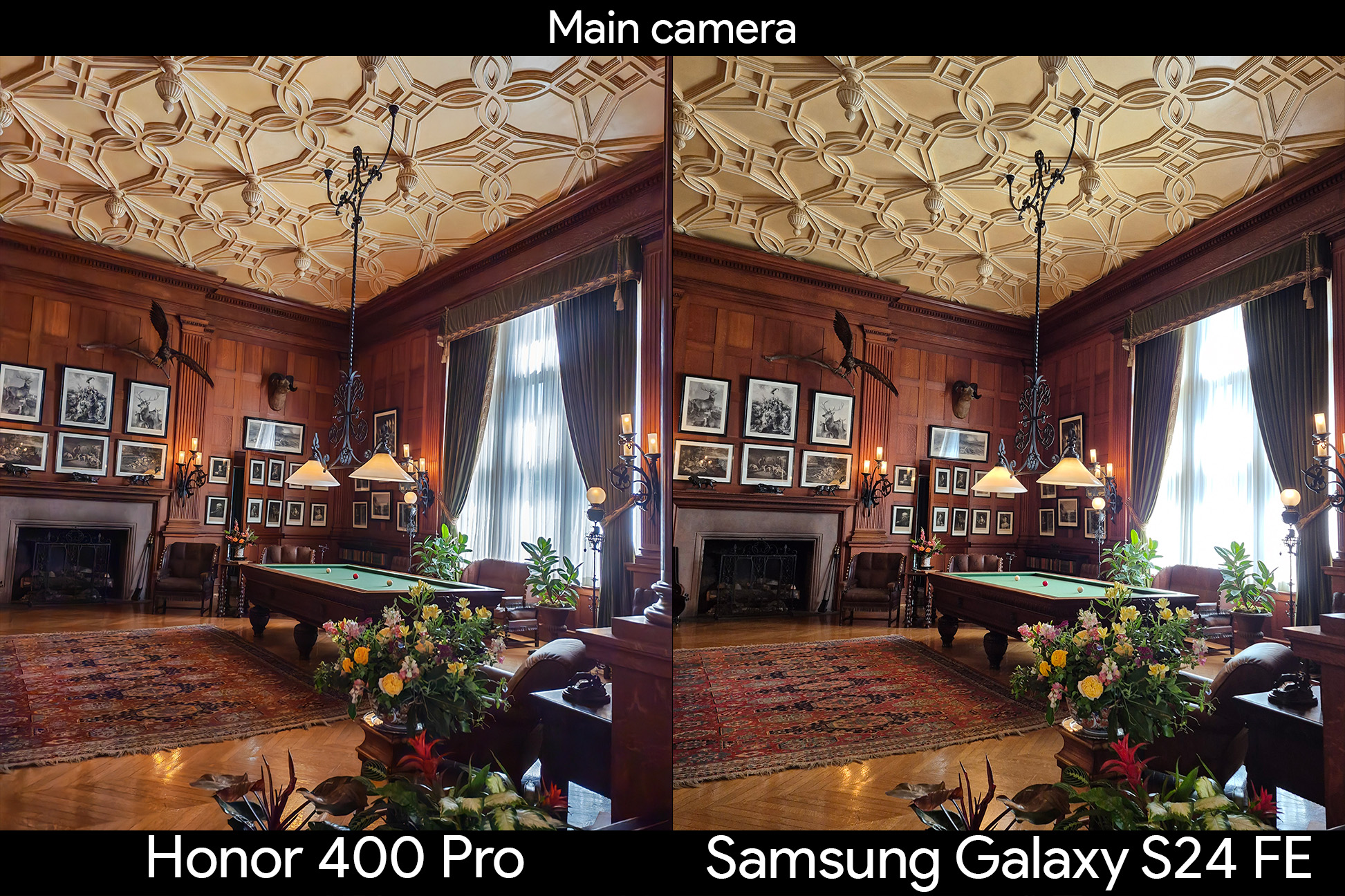
The Honor 400 Pro’s 200MP main camera is impressive on paper and in action. When compared to the Samsung Galaxy S24 FE, there’s a clear stylistic difference between the two cameras. Samsung pushes for maximum dynamic range, which often results in very bright shadow areas and sometimes washed out colors.
In both daylight examples below, the sky is the wrong shade of blue and the green hue of the plants is a little too bright on Samsung’s photos. Honor opts for a much richer, deeper color palette and it ends up looking a lot more realistic because of the decision.
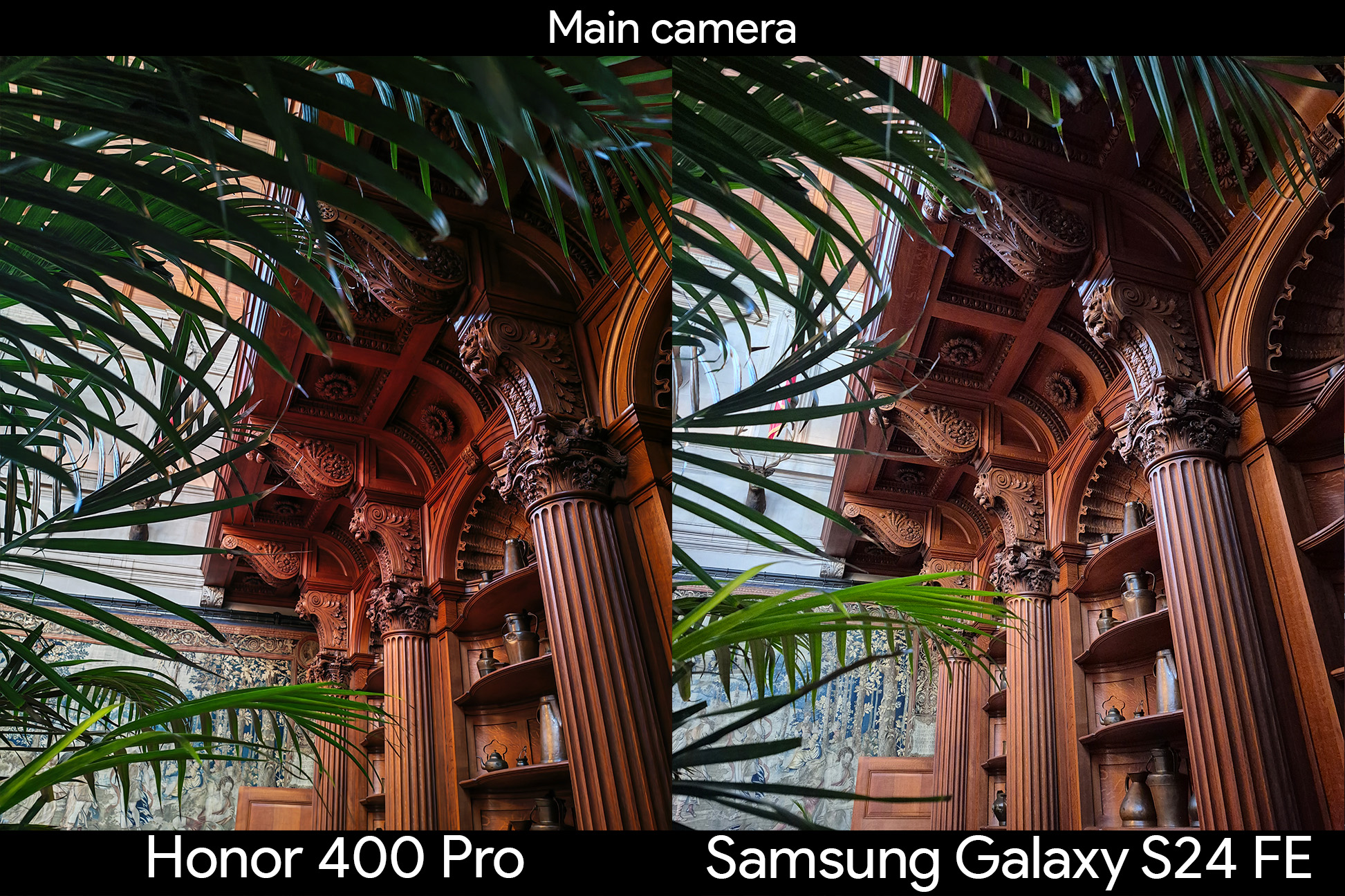
As we move indoors and into darker environments, we see the same scenario play out. Samsung’s goal is seemingly to make the brightest image possible, often at the detriment of color accuracy. Neither photo looks bad by any means, but Honor’s processing ends up looking better and sporting more realistic colors because the company pushes for a more contrast-heavy look, something Pixels have been renowned for historically.
One of the biggest differences between the photos is the handling of bight light sources in dark rooms where the Honor 400 Pro takes a serious lead. The windows are totally blown out in the Galaxy S24 FE’s shot. Meanwhile, they’re not only well balanced in the Honor 400 Pro’s shot but you can actually make out details.
Honor 400 Pro camera review: Motion capture and portraits
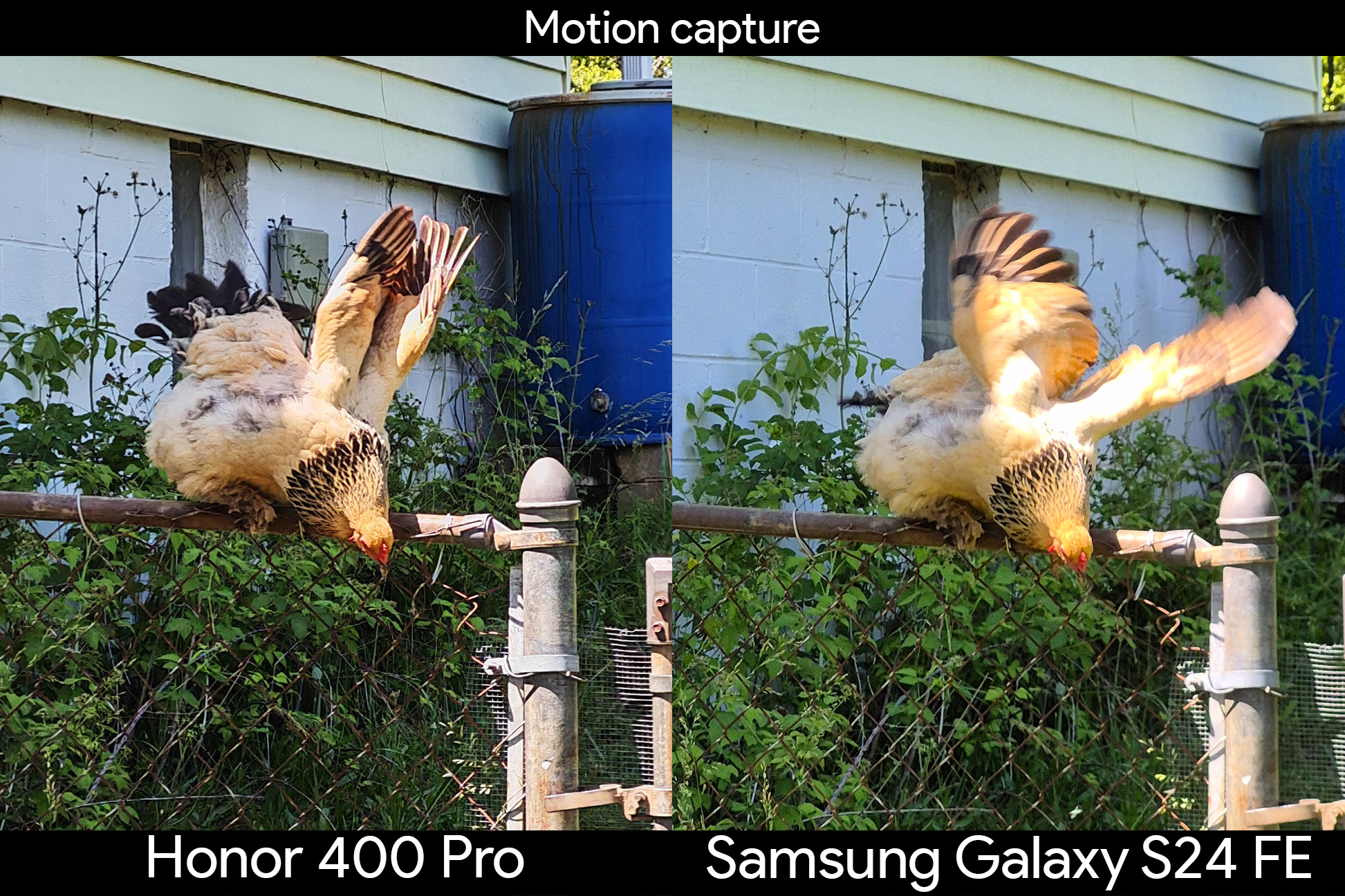
Since theMagic 6 Pro, Honor’s motion capture capabilities have become second to none. The company uses a highly-trained AI algorithm to help understand what the camera sees and capture moving objects based on that algorithm. The result is that you almost always get a crisp subject even when the person, pet, or thing is moving the entire time.
I tested this out on several subjects, but these two examples illustrate the main differences between the Galaxy S24 FE and the Honor 400 Pro’s motion capture capabilities. Even in broad daylight, the Galaxy S24 FE struggles to capture an object in motion, something that should come as no surprise to anyone who has ever used a Samsung phone.
Honor pointed out that the Honor 400 Pro can capture moving subjects even when using portrait mode this time, and I found the results to be very impressive, so I put it to the test indoors where the light isn’t so bright. The Honor 400 Pro did a fantastic job capturing me swinging a sword around in VR, even getting the colors and little details on the headset crisp. The Galaxy S24 FE’s colors are not only wrong, but I’m very blurry because of the movement.
Samsung phones have produced some of the best portrait mode photos for years, but last year’s Honor 200 Pro gave Honor the edge it needed. Honor is still using the Harcourt portrait-style processing that gives you three main color options, in addition to a new AI portrait mode that can be enabled for greater clarity, especially while using 6x zoom.
As you’ll probably expect at this point in the review, the Honor 400 Pro does a superb job of capturing a better photo than the Galaxy S24 FE. Honors portraits are brighter, more vibrant, have better detail, and do a better job of prioritizing lighting on the subject rather than the background. I also found the colors to be a lot more accurate on the Honor 400 Pro, especially with black and brown colors as you’ll see on my shirt and one of my chickens.
Honor 400 Pro camera review: Telephoto and zoom
Both the Honor 400 Pro and Samsung Galaxy S24 FE feature a 3x telephoto camera on the back, something you won’t find on theGoogle Pixel 9aor anAppleiPhone 16e, despite being in the same price range. But the Honor 400 Pro features a 50MP sensor behind that lens, while the Galaxy S24 FE has just an 8MP sensor.
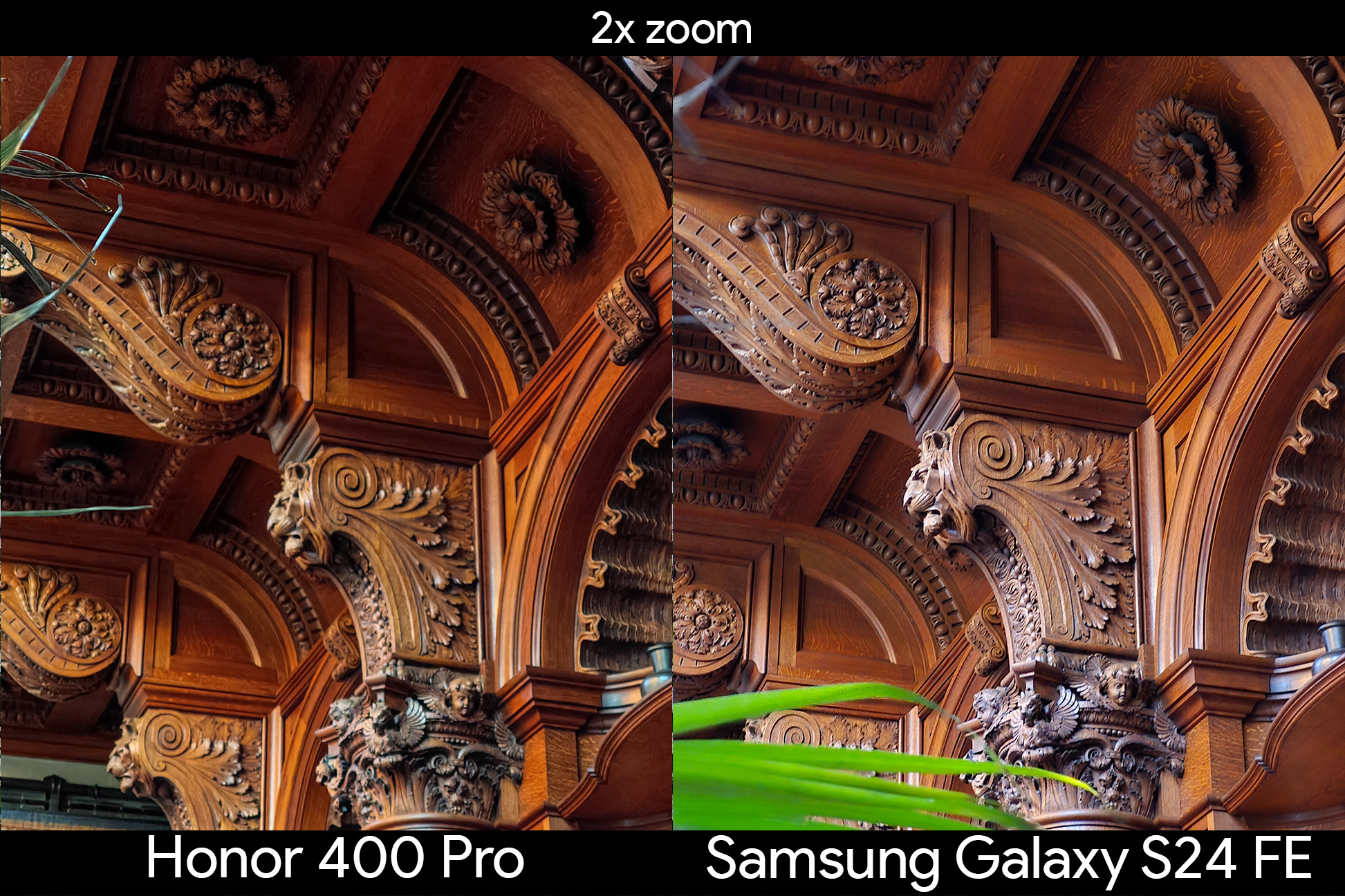
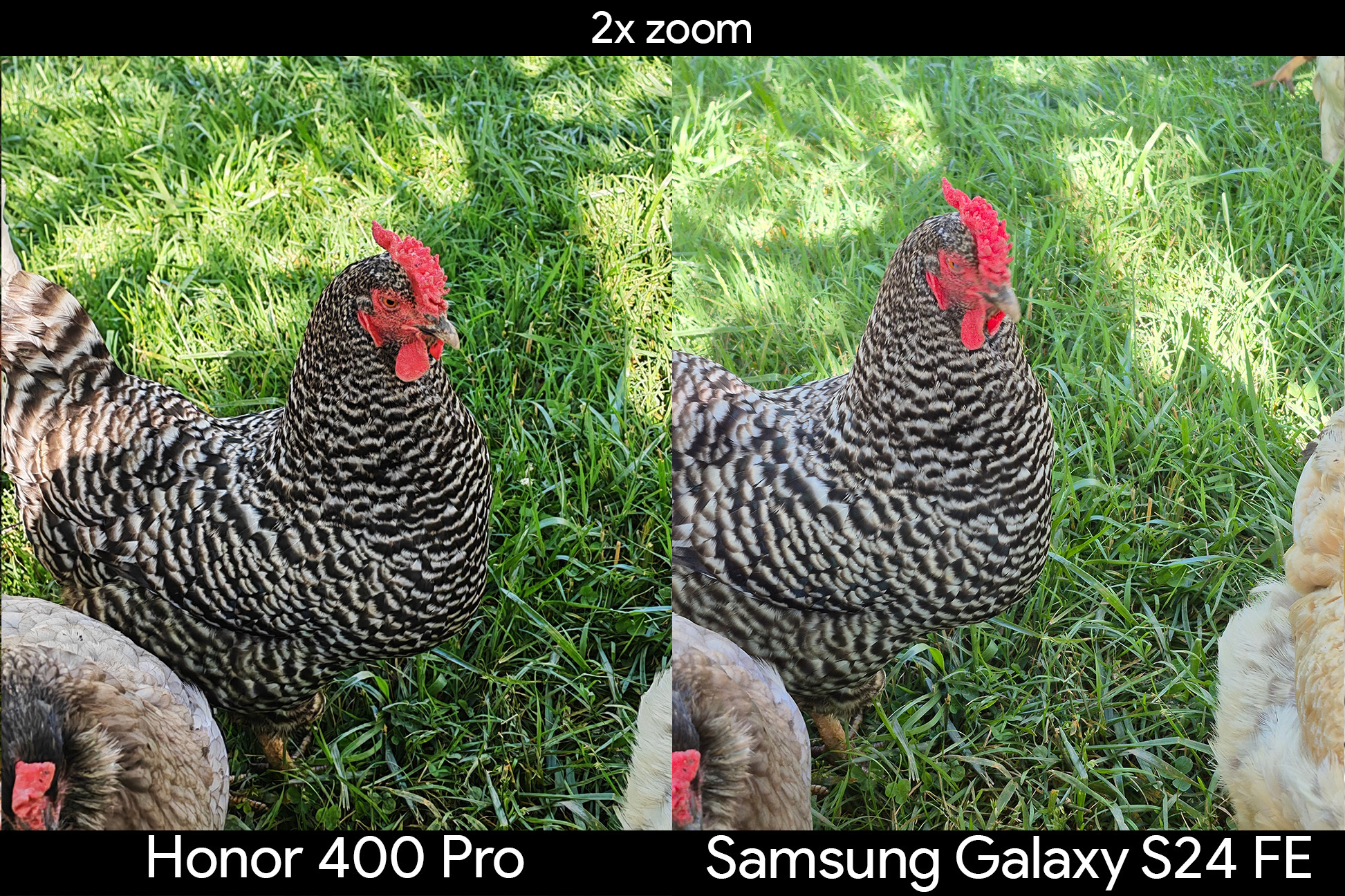
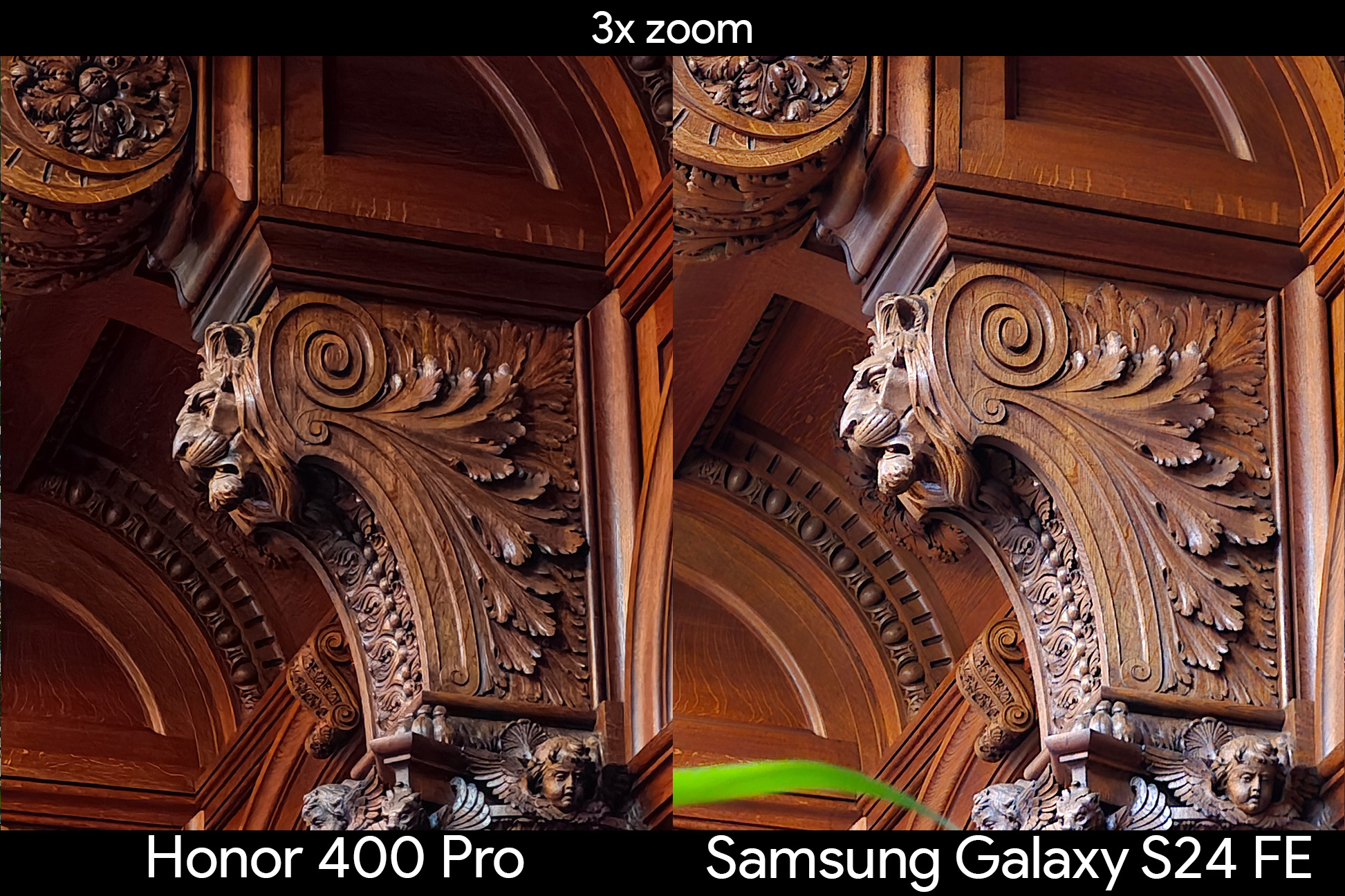
Megapixels aren’t everything, but there’s a very clear difference in the results. Let’s start with 2x shots, which are just a crop of the main sensor on both phones. In the two darker indoor shots, the Honor 400 Pro nailed the color of the wood and did a superb job with the lighting. The contrast on the Honor 400 Pro’s photos are excellent, while the Galaxy S24 FE is too bright in both shots, particularly in the library with the light leakage from the windows.
Even during the day, there’s an obvious different in color accuracy, clarity, and overall details on the Honor 400 Pro versus the Galaxy S24 FE.Image1of3
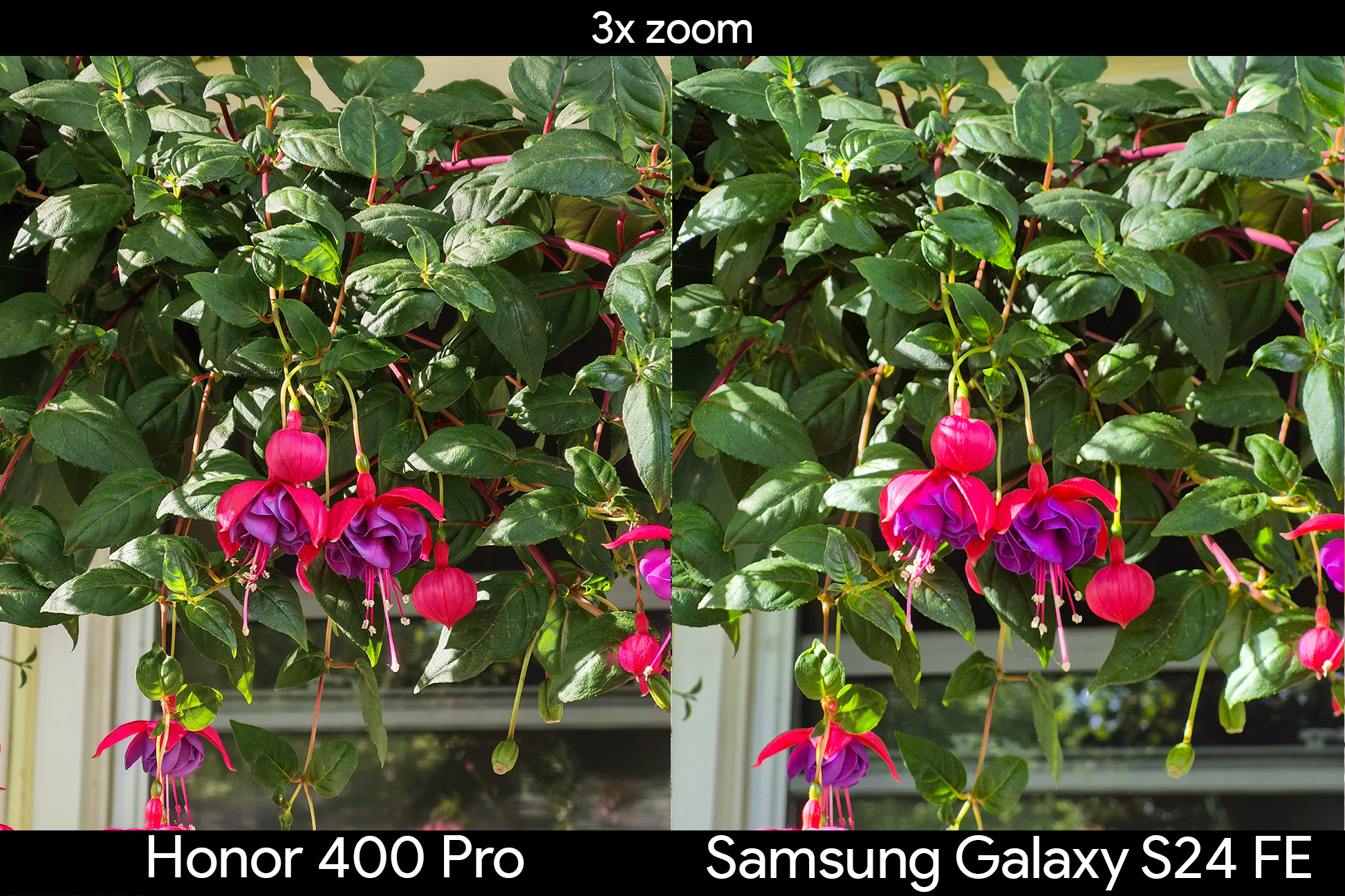
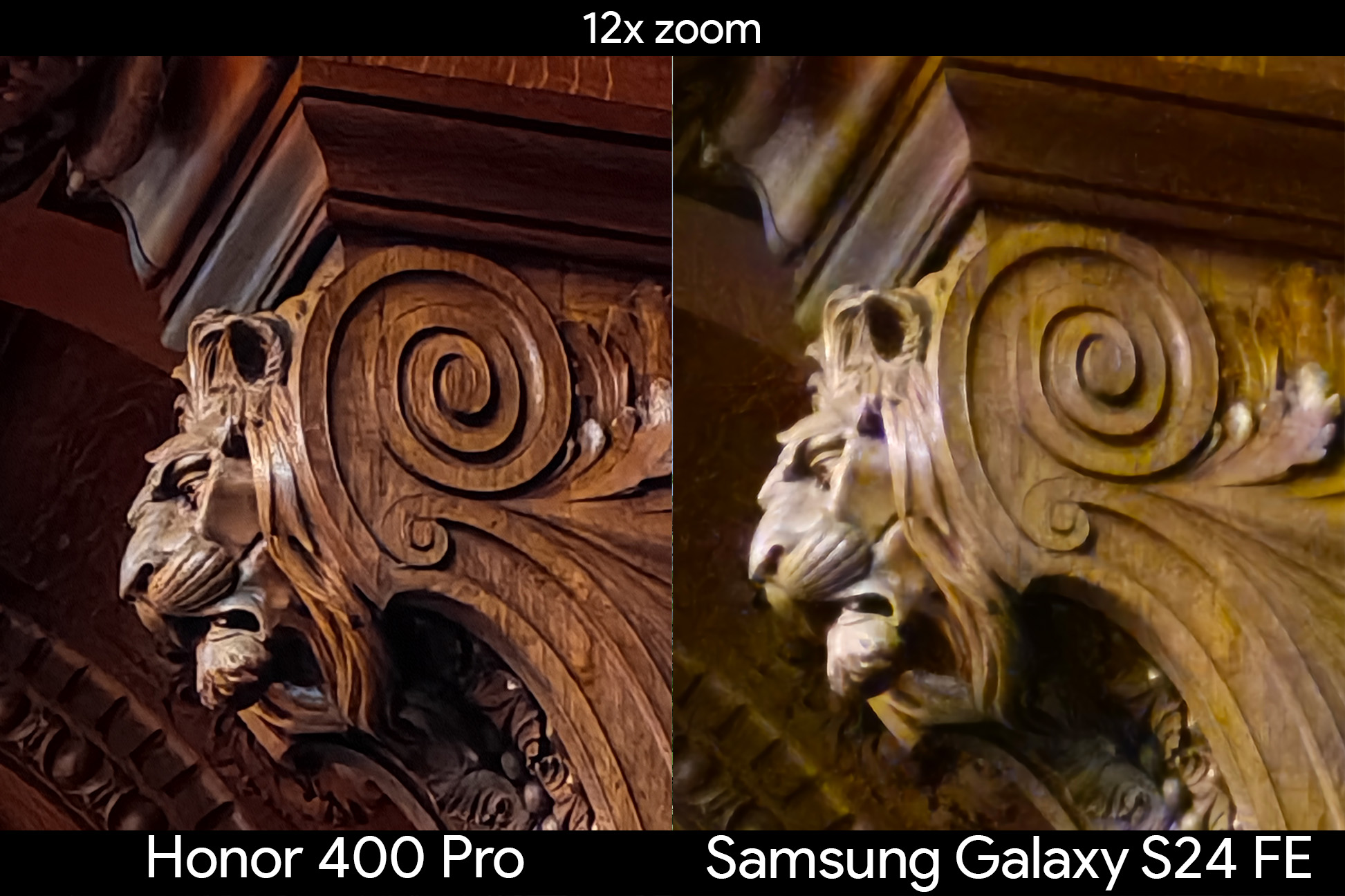
Zooming in 3x or greater uses the telephoto sensor on both phones, and it’s once again clear which ones does it better the moment you look at any photo. Details, color accuracy, and contrast are all better on the Honor 400 Pro no matter what zoom level is used, resulting in a better photo every time.
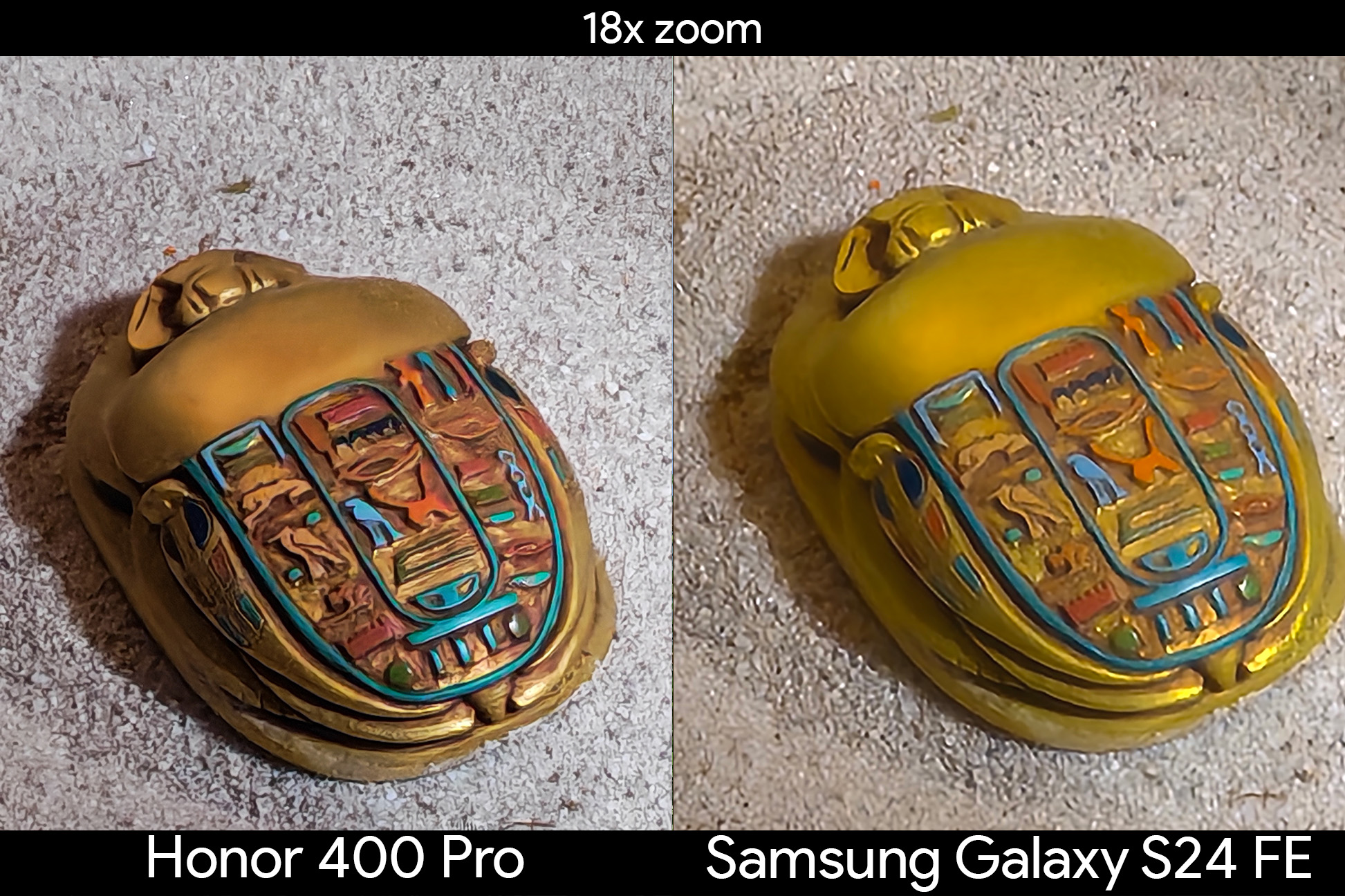
Zooming in beyond 10x is a mixed bag on both phones, but the Honor 400 Pro has a greater chance of producing something usable than what I’ve found from the Galaxy S24 FE. Honor has a built-in AI enhancement mode that can be toggled when zooming in at 15x or further, but I’ve found this to be less useful than I’d hoped. The 18x zoom of the scarab beetle, for instance, looked exactly the same with AI mode toggled on or off.Image1of5
Honor 400 Pro camera review: Ultrawide, macro, and selfie
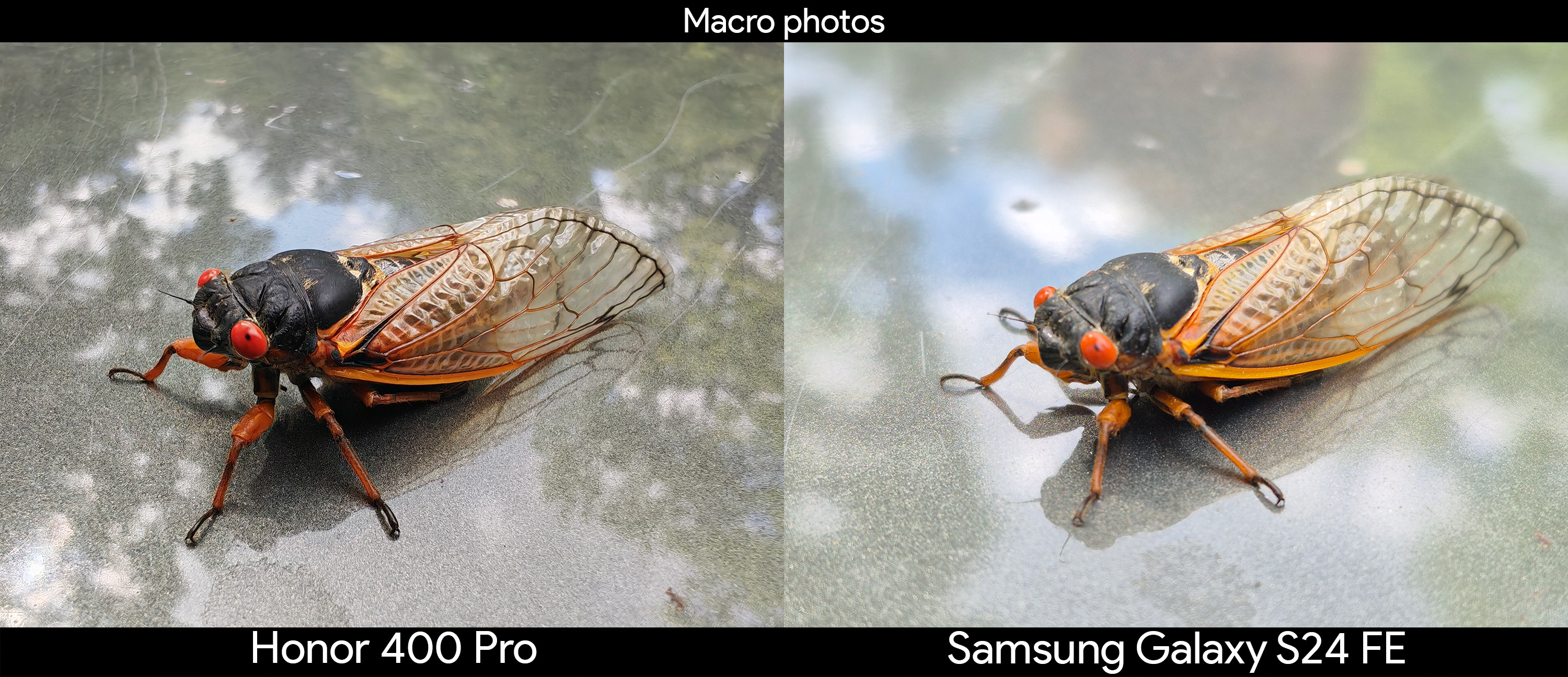
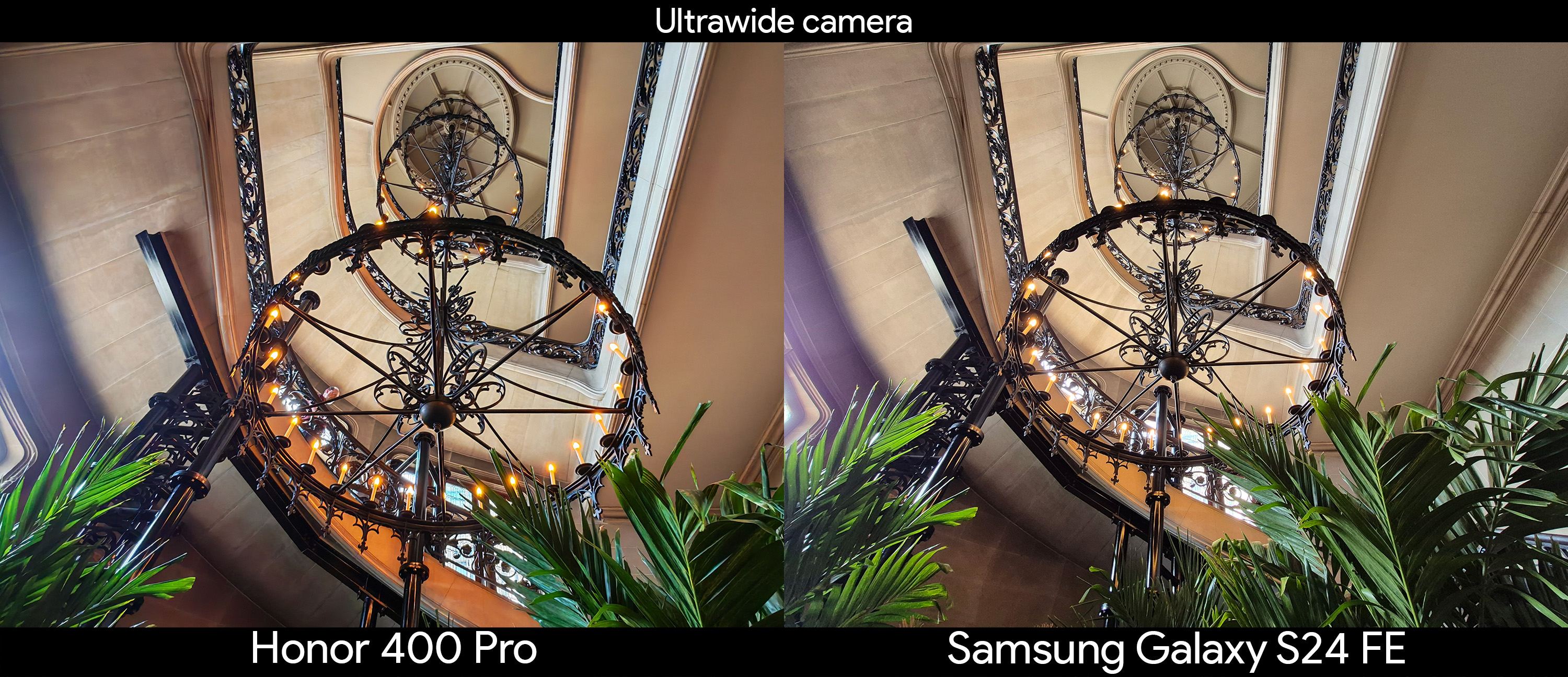
On paper, there’s not much of a difference between the Honor 400 Pro and the Samsung Galaxy S24 FE’s ultrawide cameras. Both are a 12MP sensor, but the Honor 400 Pro’s is capable of autofocus, helping it to double as a macro camera. To get the same types of macro shots on the Galaxy S24 FE, you’ll have to use the 2x zoom button to use the main sensor rather than getting up close to the subject. The result is a significantly better photo from the Honor 400 Pro, with crisper details and better contrast.
Otherwise, ultrawide camera performance is largely identical between the two phones. As a rule of thumb, it seems like the Samsung Galaxy S24 FE’s ultrawide camera captures marginally better fine detail, while I prefer the colors and contrast of the Honor 400 Pro’s ultrawide camera.Image1of3
The front-facing cameras couldn’t be more different on paper. The Honor 400 Pro uses a new 50MP front-facing camera sensor, while the Samsung Galaxy S24 FE uses a 10MP one. Both are fixed focus sensors with no real depth to them, so using portrait mode is important if you want that classic photo feel.
I expect good portrait results from both companies and neither phone disappoints there. Both feature clean cutouts of me and my pet hen, but the Honor 400 Pro’s background blurring is more subtle than the Galaxy S24 FE’s. As has been the case in this entire review, the Honor 400 Pro’s colors and contrast are better, giving it a better overall look.
Darker environments showcase less of a difference between the two, but those differences remain the same. The Honor 400 Pro has better contrast and colors, even if it’s to a much smaller degree than we’ve seen elsewhere in the review.
Honor 400 Pro camera review: The new mid-range camera champion
The Honor 400 Pro won this test hands down, and it wasn’t even close in the vast majority of the categories. Honor’s processing is just plain better than Samsung’s, with better contrast, more accurate colors, more correct emphasis on prioritizing subjects over backgrounds, substantially better motion capture quality, and greater zoom detail overall.
It’s actually hard to find a weak point with the Honor 400 Pro’s camera, as it doeseverythingexceedingly well and doesn’t seem to struggle no matter what mode is selected. The worst thing I can say about it is that its ultrawide camera isn’t better than the Galaxy S24 FE’s when taking wide-angle shots, but that changes when getting in close as the Honor 400 Pro’s ultrawide camera can use autofocus, allowing it to be used as a 50MP macro camera.
If you’re in the market for a good new mid-range phone, there’s no better choice than the Honor 400 Pro. It’s got a great eye-friendly display which is significantly better than the Pixel 9a or Galaxy S24 FE’s screen, six years of software updates to come, a stronger build and design than most phones (not just mid-range ones), plus what’s clearly the best mid-range camera you’ll find anywhere.
Honor is back with another fantastic mid-range flaship phone that looks and feels much more impressive than the price lets on. With IP68 and IP69 water and dust resistance, a 200MP main camera, DC-dimmed display capable of 3840Hz PWM dimming at low brightness, and six years of software updates coming, there are plenty of reasons to be impressed with the Honor 400 Pro.
While there are many parts of a phone you might care about, a phone’s display and camera system are the most important things to me. But Honor has steep competition at this price. From theSamsung Galaxy S24 FE, theGoogle Pixel 9a, or even the iPhone 16e, there’s no shortage of options to choose from.
I’m taking a look at how the Honor 400 Pro compares with theSamsung Galaxy S24FE camera, in particular, as it’s the phone most people would likely choose if given a lineup of similarly-priced devices. Honor also has the standardHonor 400, and that goes up against the Galaxy A56.