How do background processes on a mobile phone “steal” battery power?

Ever wondered why your iPhone or Samsung Galaxy drains battery even when idle? Open the app switcher and you’ll see dozens of apps with “running” indicators—these background processes might be quietly siphoning your battery. System optimizations like Android’s Doze Mode and iOS’s Background App Refresh restrictions are the countermeasures manufacturers designed to tackle this issue.

Understanding Background Processes: The Phone’s Invisible Workforce

Background processes are programs running behind the scenes even when you’re not actively using an app. They enable instant responsiveness—WeChat receiving messages, email apps pushing notifications. However, excessive background activity transforms into a significant battery drain on devices from Google Pixel to Xiaomi.

Essential Services (System-Level): Foundational functions like network connectivity (maintaining 4G/5G standby), location services, and account synchronization with iCloud or Google accounts. These use low-frequency wakeup strategies—syncing data hourly—resulting in controllable power consumption.

Non-Essential Activity (App-Level): Tasks triggered by apps to stay “active”—social apps like WeChat and TikTok sending “heartbeat packets” every 30 seconds, shopping apps updating caches, games preventing process termination. These often occupy CPU, network, and battery at high frequencies without user awareness.

The Three Battery Killers: How Background Processes Drain Power

High-Frequency CPU Wakeups: The CPU’s power consumption ties directly to operating frequency. When background processes frequently wake the CPU, it cannot enter low-power sleep modes. Consider: an app waking the CPU every 15 seconds for 200ms generates 5,760 daily wakeups—nearly 19 minutes of cumulative CPU activity. Tests show such patterns shorten standby time on OnePlus and OPPO devices by 20-30%.

Network Module Idle Spinning: Background network requests activate communication modules (baseband + RF front end). Even without data transmission, your Huawei or Samsung must maintain cell tower connections, continuously draining power. Worse are “ineffective requests”—apps with buggy code repeatedly sending requests receiving no data while 5G antennas continuously emit probe signals. Tests reveal buggy processes can drain an extra 5-8% battery hourly during standby.

Hardware Module Synergy: Background tasks may trigger multiple hardware modules simultaneously. A social app’s location service wakes both GPS and network modules; shopping apps updating image caches activate storage chips and network modules together. Individual modules might consume 10mW, but combined operation reaches hundreds of mW—exponential power growth.

The Bottom Line

Whether using an iPhone, iPad, Samsung Galaxy Tab, or Google Pixel, background processes represent invisible battery consumption. Understanding their impact helps you make informed decisions about which apps truly need background access—and which are simply “stealing” your battery life.
Phone Battery Swelling: What Causes It and How to Prevent It

Battery swelling isn’t just annoying—it’s an early warning sign of chemical runaway in your phone’s lithium-ion battery. The good news? With smart habits, you can dramatically reduce the risk. Whether you’re using an iPhone in Seattle or a Samsung in Miami, these science-backed prevention strategies will keep your battery flat and safe.

Master Your Charging Habits

Stop Overcharging: Lithium-ion batteries work best between 3.7V-4.2V. Charging past 100% destabilizes the cathode structure and releases oxygen and CO₂ gases. Avoid overnight charging—use iPhone’s “Optimized Battery Charging” (Settings > Battery > Battery Health) or Samsung’s “Protect Battery” feature to delay full charge until just before you wake. Unplug immediately at 100%.

Prevent Over-Discharging: Draining below 20% (under 3.0V) causes lithium plating—metallic deposits that pierce protective layers and trigger electrolyte breakdown. Enable low-battery alerts and charge when hitting 20%. For stored devices like backup Pixels or old OnePlus phones, maintain 50-70% charge to minimize degradation.

Reduce Fast-Charging Load: Fast chargers (65W-120W on Xiaomi or OnePlus devices) generate heat through high current (Q=I²Rt). Gaming or streaming while fast-charging doubles heat buildup, accelerating gas production. Use original chargers only—third-party accessories cause voltage fluctuations. If your phone exceeds 45°C during charging, pause immediately.

Control Your Environment

Avoid Extreme Heat: Never leave phones in parked cars during Texas or Arizona summers (interiors hit 60°C/140°F). Charge in ventilated spaces—not under blankets or pillows. Limit gaming sessions in hot conditions to 30-minute intervals.

Handle Cold Carefully: Winter use below 0°C in Chicago or Denver reduces battery voltage, triggering false “low battery” readings. Pre-warm your device to 20°C (pocket storage) before charging to prevent lithium dendrite formation.

Regular Check-Ups Matter

Monthly, measure device thickness with a ruler (iPhone 15 Pro Max: 8.25mm standard; >9.25mm indicates swelling). Monitor charging heat—back panels above 45°C signal trouble. Check battery health via iOS Settings or Android’s built-in tools (AccuBattery for detailed metrics). Capacity below 80% means your battery needs extra care or replacement.

Smart Settings Save Batteries

Enable “Smart Charging” on iPhones, Huawei phones, or Xiaomi devices to avoid prolonged 100% states. Disable Background App Refresh, unused location services, and Bluetooth when idle. Calibrate your battery annually (full discharge to auto-shutdown, then charge to 100%) only if lacking smart charging features.

The Bottom Line

Prevention beats replacement. Charge between 20-80%, avoid temperature extremes, use genuine accessories, and monitor health monthly. These habits add 1-2 years of battery life across all brands—from Google Pixels in Portland to Motorola devices in Atlanta. Your battery’s safety is in your hands.

How to accurately read the real lifespan of different brand mobile phone batteries

Ever seen “Battery Health: 85%” on your phone and wondered how much longer it’ll actually last? Here’s the truth—that percentage is just an algorithmic estimate, not a precise measurement. Some users with 85% health enjoy smooth performance for months, while others experience random shutdowns. Whether you’re navigating New York’s subway or driving through Texas, understanding your battery’s true condition matters more than trusting a single number.

Why System Health Percentages Can Be Misleading

Manufacturers calculate battery health differently. Apple’s “Maximum Capacity” relies on lab-based cycle models that don’t account for real-world charging habits. Android brands like Samsung penalize high temperatures, while Huawei predicts future degradation using AI. These algorithmic differences mean identical health percentages can represent 5-10% variations in actual capacity. Worse, health percentages only measure capacity—not performance stability. A battery at 80% capacity with high internal resistance might cause sudden shutdowns during gaming, meaning its true lifespan is already ending.

Method 1: Discharge Curve Testing Apps

Third-party tools bypass system algorithms for more accurate readings. AccuBattery (Android) monitors voltage changes during charging and plots capacity-voltage curves—after three full cycles, accuracy reaches ±3%. CoconutBattery (iOS, requires computer connection) reads underlying battery data including maximum capacity and cycle count, bypassing Apple’s vague estimates. Compare your “actual capacity” against rated capacity to calculate real degradation.

Method 2: Real-World Battery Life Testing

Health percentages are theoretical; actual screen-on time is what matters. Standardize your test: close background apps, enable airplane mode, then record how long your phone lasts from 100% to shutdown. Compare against manufacturer benchmarks or tech reviews from sites like GSMArena. If your phone delivers only 65% of a new model’s battery life, degradation is significant regardless of what the percentage says.

Method 3: Recognize Warning Signs

Battery aging reveals itself through abnormal behaviors. Watch for charging speeds dropping dramatically (30 minutes to 50% becoming an hour), standby drain exceeding 15% overnight, or unexpected shutdowns in mild cold weather. These signals often appear before health percentages drop significantly—especially relevant for users in extreme climates like Phoenix summers or Minneapolis winters.

Method 4: Professional Capacity Analyzers

For secondhand phone verification or enterprise testing, professional equipment like ChargerLAB POWER-Z provides lab-grade accuracy under 1% error. These tools measure both capacity and internal resistance (healthy batteries show under 50mΩ; aged ones exceed 100mΩ). However, they require battery removal—impractical for average users.

The Bottom Line

True battery lifespan isn’t a number—it’s the experience of going from “lasting all day” to “barely making it to lunch.” Instead of obsessing over percentages, combine discharge curve testing, real-world performance checks, and abnormal signal monitoring. Battery replacement services across the US—from Apple Stores to local repair shops in Denver, Seattle, or Atlanta—typically cost $50-$100. Sometimes the best investment is fresh cells combined with smarter habits.

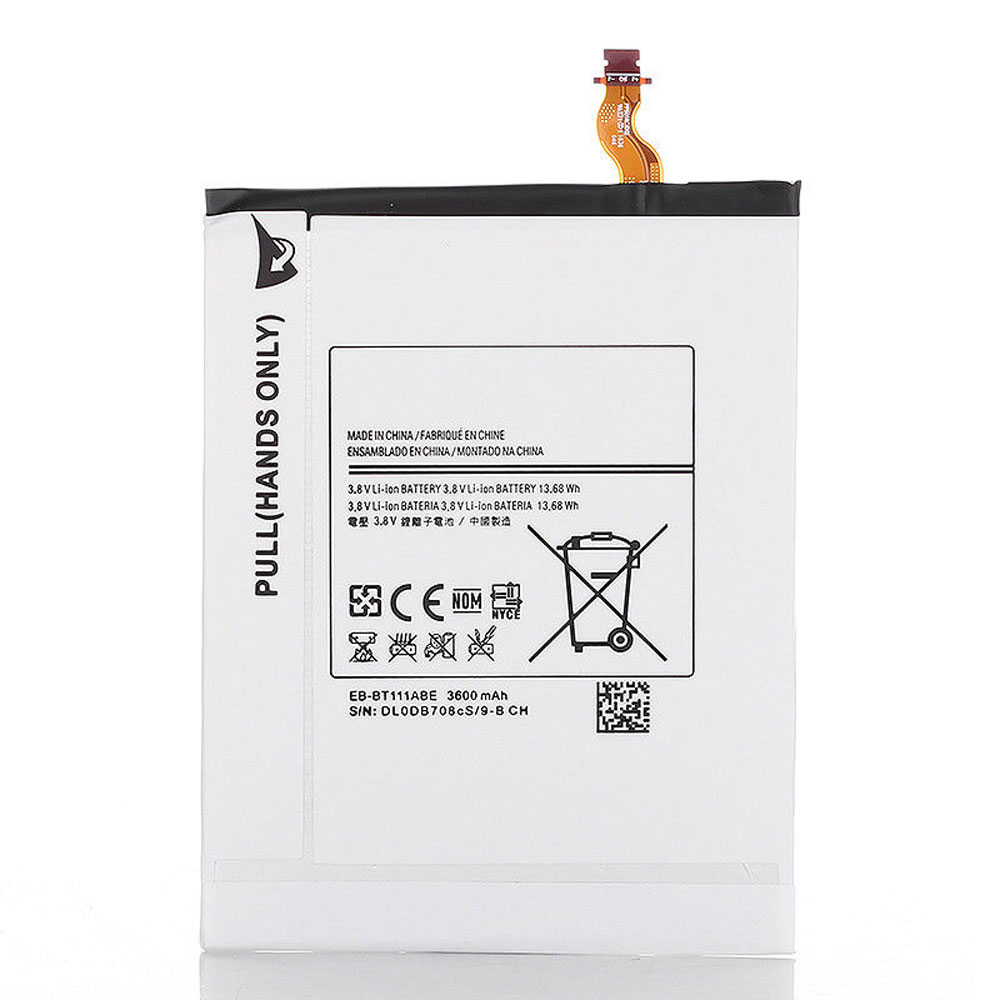
Samsung SM-T110 T111 Galaxy Tab3 Lite Samsung BT585ABE Battery

Buy Samsung EB-BT111ABE Tablet PC Battery replacement for Samsung GALAXY TAB 3 7.0 LITE SM-T110 T111.

Fit Machine Model Samsung GALAXY TAB 3 7.0 LITE SM-T110 T111 – 3600MAH/13.68Wh – 3.8V.

All products from our shop are 100% the highest quality! We provide the high quality Laptop Batteries. Samsung EB-BT111ABE battery is best compatible with the original equipments.

OriccaBattery.co.uk ◆Free Shipping ◆ One year warranty ◆ 30 days money back guarantee.

Battery EB-BT111ABE Replacement For Samsung GALAXY TAB 3 7.0 LITE SM-T110 T111

EB-BT111ABE

Samsung EB-BT111ABE Specifications
Brand:Tablet PC Battery for Samsung
Capacity:3600MAH/13.68Wh
Voltage:3.8V
Type:Li-ion
All products from our shop are 100% the highest quality!
We provide the high quality Laptop Adapters!

PRODUCT COMPATIBILITY:

EB-BT111ABE

REPLACEABILITY WITH THE FOLLOWING MODELS:

Samsung SM-T110 T111 GALAXY TAB3 7.0 LITE

How to Maintenance your new replacement Samsung EB-BT111ABE battery?
1. New Samsung EB-BT111ABE battery pack must be fully charged before use.
2. New battery pack needs to be fully charged and discharged (cycled) a few times before it can condition to full capacity.
3.Laptop battery undergo self-discharging when left unused. Always store a Samsung EB-BT111ABE battery pack in a fully charged stage for storage.
4. Fully drain and fully recharge your battery pack every few months.
5. Turn down the LCD brightness of your portable device.
6. Use built-in power management on your portable device.
7. Turn off LCD or other unnecessary accessories when not in use.
8. Set screen saver blank to 1 to 2 minutes of your notebook.
9. Add more RAM if you have extra RAM expansion slot, it will reduce the usage of hard drive and it is power exhaustive.
10. Close unused software in your Samsung GALAXY TAB 3 7.0 LITE SM-T110 T111 Tablet PC .
11. Remove unused PC Cards or USB devices from your notebook.
12. Don´t watch DVD or play graphics intensive video games.
13. Don´t short circuit terminal or store your Samsung EB-BT111ABE Tablet Batteries pack with metal parts. 14. Don´t drop or mutilate the Samsung EB-BT111ABE battery pack.
15. Don´t expose to moisture or water.

Related popular recommendations:
58-000049 Battery Compatible Amazon Kindle PaperWhite 2nd Gen 6″
L14M2P21 Battery Compatible Lenovo S41-70 S41-70AM
ACDP-100D01 Laptop Adapters For Sony Vaio PCGA AC19V4 ACDP-100D01
TLI017C1 Battery Compatible Alcatel One Touch OT-5027B DAWN OT-4060O STREAK OT-4060A IDEAL
088796 Battery Compatible Bose Soundlink Mini 2 Pack
PA5162U-1BRS Battery Compatible Toshiba Portege R30 R30-A series
061384 Battery Compatible BOSE SOUNDLINK Mini Series
82-71363-04 Battery Compatible MOTOROLA MC70 MC75 FR68
FX30 Battery Compatible Motorola XT1575 Moto X Pure Edition / Moto X Style

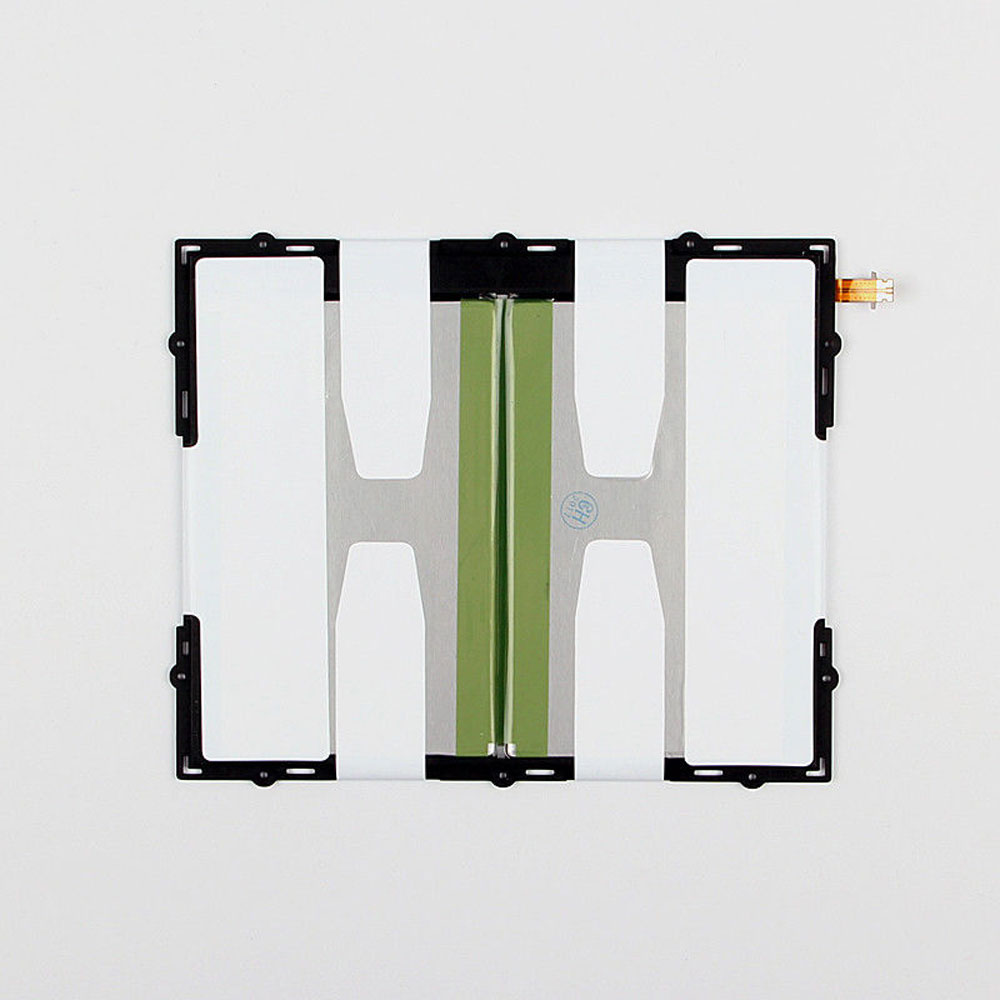
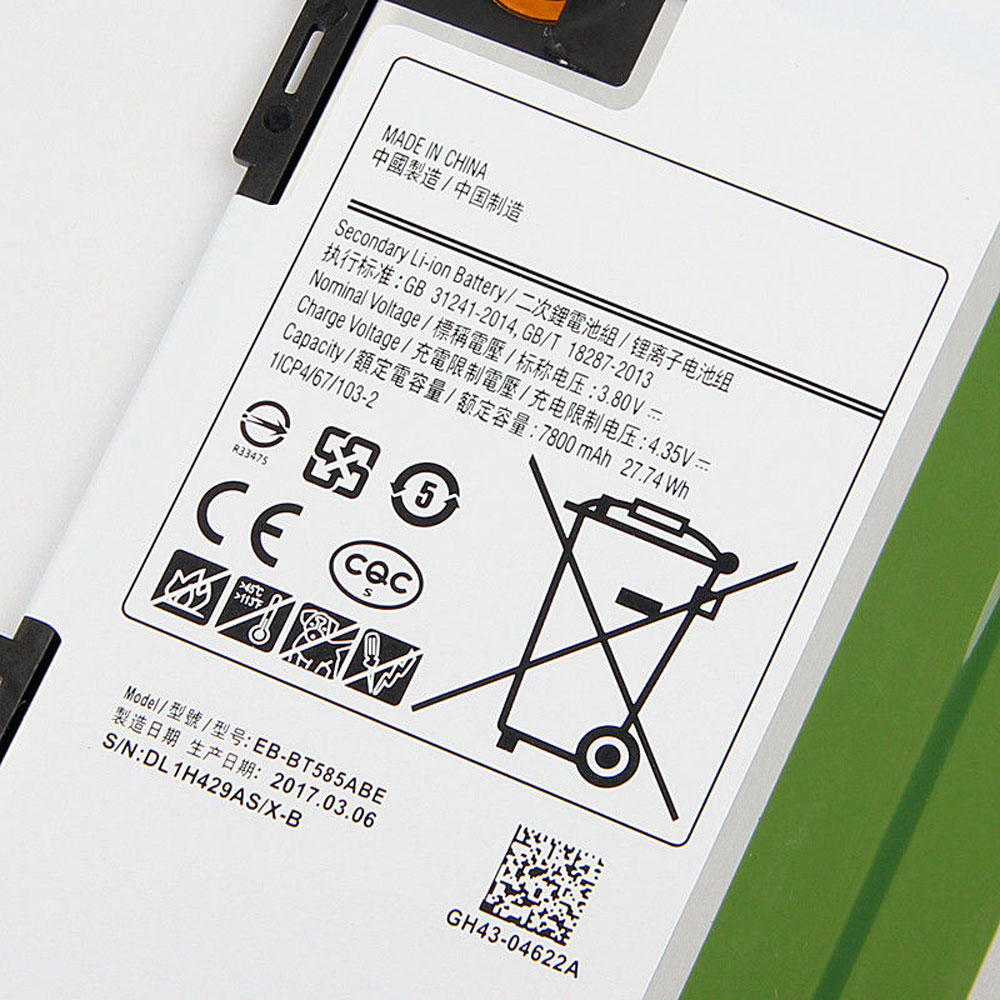
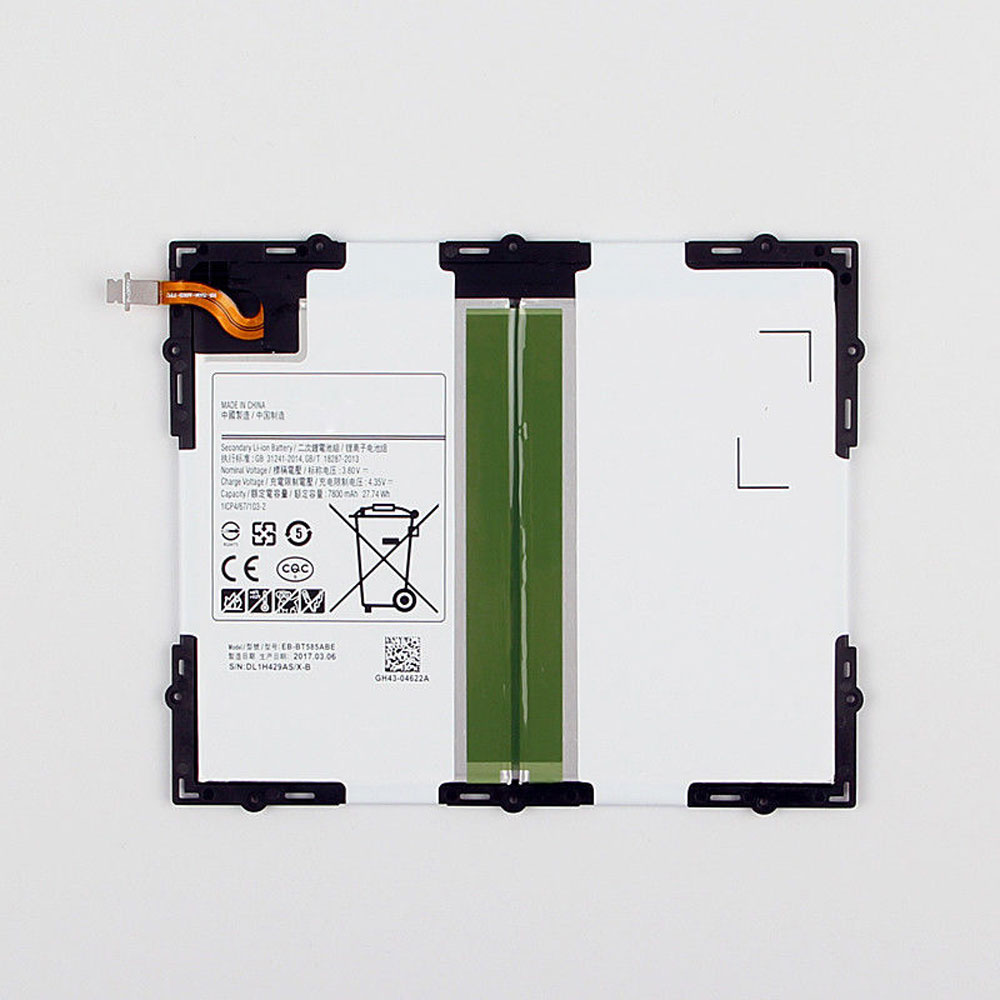
Samsung Galaxy Tab SM-T585C BT580 Samsung BT585ABE Battery

Buy Samsung BT585ABE Tablet PC Battery replacement for Samsung Tab A 10.1 2016 SM-T585C BT580.

Fit Machine Model Samsung Tab A 10.1 2016 SM-T585C BT580 – 7800MAH/27.74Wh – 3.8V/4.35V.

All products from our shop are 100% the highest quality! We provide the high quality Laptop Batteries. Samsung BT585ABE battery is best compatible with the original equipments.

OriccaBattery.co.uk ◆Free Shipping ◆ One year warranty ◆ 30 days money back guarantee.

Battery BT585ABE Replacement For Samsung Tab A 10.1 2016 SM-T585C BT580

BT585ABE

Samsung BT585ABE Specifications
Brand:Tablet PC Battery for Samsung
Capacity:7800MAH/27.74Wh
Voltage:3.8V/4.35V
Type:Li-ion
All products from our shop are 100% the highest quality!
We provide the high quality Laptop Adapters!

PRODUCT COMPATIBILITY:

BT585ABE

REPLACEABILITY WITH THE FOLLOWING MODELS:

Samsung GALAXY Tab SM-T585C BT580

BT585ABE
BT585ABE

How to Maintenance your new replacement Samsung BT585ABE battery?
1. New Samsung BT585ABE battery pack must be fully charged before use.
2. New battery pack needs to be fully charged and discharged (cycled) a few times before it can condition to full capacity.
3.Laptop battery undergo self-discharging when left unused. Always store a Samsung BT585ABE battery pack in a fully charged stage for storage.
4. Fully drain and fully recharge your battery pack every few months.
5. Turn down the LCD brightness of your portable device.
6. Use built-in power management on your portable device.
7. Turn off LCD or other unnecessary accessories when not in use.
8. Set screen saver blank to 1 to 2 minutes of your notebook.
9. Add more RAM if you have extra RAM expansion slot, it will reduce the usage of hard drive and it is power exhaustive.
10. Close unused software in your Samsung Tab A 10.1 2016 SM-T585C BT580 Tablet PC .
11. Remove unused PC Cards or USB devices from your notebook.
12. Don´t watch DVD or play graphics intensive video games.
13. Don´t short circuit terminal or store your Samsung BT585ABE Tablet Batteries pack with metal parts. 14. Don´t drop or mutilate the Samsung BT585ABE battery pack.
15. Don´t expose to moisture or water.

Related popular recommendations:
58-000049 Battery Compatible Amazon Kindle PaperWhite 2nd Gen 6″
L14M2P21 Battery Compatible Lenovo S41-70 S41-70AM
ACDP-100D01 Laptop Adapters For Sony Vaio PCGA AC19V4 ACDP-100D01
TLI017C1 Battery Compatible Alcatel One Touch OT-5027B DAWN OT-4060O STREAK OT-4060A IDEAL
088796 Battery Compatible Bose Soundlink Mini 2 Pack
PA5162U-1BRS Battery Compatible Toshiba Portege R30 R30-A series
061384 Battery Compatible BOSE SOUNDLINK Mini Series
82-71363-04 Battery Compatible MOTOROLA MC70 MC75 FR68
FX30 Battery Compatible Motorola XT1575 Moto X Pure Edition / Moto X Style