Apple MacBook Air 13″ A1369 6700MAH/50WH 7.3V Battery

Buy Apple A1405 Laptop Battery replacement for Apple Macbook Air 13 A1369 2011 & A1466 2012 Series.

Fit Machine Model Apple Macbook Air 13 A1369 2011 & A1466 2012 Series – 6700MAH/50WH – 7.3V.

All products from our shop are 100% the highest quality! We provide the high quality Laptop Batteries. Apple A1405 battery is best compatible with the original equipments.

OriccaBattery.co.uk ◆Free Shipping ◆ One year warranty ◆ 30 days money back guarantee.

Battery A1405 Replacement For Apple Macbook Air 13 A1369 2011 & A1466 2012 Series
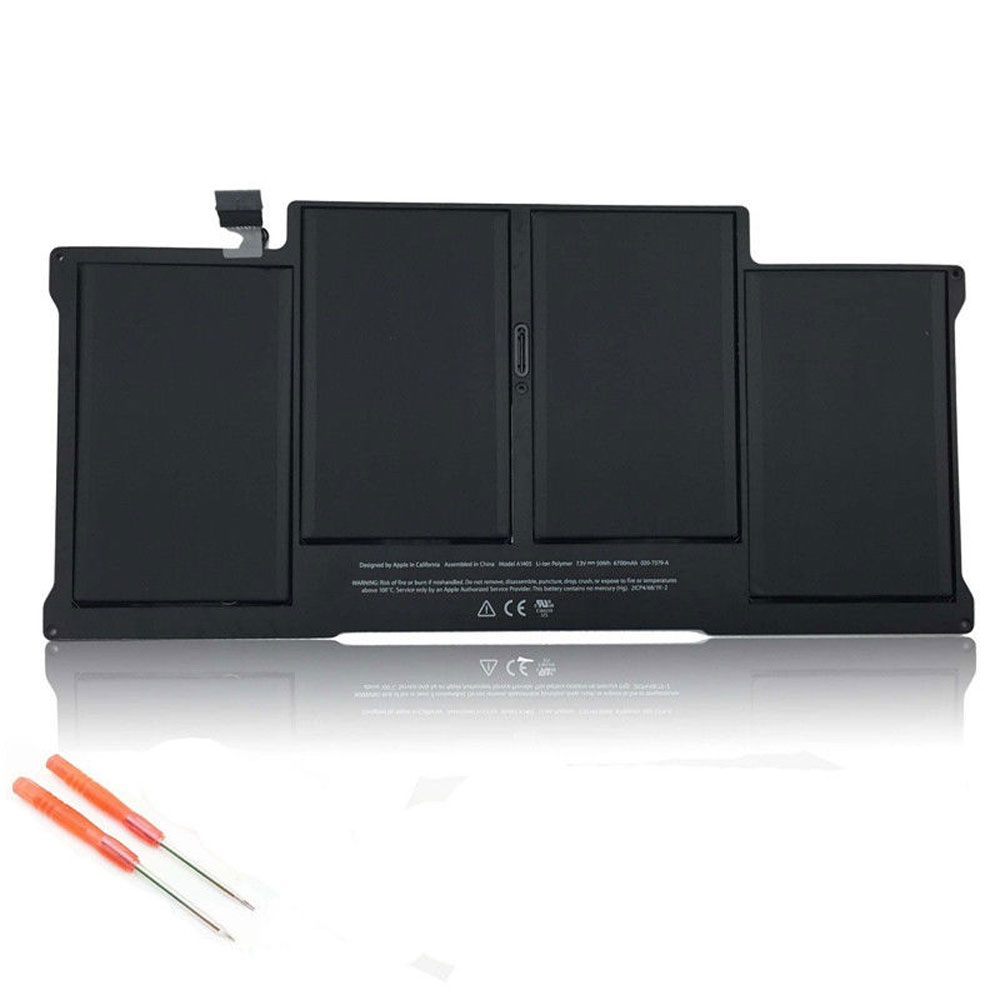
A1405

Apple A1405 Specifications
Brand: Laptop Battery for Apple
Capacity:6700MAH/50WH
Voltage:7.3V
Type:Li-ion
All products from our shop are 100% the highest quality!
We provide the high quality Laptop Adapters!

PRODUCT COMPATIBILITY:

A1405
020-7379-A

REPLACEABILITY WITH THE FOLLOWING MODELS:

APPLE MacBook Air 13″ A1369 (Late 2010): MC503LL/A, MC504LL/A
APPLE MacBook Air 13″ A1369 (Mid 2011): MC965LL/A, MC966LL/A
APPLE MacBook Air 13″ A1466 (Mid 2012): MD223LL/A, MD224LL/A

How to Maintenance your new replacement Apple A1405 battery?
1. New Apple A1405 battery pack must be fully charged before use.
2. New battery pack needs to be fully charged and discharged (cycled) a few times before it can condition to full capacity.
3.Laptop battery undergo self-discharging when left unused. Always store a Apple A1405 battery pack in a fully charged stage for storage.
4. Fully drain and fully recharge your battery pack every few months.
5. Turn down the LCD brightness of your portable device.
6. Use built-in power management on your portable device.
7. Turn off LCD or other unnecessary accessories when not in use.
8. Set screen saver blank to 1 to 2 minutes of your notebook.
9. Add more RAM if you have extra RAM expansion slot, it will reduce the usage of hard drive and it is power exhaustive.
10. Close unused software in your Apple Macbook Air 13 A1369 2011 & A1466 2012 Series laptop .
11. Remove unused PC Cards or USB devices from your notebook.
12. Don´t watch DVD or play graphics intensive video games.
13. Don´t short circuit terminal or store your Apple A1405 Laptop Batteries pack with metal parts. 14. Don´t drop or mutilate the Apple A1405 battery pack.
15. Don´t expose to moisture or water.

Other Online Stores:
USA————APPLE A1405 battery
NED————Apple A1405 Lithium-Ion Accu
FRA————Apple A1405 Batterie Ordinateur Portable
JPN————Apple A1405 Li-ion 新品デル互換用バッテリー
ESP————Apple A1405 baterías

BLU Life One XL L050 L050U L050 2820MAH/10.716WH 3.8V/4.35V Battery

Buy BLU C866640282L Cell Phone Battery replacement for BLU Life One XL L050 L050U L050.

Fit Machine Model BLU Life One XL L050 L050U L050 – 2820MAH/10.716WH – 3.8V/4.35V.

All products from our shop are 100% the highest quality! We provide the high quality Laptop Batteries. BLU C866640282L battery is best compatible with the original equipments.

OriccaBattery.co.uk ◆Free Shipping ◆ One year warranty ◆ 30 days money back guarantee.

Battery C866640282L Replacement For BLU Life One XL L050 L050U L050

C866640282L

BLU C866640282L Specifications
Brand:Cell Phone Battery for BLU
Capacity:2820MAH/10.716WH
Voltage:3.8V/4.35V
Type:Li-ion
All products from our shop are 100% the highest quality!
We provide the high quality Laptop Adapters!

PRODUCT COMPATIBILITY:

C866640282L

REPLACEABILITY WITH THE FOLLOWING MODELS:

BLU Life One XL L050 L050U L050

How to Maintenance your new replacement BLU C866640282L battery?
1. New BLU C866640282L battery pack must be fully charged before use.
2. New battery pack needs to be fully charged and discharged (cycled) a few times before it can condition to full capacity.
3.Laptop battery undergo self-discharging when left unused. Always store a BLU C866640282L battery pack in a fully charged stage for storage.
4. Fully drain and fully recharge your battery pack every few months.
5. Turn down the LCD brightness of your portable device.
6. Use built-in power management on your portable device.
7. Turn off LCD or other unnecessary accessories when not in use.
8. Set screen saver blank to 1 to 2 minutes of your notebook.
9. Add more RAM if you have extra RAM expansion slot, it will reduce the usage of hard drive and it is power exhaustive.
10. Close unused software in your BLU Life One XL L050 L050U L050 phone .
11. Remove unused PC Cards or USB devices from your notebook.
12. Don´t watch DVD or play graphics intensive video games.
13. Don´t short circuit terminal or store your BLU C866640282L Cell Phone Batteries pack with metal parts. 14. Don´t drop or mutilate the BLU C866640282L battery pack.
15. Don´t expose to moisture or water.

Other Online Stores:
USA————BLU C866640282L battery
NED————BLU C866640282L Lithium-Ion Accu
FRA————Blu C866640282L Batterie Téléphone
JPN————Blu C866640282L Li-ion 新品デル互換用バッテリー
ESP————Blu C866640282L baterías

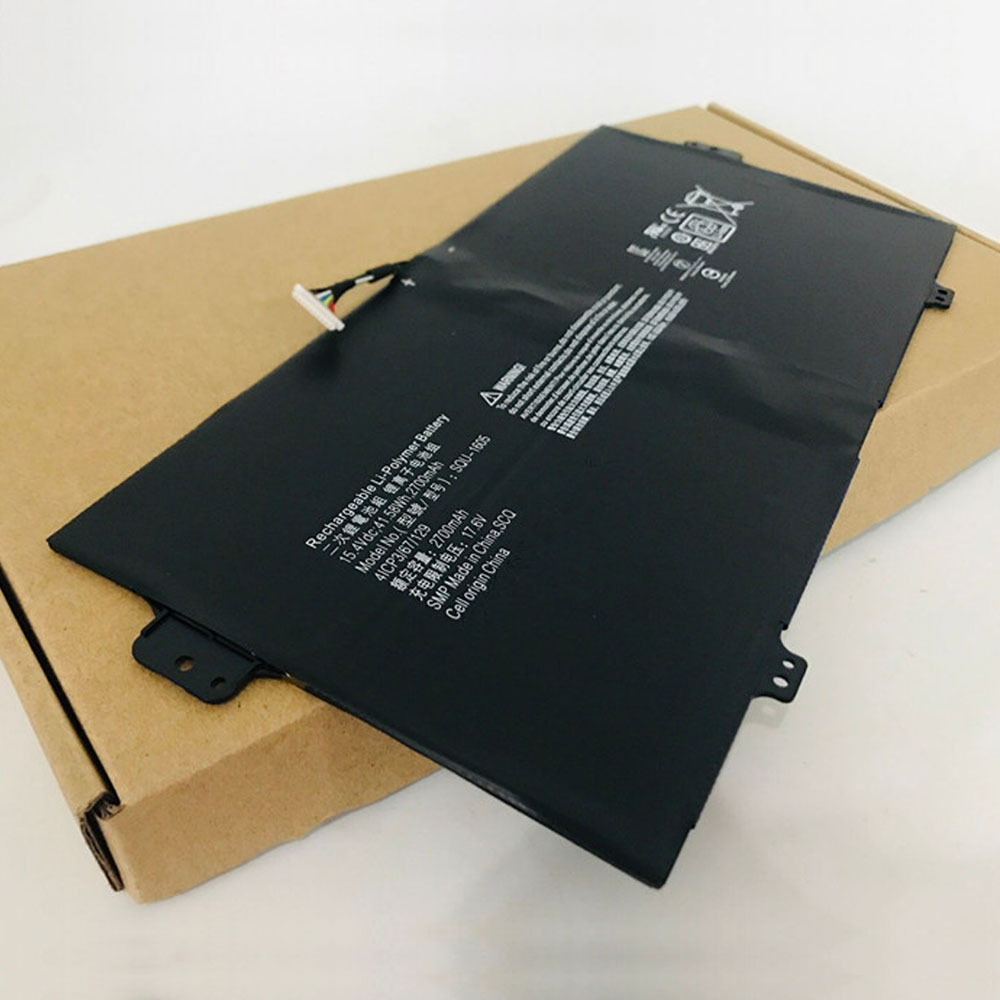
Acer Spin 7 SP714-51 SP713-51 2700MAH/41.58Wh 15.4V/17.6V Battery

Buy Acer SQU-1605 Laptop Battery replacement for Acer Spin 7 SP714-51 SP713-51 Series.

Fit Machine Model Acer Spin 7 SP714-51 SP713-51 Series – 2700MAH/41.58Wh – 15.4V/17.6V.

All products from our shop are 100% the highest quality! We provide the high quality Laptop Batteries. Acer SQU-1605 battery is best compatible with the original equipments.

OriccaBattery.co.uk ◆Free Shipping ◆ One year warranty ◆ 30 days money back guarantee.

Battery SQU-1605 Replacement For Acer Spin 7 SP714-51 SP713-51 Series

SQU-1605

Acer SQU-1605 Specifications
Brand: Laptop Battery for Acer
Capacity:2700MAH/41.58Wh
Voltage:15.4V/17.6V
Type:Li-ion
All products from our shop are 100% the highest quality!
We provide the high quality Laptop Adapters!

PRODUCT COMPATIBILITY:

SQU-1605

REPLACEABILITY WITH THE FOLLOWING MODELS:

Acer Spin 7 SP714-51 SP713-51 Series

How to Maintenance your new replacement Acer SQU-1605 battery?
1. New Acer SQU-1605 battery pack must be fully charged before use.
2. New battery pack needs to be fully charged and discharged (cycled) a few times before it can condition to full capacity.
3.Laptop battery undergo self-discharging when left unused. Always store a Acer SQU-1605 battery pack in a fully charged stage for storage.
4. Fully drain and fully recharge your battery pack every few months.
5. Turn down the LCD brightness of your portable device.
6. Use built-in power management on your portable device.
7. Turn off LCD or other unnecessary accessories when not in use.
8. Set screen saver blank to 1 to 2 minutes of your notebook.
9. Add more RAM if you have extra RAM expansion slot, it will reduce the usage of hard drive and it is power exhaustive.
10. Close unused software in your Acer Spin 7 SP714-51 SP713-51 Series laptop .
11. Remove unused PC Cards or USB devices from your notebook.
12. Don´t watch DVD or play graphics intensive video games.
13. Don´t short circuit terminal or store your Acer SQU-1605 Laptop Batteries pack with metal parts. 14. Don´t drop or mutilate the Acer SQU-1605 battery pack.
15. Don´t expose to moisture or water.

Other Online Stores:
USA————ACER SQU-1605 battery
NED————Acer SQU-1605 Lithium-Ion Accu
FRA————Acer SQU-1605 Batterie Ordinateur Portable
JPN————Acer SQU-1605 Li-ion 新品デル互換用バッテリー
ESP————Acer SQU-1605 baterías

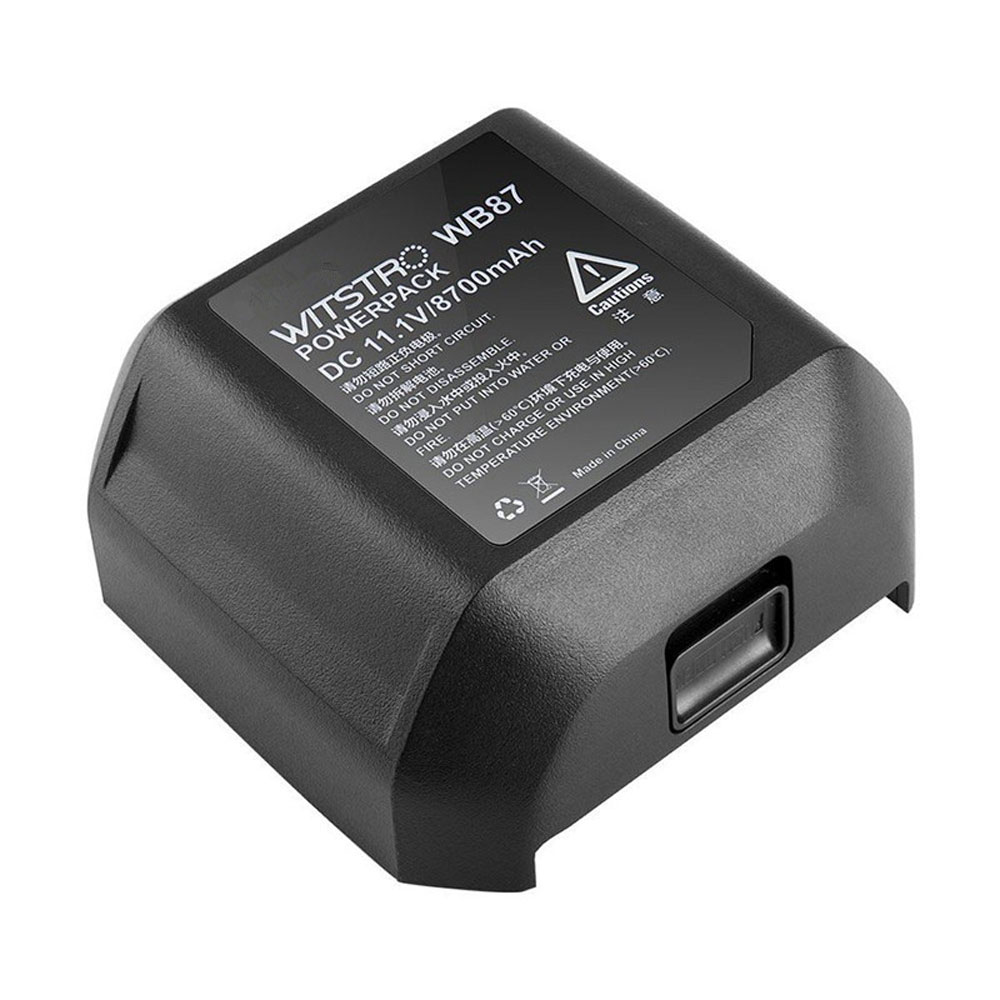
Studio Flashes AD600 AD600B AD600BM AD600M 8700MAH 11.1V Battery

Buy Godox WB87 Battery replacement for Studio Flashes AD600 AD600B AD600BM AD600M.

Fit Machine Model Studio Flashes AD600 AD600B AD600BM AD600M – 8700MAH – 11.1V.

All products from our shop are 100% the highest quality! We provide the high quality Laptop Batteries. Godox WB87 battery is best compatible with the original equipments.

OriccaBattery.co.uk ◆Free Shipping ◆ One year warranty ◆ 30 days money back guarantee.

Battery WB87 Replacement For Studio Flashes AD600 AD600B AD600BM AD600M

WB87

Godox WB87 Specifications
Brand: Battery for Godox
Capacity:8700MAH
Voltage:11.1V
Type:Li-ion
All products from our shop are 100% the highest quality!
We provide the high quality Laptop Adapters!

PRODUCT COMPATIBILITY:

WB87

REPLACEABILITY WITH THE FOLLOWING MODELS:

Studio Flashes AD600 AD600B AD600BM AD600M

How to Maintenance your new replacement Godox WB87 battery?
1. New Godox WB87 battery pack must be fully charged before use.
2. New battery pack needs to be fully charged and discharged (cycled) a few times before it can condition to full capacity.
3.Laptop battery undergo self-discharging when left unused. Always store a Godox WB87 battery pack in a fully charged stage for storage.
4. Fully drain and fully recharge your battery pack every few months.
5. Turn down the LCD brightness of your portable device.
6. Use built-in power management on your portable device.
7. Turn off LCD or other unnecessary accessories when not in use.
8. Set screen saver blank to 1 to 2 minutes of your notebook.
9. Add more RAM if you have extra RAM expansion slot, it will reduce the usage of hard drive and it is power exhaustive.
10. Close unused software in your Studio Flashes AD600 AD600B AD600BM AD600M .
11. Remove unused PC Cards or USB devices from your notebook.
12. Don´t watch DVD or play graphics intensive video games.
13. Don´t short circuit terminal or store your Godox WB87 Batteries pack with metal parts. 14. Don´t drop or mutilate the Godox WB87 battery pack.
15. Don´t expose to moisture or water.

Other Online Stores:
USA————GODOX WB87 battery
NED————Godox WB87 Lithium-Ion Accu
FRA————Godox WB87 Autres Batteries
JPN————Godox WB87 Li-ion 新品デル互換用バッテリー
ESP————Godox WB87 Baterías

How to Change a Watch Battery

Imagine this scenario: You’re sitting on your couch, minding your own business, when the second hand stops ticking. There are two possible reasons that this happened: Either time has stopped altogether, or your watch battery is dead. Some scientists from UC Berkeley predict that time could end within the next three to four billion years. Most agree that it’s very unlikely to happen during our lifetime.

With that in mind, you can safely conclude that your watch’s battery has died. You know what that means: You need to change your watch battery for a new one. You might wonder, how to change a watch battery?

How to Change a Watch Battery in 10 Simple Steps
Step 1: Remove the back cover.
There are generally three types of back covers: ones that unscrew themselves, ones that require a small screwdriver, and ones that must be gently pried loose.

Step 2: Remove the gasket.

If you notice a rubber ring underneath the back cover, this is the gasket. Set it aside before taking out the battery. Note: If it’s dirty, you should clean it, too.

Step 3: Find the watch battery.

Most watch batteries are of the button-cell variety. It’ll usually be a shiny metallic color, with a diameter somewhere between 6 and 9.5 millimeters.

Step 4: Extract the watch battery.
Now for the big moment! Once you’ve located the watch’s battery, it’s time to determine what’s holding it in place. Some are restrained with a cover and screw, others with a spring clip, and still others are more loosely installed. Make sure that you use the correct tool for the job. Warning: We recommend using plastic tools, rather than metal ones, to avoid an electrical shock.

Step 5: Identify the watch battery.

Notice the 3- or 4-digit number on the back of the casing. This will tell you exactly which model it is.

Step 6: Buy the watch battery replacement.

You can purchase replacement watch batteries in most jewelry stores, electronics stores, drug stores, or hardware stores. You’ll also find plenty of them on our Battery Depot website! Refer to your defunct battery’s identification number to ensure that you’re getting the rig
ht one for your timepiece.

Step 7: Install the watch battery replacement.
Perform Step 4 in reverse.

Step 8: Make sure that it’s working.
Now that your watch has a new battery, you should check if it’s running. If it’s still not keeping time, perhaps you should call the researchers at UC Berkeley to let them know that something’s amiss with the space-time continuum.

Step 9: Replace the gasket.

Perform Step 2 in reverse.

Step 10: Replace the back cover.

Perform Step 1 in reverse.

>>>>>>>>>>>>>>LG Watch Urbane 2nd Edition LTE Watch BL-S6 Battery
>>>>>>>>>>>>>>LG Watch BL-S4 Battery
>>>>>>>>>>>>>>Asus W1502QF ZenWatch 2 0B200-01760100 C11N1541 Battery
>>>>>>>>>>>>>>Moto 360 2nd-Gen 2015 Smart Watch FW3S SNN5971A Battery
>>>>>>>>>>>>>>Sony SmartWatch 3 SWR50 GB-S10-353235-0100 Battery
>>>>>>>>>>>>>>Motorola Moto 360 1st Gen 2014 SNN5951A WX30 Battery
>>>>>>>>>>>>>>Microsoft Band 2 Smartwatch tools 1ICP6/18/24 Battery
>>>>>>>>>>>>>>Huawei Watch 1ICP5/25/28 HB442528EBC Battery
>>>>>>>>>>>>>>Moto 360 Smart Watch WX30 Battery