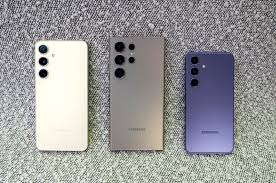
Do Shared Power Banks Cause “Battery Damage”?

The truth is nuanced: shared power banks don’t directly damage batteries, but improper use or low-quality devices can accelerate degradation. Understanding the risks requires examining technical principles, usage patterns, and device quality.

1. Core Culprits of Battery Damage

Lithium-ion batteries in devices like the iPhone 15, Samsung Galaxy S24, or iPad Pro age through three factors: temperature, charging current, and state of charge. Shared power banks can amplify these risks.

High Temperatures: Li-ion batteries perform best at 20–25°C. Shared power banks often lack proper cooling systems. A 2023 study found that charging an iPhone 14 with a 30W shared power bank at 35°C raised battery temperature to 42°C, causing 15% capacity loss after 100 cycles—double the loss from using Apple’s original adapter at 25°C.

Protocol Mismatches: Low-cost power banks claiming PD or Quick Charge support may deliver unstable voltage. This causes chaotic lithium-ion migration, forming dendrites that reduce capacity and risk short circuits in devices like Google Pixel or OnePlus phones.

Low Battery + Fast Charging: Charging below 20% battery with fast-charging mode accelerates “lithium plating,” causing 30% faster degradation than slow charging.

2. When Damage Occurs

Occasional use of reputable brands (Anker, RAVPower) poses minimal risk. Damage happens when:

• Using low-quality devices: A 2024 China Consumers Association test found 15% of shared power banks had voltage issues, and 22% lacked thermal cutoffs above 45°C.

• Daily reliance: Replacing original Samsung or Huawei chargers with shared power banks causes cumulative damage.

• Charging while gaming: Using your Microsoft Surface or MacBook while charging creates excessive heat (45°C+).

3. Protection Strategies

• Choose certified brands passing CE/FCC standards

• Charge at 20–30% battery, not below 10%

• Disable fast charging on Dell laptops or Sony Xperia phones when using shared power banks

• Unplug at 50–80% charge to avoid prolonged high voltage

• Monitor temperature—disconnect if devices feel hot

• Frequent users: invest in personal Anker or Xiaomi portable chargers

Conclusion

Shared power banks are safe for occasional emergencies but shouldn’t replace primary chargers for your Lenovo tablet or OnePlus device. The real issue isn’t the technology—it’s usage habits and device quality. Minimize heat exposure, avoid extreme charging states, and choose reputable brands to protect your battery’s lifespan.

How do mobile phone algorithms deceive you into believing that the battery health is 100%?

Your two-year-old smartphone still shows “100% battery health,” but lithium-ion batteries inevitably degrade. So how does your device make it seem like nothing’s changed? The answer lies in clever software algorithms that prioritize user perception over hardware truth.

The Dynamic Calibration Illusion

Your phone’s battery management system (BMS) doesn’t measure actual capacity directly. Instead, it uses indirect metrics and cross-references them with factory data. As batteries age, the BMS quietly recalibrates the “100%” marker downward. A three-year-old iPhone or Samsung Galaxy battery holding only 2,400mAh (down from 3,000mAh) might still display “100% health” because the algorithm redefines what “full” means. You’re seeing relative capacity, not true capacity.

Adaptive Charging Tricks

Modern devices—from Google Pixel phones to iPad Pro tablets and MacBooks—use adaptive charging algorithms. They learn your schedule and stop charging at 90%, only topping up before you wake. Though the battery physically sits at 90% overnight, it shows “100%” when needed. This reduces long-term stress but keeps health percentages artificially high, whether on your OnePlus phone or Lenovo ThinkPad.

Temperature Masking and Performance Theater

When devices like Xiaomi phones or Samsung Galaxy Tabs detect extreme temperatures, they throttle performance to protect the battery—but the health percentage remains unaffected. The algorithm separates “health” from “performance,” ensuring you don’t panic. During heavy gaming, your phone limits background processes, making the battery feel snappier even as capacity declines.

The Cycle Count Smokescreen

Battery health often ties to cycle counts, but manufacturers use equivalent cycle counting—five 20% charges equal one full cycle. Some brands, including Apple, have faced accusations of underreporting cycles to keep displayed health artificially high. Similar tactics appear in devices from robot vacuum apps like iRobot Roomba and Roborock.

The Bottom Line

These algorithms prioritize user experience over raw honesty. Manufacturers want to avoid panic and reduce support calls. But this can obscure real issues—users often discover problems only when devices shut down unexpectedly at 20%. Your battery health percentage is less scientific measurement, more user-friendly narrative. That “100%” simply means your phone decided you’re not ready for the truth yet.

How to choose between wireless charging and wired charging

When you place your iPhone or Samsung Galaxy on a wireless charging pad, a silent “chemical interplay” unfolds inside the battery. Every stage of wireless charging—from energy conversion to heat dissipation—may influence lithium-ion battery life through various mechanisms. As wireless charging becomes standard on devices from Apple, Samsung, Google, and even laptops from Dell and HP in 2025, understanding these hidden impacts is essential.

Understanding Lithium Battery Aging: The Triple Assault

Thermal Stress: High temperatures (>35°C) accelerate electrolyte decomposition, cathode material collapse, and SEI (Solid Electrolyte Interphase) layer thickening. This protective film on the anode becomes excessively thick, hindering lithium ion movement and reducing capacity.

Electrical Stress: Excessively high charging currents or voltages cause lithium ions to accumulate on negative electrode surfaces (lithium plating), forming dangerous dendrites that may pierce separators and trigger short circuits.

Chemical Side Reactions: Prolonged operation at very low (<20%) or very high (>90%) charge states intensifies electrolyte-electrode reactions, accelerating irreversible capacity loss.

Wireless Charging’s Extra Burden: Heat Generation

The fundamental difference between wireless and wired charging lies in longer energy transmission paths and lower efficiency. Wireless charging involves multi-stage conversion: electrical energy → alternating magnetic field → induced current → direct current. Each stage generates heat.

Transmitter Losses: Power switching devices (MOSFETs) produce Joule heating; coil resistance generates copper losses (I²R). Approximately 20-30% of magnetic field energy leaks into surrounding space, dissipating as heat.

Receiver Losses: Rectification and voltage regulation circuits in your iPhone 16 Pro or Samsung Galaxy S25 generate additional heat from diode voltage drops and capacitor resistance.

Data Comparison: 15W wireless charging achieves 75-85% efficiency versus 85-95% for wired—producing 5-15W more heat per 100W transmitted. A 2022 Sungkyunkwan University study found Samsung devices running 3-5°C hotter during wireless versus wired charging. Summer conditions can push battery temperatures above 38°C—approaching the critical 40°C threshold where aging accelerates significantly.

Current Fluctuations: Hidden Dendrite Risks

Coil Misalignment: When iPhone or Google Pixel placement deviates more than 20mm from optimal alignment, magnetic coupling efficiency drops over 30%. The charging system compensates by increasing power, causing current spikes that may exceed safe thresholds. Apple addressed early MagSafe heating complaints by adding auxiliary coils and dynamic power adjustment, reducing fluctuations to ±0.5A.

Low-SOC Trickle Charging: Overnight wireless charging with partially discharged batteries extends charging time significantly. Prolonged low-SOC operation intensifies electrolyte reactions and gradually thickens SEI layers through continuous minor charge-discharge cycles.

User Habits That Amplify Damage

Poor Heat Dissipation: Charging through thick cases or placing charging pads on insulating surfaces (beds, sofas) traps heat. Lab data shows battery temperatures exceeding 45°C accelerate SEI thickening by 30-50%.

Misalignment: Haphazard placement (angled, >30mm offset) forces power increases and current fluctuations. In cold environments where lithium ion movement slows, this heightens lithium plating risks.

Extreme Temperatures: Wireless charging in hot cars (>40°C) accelerates electrolyte decomposition; charging below 0°C reduces ion migration rates and increases current fluctuations. Both scenarios—whether affecting your iPad, Samsung tablet, or Xiaomi device—significantly accelerate battery aging.

The Bottom Line for 2025

Wireless charging convenience comes with hidden costs. Minimize impact by using Qi-certified pads, removing thick cases during charging, ensuring proper alignment, and avoiding extreme temperature environments. For devices you plan to keep long-term—iPhones, Samsung Galaxy phones, Google Pixels, or MacBooks—occasional wired charging helps preserve battery longevity while still enjoying wireless convenience when needed.

“Guide to Avoiding Pitfalls When Choosing Third-Party Batteries for Different Devices”

Choosing third-party batteries requires matching your device’s core functions, usage scenarios, and interface specifications. Different devices have vastly different battery requirements—phones need fast charging and slim profiles, laptops demand long cycle life and protocol compatibility, robot vacuums require low-temperature performance, and drones need high discharge rates. Here’s your device-specific guide for making smart battery choices this Christmas 2025.

Phones and Tablets: Balancing Speed, Size, and Compatibility

For iPhones, Samsung Galaxy devices, Huawei phones, and iPads, third-party batteries must balance three factors: fast-charging protocol support, physical dimensions matching original specifications, and system compatibility.

Key Considerations: Verify support for your device’s charging protocol—iPhones require USB-PD for 20W+ charging, Xiaomi devices need Surge Charging for 120W speeds, and Huawei phones require SCP protocol. Weight differences exceeding 5g or size variations over 2mm can cause grip discomfort or component pressure. Some devices like iPad Pro require MFi-certified batteries; non-certified alternatives may trigger functionality restrictions.

Laptops: Cycle Life and Smart Charging Compatibility

MacBooks, Dell XPS, Lenovo ThinkPads, and HP Spectre laptops require batteries with extended cycle life (500+ cycles maintaining 80% capacity), precise connector matching, and smart charging mode compatibility.

Key Considerations: Standard third-party laptop batteries offer only 300-400 cycles versus 500-1000 for originals—prioritize lithium iron phosphate cells offering double the lifespan. Connector pins and voltage detection lines must match exactly; universal batteries often fail device recognition. Smart charging features (like Lenovo’s Battery Conservation Mode) require BMS communication with device chips—verify user feedback confirming these features remain functional.

Robot Vacuums: Cold Weather Performance Matters

Roborock, iRobot Roomba, Ecovacs, and Xiaomi robot vacuums face unique challenges: cold floor temperatures in winter, extended low-power operation, and accurate charge level detection for auto-return functions.

Key Considerations: Standard ternary lithium batteries lose 50% capacity at -10°C; low-temperature cells maintain 70% capacity at -20°C—essential for Australian winters or air-conditioned homes. BMS static power consumption should stay below 5mW to prevent “phantom drain” during idle periods. Choose batteries with coulomb-counting BMS for charge detection accuracy under 2%—preventing premature return-to-dock or forced operation at critically low levels.

Power Banks: Real Capacity and Protocol Support

Anker, Xiaomi, Belkin, and other power bank brands require scrutiny of actual output capacity, energy conversion efficiency, and multi-protocol compatibility for charging various devices.

Key Considerations: A “20000mAh” label indicates cell capacity, not usable output. After conversion efficiency (typically 85%), actual output equals approximately 17000mAh. Verify USB-IF certification for genuine fast-charging protocol support. Power banks exceeding 20000mAh require UN38.3 certification for airline travel compliance.

Smart Watches and Earbuds: Precision Fit Required

Apple Watch, Samsung Galaxy Watch, AirPods, and similar compact devices demand batteries with dimensional tolerance under 0.5mm, monthly self-discharge rates below 5%, and support for slow charging only (fast charging damages small cells).

The Bottom Line

Whether replacing batteries in your iPhone 16, MacBook Pro, Roborock S8, or Samsung Galaxy Watch, prioritize safety certifications (RCM for Australia, UL, CE), verified specifications, and trusted brands like PISEN, ZMI, or Anker. Retain purchase receipts and choose retailers offering clear warranty terms. The right battery choice protects both your device’s performance and your safety throughout 2026 and beyond.

How do background processes on a mobile phone “steal” battery power?

Ever wondered why your iPhone or Samsung Galaxy drains battery even when idle? Open the app switcher and you’ll see dozens of apps with “running” indicators—these background processes might be quietly siphoning your battery. System optimizations like Android’s Doze Mode and iOS’s Background App Refresh restrictions are the countermeasures manufacturers designed to tackle this issue.

Understanding Background Processes: The Phone’s Invisible Workforce

Background processes are programs running behind the scenes even when you’re not actively using an app. They enable instant responsiveness—WeChat receiving messages, email apps pushing notifications. However, excessive background activity transforms into a significant battery drain on devices from Google Pixel to Xiaomi.

Essential Services (System-Level): Foundational functions like network connectivity (maintaining 4G/5G standby), location services, and account synchronization with iCloud or Google accounts. These use low-frequency wakeup strategies—syncing data hourly—resulting in controllable power consumption.

Non-Essential Activity (App-Level): Tasks triggered by apps to stay “active”—social apps like WeChat and TikTok sending “heartbeat packets” every 30 seconds, shopping apps updating caches, games preventing process termination. These often occupy CPU, network, and battery at high frequencies without user awareness.

The Three Battery Killers: How Background Processes Drain Power

High-Frequency CPU Wakeups: The CPU’s power consumption ties directly to operating frequency. When background processes frequently wake the CPU, it cannot enter low-power sleep modes. Consider: an app waking the CPU every 15 seconds for 200ms generates 5,760 daily wakeups—nearly 19 minutes of cumulative CPU activity. Tests show such patterns shorten standby time on OnePlus and OPPO devices by 20-30%.

Network Module Idle Spinning: Background network requests activate communication modules (baseband + RF front end). Even without data transmission, your Huawei or Samsung must maintain cell tower connections, continuously draining power. Worse are “ineffective requests”—apps with buggy code repeatedly sending requests receiving no data while 5G antennas continuously emit probe signals. Tests reveal buggy processes can drain an extra 5-8% battery hourly during standby.

Hardware Module Synergy: Background tasks may trigger multiple hardware modules simultaneously. A social app’s location service wakes both GPS and network modules; shopping apps updating image caches activate storage chips and network modules together. Individual modules might consume 10mW, but combined operation reaches hundreds of mW—exponential power growth.

The Bottom Line

Whether using an iPhone, iPad, Samsung Galaxy Tab, or Google Pixel, background processes represent invisible battery consumption. Understanding their impact helps you make informed decisions about which apps truly need background access—and which are simply “stealing” your battery life.