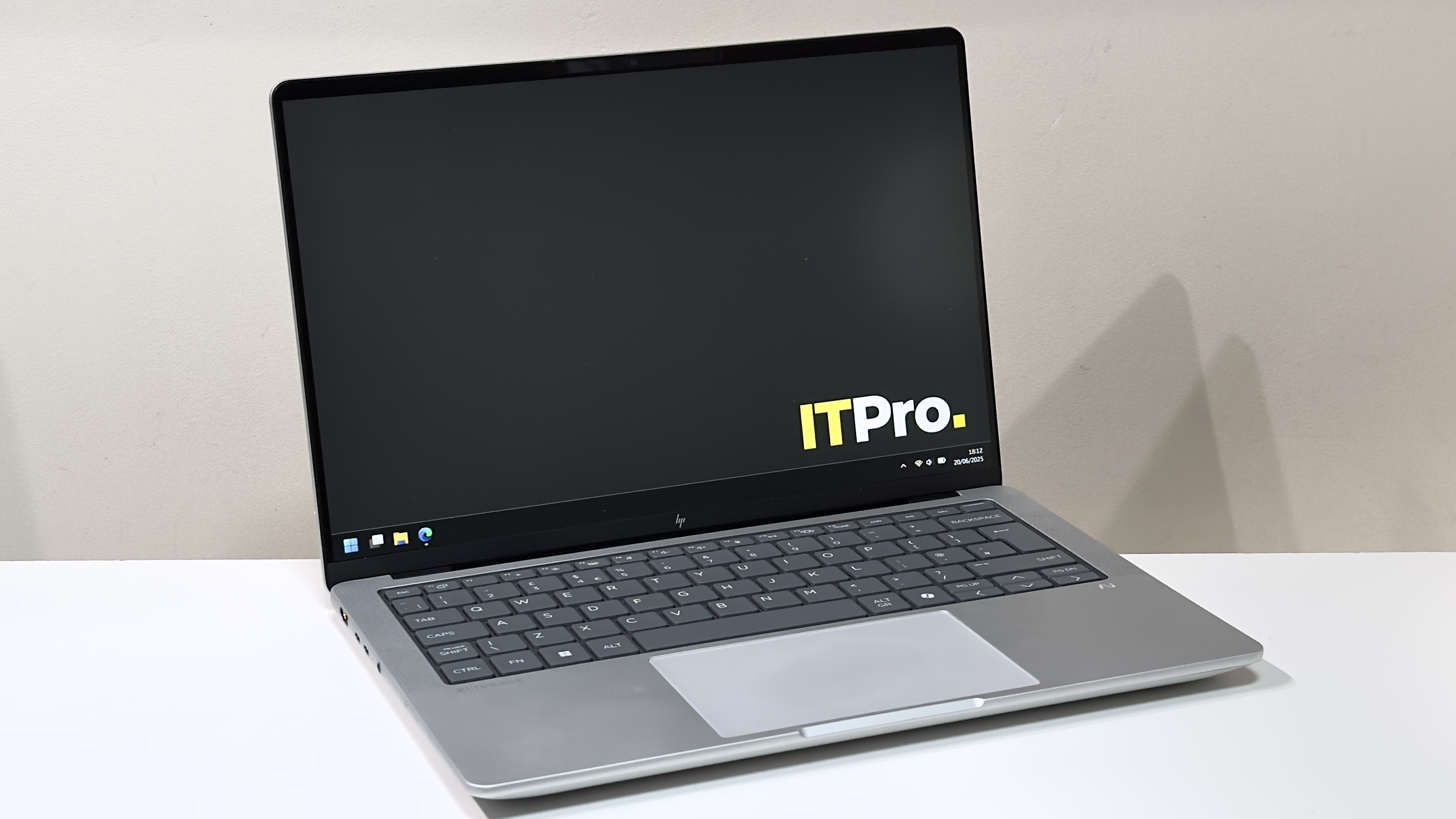
A premium-feeling 14-in laptop that can tackle most applications without breaking a sweat – only the battery life disappoints
Reasons to buy
- +Premium build and looks
- +Competitive CPU and GPU performance
- +Good keyboard and touchpad
Reasons to avoid
- -Screen quality should be better
- -Middling battery life
- -Could be a bit lighter
Elite is a word that indicates excellence. The very best in its field. By that definition, you’d be forgiven for having unreasonably high expectations for the HP EliteBook X G1a. But let’s cut to the chase. It is not excellent. And it most certainly is not the best. What it is, however, is good – in some ways, great. You may want to consider buying it.
The EliteBook X gets off to a strong start. With a design brief that challenges it to distil the core talents of its pricier EliteBook Ultra sibling while trimming the luxuries, it’s good to see that it retains the burly all-aluminium build,Copilot+certification, and Thunderbolt 4 connectivity. Set your sights on the pricier models, and OLED is an option, too.
Meanwhile, the 14-inch chassis is pleasingly baggable without being ultra lightweight – thinkMacBook Prorather thanAir. And unlike the Intel-only Ultra models, you get a selection of capable chips from both AMD and Intel, with prices starting around £1,240 and creeping up and over the £2,000 mark.
>>>Replacement battery for HP EliteBook 840 G11
As ever, though, the devil is in the detail.
HP EliteBook X G1a: Design
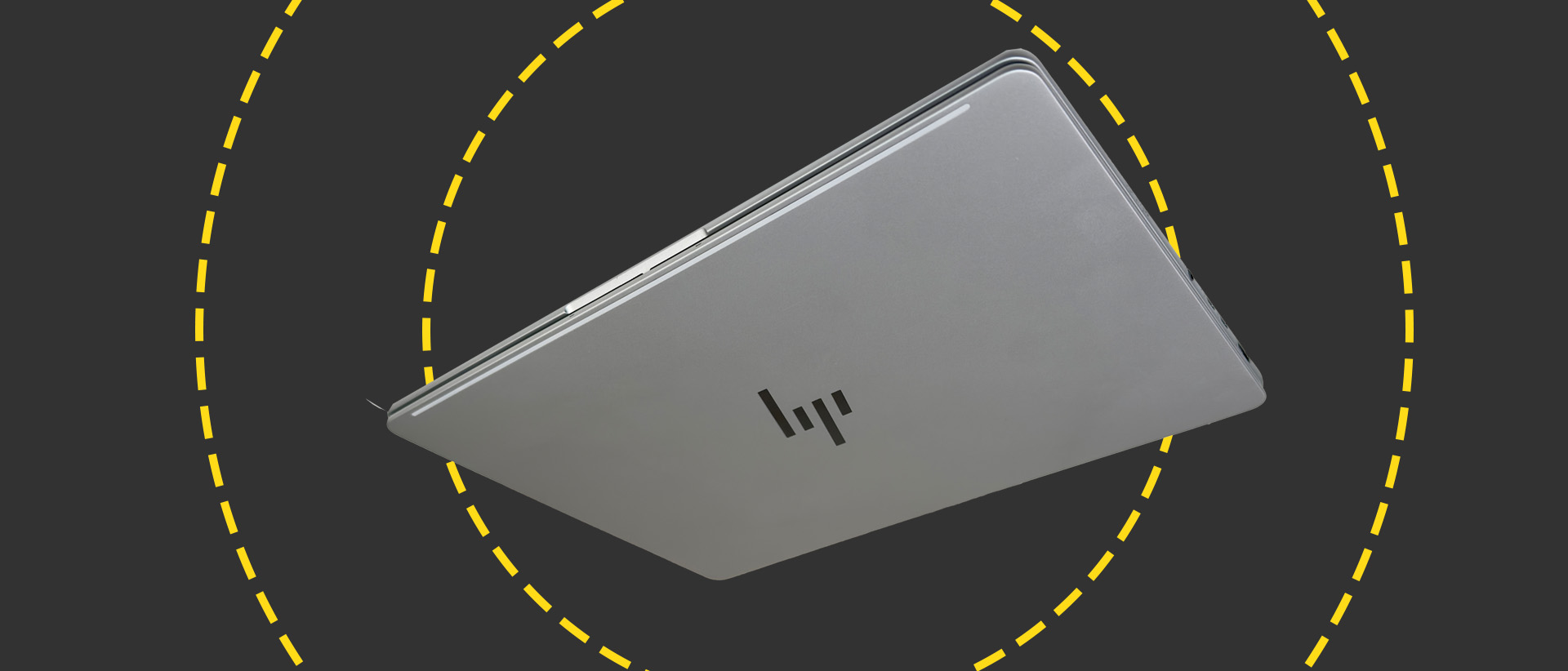
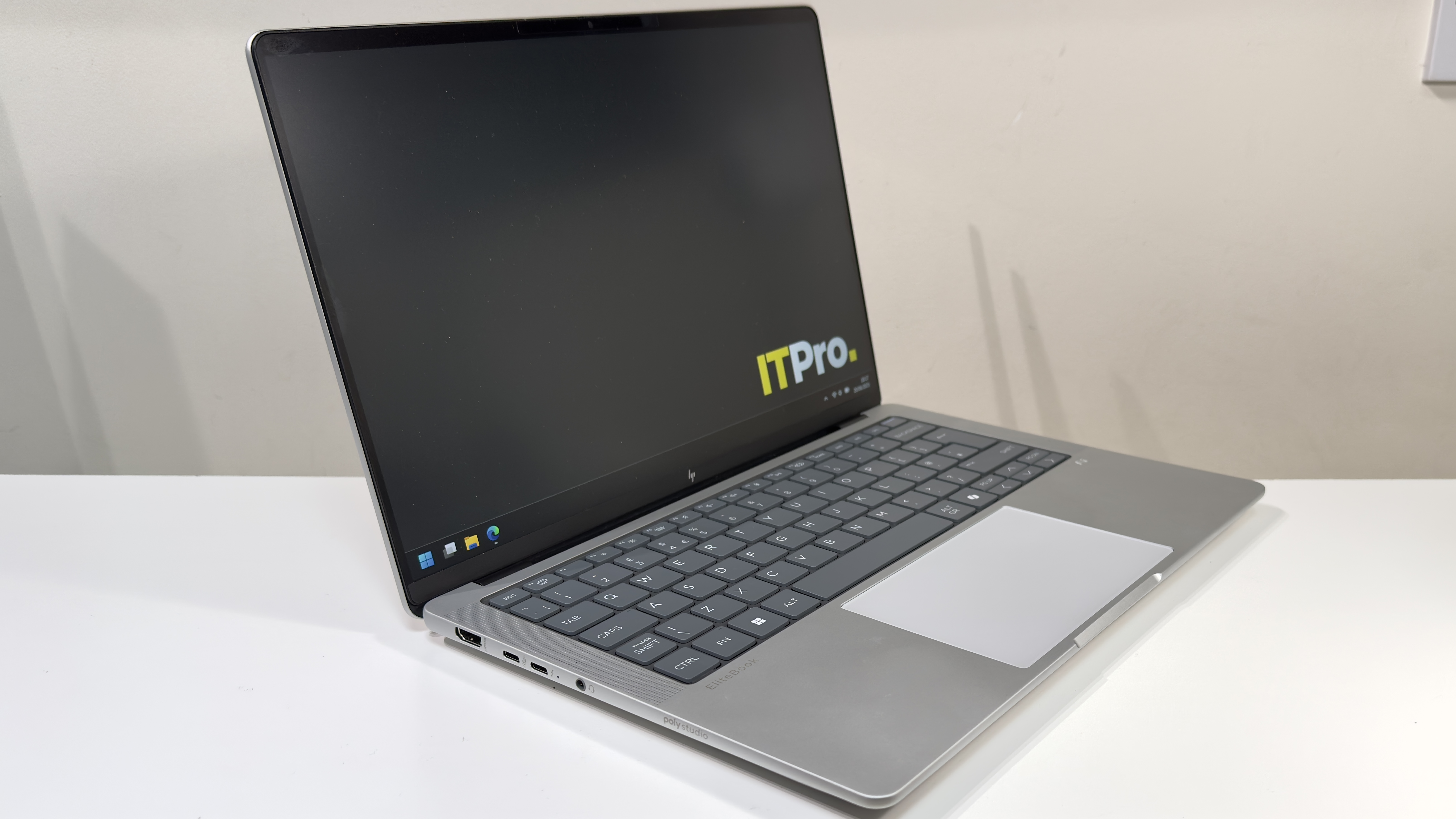
The design is great. The sandwich of light silver aluminium and rounded edges is more than a little reminiscent of the 14-inch MacBook Pro, and it feels really well constructed. There’s barely any give in the base, and even the lid feels incredibly taut and tough. No amount of bad-tempered prodding caused any show-through on the LCD panel inside, either. Hats off to HP here.
The downside of the burly build (and the huge 74.5Wh battery which we’ll discuss later in the review) is weight. The EliteBook X tips the scales at 1.59kg, which is 40-odd grams heavier than the 14-inch MacBook Pro. Compared to the 1.14kgDell Pro 14 Premium, the HP does feel like a bit of a lump.
Thankfully, it doesn’t look like one, but you may want to take HP’s quoted dimensions with a pinch of salt: they conveniently ignore the thick rubber feet on the underside. Those feet mean that the claimed 13mm thickness translates to just shy of 19mm when the laptop is sat on a desk. To be fair, though, you’d have to be working in very cramped conditions for this to prove problematic.
Cast an eye around the EliteBook X’s flanks and it’s well connected. You get a full-sized HDMI 2.1 port, two Thunderbolt 4 ports (one on each side), and one USB-A and USB-C port apiece, both of which reach USB 3.2 Gen 2 speeds. You also get a 3.5mm headset port, and a Kensington lock slot for good measure.
Wireless connectivity, meanwhile, stretches toWi-Fi 7and Bluetooth 5.4 courtesy of a MediaTek MT7925 adapter.
>>>Replacement battery for HP EliteBook 440
HP EliteBook X G1a: Keyboard and touchpad
This is one of the high points for the EliteBook X. You’d think that keyboards would be a solved design problem in 2025, but with big names such asDellmaking an absolute hash of it, it’s not something you can take for granted.
HP, happily, has put usability first. You get a dark grey panel of rounded chiclet keys, each of which respond with a lovely, light action. Unlike the zero-lattice designs onrival laptops, the chiclet design means that every key is separated by a 2mm channel. The result is a keyboard that feels spacious – and it also makes it easier to feel your way around with your fingertips.
Thankfully, there are no attempts here to revolutionise the keyboard. The function row is bog-standard keys which default to their secondary shortcut functions, adjusting brightness and volume, and so forth. There’s the usual Fn Lock arrangement for those who prefer function keys, and a little LED on the FN key illuminates when it’s active.
One nice touch is HP’s programmable button on the function row – this can be customised to launch specific apps, websites, folders or files; trigger a sequence of keypresses (up to five), or input up to 2,000 characters of text. Naturally, we set it to launch theITProwebsite with a single keystroke, although other websites are available.
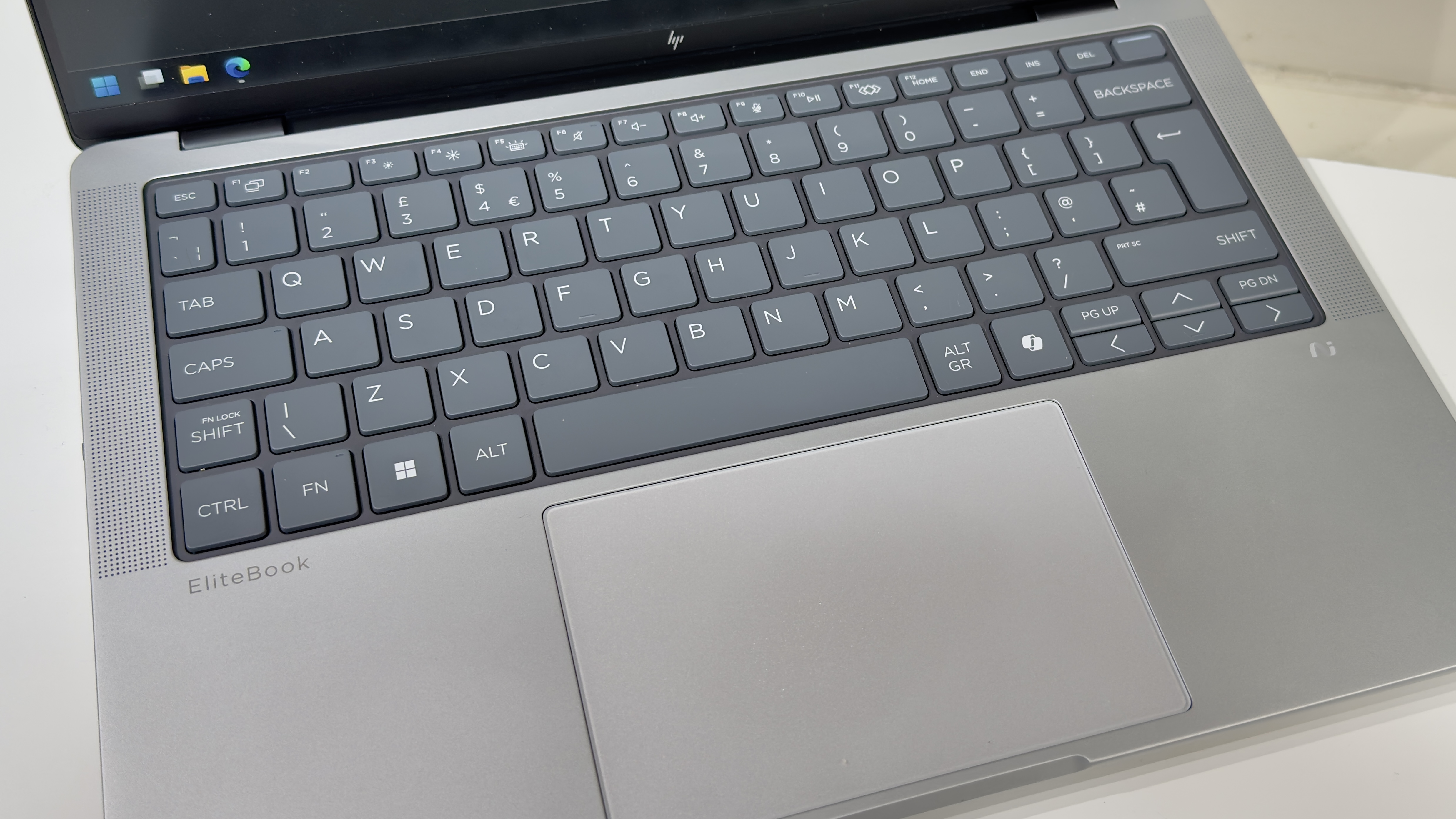
One of the regular pitfalls for modern laptops is the combined power button and fingerprint reader set just to the right of the Delete key, but here HP’s engineers have actually thought about usability. Jab at the Delete key a little too imprecisely, and even if you do hit the power button, the laptop won’t turn off if you’re on the Windows desktop or in an app – it only responds instantaneously on the lock screen or when you’re trying to wake the laptop. If you’re booted into Windows, however, then you’ll need to hold the power button down for a couple of seconds to send the laptop to sleep (or shut down, depending on your preferred settings).
If we take issue with any part of the keyboard layout, it’s the decision to position the Page Up and Page Down keys hard up against the left and right cursor keys. It may just be our particularly oversized fingertips, but we often found our cursor bouncing up or down a page when we were intending to move up or down a single line. It’s potentially something we might get used to, but during our time with the laptop, it was an annoyance.
The EliteBook X cuts costs with a large, mechanical touchpad in place of a fancier haptic variant, but it’s actually rather good. We didn’t encounter any issues with dodgy palm rejection or multi-fingered gestures – it just works, and works well. There’s a nice, deep, solid click action, and it didn’t miss a beat during our several weeks with the EliteBook.
HP EliteBook X G1a: Display
Our review unit came with the cheaper of the two available panels – it’s a 1,920 x 1,200 IPS panel with a claimed 100% sRGB coverage and a maximum 400cd/m2 brightness. Subjectively speaking, it’s absolutely fine. Color reproduction looks reasonably natural, contrast appears to be relatively high for an IPS panel, and the matte anti-glare coating does a superb job.
Put to the test with our X-Rite colorimeter, we measured an sRGB coverage of 94%, a maximum brightness of 370cd/m2, and a contrast ratio of 1,457:1. Even if two of those figures are marginally inferior to HP’s claims, those are respectable numbers.
One thing the panel isn’t, however, is strictly color accurate. The panel’s white point is noticeably too warm and reddish – we measured 6,059k rather than the ideal 6,500k – and the panel’s high gamma means that both colours and greyscales appear darker than intended. That results in a very mediocre average Delta E of 2.94 and a maximum of 6. That sounds worse than it is, though: colours don’t look terribly unnatural, with a few exceptions that are several shades too dark, and some oddly dark, yellowish-looking greys.
Ultimately, despite the inferior top-level measurements, we actually prefer it to the washed-out panel on the Dell Pro 14 Premium. But frankly, HP could still do much better here – and for the money, we think it should. If a laptop wants to call itself an EliteBook, it’s not unreasonable to suggest that a color-accurate display should be a bare minimum.