We special in laptop battery ,laptop adapters for most of top brands, such as apple,acer, asus, dell, fujitsu,hp, compaq, ibm, lenovo, toshiba, samsung, sony on UK,all the ac power adapters, laptop batteries are high quality and low price.
Apple has introduced tvOS 26 for Apple TV, featuring a karaoke mode with follow-along lyrics that uses iPhones as microphones. The OS adopts Apple’s Liquid Glass interface design, and displays movies and shows with new poster art.
Apple TVs with iPhones turn into karaoke machines with tvOS 26. (Image source: Apple)
Apple has unveiled tvOS 26 for its Apple TV streaming media devices. The OS update adds new features along with a fresh interface design. Developers can access the OS today, while the public will receive a public beta next month.
The highlight of tvOS 26 is its ability to turn Apple TVs (2nd gen. or later, like this one on Amazon) into karaoke sing-along boxes when paired with iPhones (11 or newer), which are used as the microphones. The Apple Music app will play music with lighting effects along with real-time translations and pronunciation of the lyrics for music in supported languages. Viewers can support those singing by sending on-screen emojis. Users can select any AirPlay-enabled speaker (like this HomePod on Amazon) to be the permanent output speaker for their Apple TVs.
Apple TV users will see expanded language support for Live Captions during FaceTime video calls in French, German, Japanese, Korean, Mandarin, and Spanish. Contacts can be customized with photos to better identify them at a glance.
Apple tvOS 26 presents shows and movies with new poster art. (Image source: Apple)
The interface has received the Liquid Glass design refresh, and movies and shows are displayed with new poster art. The design renders buttons and GUI elements as semi-transparent elements that display lighting interactions with the underlying images.
These low-key interface elements are designed to be not distracting while watching movies, but can pose a challenge for users with poor vision. It remains to be tested whether a high-contrast version of the user interface in tvOS 26 can be enabled.
tvOS 26 adopts Apple’s latest Liquid Glass interface design. The low-contrast GUI elements may pose a challenge for those with poor vision. (Image source: Apple)
Personalized recommendations and watchlists are tied to user profiles, which are now displayed upon Apple TV wake for quick log-in selection. Porting watchlists and apps to new Apple TV devices is simplified for developers who use the new APIs linking app logins to accounts, and this will simplify the migration from older Apple TVs to newer models by users.
Users who never turn off their Apple TVs can enjoy cityscape, earth, landscape, or underwater photographs from the air as screen savers.
Supported sing-along languages for lyric translation in tvOS 26. (Image source: Apple)
Shopping for an Amazon tablet? These are the ones you want to buy
(Image credit: Future)
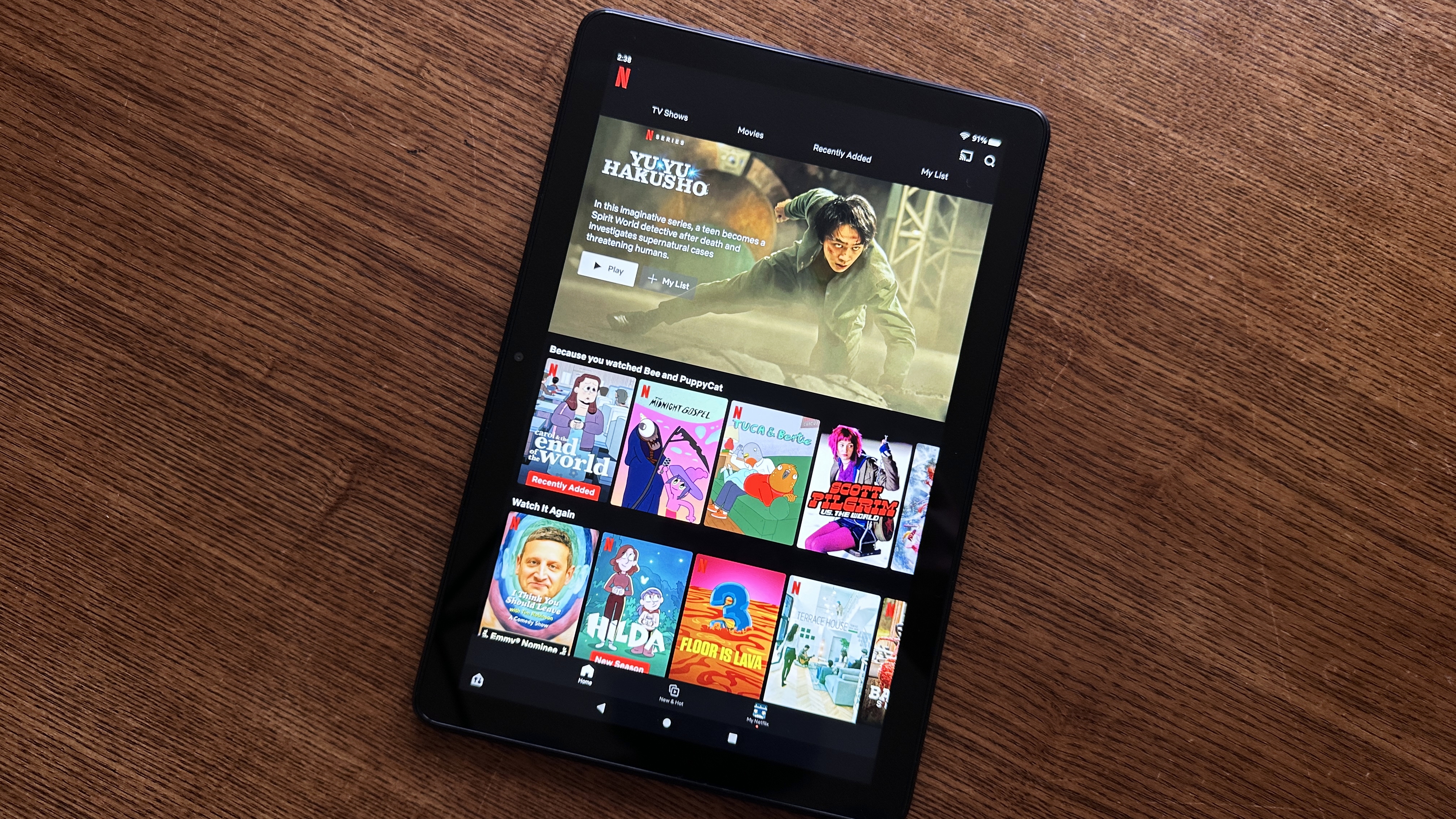
I’ve been reviewing tablets for years, and for my money there’s no better budget Android slate than an Amazon Fire tablet. They’ve earned their reputation for being cheap, durable slates, and the best Amazon Fire tablets let you browse the web and enjoy your favorite books, shows and games without costing an arm and a leg.
Trust me: My team and I review all the major tablets from Amazon, Apple, Google, Samsung and more every year, so I know what your money buys you in this market. I regularly recommend theAmazon Fire HD 10as the best Amazon Fire slate for most readers because it gives you plenty of battery life, capable performance and a nice screen for significantly less than your average iPad.
If you’re willing to spend a bit more and want something nicer than the 10, I recommend upgrading to theAmazon Fire Max 11because it sports a bigger, brighter display, more power and more storage than the Fire HD 10 for roughly a hundred bucks more.
But if you’re on a really tight budget and just need a cheap tablet to browse the web, I bet you’ll be just fine with theAmazon Fire 8. It’s a small, cheap slate with sub-1080p resolution, so it’s not great for enjoying your favorite movies—but it’s one of the best you can get for $100.
I’ve got a lot more advice and recommendations to share below, so scroll down for more help finding the best Amazon Fire tablet for you!
The Amazon Fire HD 10 is a great all-around tablet, which is why I generally recommend it as the best Amazon Fire tablet for most people.
While it’s not the fastest or most beautiful tablet on the market, or even the most premium Amazon tablet (that honor belongs to theFire Max 11), the Fire HD 10 hits a great sweet spot in terms of performance and price.
I say that because (according to our testing) you get great battery life, good performance, and a nice screen for a starting price of $150, making this a more affordable way to enjoy the benefits of having a tablet around without having to pay Apple or Samsung prices.
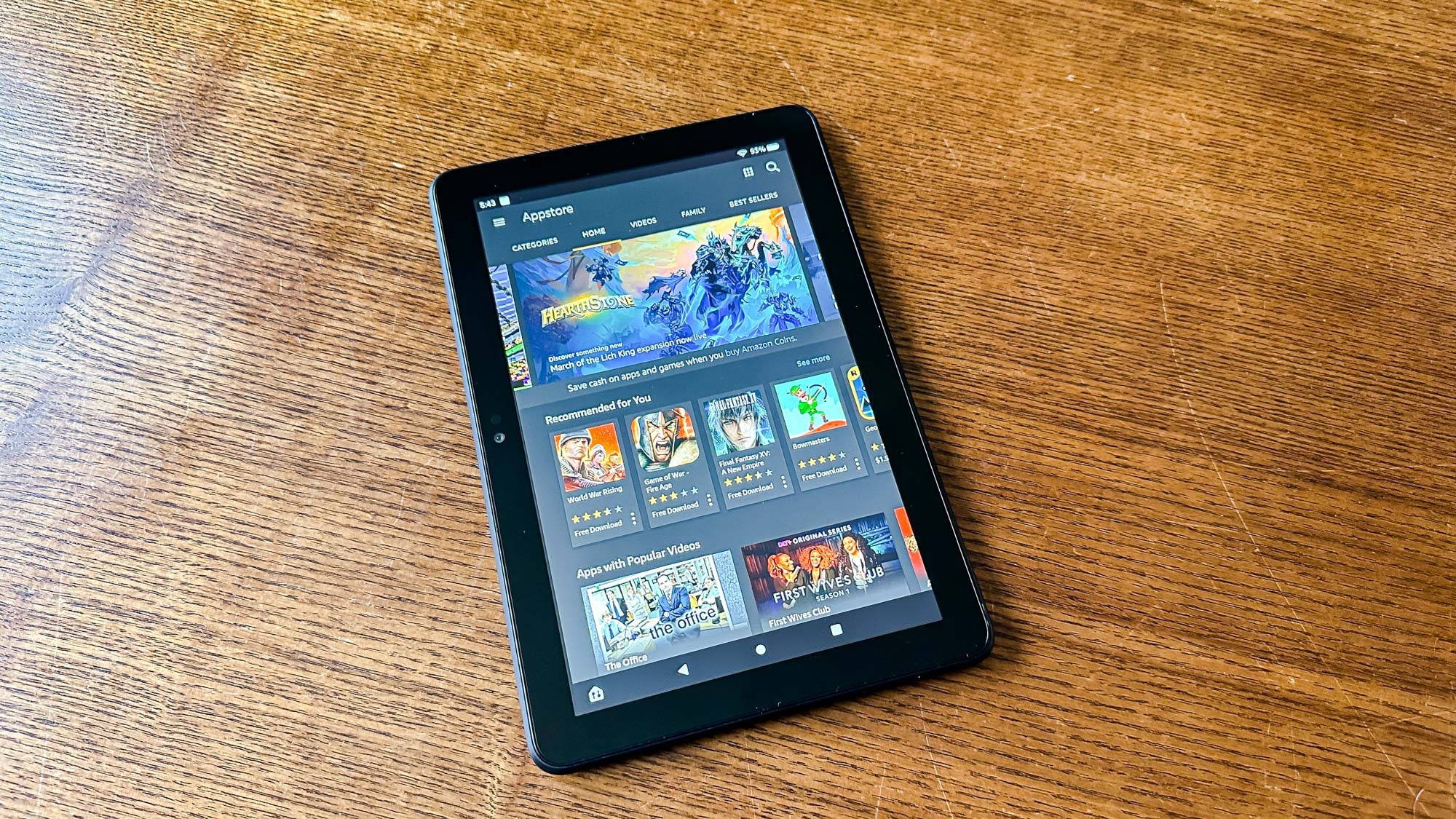
Its biggest flaws, though, are those endemic to the Amazon Fire tablets in general. Most notably, Amazon’s Fire OS is still app-challenged, missing the Google Play app store — which means you can’t get the full YouTube experience, for example, and you’ll miss out on a lot of great apps not available on Amazon’s app store.
But as long as you’re happy to content yourself with the apps available to you in the Amazon App Store, you can have a lot of fun with the Fire HD 10. It definitely helps to be deeply invested in Amazon’s ecosystem, as these slates are great for streaming videos, reading ebooks and browsing the web.
The Amazon Fire HD 8 is a cheap tablet, and for some that’s the main selling point.
I recommend this slate to Fire shoppers on a budget because its slightly nicer than the bottom of the barrel Fire 7, yet still affordable at $99. And while the 8-inch touchscreen isn’t sharp enough to support 1080p content, it’s more than fine for browsing the web and reading books.
This is a great utility tablet because you get good battery life (nearly 14 hours in our testing) and decent speakers, as well as easy access to Amazon’s various content streaming apps and strong parental controls. Of course, the front and rear cameras are pretty bad, but who uses their tablet to take photos anyway?
And since this tablet isn’t powerful enough to run many demanding apps very well anyway, you won’t miss the full panoply of apps available on Android nearly as much.
CPU:2.2Ghz octa-core Mediatek MT8188JCamera Resolution:8MP front/back; 1080p video recordingDisplay:11-inch 2K (2,000 x 1,200 pixels)Storage:64-128 GBMemory:4GB RAMPorts:1x USB-C, headphone jack, microSDDimensions:10.2 x 6.4 x 0.29 inchesWeight:1.08 pounds
Reasons to buy
+Bright, colorful screen +Good battery life +Premium build quality
Reasons to avoid
-Awkward button/port placement -Tinny speakers -Limited by FireOS
The Amazon Fire Max 11 is the biggest Fire tablet you can buy right now, and it’s the only one with a 2K (2,000 x 1,200 pixels) display. So if pixels count, this is the Fire tablet you want to buy for streaming shows on the biggest, most vibrant screen possible.
You pay extra for the privilege, of course, as this is not only the biggest but also the most expensive Fire tablet with a starting price of just over $200. But in return you get a speedy 2.2Ghz Mediatek chip that runs games and apps well, 4GB of RAM for speedy multitasking and a pair of decent cameras on the front and back.
Of course, even this beefy Fire tablet is handicapped by shipping limited to Amazon’s App Store. While you can sideload apps outside the Amazon App Store with enough know-how, it’s a hassle and a lot of effort to go through so you can access Google apps like Gmail and YouTube.
But if you don’t need to use YouTube, Gmail, Google Docs and other Google apps, the Fire Max 11 gives you a pretty premium-feeling slate for over a $100 less than the base iPad. It’s the best Fire tablet to upgrade to if you need more screen and power than the Fire Max 10 can deliver!
Best for older kids
4. Amazon Fire HD 10 Kids Pro
The best Amazon Fire tablet for tweens
Specifications
CPU:2.0GHz octa-core CPUCamera Resolution:5 MP (rear) 2 MP (front)Display:10.1-inch, 1920 x 1200-pixelStorage:32GBPorts:1x USB-C, headphone jack, microSDDimensions:9.7 x 6.5 x 0.4 inchesWeight:17.8 ounces/1.1 pounds
Reasons to buy
+Vibrant screen makes cartoons pop +Tenacious battery outlasts the competition +Comprehensive 2-year warranty
Reasons to avoid
-No native Google apps -Dull audio compared to the competitors
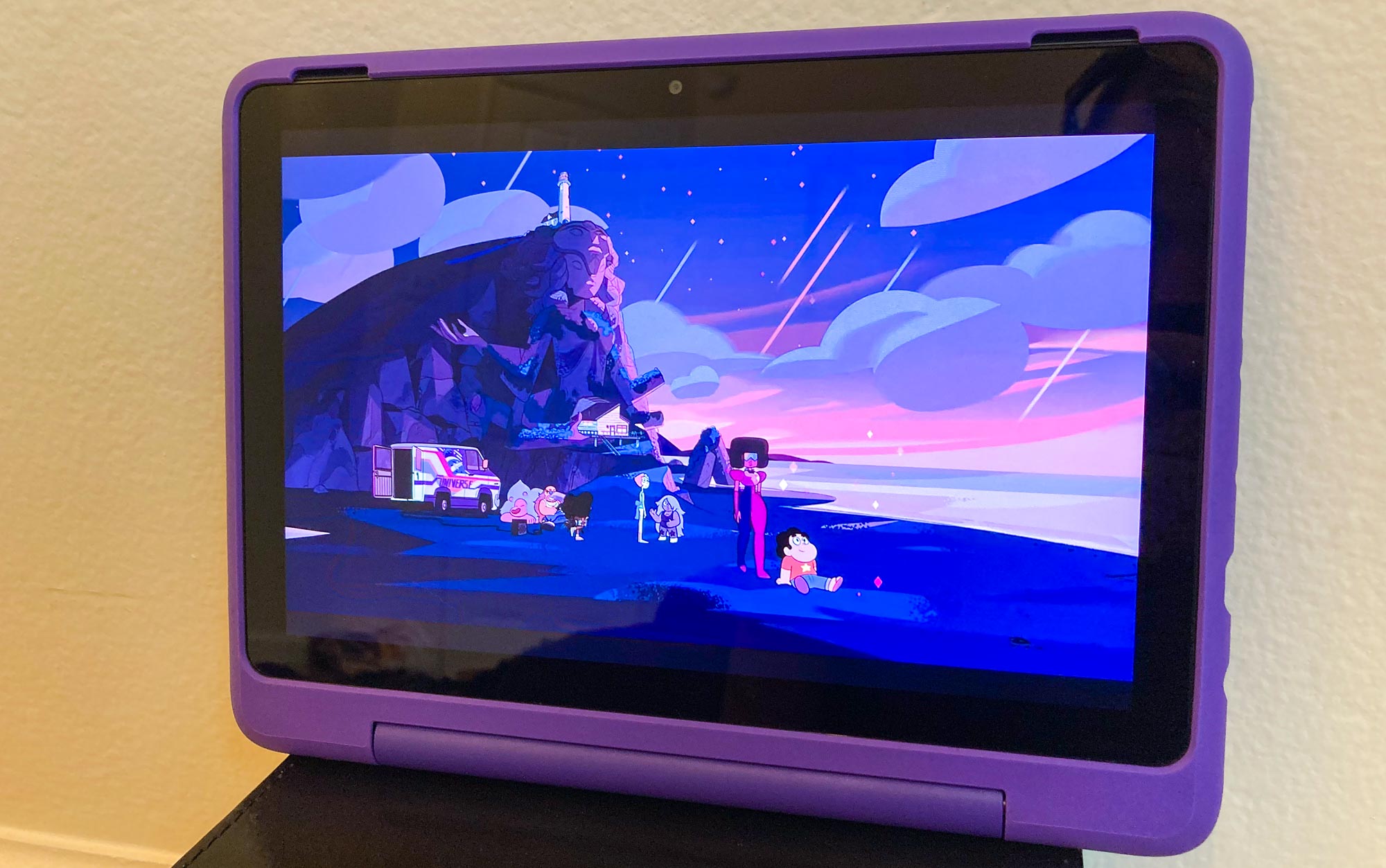
The Amazon Fire HD 10 Kids Pro is basically the same, hardware-wise, as the excellent Amazon Fire HD 10. It’s got the same octa-core processor, 3GB of RAM and vivacious 1,900 x 1,200 display. The big difference is that it’s designed specifically for use by older kids ages 6-12, so it comes with a one-year Amazon Kids+ subscription, a colorful kickstand case, and a comprehensive, no-questions-asked 2-year warranty that covers accidental damage.
If you’re in the market for a kid-friendly tablet, few competitors can match what the Fire HD 10 Kids Pro offers for $199, particularly with that generous extended warranty. Sure, it has all the same weaknesses as every Fire tablet — most notably, no easy access to the Google Play Store — but if you’re planning to give this to a kid anyway, that’s less of an issue.
Best for younger kids
5. Amazon Fire HD 10 Kids
The best Amazon Fire tablet for young children
Specifications
CPU:2.0GHz octa-core CPUCamera Resolution:5 MP (rear) 2 MP (front)Display:10.1-inch, 1920 x 1200-pixelStorage:32GBPorts:1x USB-C, headphone jack, microSDDimensions:9.7 x 6.5 x 0.4 inchesWeight:17.8 ounces/1.1 pounds
Reasons to buy
+Durable build +Great parental controls +Bright and sharp display
Reasons to avoid
-Lack of Google Play Store apps -Poor sound quality -Underwhelming performance
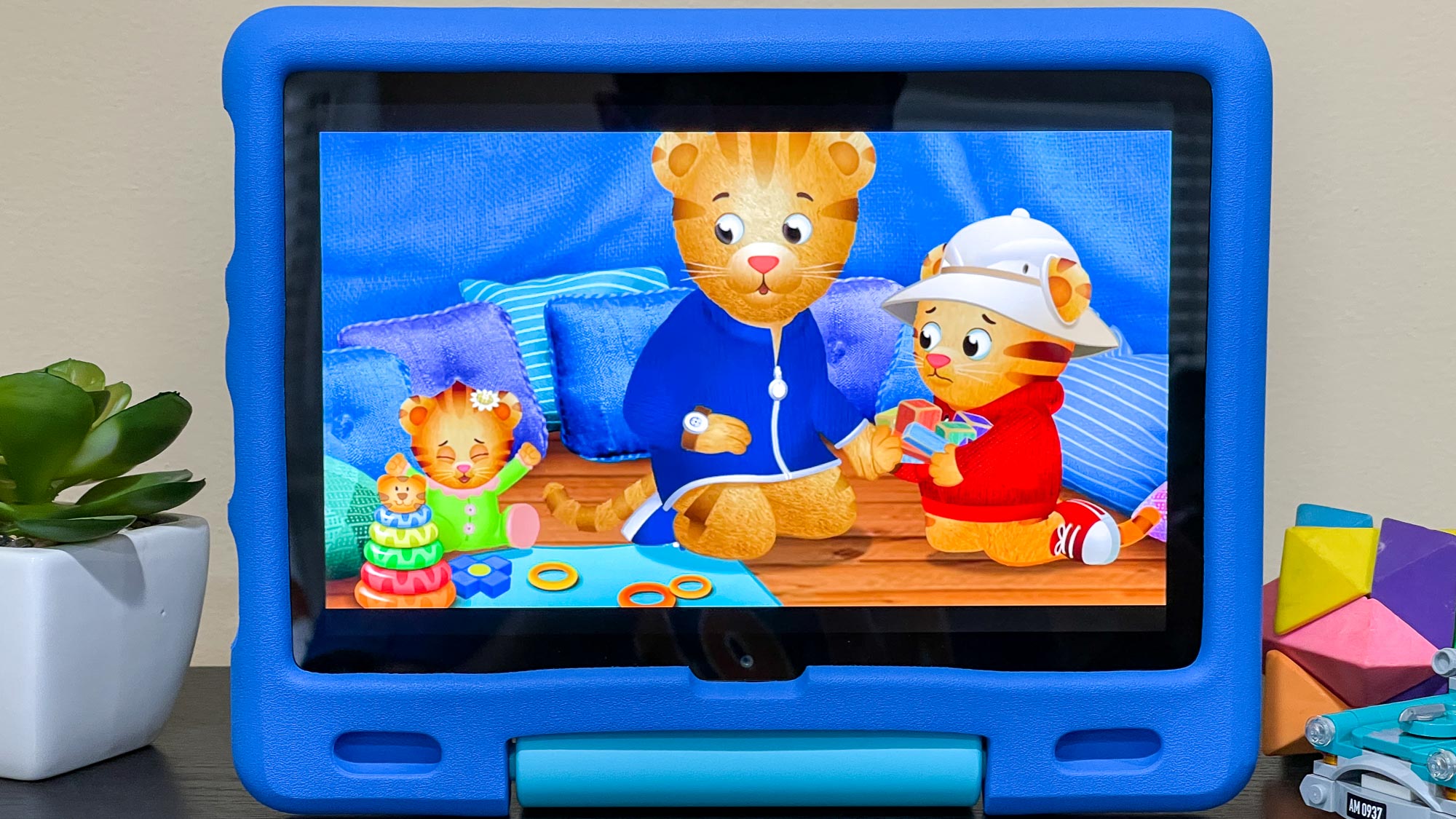
The Amazon Fire HD 10 Kids, like the Fire HD 10 Kids Pro listed above, is effectively a version of the Fire HD 10 that’s tailored for kid-friendly use. It costs as much as the Fire HD 10 Kids Pro ($199) and offers basically the same features, but aimed at children ages three to seven rather than older kids.
Like its siblings the Fire HD 10 Kids sports a bright display, a durable kid-friendly design, and excellent battery life. Plus, the detailed built-in parental controls give you a lot of control over what a child does on the device, with little risk of them going astray. Sure, the lack of Google Play Store apps limits what you can do with this tablet, but that’s hardly a problem if you’re planning to give it to your 5-year-old so they can have something to watch videos on. If you want a durable, long-lasting tablet tailored to young children, the Amazon Fire HD 10 Kids is a great choice.
How to choose the right Amazon Fire tablet for you
Still not sure which Amazon Fire tablet is right for you? Here are some important things to consider.
Screen size:The Amazon Fire tablets come in a variety of screen sizes ranging from 7 to 10 inches. If you expect to be watching a lot of videos, you’ll want the biggest, nicest screen possible, so consider the Fire HD 10. But if you just want a tablet to browse the web and read ebooks, a smaller display, like those on the Fire 7 or Fire HD 8, will be more than enough for your needs.
Budget:While all of the Amazon Fire tablets are more affordable than anything Apple makes, there’s still a wide price range of $50-$200, or more if you splurge on extras. If you can afford the higher end of that spectrum, the $150 Fire HD 10 is probably the best choice for you. But if you’d rather spend $100, or $50, the Fire HD 8 or Fire 7 (respectively) are decent tablets that should meet your needs.
Age:How old is the person you’re buying this tablet for? Obviously if it’s for you, buy whatever you like, but if you’re getting a cheap Amazon Fire tablet for a younger person, there are a variety of kid-friendly options depending on their age. For those ages 3-7, the Amazon Fire HD 10 Kids offers decent performance, great parental controls, and a colorful drop-resistant case. The Amazon Fire HD 10 Kids Pro offers effectively the same benefits for the same price, but it’s aimed at older kids in the 6-12 range. And if the person you’re buying for is older than that, they should be well-served by the standard Amazon Fire HD 10.
Battery life compared
Battery life is one of the key things to consider when buying a tablet, and even though Amazon’s slates are pretty long-lived you can’t blindly trust the manufacturer’s claims about exactly how long they’ll last.
That’s why we put every tablet we test and review through a series of battery tests, then average the results and compare them against the competition. I’ve assembled the tested battery life of every tablet on this page here in one handy chart, to help you make a more informed buying decision. Battery test results
Amazon Fire Max 11
13:45
Amazon Fire HD 10
12:39
Amazon Fire HD 10 Kids Pro
14:12
Amazon Fire HD 10 Kids
14:32
Amazon Fire HD 8
13:42
Amazon Fire 7
6:56
Frequently Asked Questions
What apps can I run on an Amazon Fire tablet?
I’m so glad you asked! One of the biggest weaknesses of the Amazon Fire tablets is that they run on Amazon’s FireOS, which is a modified version of Android. But while these are technically Android slates, you can’t just buy one and start putting your favorite Google apps on it because the Google Play Store is not accessible on an Amazon Fire tablet.
That means that unless you want to futz around with sideloading apps, you can’t easily install a significant number of Android apps that other Android tablets have access to. Basic Google apps like Gmail, Google Docs and YouTube are not easily available on a Fire tablet. You can still access those services by opening a web browser and using the web versions, but you should know this key limitation of Fire tablets before you buy one.
How do I get rid of lockscreen ads?
Good question! Like Amazon Kindles, Fire tablets can be ordered with or without lockscreen ads. It costs $15 more to buy one without lockscreen ads, but that means you won’t have to stare at promos for products when your tablet is locked.
Luckily, if you decide to get rid of ads later (or you get an ad-supported Fire as a gift and want to banish the advertising) you can. Just head to Amazon’s website, log into your account and navigate to the “Manage Your Devices” page.
From your Devices page, click on the Fire tablet you wish to remove ads on and select the “Special offers” section, then navigate to the “Remove offers” option. Click it, pay a $15 fee and voila—no more ads!
How we test Amazon Fire tablets
Before we start reviewing a new Amazon Fire tablet, we send it to our lab, where it gets run through a series of tests that help us measure its capabilities.
First, we run as many benchmarks as that tablet will allow, to see how fast they are in ways that can be compared directly against competitors. We say “will allow” as Amazon’s Fire slates have trouble with side-loaded Android apps. We then use colorimeters and light meters to measure how colorful and bright these tablets’ screens can get. After that, we put them through our in-house battery test, which times how long it takes — while surfing the web with brightness at 150 nits — to drain a tablet of a charge.
After that, we do the same things you do — browse the web, watch videos, play games, compose emails — as we use the tablet like we own it, for a week or two at least.
The Samsung Galaxy S25 Edge is a remarkably lightweight phone, and it feels different than anything else I’ve tried. The phone offers top-notch performance and stays cool under pressure, but the battery life isn’t great, and the charging speed is too slow. This phone fills a niche for Samsung fans, but it won’t win over a new audience or raise eyebrows among the competition. It’s just a slimmer option for folks who weren’t satisfied with the current Galaxy lineup. If the Galaxy S25 Plus is too thick, or the Galaxy S25 Ultra is too much, the Edge fits neatly in between.
Pros
+Very lightweight and easier to hold for a long time
+Just as powerful as the Galaxy S25 Ultra
+Durable and sleek design feels more Ultra than basic
Cons
-Nothing special to set this phone apart
-It isn’t the thinnest phone Samsung makes right now
-The camera options aren’t as good as the rest of the Galaxy lineup
Samsungunderstood the assignment with the Galaxy S25 Edge, but it didn’t strive for extra credit. The goal was to make aGalaxy S25 Plusthat’s easier to hold, but Samsung did not set out to make the thinnest phone possible – in fact the Galaxy S25 Edge isn’t even the thinnest phone Samsung makes today. Instead, it did what Samsung does best: it gave us a little more inside a little less.
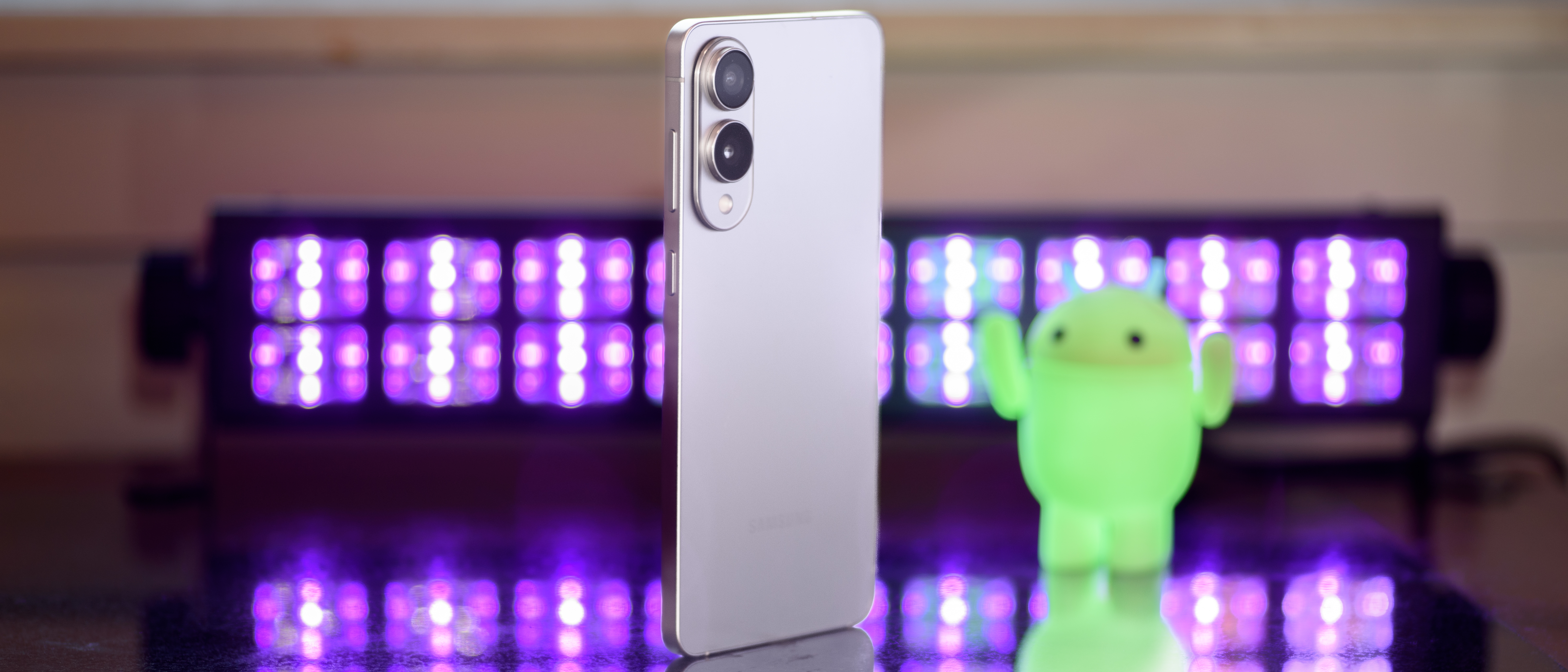
The Galaxy S25 Edge is a very good phone, and it feels like something unique compared to every other phone I’ve reviewed. The difference is noticeable; it’s much slimmer and lighter than almost everything else, even when wearing a case. Still, the S25 Edge isn’t a revolutionary new design, and I can’t help but anticipate the competition it’s going to face fromApplein the shape of the rumorediPhone 17 Air.
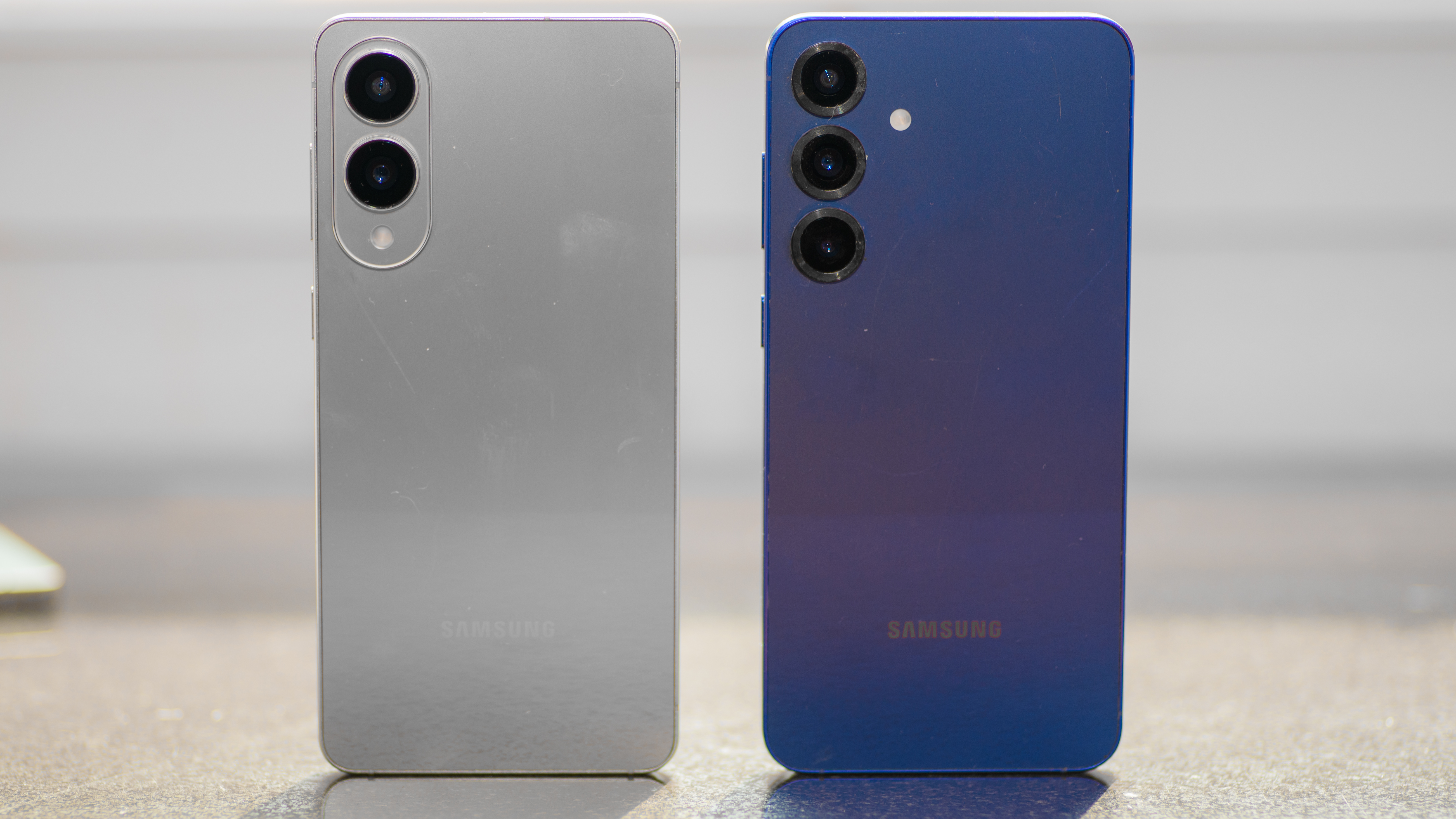
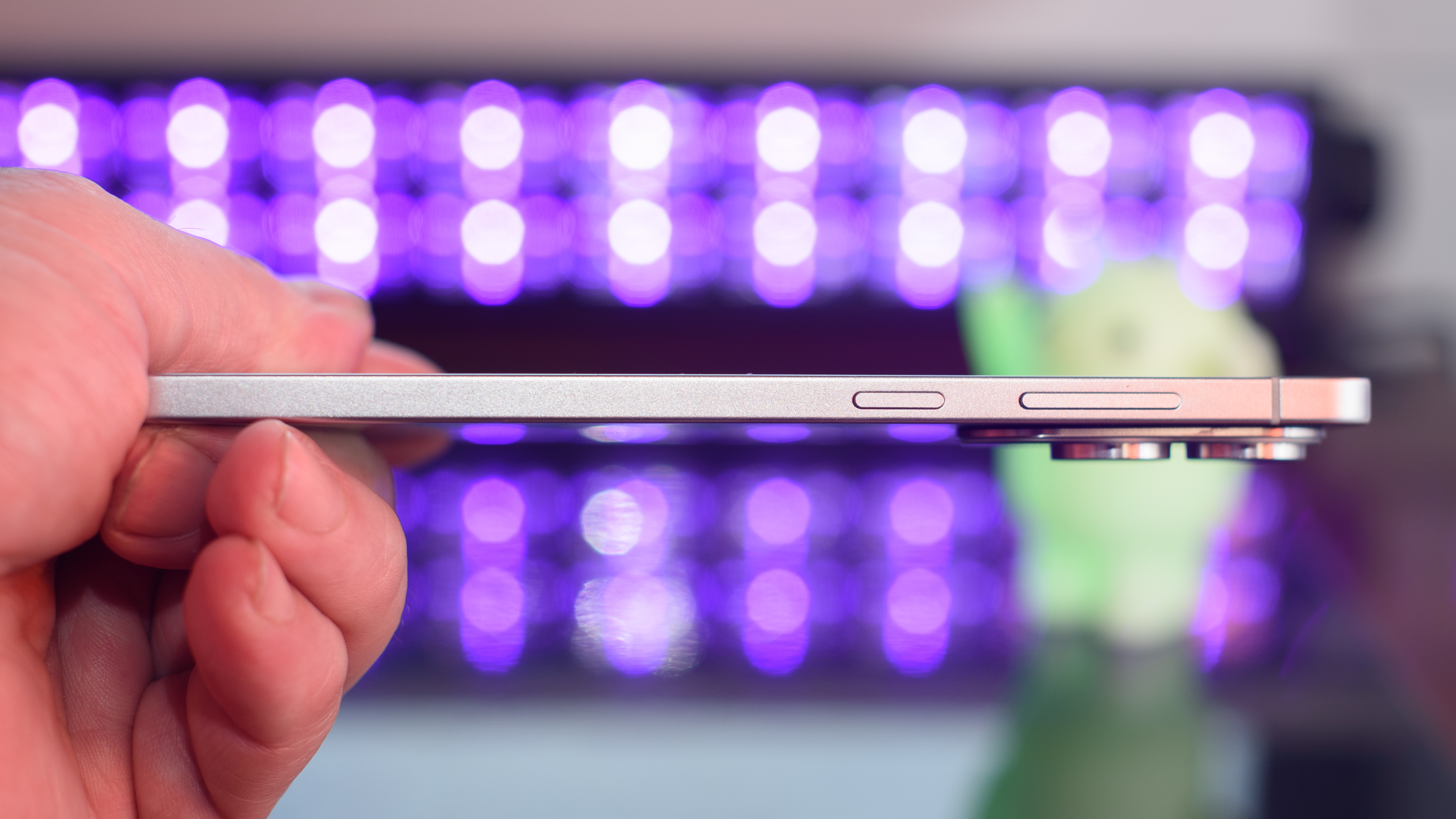
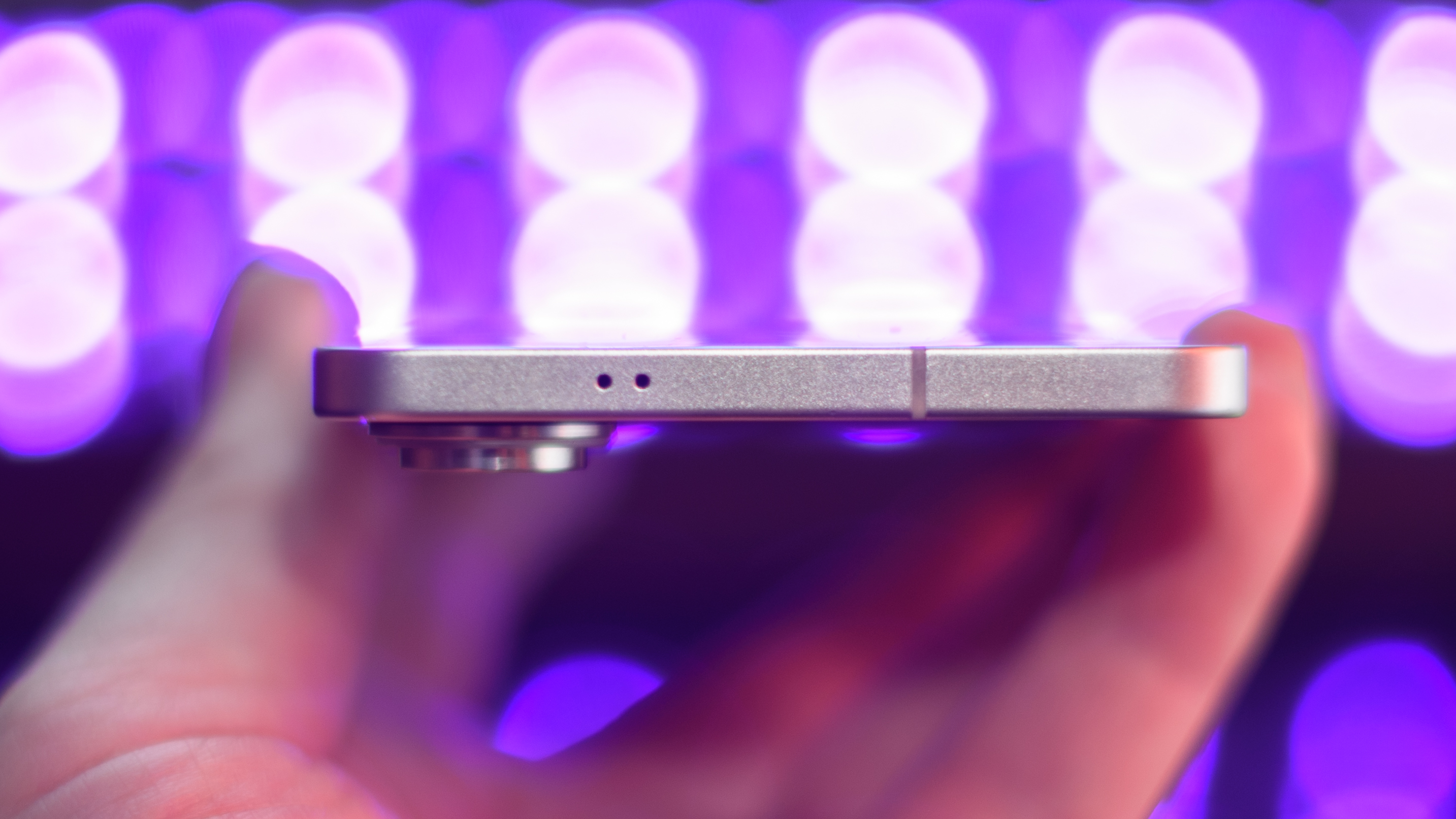
This is the thinnest Galaxy S device Samsung has ever crafted. It’s 1.5mm thinner than the Galaxy S25 Plus, and almost 2.5mm thinner than theGalaxy S25 UItra.
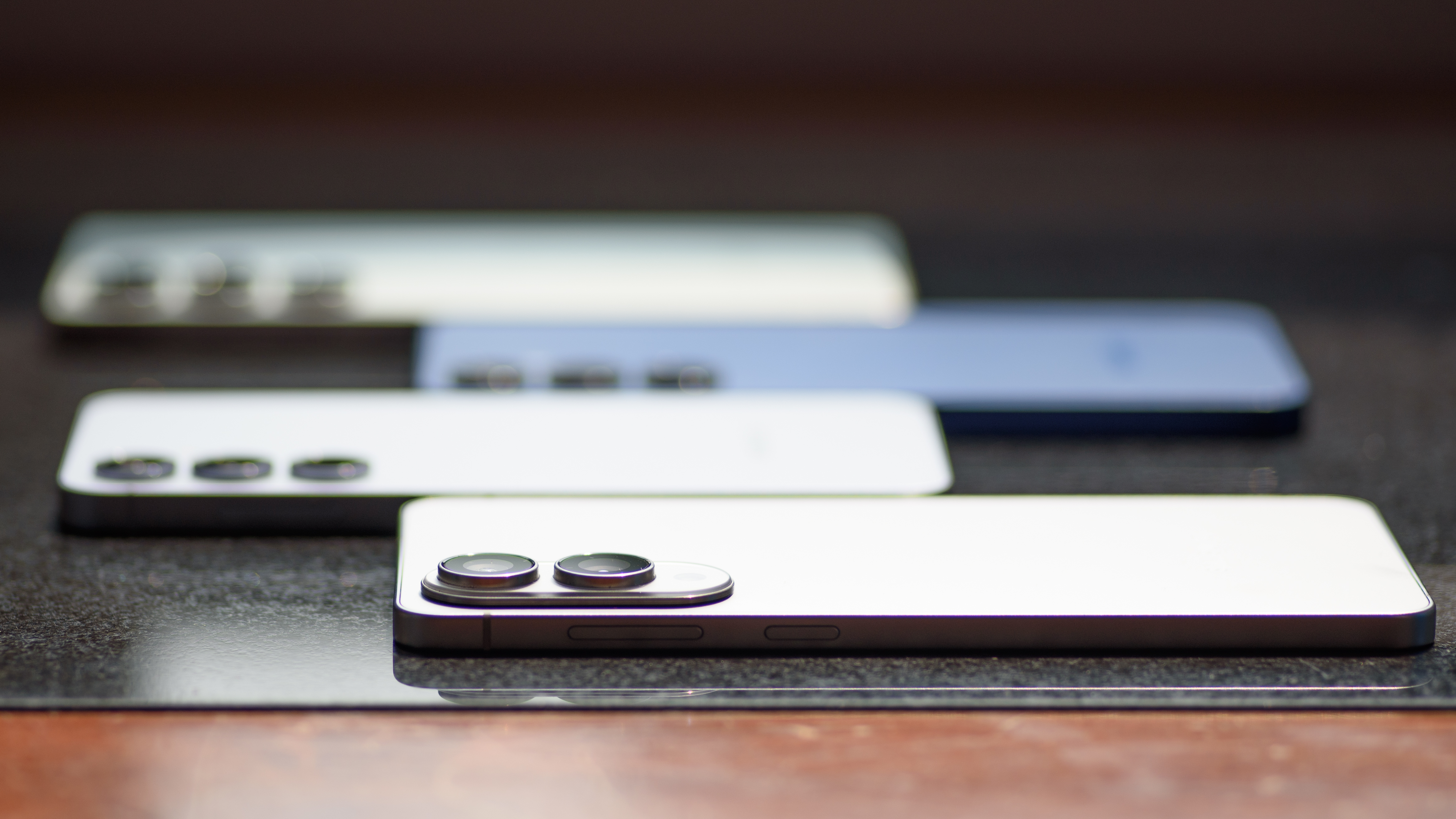
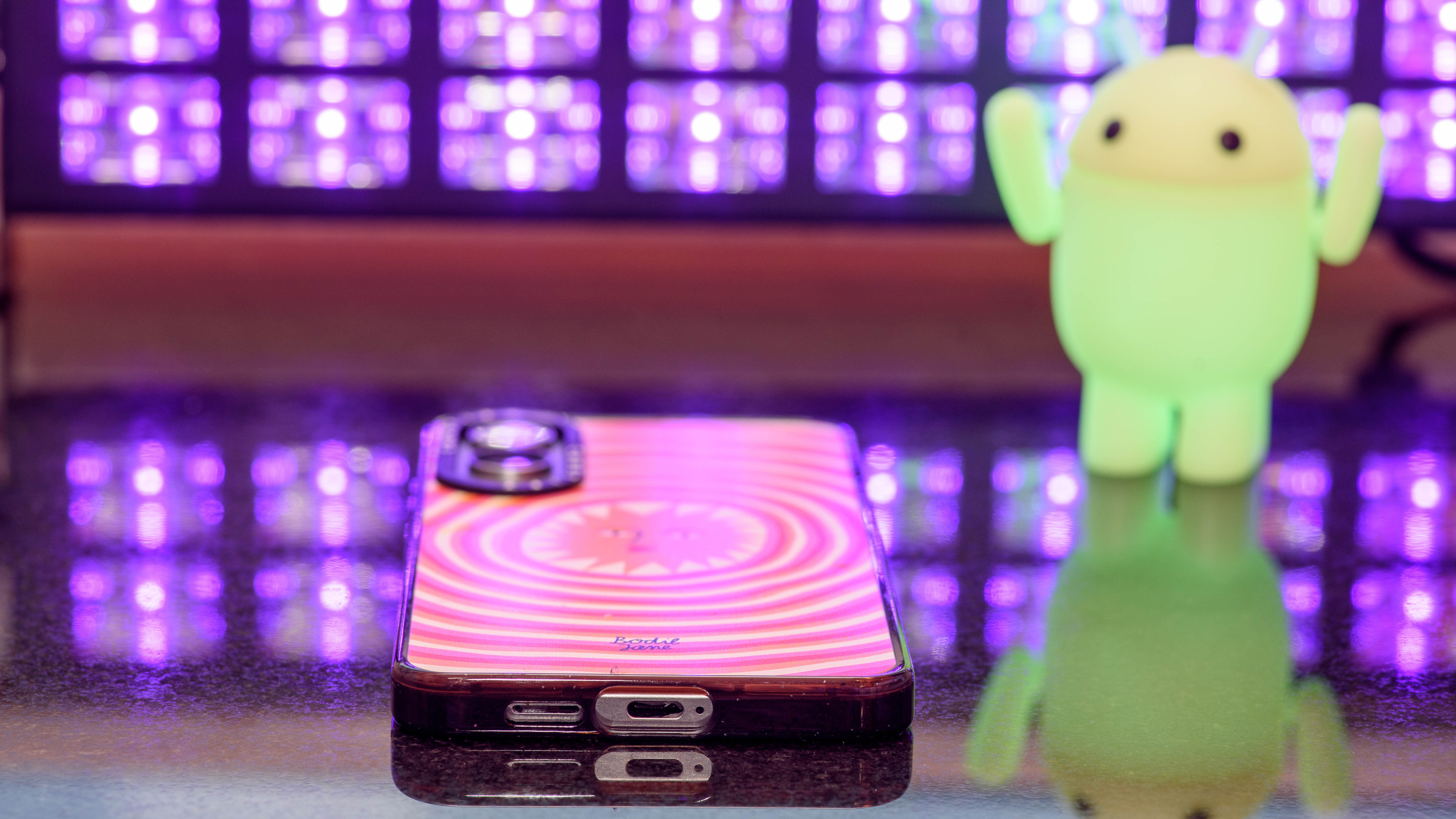
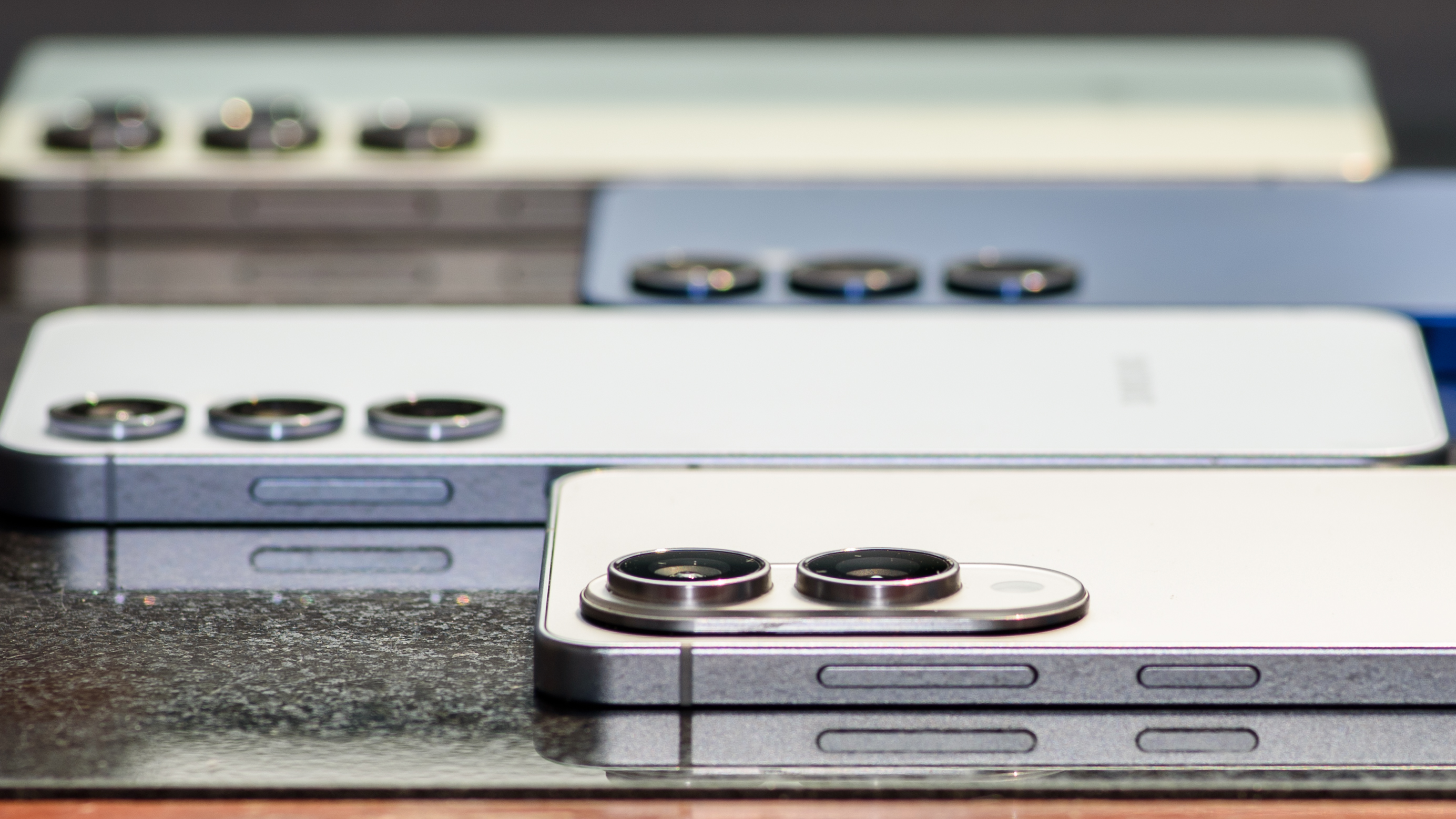
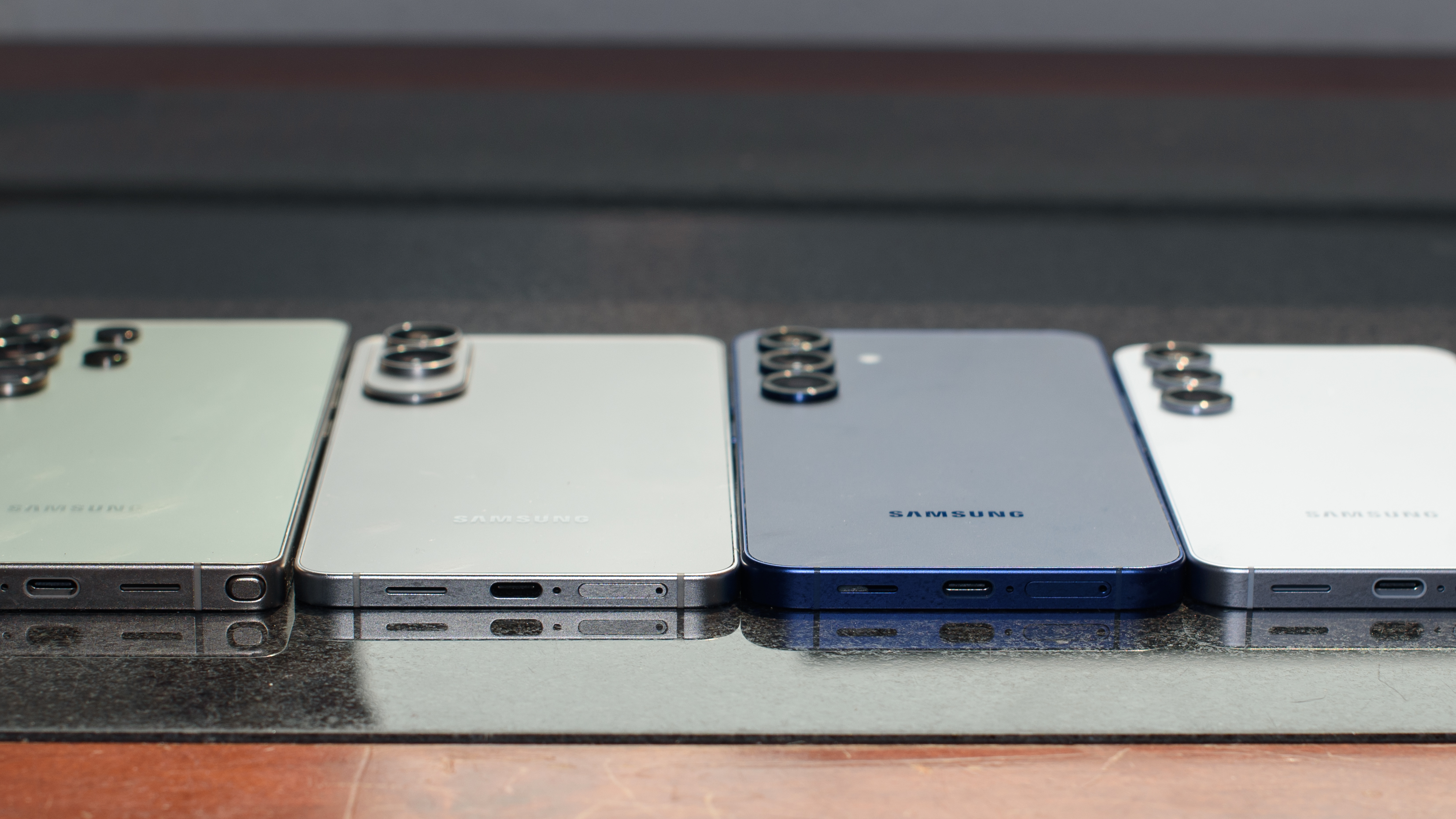
Could I feel that millimeter in my hand? I’m not sure, but between the thinness and the weight reduction – it’s almost a full ounce lighter than the Plus and two ounces lighter than the Ultra – the Galaxy S25 Edge is undoubtedly a standout.Front to back: Galaxy S25 Edge, Galaxy S25, Galaxy S25 Plus, Galaxy S25 Ultra
The Galaxy S25 Edge isn’t the phone for you if you want the thinnest phone possible. It’s the phone for you if you want a Galaxy S25 Plus, but wish it were easier to hold. It’s the Galaxy S25 Ultra, minus the extra bits that you wouldn’t use, like the S Pen stylus. It’s not something totally new, but it’s a better option for the right buyer.
But why didn’t Samsung go for broke? Why not make the Edge the absolute thinnest smartphone ever? TheGalaxy Z Fold 6is 5.6mm thin when it’s unfolded. Had it shaved another 0.3mm off the Edge, Samsung could have at least said that this is the thinnestSamsungphone you can buy.
The answer, of course, is battery life. The Galaxy Z Fold 6 is super thin, but the battery is split between the two halves. Each half of the Z Fold 6 packs only about 2,200mAh of battery life (for 4,400mAh total), which is a lot less than the 3,800mAh the Galaxy S25 Edge offers.
A thinner Galaxy S25 Edge would have meant a smaller battery, and based on my testing, the S25 Edge is using the smallest battery it can get away with.
The Edge had trouble lasting past dinner time in my testing period. If Samsung had made the Edge thethinnest phone ever!, it probably wouldn’t last through my lunch break. I have no doubt Samsung could build such a phone, but I wouldn’t recommend it.
That makes the S25 Edge a pleasantly thin phone that is simply not very special. There are no special features that set it apart from the rest of theGalaxy S25family. There’s nothing new here. It’s a well-crafted device that delivers exactly what I expected; no more and no less. That’s not a bad thing! It’s just… predictable.
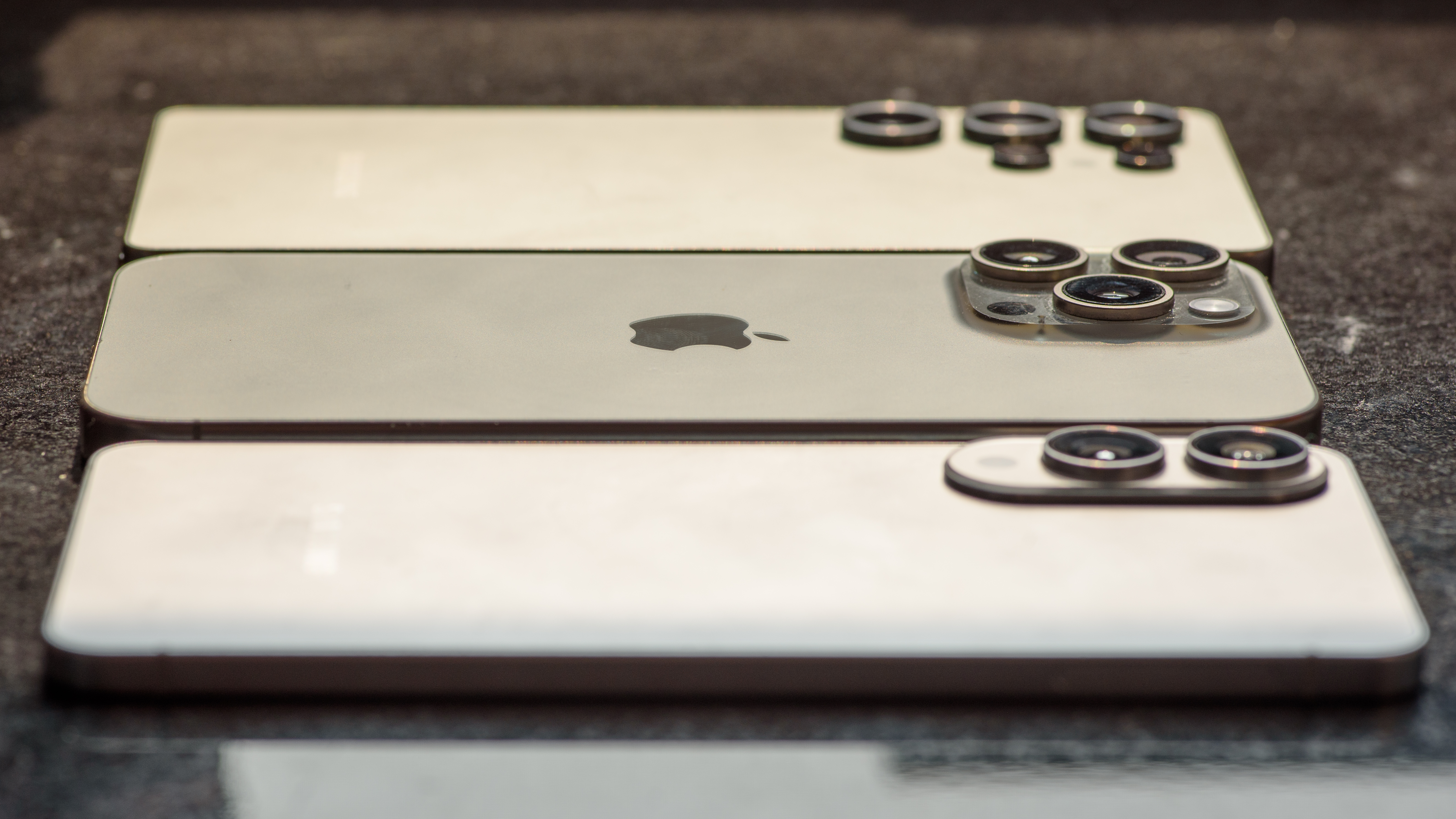
Front to back: Galaxy S25 Edge, iPhone 16 Pro Max, Galaxy S25 Ultra
The big problem is that Samsung is competing against a specter. The iPhone 17 Air could arrive later this year, and it’s hard not to see the Galaxy S25 Edge as a preemptive attack by Samsung on Apple’s next design concept. Because make no mistake, Apple is going to make a big deal out of going thin.
Apple is going to pretend it invented the millimeter. If and when Apple launches an iPhone Air in September, it will act like thinness is the biggest design innovation since the capacitive touchscreen. All other specs be damned! And I think Apple will be willing to shrink the battery and cut back on cameras even more severely than Samsung.
If that happens, the iPhone 17 Air will probably be less capable than the Galaxy S25 Edge in many ways, but it will give Apple the all-important bragging rights. Apple could use the dual-OLEDdisplay found on the iPad Pro, and recent rumors suggest the rumored phone will be around 5.5mm, making it thinner than any phone Samsung currently sells.
In a way, this takes the pressure off Samsung. The Galaxy S25 Edge is a very nice phone, and it fits neatly into Samsung’s price ladder as a little nicer than the Galaxy S25 Plus, but not as feature-packed as the Galaxy S25 Ultra. It doesn’t need to prove anything – the Galaxy S25 Edge does fine with less, without trying to be the most.
Samsung Galaxy S25 Edge review: Price and availability
Starts at $1,099 / £1,099 / AU$1,849 for 256GB/12GB configuration
That’s $100 / £100 / AU$500 more than S25 Plus, $200 / £150 less than the Ultra
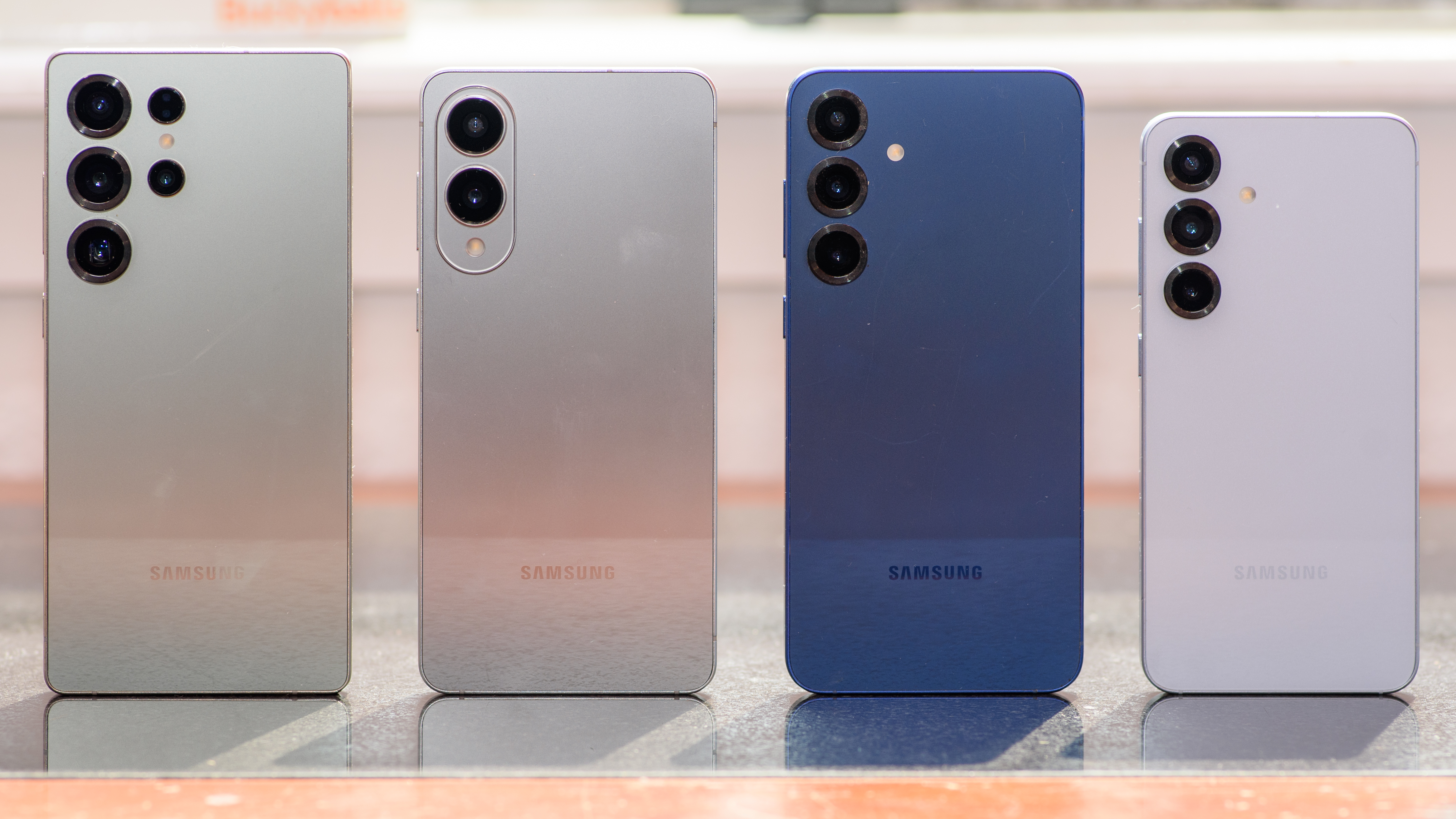
Left to right: Galaxy S25 Ultra, Galaxy S25 Edge, Galaxy S25 Plus, Galaxy S25
The Galaxy S25 Edge slots in neatly between the Galaxy S25 Plus and S25 Ultra in Samsung’s lineup. It’s closer to the Plus, which makes sense because it lacks more of the Ultra features than it possesses – there’s no S Pen, no telescopic zoom lens, and no big battery inside, for instance, although it is, like the S25 Ultra, built from titanium.
Otherwise, you get most of what you’d expect from the Galaxy S25 Plus, minus the zoom camera. It packs a sensor with a lot of megapixels, and that sensor is actually larger than the main sensor on the Galaxy S25 Plus. Both cameras use sensors that are smaller than the main 200MP sensor on the mighty Galaxy S25 Ultra.
Now I need a moment with my Australian friends, because something very odd is happening down under. The Galaxy S25 Ultra has come down in price by AU$400 since launch, which means it costs less than the Galaxy S25 Edge by AU$100. Also, the S25 Edge seems priced a bit high in Australia compared to the rest of the world – it’s AU$500 more than the Galaxy S25 Plus?! That seems like a mistake, but it’s the real price for now, so I would wait until Samsung offers a discount to buy the Edge.
Storage
US price
UK price
AU price
256GB
$1,099
£1,099
AU$1,849
512GB
$1,219
£1,199
AU$2,049
Value score:4 / 5
Samsung Galaxy S25 Edge review: Specs
Samsung Galaxy S25 Edge (left) and Galaxy S25 Plus (right) are very similar inside Like the rest of the Galaxy S25 family, the S25 Edge gets 12GB of RAM to support the Qualcomm Snapdragon 8 Elite for Galaxy chipset inside. This platform has proven powerful and very efficient in my reviews of the best Android phones this year.
The 6.7-inch display on the S25 Edge seems to be identical to that on the S25 Plus. The main camera uses a new 200MP sensor that we haven’t seen before, which is a bit smaller than the 200MP sensor on the Galaxy S25 Ultra, but larger than the 50MP sensor on the Galaxy S25 Plus. There’s no telephoto lens, but the Edge seems to use the same 12MP ultrawide camera as the S25 Plus.
The Galaxy S25 Edge comes with a 3,900mAh battery under its display, which is even smaller than the 4,000mAh battery beneath the Galaxy S25’s 6.2-inch screen. That’s what you sacrifice when you make a phone thin.
Samsung Galaxy S25
Dimensions
158.2 x 75.6 x 5.8mm
Weight
163g
OS
OneUI 7, Android 15. 7 major Android upgrades promised.
The real selling point for the Galaxy S25 Edge isn’t the thinness, it’s the lightness. You have to hold this phone to appreciate it; you can’t just look at the S25 Edge if you want to experience how thin and light it is. Photos don’t do justice to the remarkably light weight, and that’s a big part of the experience.
If you get pinky-finger fatigue from balancing your phone, the S25 Edge might be the phone that will save your favorite digit. Even though it has a huge 6.7-inch display, the Galaxy S25 Edge is lighter than theiPhone 16(6.1-inch screen, 170g), or thePixel 9(6.3-inch screen, 198g). It’s only one gram heavier than the 6.2-inch Galaxy S25, but it feels lighter since it’s less dense.
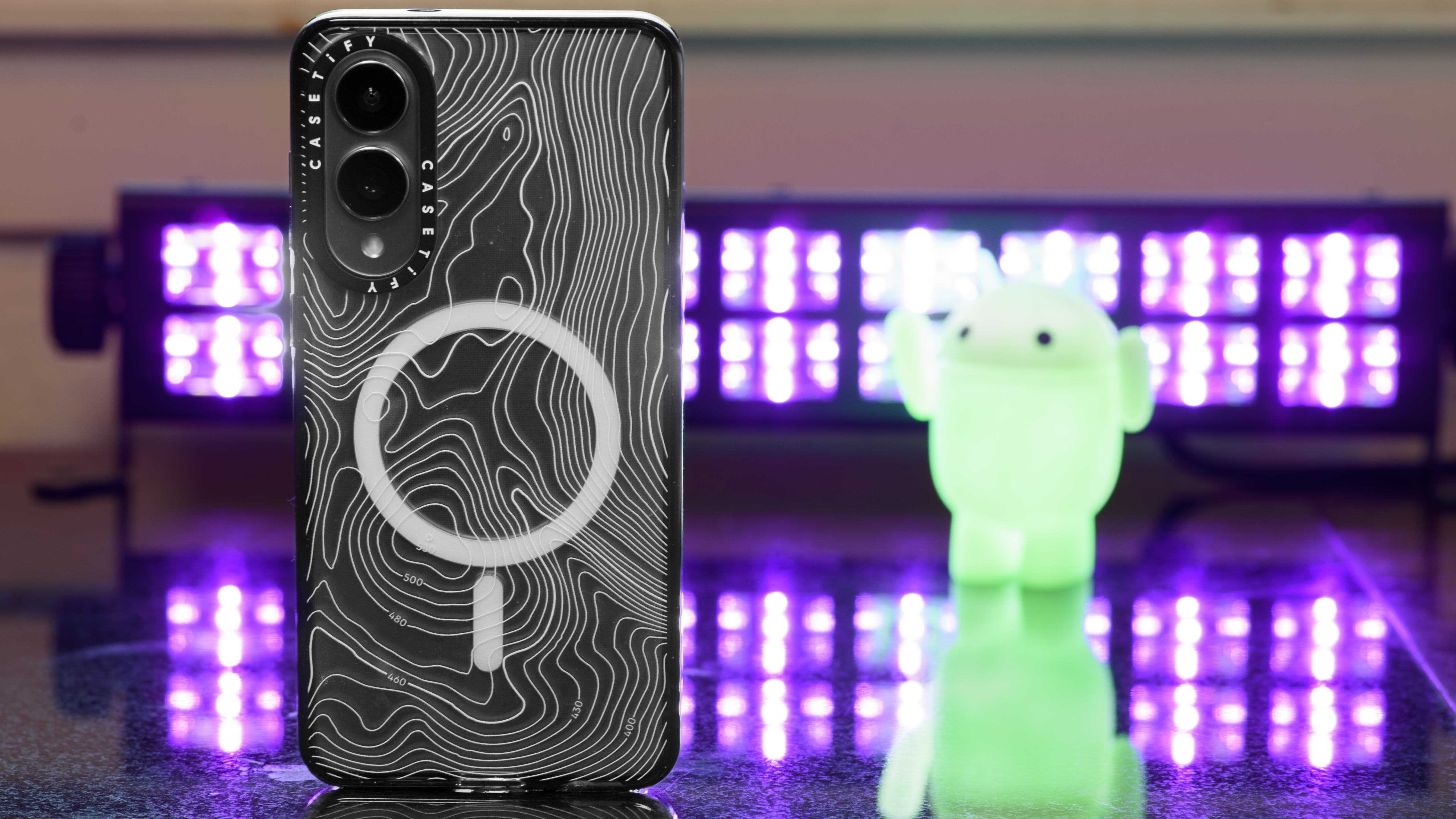
I almost always use a case with my phone, and since Samsung did not have cases ready for my review period, I asked my friends at Casetify to send over their thinnest cases for the Galaxy S25 Edge. Even with a case on the phone, it still feels remarkably thin and light, especially considering that huge screen size. My S25 Edge in a protective Casetify shell is still lighter than my Galaxy S25 Ultra with no case.
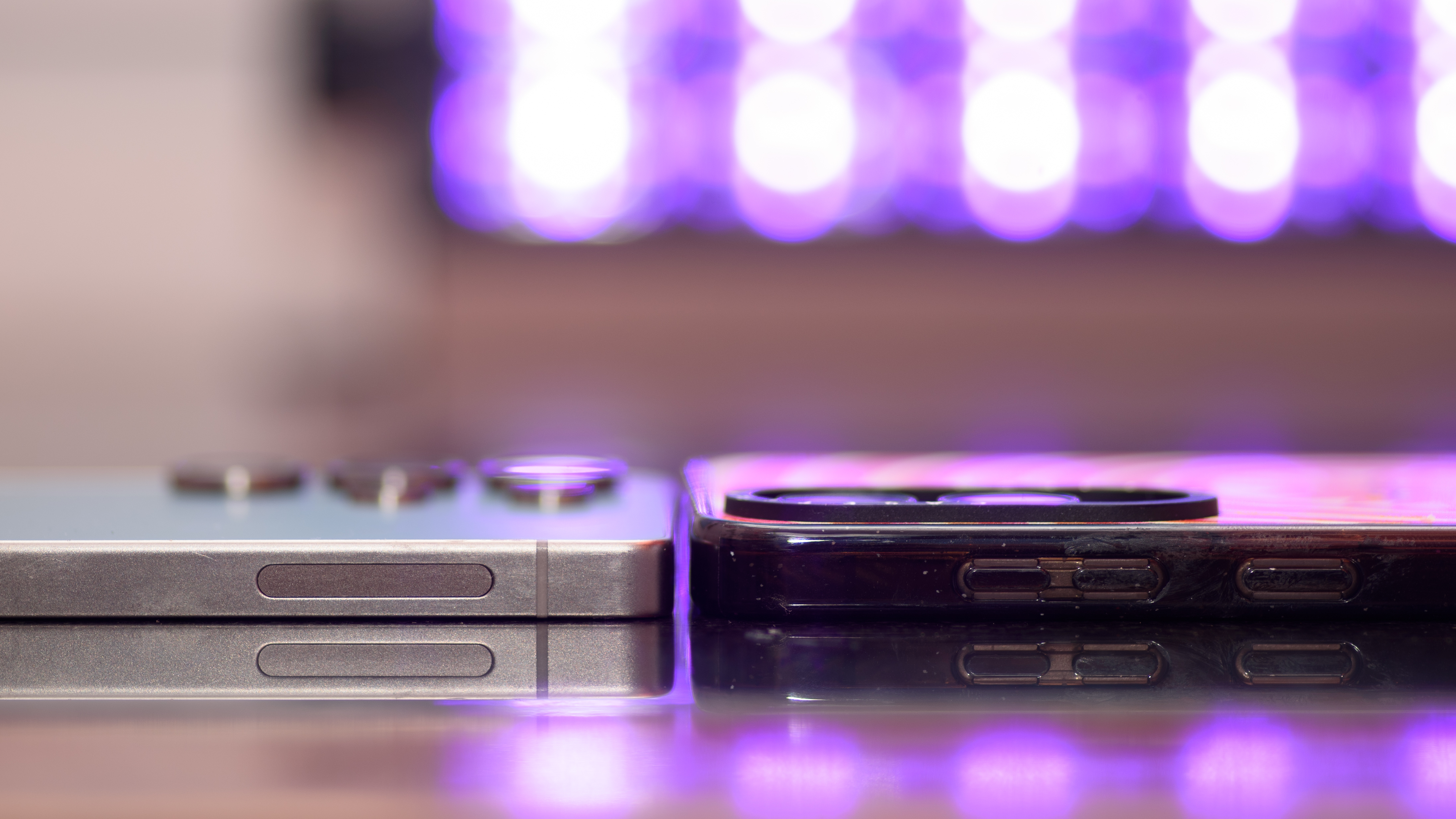
The Galaxy S25 Ultra is almost as thick as the Galaxy S25 Edge in a case, including the camera bump
The MagSafe magnets make this Casetify case worth buying
Still thin, even in a case
The design overall looks nearly identical to that of the Galaxy S25 Ultra, but on very close inspection things are less impressive. Frankly, the build quality of the Galaxy S25 Edge seems messy compared to the Ultra or to any Apple iPhone.There are gaps between the frame and the back glass. The SIM card tray doesn’t line up perfectly. There’s a gap between the camera bump and the back of the phone that I worried would pick up dirt – and by the end of my review period, that was the dingiest part of the phone.
This phone could have been special. Samsung could have tried something new, like capacitive buttons on the side – a trick that rumors say Apple is considering. It could have had super-fast charging to go with that slim battery. It could have had unique colors or a unique finish.
Instead, it’s just a slimmer version of a phone we got six months ago, and it’s not even a really nice version at that.
Design score:3 / 5
Samsung Galaxy S25 Edge review: Display
More Galaxy S25 Plus than Ultra, but that’s pretty great
Fingerprint scanner was totally unreliable
The Galaxy S25 Edge, like the Galaxy S25 Plus, is sort of a hidden gem in Samsung’s lineup when it comes to display quality. While the S25 Ultra has a slightly-larger 6.9-inch screen, all three phones all have the same resolution. When you pack the same pixels into a smaller display, you get a screen that’s technically sharper, in terms of pixel density.
Which is to say the Galaxy S25 Edge has a fantastic screen, one of the best you can find on any phone. It is plenty bright, even in bright sunlight, though the Ultra does beat the Edge thanks to the addition of the remarkable coating that Samsung has been using for a couple of years to eliminate glare on its flagship flat phone.
The display can refresh at up to 120Hz – take thatiPhone 16 Plus– and thanks to LTPO tech you can even get a full-color always-on display that refreshes as slowly as 1Hz to save power.
I’ve never had great luck with Samsung’s fingerprint scanners, and the S25 Edge didn’t recognize me any faster than other Galaxy phones, and unlocking failed more often than not. I know I have fingerprints because myOnePlus 13sees them with 99% accuracy, so I assume this is a Samsung problem, not ameproblem.
Display score:5 / 5
Samsung Galaxy S25 Edge review: Software
OneUI 7 is well built, but doesn’t add much to the Edge experience
AI features can be useful, but many feel like even more bloat
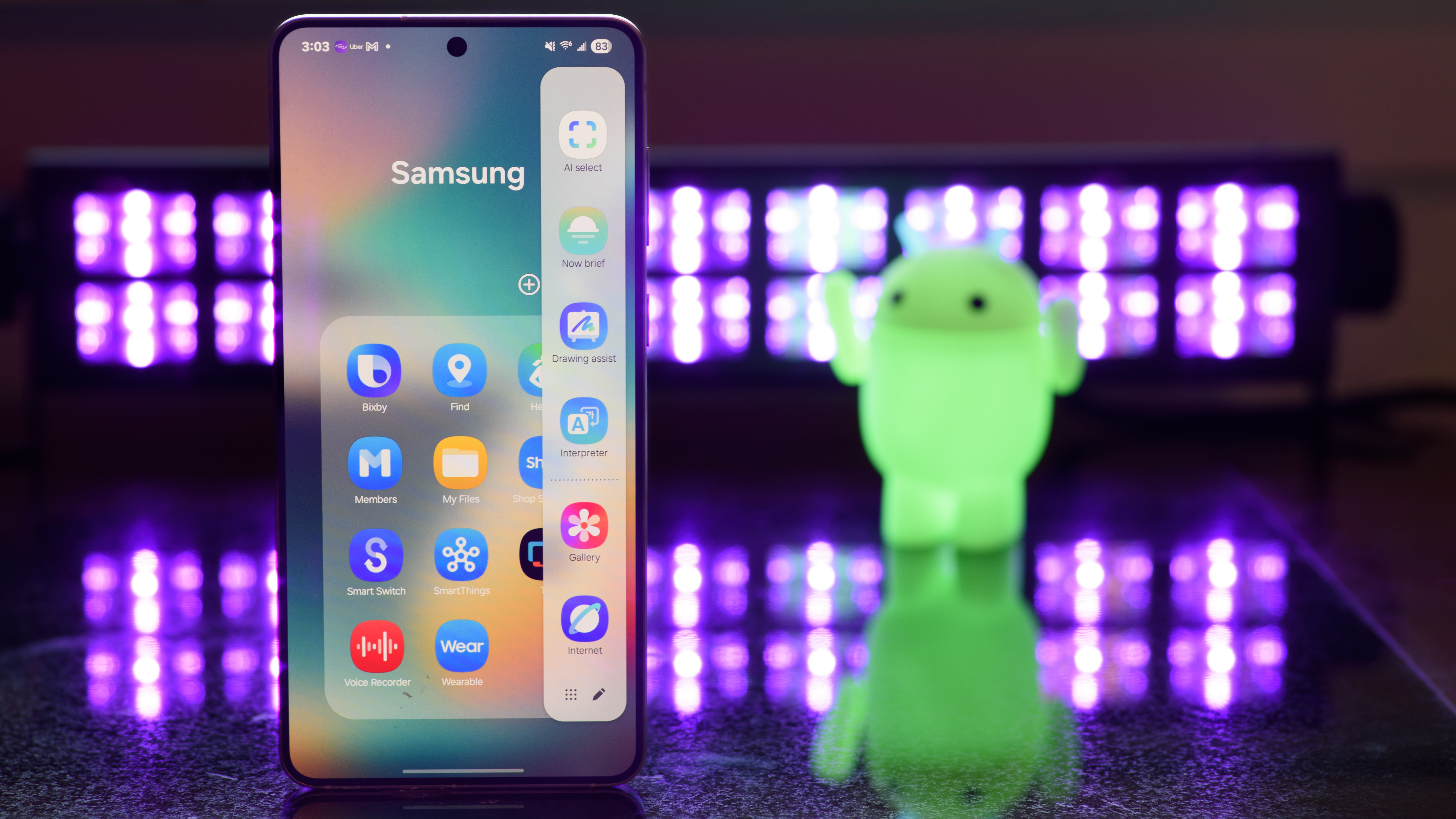
For better and for worse, the Galaxy S25 Edge uses the same One UI 7 interface as the rest of the Galaxy S25 family, with Android 15 serving as the engine. Samsung and Google seem to be locked in a perpetual struggle to control Samsung’s phones, so you’ll get two web browsers, two photo gallery apps, even two wallets and two different password managers.
It’s getting to be a bit much. I’m the first to insist that Samsung’s software – like its Internet web browser – performs better than Google’s alternative. But nobody wants two of everything; you don’t get an extra steering wheel when you buy a car. It’s time for Samsung to end the duplicate-apps project.
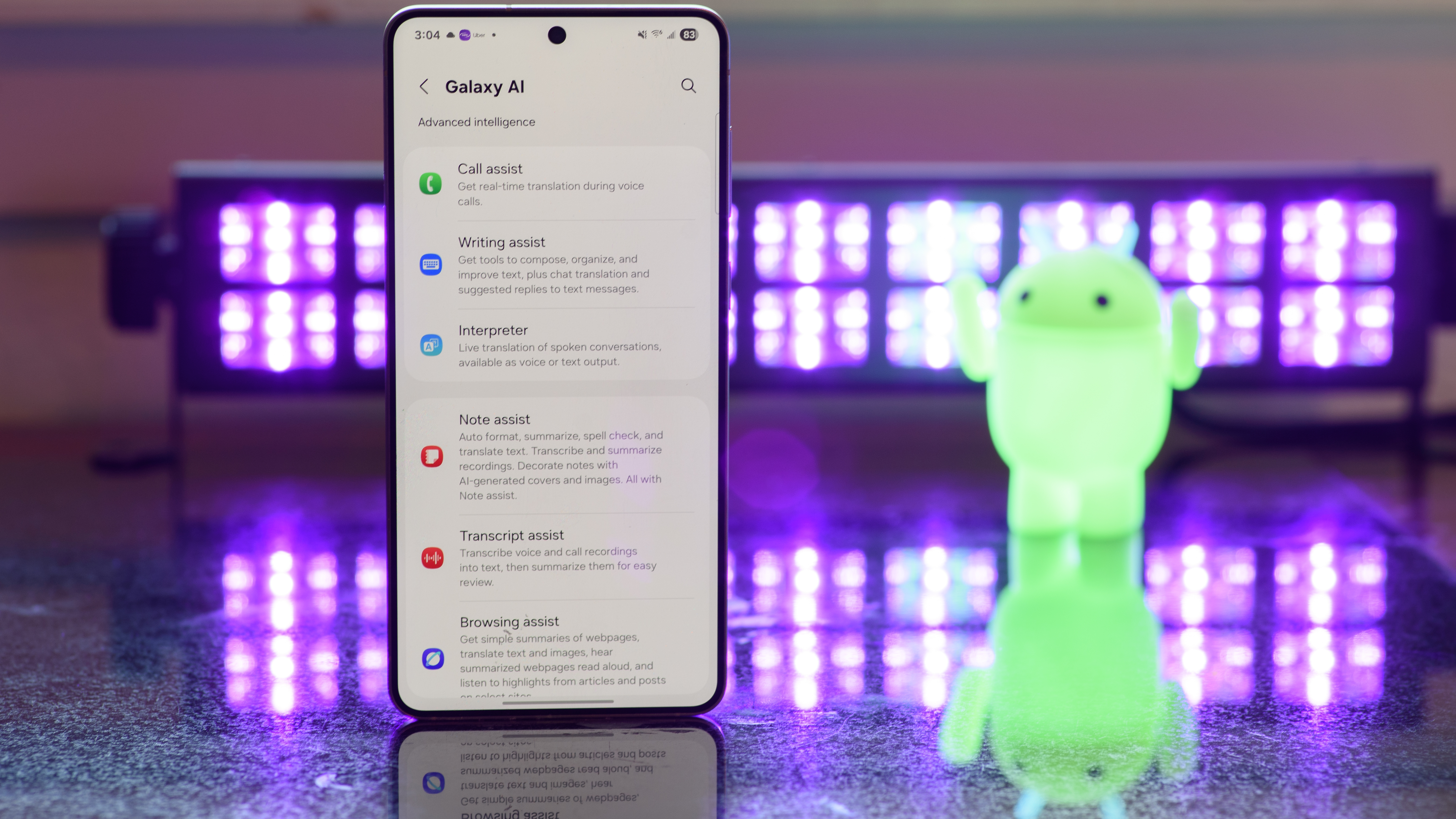
There are plenty of Galaxy AI features on the phone, and it comes with Google Gemini preloaded and ready to take over the power button at your beck and call.
I think we may have already hit the wall with AI features. Samsung has been touting its Now Brief widget and app since the Galaxy S25 launched, and it’s a completely useless piece of software. It’s supposed to learn things about me and then offer information tailored to my needs, but nothing like that happens.
I’ve been wearing aGalaxy Watch UltraandGalaxy Buds 3 Prowhile using the S25 Edge for weeks. The Now Brief offers no more than today’s weather, a missive that feels creepy coming from an AI (‘Wishing you well’?!), and the first few events on my work calendar, which are usually the first three people who took the day off and logged it properly.
At worst, Now Brief offers me partisan political news. I filter out most politics from my social feeds, and I don’t talk about politics in my text messages, so I’m not sure why Now Brief thinks politics are what interests me. It’s inescapable.
Thankfully, Samsung has confirmed that the Galaxy S25 Edge will get seven years of major Android and security updates, so it should last through Android 22, just like the rest of the Galaxy S25 family.
Software score:3 / 5
Samsung Galaxy S25 Edge review: Cameras
Exactly what I expected based on the specs
Samsung’s processing can be fun, or inconsistent
When I heard that the Galaxy S25 Edge would use fewer cameras than its S25 stablemates, with one big 200MP main sensor and a supporting ultra-wide, I was excited at the prospect. After all, one of Leica’s most popular cameras, theLeica Q3, uses a single large sensor and a wide lens, and fakes all of the zoom with digital cropping. If anybody can pull off the same trick on a camera phone, it’s Samsung.
Nope. I’m disappointed to say the cameras are fine, but not groundbreaking. I was hoping the Edge would be a trendsetter. Instead, it runs down the middle of the road without faltering. It does a great job at the things Samsung camera phones do well, but it can’t handle the all-in-one duties of the Galaxy S25 Ultra.
There are no surprises with the Galaxy S25 Edge cameras. The main camera uses a 200MP sensor with a wide lens, and that sensor is a bit smaller than the 200MP sensor on the Galaxy S25 Ultra. No surprise then that the Ultra is still the best Samsung camera phone, in more ways than one.
The main camera produces images that are a bit fuzzier than what I got from the Galaxy S25 Ultra, and I was surprised to find the colors dialed back a bit as well. The Edge’s cameras don’t seem to be tuned to pop colors as much as the Ultra cameras do. It still managed to take excellent food photos and warm portraits, like I expect from Samsung.
Taken with Galaxy S25 Edge
Taken with Galaxy S25 Ultra
Galaxy S25 Ultra 100% crop
If you need a zoom lens, the S25 Edge isn’t going to satisfy you. The digital zoom doesn’t come close to providing the detail and quality I get with optical zoom on the Galaxy S25 Ultra andiPhone 16 Pro Max. A heron across the river looked like a white, featherless blob when I snapped a pic with the Edge. The iPhone and Galaxy Ultra images revealed a beak and some plumage.
Taken with Galaxy S25 Edge
Taken with the Apple iPhone 16 Pro Max
iPhone 16 Pro Max 5X optical zoom, enhanced to 10X
If you take a lot of photos outdoors, the S25 Ultra has a coating on the display to reduce glare, and it makes a big difference even compared to the S25 Edge, which has a nearly-identical display otherwise. The Edge can get bright, but it’s much easier to see the Ultra’s screen if the sun is shining directly on you.
Camera score:3 / 5
Samsung Galaxy S25 Edge review: Camera samples
Samsung Galaxy S25 Edge review: Performance
Excellent performance from the Qualcomm Snapdragon 8 Elite
The Edge stayed very cool under conditions that break other phones
I was expecting excellent performance from the Galaxy S25 Edge, and this phone delivered beyond my expectations. It was plenty fast, with that overclocked Snapdragon 8 Elitefor Galaxychipset providing a bit more boost than you’ll get on a non-Samsung Snapdragon phone. Samsung has also done a remarkable job of keeping the phone cool, even when you push the performance to the limit.
I perform a stress test where I run multiple mapping apps on a phone, and play music over Bluetooth, then sit the phone above my car dashboard in the sunshine. Most phones take less than an hour of this punishment before they shut down due to overheating.
The S25 Edge never quit, managing to stay cool enough to function for as long as I needed. That’s incredible – every iPhone, Pixel phone, and Galaxy phone I’ve tested has failed this endurance test. The Edge really lives up to Samsung’s claims of much better cooling – that 10% larger vapor chamber clearly makes a real difference.
This makes the Galaxy S25 Edge an easy contender for a best gaming phone ranking. It offers great performance and superior cooling – everything a gaming phone needs.
I also had fun playing games with the Galaxy S25 Edge clipped onto my Xbox wireless controller using a cheap third-party attachment fromAmazon. The phone is so lightweight that gaming for long periods was a breeze – it’s a nice way to kill time while I wait for my Switch 2 to arrive.
Performance score:5 / 5
Samsung Galaxy S25 Edge review: Battery
Good battery for the thin size, but not great
Couldn’t last a full day if I used it aggressively
As I said above, Samsung could have made a thinner Galaxy S25 Edge, but the battery life would be terrible – as it is, during my review period the S25 Edge often needed a recharge while I was eating dinner, especially if I played games, took a lot of photos, or otherwise taxed the phone heavily.
If I scrolled my social feeds and listened to music on the train into work, I would be concerned about whether the battery would last until the train ride home.
It’s too bad Samsung didn’t use the latest silicon carbon battery technology found in the OnePlus 13, which might have helped it to pack in more power. I also wish this phone charged faster than other Galaxy S25 models, not slower – if it had 80W charging like the latest OnePlus phones I wouldn’t be worried about having to top up throughout the day, because that top-up would take less than 15 minutes.
As it stands, 15 minutes of charging got me just past 25%, and a full charge took about an hour. That’s pretty slow by today’s standards, especially considering that this battery is smaller than any other inside a Galaxy S25 phone.
Samsung might also be exaggerating its battery claims. It told us to expect the Edge to offer longevity somewhere between the Galaxy S24 and Galaxy S25, but in our lab benchmark tests the S25 Edge lasted for less than 13 hours of constant use where the Galaxy S24 lasted more than 13 hours, and the Galaxy S25 topped 15 hours.If you really need good battery life the Galaxy S25 Plus is the Samsung champ, delivering almost 19 hours of screen time in our rundown test. But it’s not the Edge’s lack of battery life as such that bugs me; it’s how long it takes to top the phone up.
Battery score:3 / 5
Buy it if…
The Galaxy S25 Plus would be perfect if it were easier to hold The Galaxy S25 Edge is the Galaxy S25 Plus minus millimeters and ounces, so it’s easier to grab and easier to hold for longer.
You want the second-thinnest Samsung phone The Galaxy S25 Edge is the thinnest Galaxy S phone, and if you don’t like foldable phones it’s the thinnest Samsung phone you care about.
Don’t buy it if…
You thought it would be the thinnest The Galaxy S25 Edge isn’t really the thinnest anything, but it is very light, and that might be more important when you’re holding it for a long time.
You’re taking photos in bright sunlight… from far away The Galaxy S25 Ultra remains the Samsung camera champ, with its anti-glare screen coating that helps in bright light plus its real optical zoom lenses… plural.
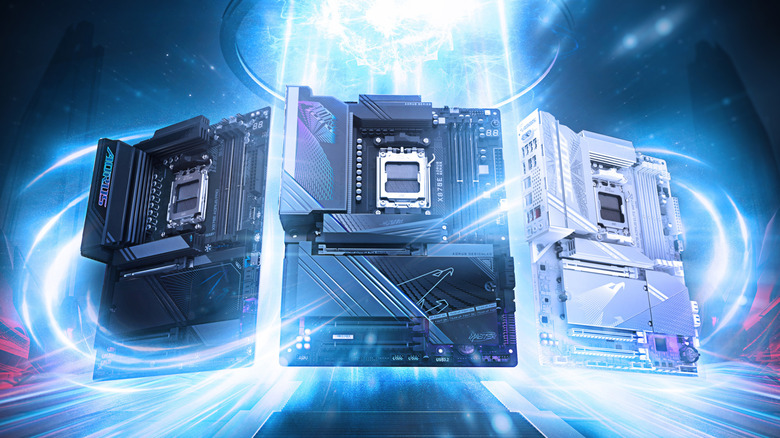
PC builders do love a good brand feud, and MSI vs. Gigabyte is practically the Lakers vs. Celtics of the motherboard world — maybe not as loud as the NVIDIA vs. AMD GPU battle, but just as personal. If you’ve spent any time on Reddit, PCPartPicker, or your favorite tech YouTuber’s discord, you know exactly why. You’ll rarely get a straight answer when you ask the internet who makes better motherboards. You’ll get opinions — and lots of them. Even after a debate has been settled and a winner has been declared, someone brings up boot speed or some other minutiae just to stir the pot. Nobody in these threads reports any noticeable performance losses. One builder in r/buildapc, who happened to own both an MSI B650 Tomahawk and a Gigabyte B650 Aorus B650 Elite AX (both AM5 motherboards) summed it up pretty nicely: “Performance-wise they’re gonna be pretty much identical. I’ve had both motherboards and I like MSI’s BIOS a little better.”That’s the recurring theme here: Performance is almost always a non-starter, but MSI motherboards do carry a small but noticeable lead thanks to a cleaner BIOS and straightforward software. We dug through users’ posts and forums to see what people are actually saying between these two motherboard makers.>>>Replacement battery for Gigabyte Aorus 15 XE5 15G 15P 17G 17HMSI’s BIOS is better, and a poor Gigabyte user found out the hard way
A recent comment in a candid March 2025 r/PcBuildHelp thread broke it down bluntly: “MSI [BIOS] is leagues better than Gigabyte. Unless there’s a really huge price difference, MSI every day. Gigabyte is actually awful on the software side.” Even a cynical r/pcmasterrace poster who slags every vendor still admitted, “MSI is probably the better of the bunch. Good BIOS and fairly user-friendly.” On Gigabyte motherboards, the latest AM5 firmware has improved, but complaints about slow cursor lag and buried EXPO settings still plague some users.One poor soul on r/gigabyte, building his first AMD PC (7800X3D on a Gigabyte X670 motherboard) after years on Intel, described it like this: “When I enter the bios itself, everything is extremely laggy … I move the mouse, mouse trails [at] about 1 second lag before the mouse moves to when it stops moving.” Hoping a firmware update might fix things, they opened the BIOS on Windows 11 and fired up Q-Flash, only to be stuck on a screen that read “verifying file” and crawling to 69 % in four hours. At one point, they wrote, “This could be the end folks.”Eventually, Gigabyte support called back and advised a full reset. It’s not that Gigabyte can’t get there, but as this post (and many others) show, MSI motherboards can handle BIOS better, and since the majority of the crowd is gamers who don’t want to wrestle with firmware, MSI tends to be the safer pick for gaming builds like these.>>>Replacement battery for Gigabyte Aorus 15 XE5 15G 15P 17G 17HGigabyte beats MSI in the more for less spec sheet game
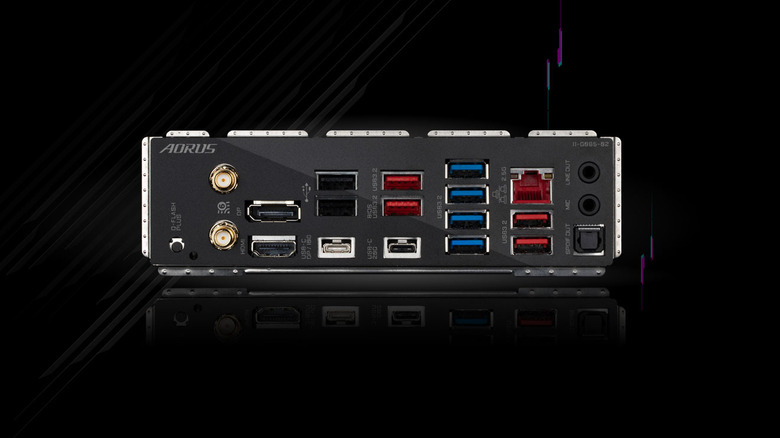
MSI has the smoother BIOS, but when spec-chasing builders add up the ports and lanes, they keep landing on Gigabyte’s mid-tier Aorus boards. One B850 Aorus Elite owner bragged on r/gigabyte that he’s running “the 5070 Ti in the top PCIe slot and per GPU-Z it’s in x16 mode and all three NVMe drives are working.” Another user with the same motherboard verified, “There is no lane sharing on the b850 Aorus Elite … I confirmed the 5070 ti is running in x16 mode in GPU-Z.” That kind of unrestricted Gen-5 M.2 layout is rare under $260. Now, to try that on an equivalent MSI MAG Tomahawk, and something has to give — either you drop a drive, or one slot falls back to Gen-4 so the VRMs don’t fry your board. It’s not just the lanes, as TechPowerUp’s review of the same motherboard points out a whopping 10 USB-A ports on the rear I/O and built-in Wi-Fi 7 — features you’d have to jump up to the MPG or the MEG tier on team MSI.And because Gigabyte fields so many SKUs, open-box bargains are common — Micro Center cleared X670E Aorus Masters for $230 open-box in March, less than half their launch price. If you’re stuffing your cart with capture cards or half a dozen SSDs, you don’t have to be an expert to know when a bargain is a bargain.
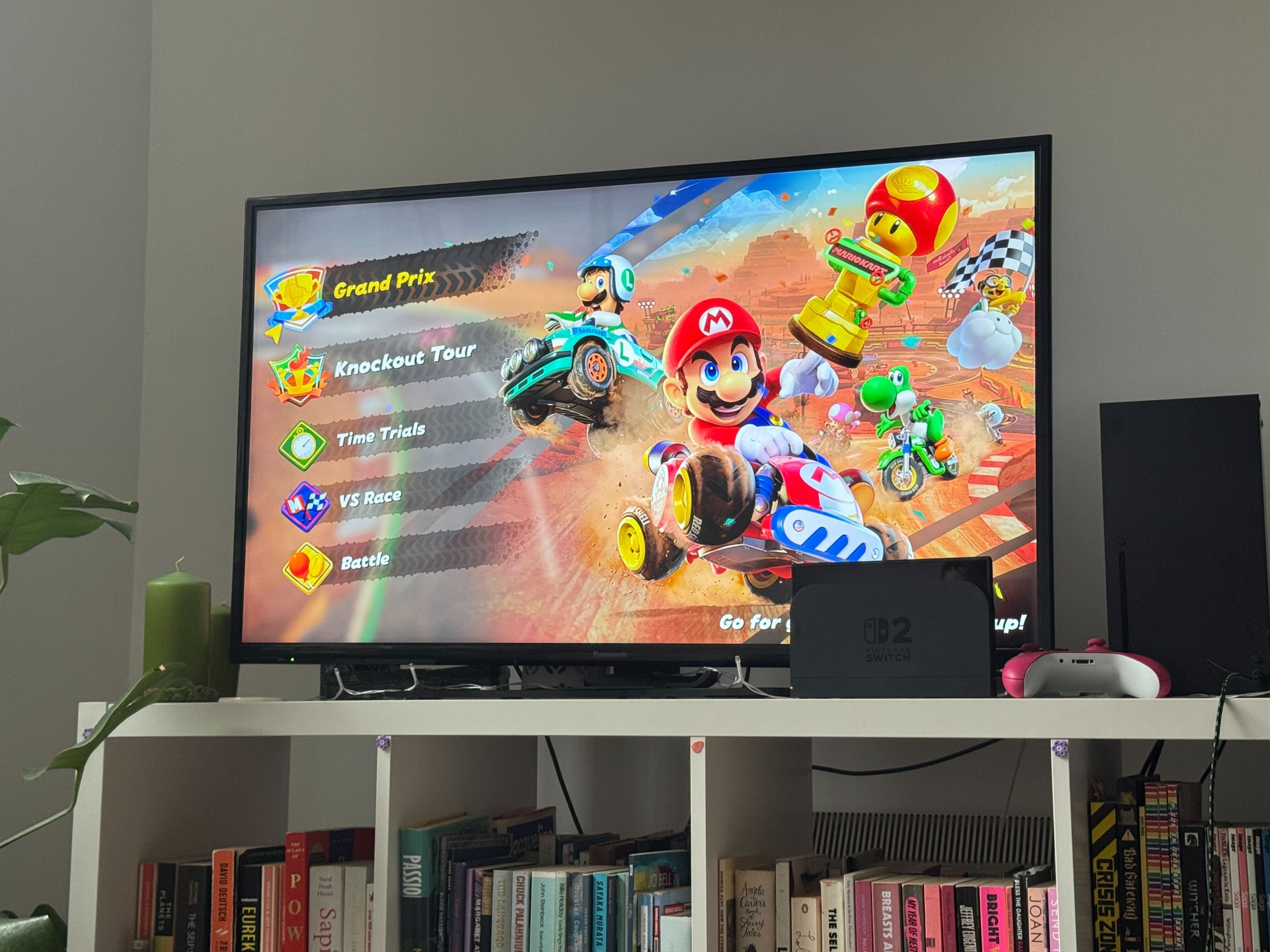
Switch 2 docking is simple — just a few connections and you’re gaming on the big screen
TheNintendo Switch 2might be designed for portable gaming, but its real magic happens when you connect it to your TV or monitor for the full big-screen experience.
Maybe you’re settling in for a marathonMario Kart Worldgaming session, or simply want to show off your skills. Docking your Switch 2 transforms it from a handheld device into a proper home console.
The setup process is refreshingly simple, requiring just a few cable connections and the included dock. Nintendo has streamlined the entire experience to get you gaming on the big screen as quickly as possible.
Follow these simple steps and you’ll have your Switch 2 connected and displaying games on the big screen in just a few minutes.
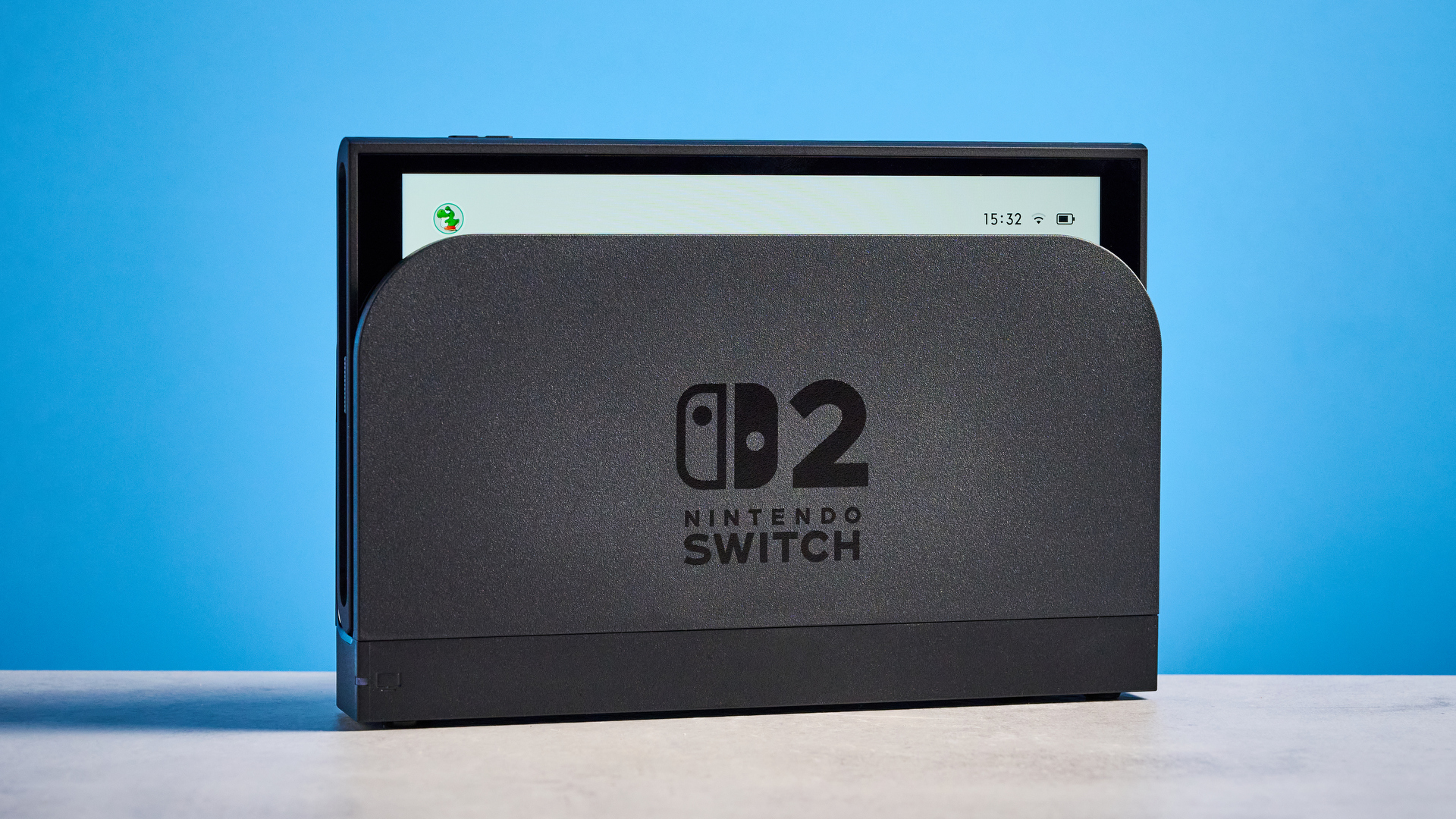
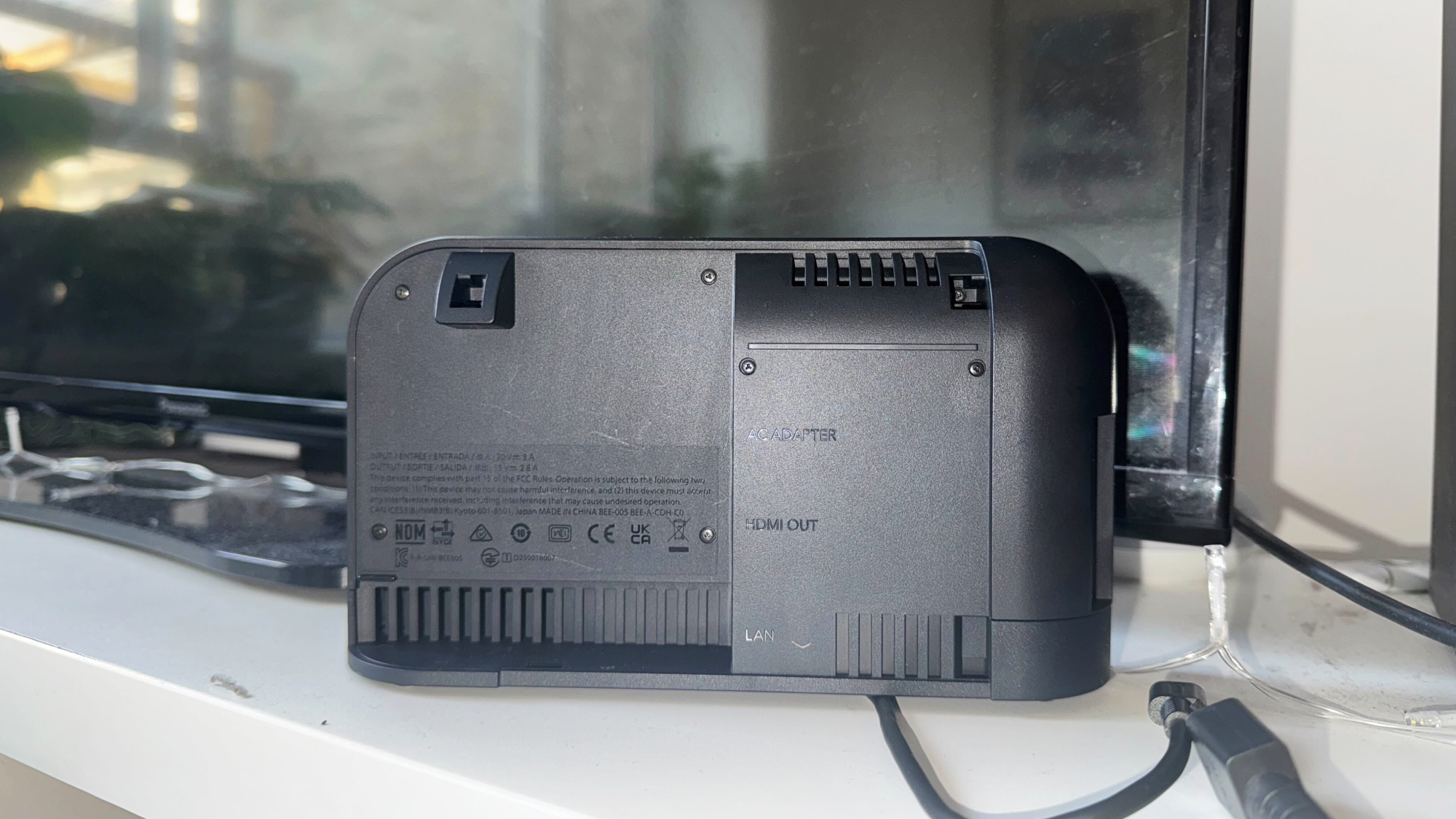
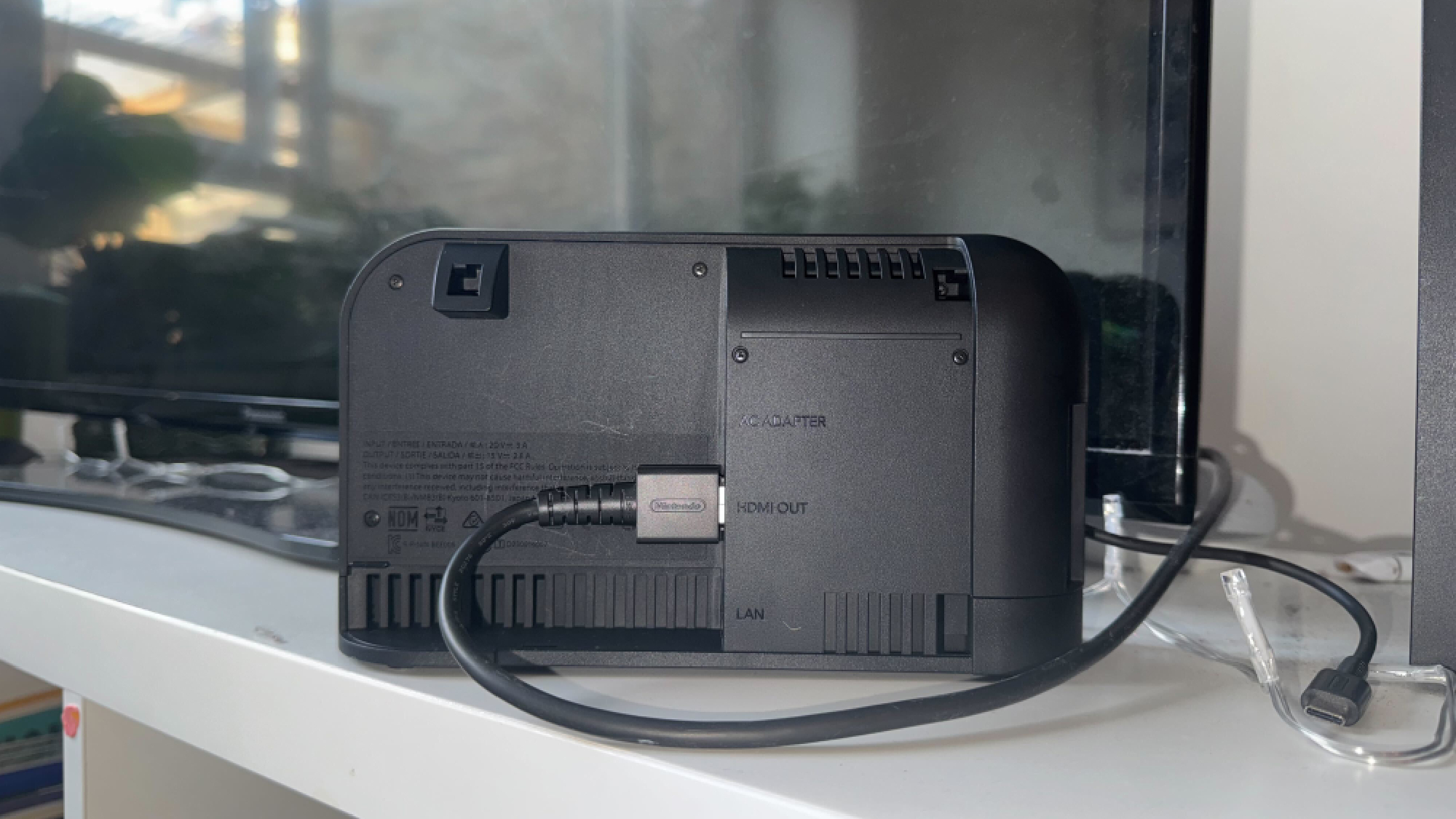
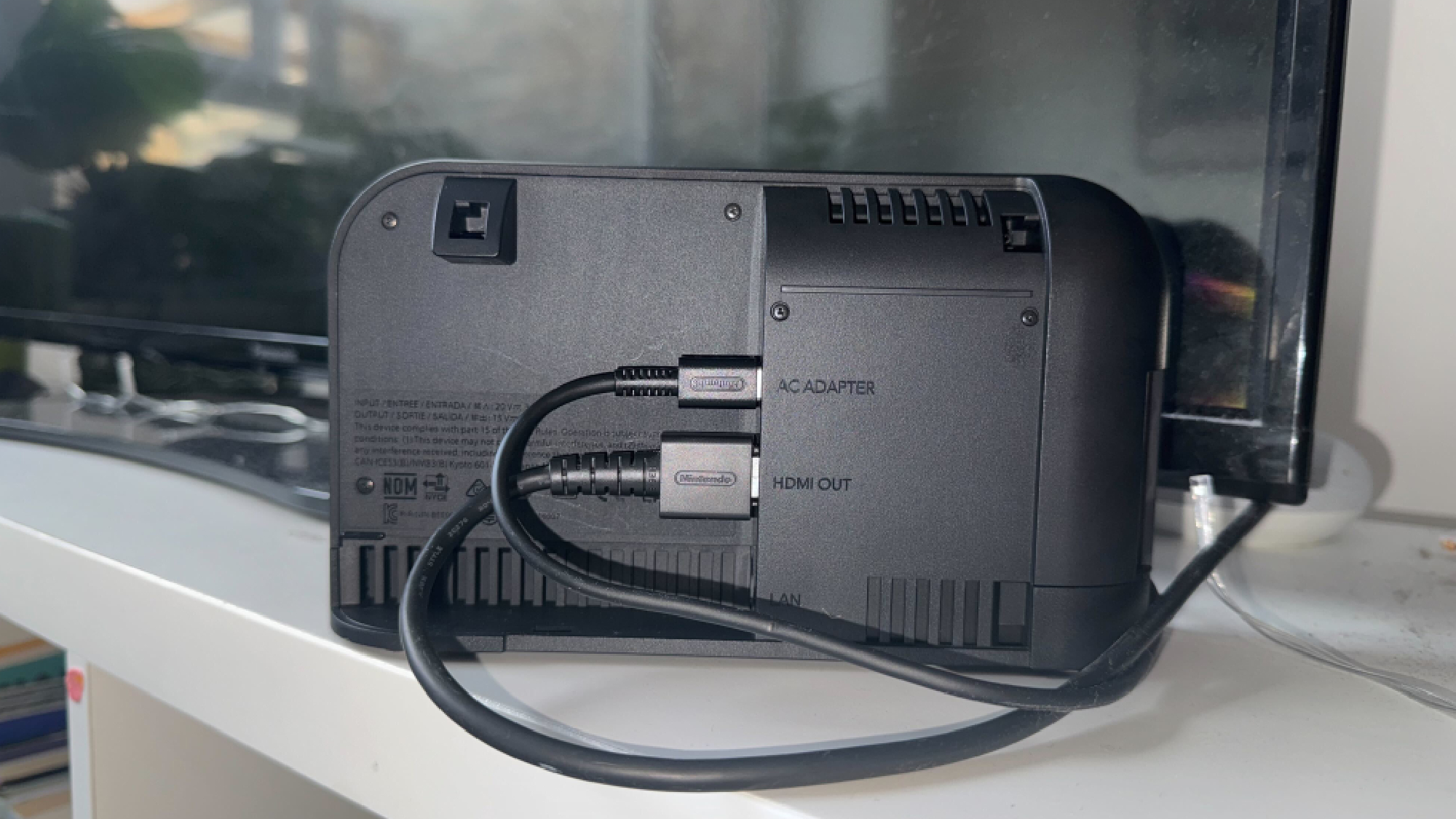
Plug one end of an HDMI cable into the middle porton the dock (it’s clearly marked and sits between the other two ports).
Thenconnect the other end to any available HDMI input on your TV or monitor. Make sure both connections are secure and remember which HDMI input you’re using so you can select it later.
3. Connect the power adapter
Plug the Nintendo Switch 2 power adapter into the dock’s power port, thenconnect the other end to a wall outlet.
For best results, use only the official Nintendo power adapter that came with your Switch 2.
4. Position the dock
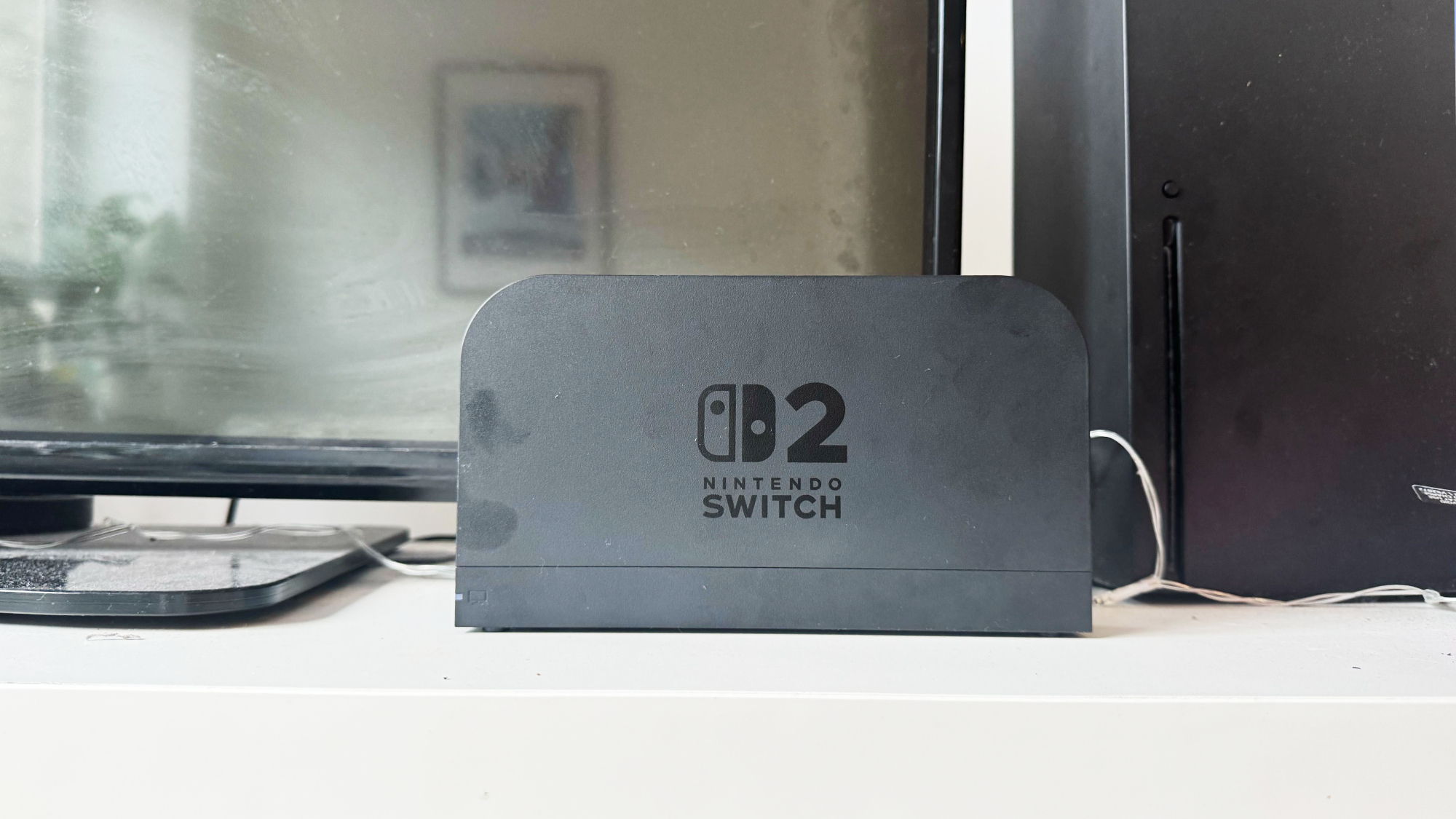
Position the dock on a stable, flat surfacenear your TV where it won’t get knocked over.
It’s also a good idea to ensure there’s adequate ventilation around the dock as it will generate heat during your gaming sessions.
5. Insert your Switch 2
Gently slide your Nintendo Switch 2 into the dockwith the screen facing the same direction as the dock’s front opening.
Turn on your TV or monitorand use your remote toselect the HDMI inputyou connected earlier. Your Switch 2 will automatically detect the connection and switch to docked mode for big-screen gaming.
Now sit back and enjoy your games with improved resolution and performance on the big screen!
Now you’ve learned how to connect yourNintendo Switch2 to your TV monitor, why not take a look at our other useful Switch 2 guides?