The iPhone lock screen password can’t be remembered suddenly, or the password is forgotten, how can we solve it? The following will teach you two methods without going to the after-sales service.
Method 1: Erase iPhone via iCloud
Tutorial steps:
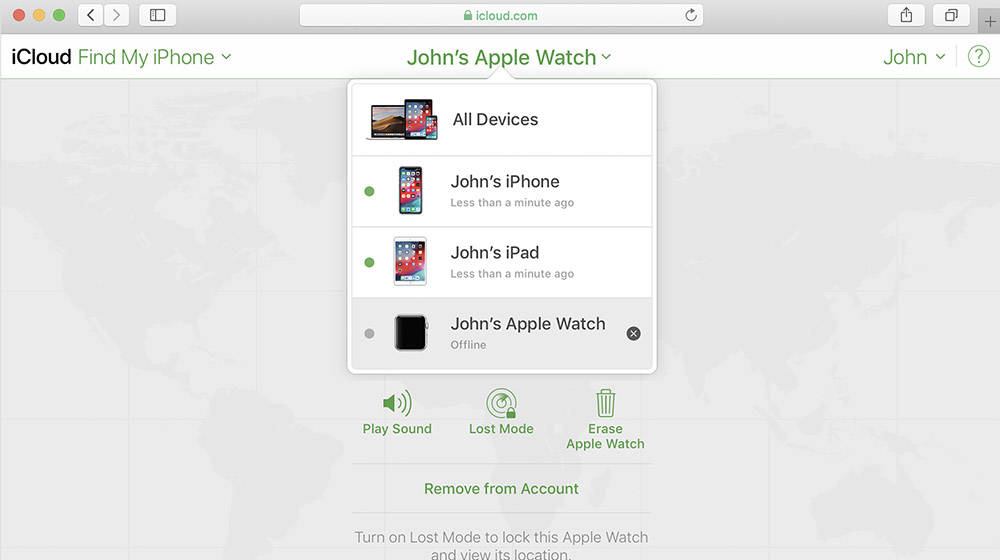
1. Use your own or a friend’s Apple device (such as iPhone or iPad) to open the “Find iPhone” application. Note that the “Find iPhone” mentioned here is an application, not the “Find My iPhone” feature in the settings.
2. Log in your Apple ID in the “Find iPhone” application, and then we can view your device. Next, we need to choose to erase all data. In this step, it is very important that you never choose to remove the device or lock the device.
3. Do not turn off the iPhone when erasing data, and make sure that there is a SIM card in the iPhone, that is, we need to ensure that the iPhone is in a state of network connectivity.
4. At this time, we will find that the iPhone that has forgotten the lock screen password prompts you to reactivate the phone.
5. Next, all we need to do is to enter our Apple ID and set it as a new iPhone.
Method 2: Use iTunes to restore
If you cannot use iCloud to restore, you can try to restore the phone using iTunes. After the restoration, the data in the phone will also be erased.
Operation steps: Turn off the phone and connect it to the computer, and then enter the DFU mode. After entering, iTunes will tell you “Your iPhone has a problem and needs to be updated or restored”, just click the “Restore” button.You can buy laptop batteries on oriccabattery.co.uk