Battery TPN-Q179 Replacement For HP X360 15-BL002XX
Our HP TPN-Q179 battery is manufactured to the highest quality standards, offering flawless compatibility with your HP X360 15-BL002XX. With a robust 79.2Wh capacity and 11.55V output, it delivers the enduring power you need for your device.Designed specifically for the HP X360 15-BL002XX (Model TPN-Q179), this high-performance battery guarantees a perfect fit and reliable power. Rest assured, this replacement battery is engineered to seamlessly integrate and perform, providing a power solution you can trust.
When you shop at oriccaBattery.co.uk, you not only get a premium product but also a worry-free shopping experience. Enjoy the benefits of Free Shipping, a comprehensive One-Year Warranty, and a 30-Day Money-Back Guarantee.
Battery TPN-Q179 Replacement For HP X360 15-BL002XX
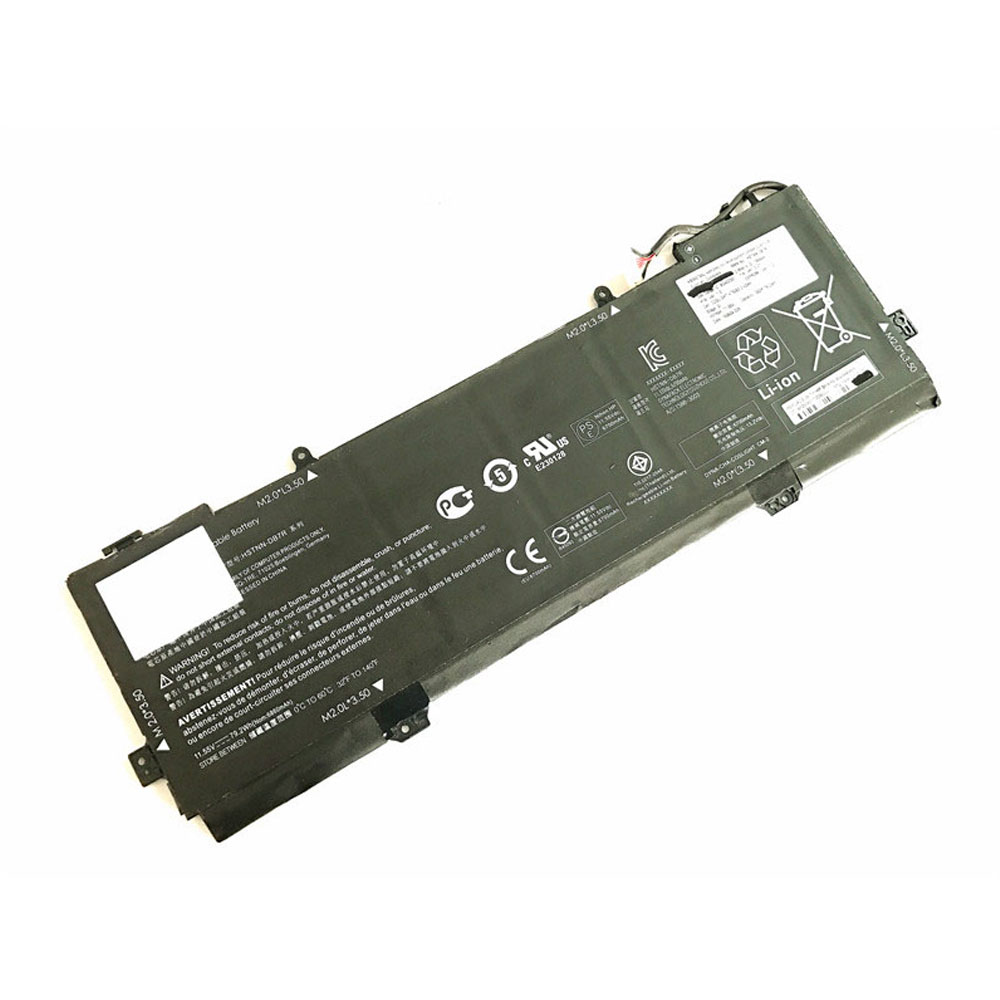
HP TPN-Q179 Specifications
Brand: Laptop Battery for HP
Capacity:79.2Wh
Voltage:11.55V
Type:Li-ion
Color:Black
All products from our shop are 100% the highest quality!
We provide the high quality Laptop Adapters!
PRODUCT COMPATIBILITY:
902401-2C1
902499-855
HSTNN-DB7R
KB06XL
TPN-Q179
REPLACEABILITY WITH THE FOLLOWING MODELS:
HP X360 15-BL002XX Series
HP Z6K96EA Z6K97EA Z6K99EA Z6L00EA Z6L01EA Z6L02EA Series
This HP KB06XL replacement battery is 100% compatible with the HP X360 15-BL002XX laptop . Our battery HP KB06XL and accessories are made with high quality parts and are guaranteed to meet or exceed the original equipment manufacturers specifications at a reduced price. All HP KB06XL batteries are tested for 100% Quality Control Assurance.
Maximize Performance & Lifespan: Your Guide to the HP TPN-Q179 Laptop Battery :
Congratulations on your new HP TPN-Q179 replacement battery! To ensure you get the most out of your battery from day one and enjoy long-lasting, reliable power, please follow these essential care and maintenance guidelines.Initial Setup for Optimal Performance:
First Charge: Your new HP TPN-Q179 battery must be fully charged before its first use.
Conditioning: For the battery to reach its full capacity, it is recommended to fully charge and then discharge it a few times initially.
Proper Storage & Safety Handling
Storage Charge: If you plan to store the battery unused, always ensure it is fully charged first, as all laptop batteries gradually self-discharge.
Periodical Maintenance: Fully drain and recharge your battery pack every few months to maintain its health.
Handle with Care: Do not drop, mutilate, or short-circuit the battery terminals. Avoid storing the battery with metal objects.
Keep Dry: Never expose the HP TPN-Q179 battery to moisture or water.
By integrating these easy practices, you can significantly enhance the performance and extend the service life of your HP TPN-Q179 battery.
Recommended Products:
101232 Battery for Flyability Elios 2 5ICP8/51/117
A1579 Battery for Apple i Watch 7000 Series 42mm
L12M4P62 Battery for Lenovo Ideapad U430 U530 Touch
L11S6Y01 Battery for Lenovo IdeaPad Y480 Y580 G480 G580
3065 Battery for Ulefone Armor 5